Schedule start and end times for each content item directly in Page Studio. Here’s how it works.
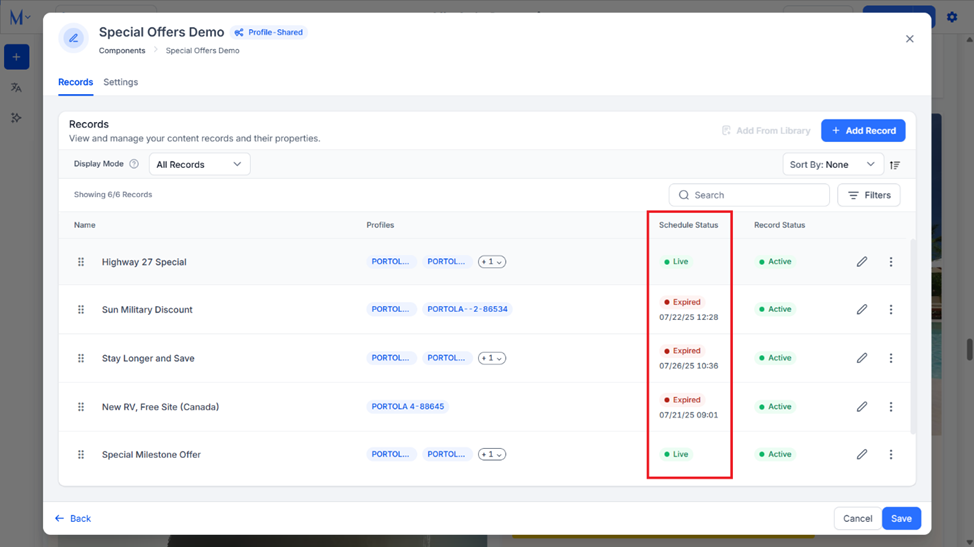
Step 1: Click on the ‘Edit’ icon for the section.

Here you can see all the records within the section and their schedule status.
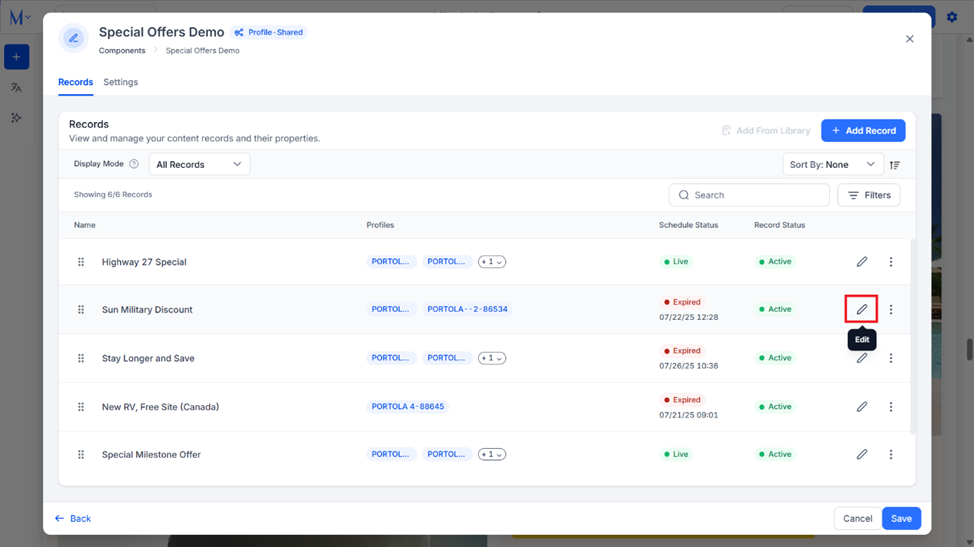
Step 2: To change the schedule for a record in this section, click on the ‘Edit’ icon corresponding to it.
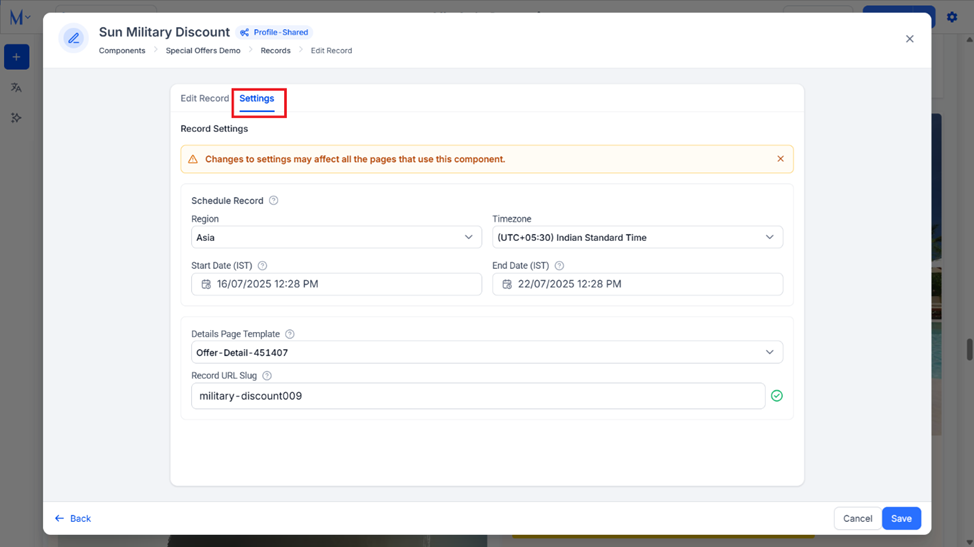
Step 3: Click on ‘Settings’ in the edit section for the record.
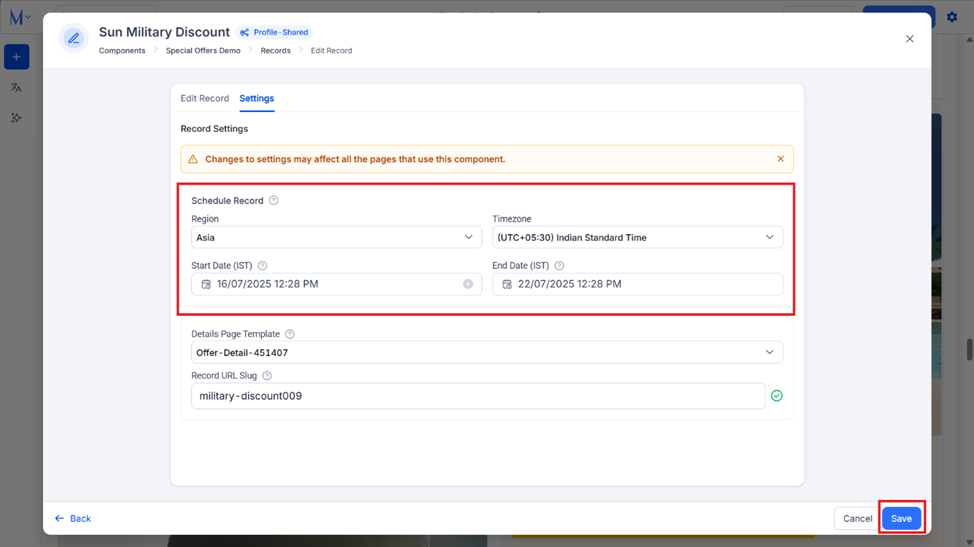
Step 4: Set the time zone, the start time, and the end time for the record and click on ‘Save’.
Was this article helpful?
That’s Great!
Thank you for your feedback
Sorry! We couldn't be helpful
Thank you for your feedback
Feedback sent
We appreciate your effort and will try to fix the article