Groups are used to identify business locations. Here's how you can enable groups and even create custom groups.
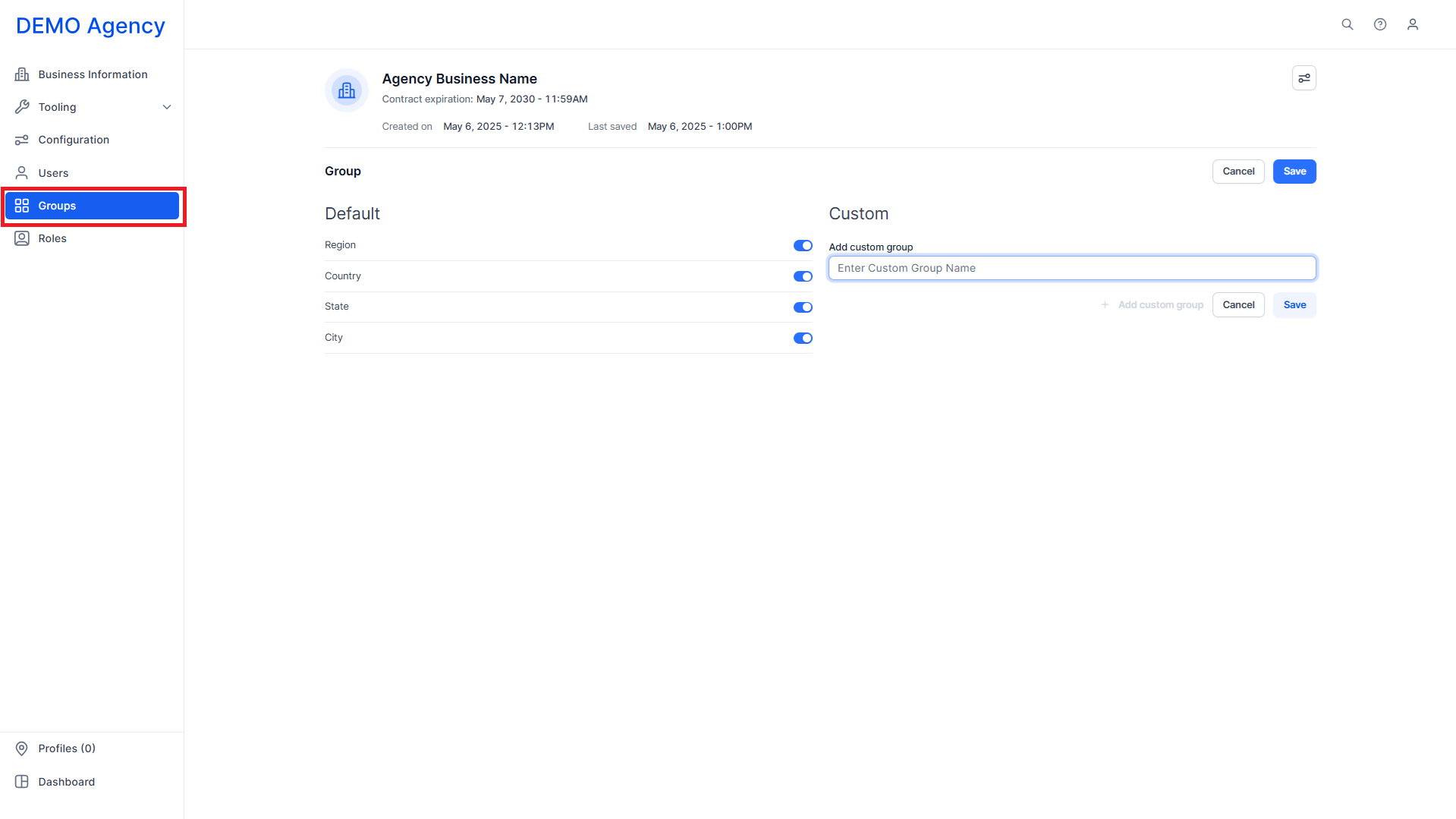
Step 1: Click on ‘Groups’ in the left navigation panel.
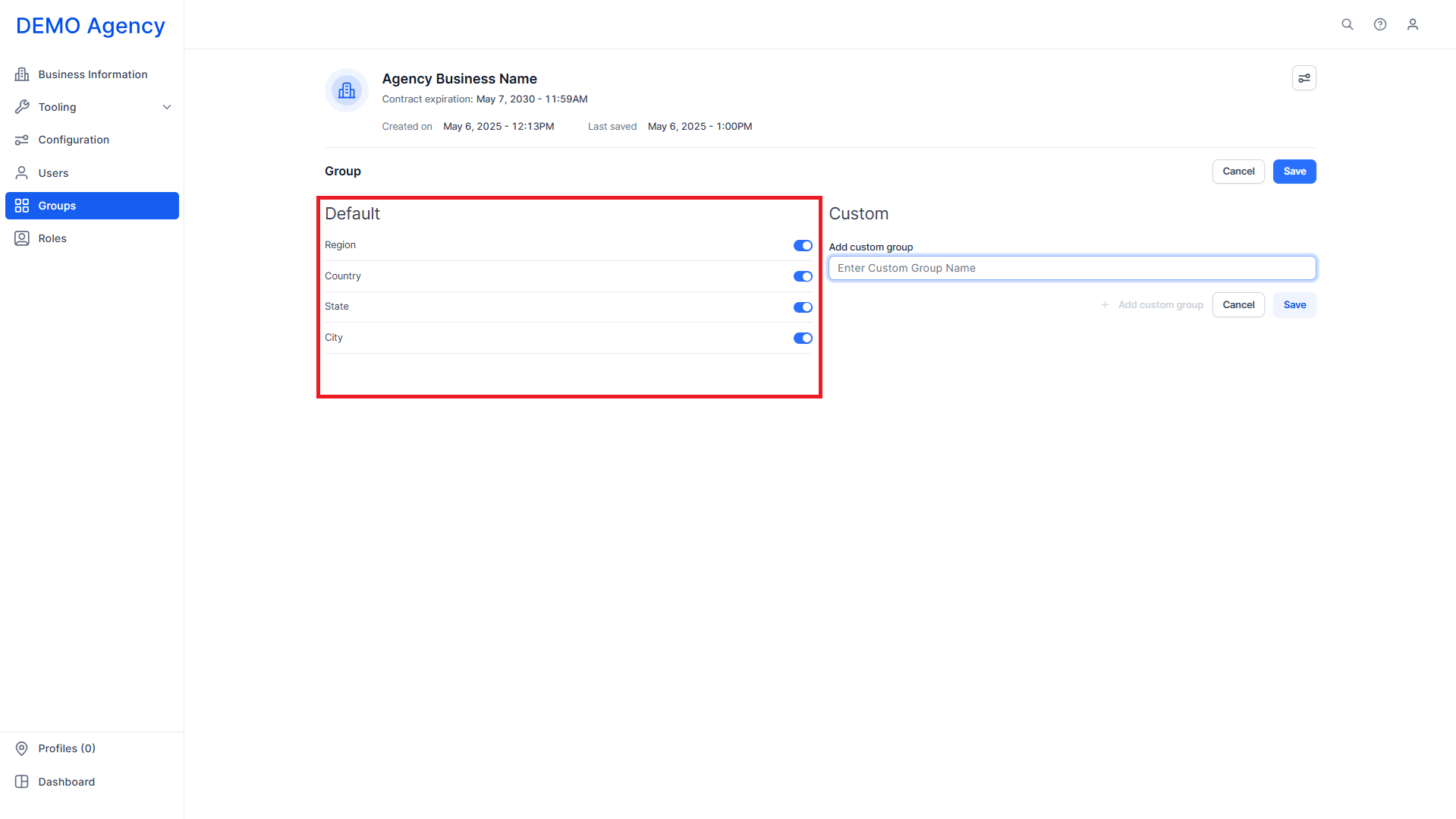
Step 2: The default groups are region, country, state, and city.
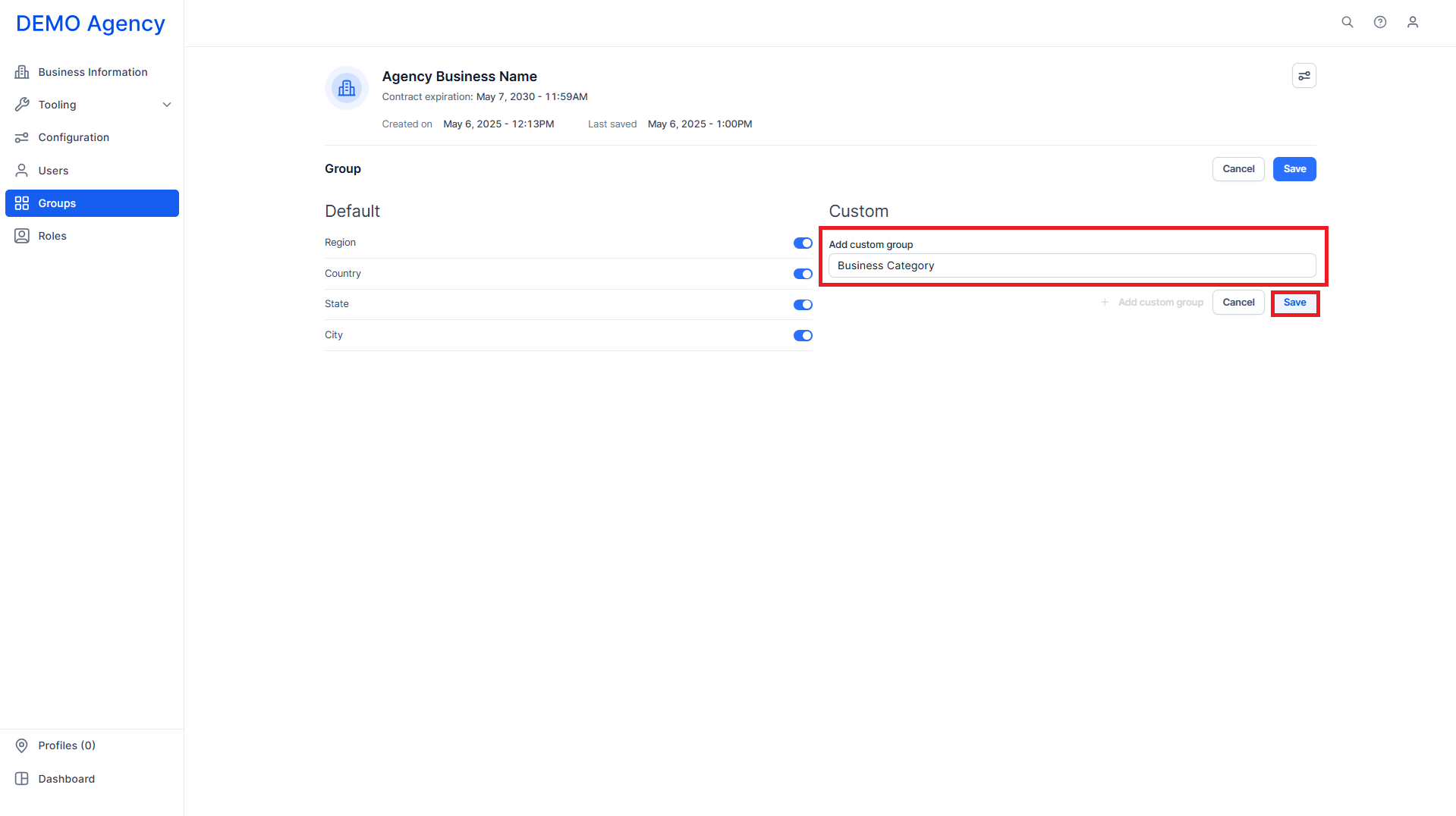
Step 3: You can add custom groups by entering the name in the ‘Add Custom Group’ text field and clicking on ‘Save’.
Was this article helpful?
That’s Great!
Thank you for your feedback
Sorry! We couldn't be helpful
Thank you for your feedback
Feedback sent
We appreciate your effort and will try to fix the article