Overview
The Channel Settings feature allows you to control which external platforms (such as search engines, directories, or social sites) are connected to a specific business. Enabling or disabling these channels determines where content, listings, or data will be published or synced. This ensures accurate distribution, avoids duplication, and supports clean integration across services.
Purpose
Each business may have different channel requirements based on location, industry, or service agreement. The Channel Settings section ensures that only the appropriate channels are active for each business profile, reducing errors, avoiding unnecessary API calls, and keeping account management aligned with expectations.
Step-by-Step Flow
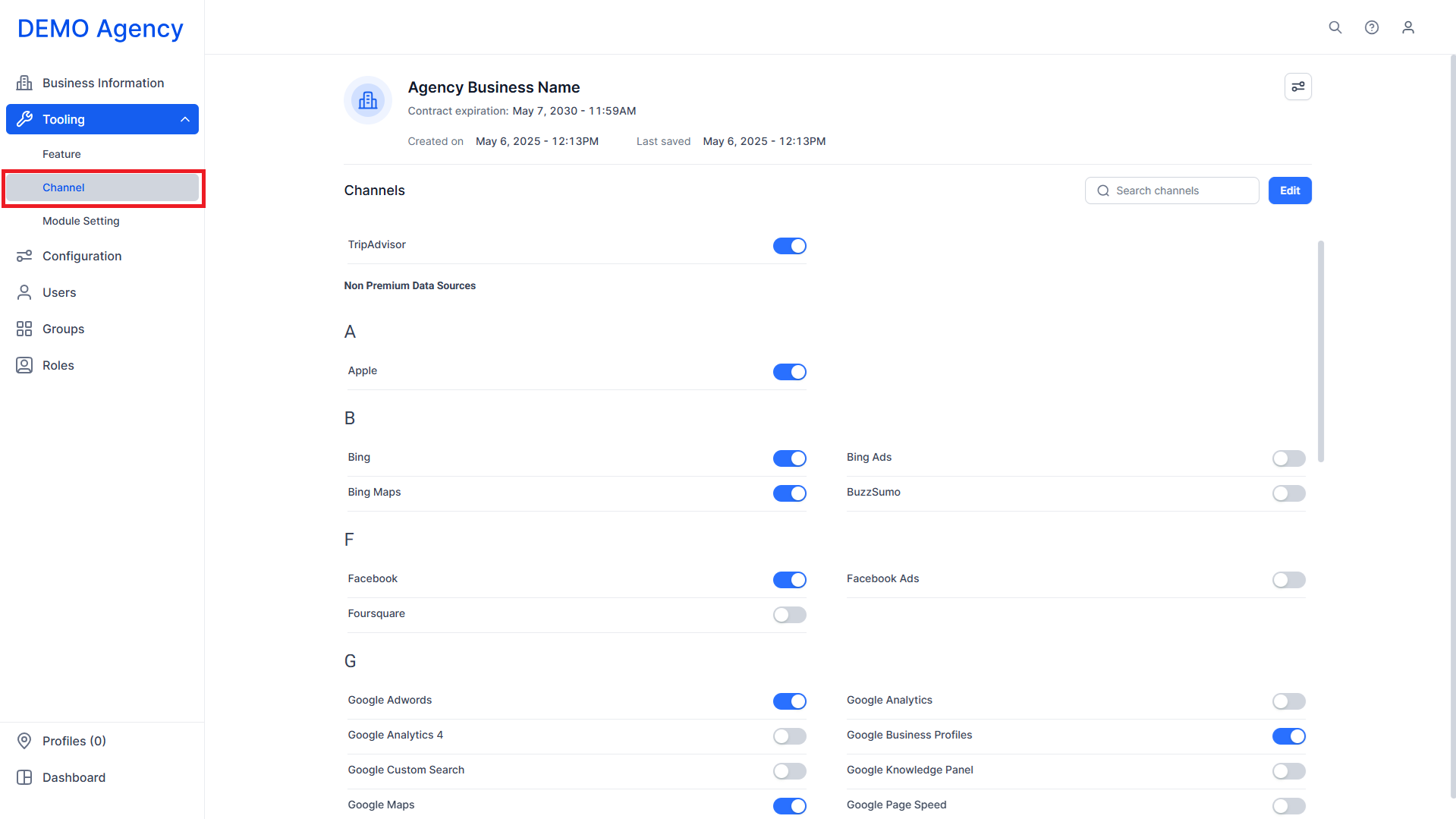
Step 1: Click on ‘Channel’ under ‘Tooling’ in the left navigation panel.
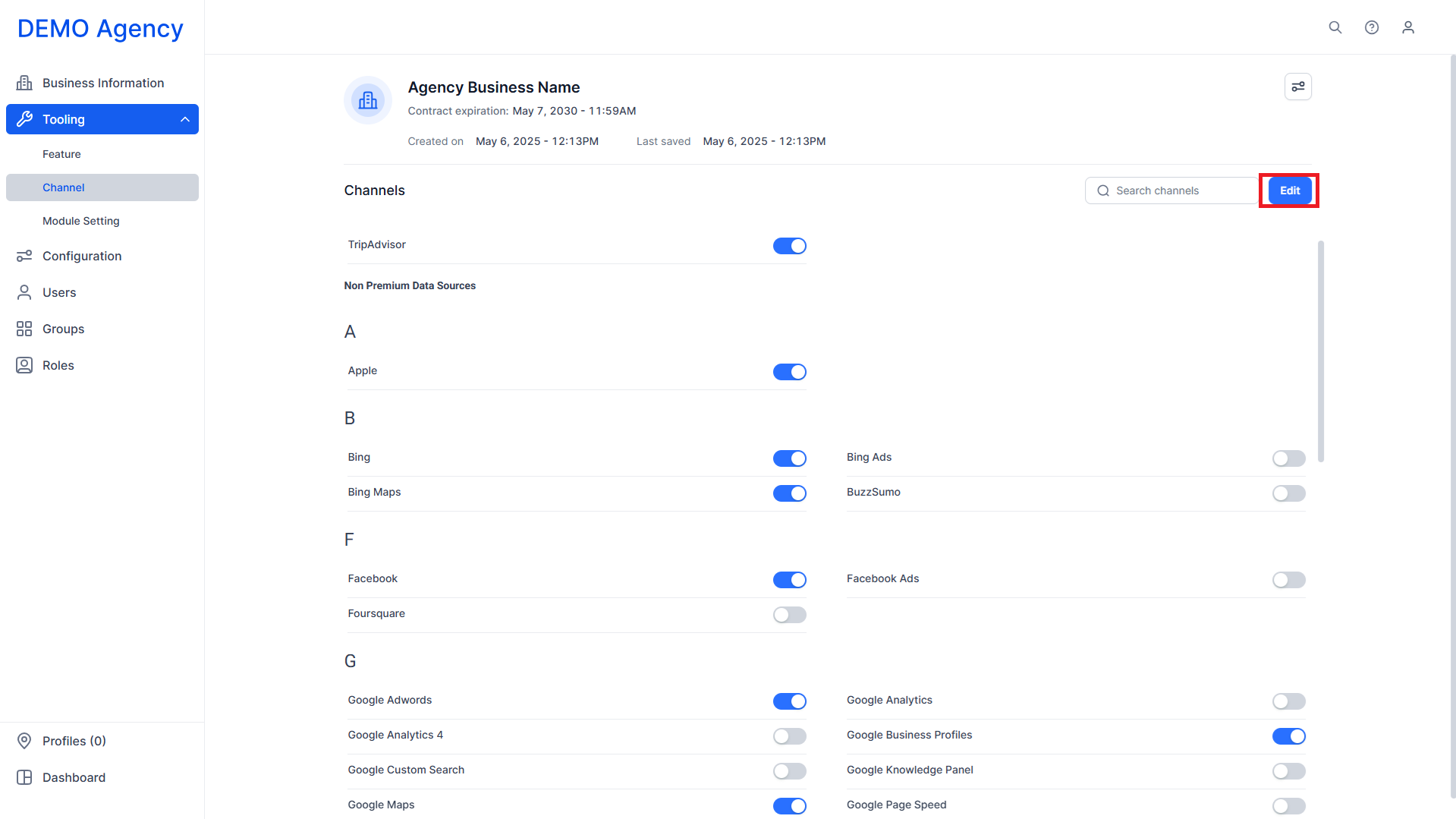
Step 2: Click on ‘Edit’ to start enabling or disabling channels for the business.
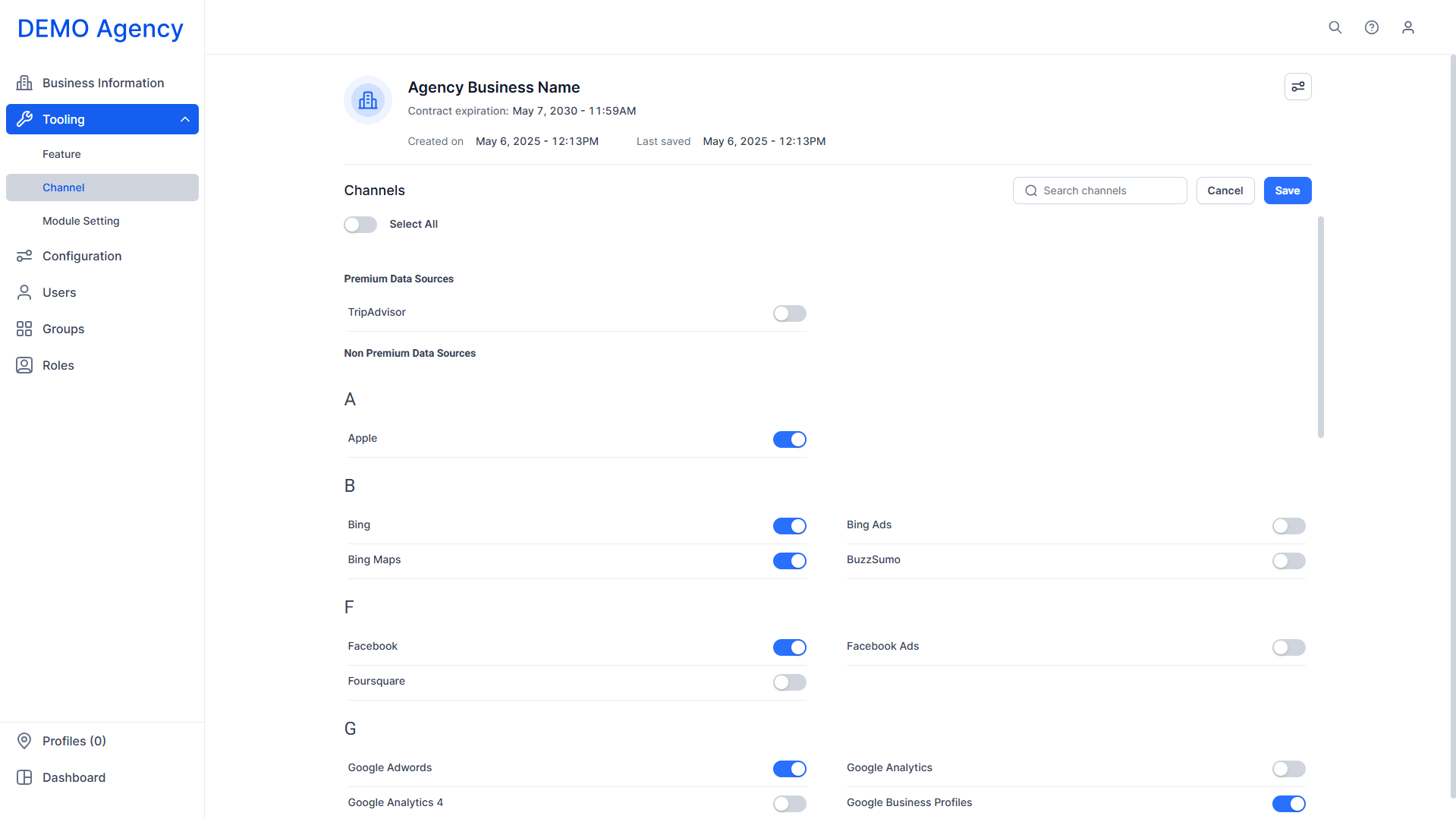
Step 3: Use the toggles to enable or disable a channel for the business.
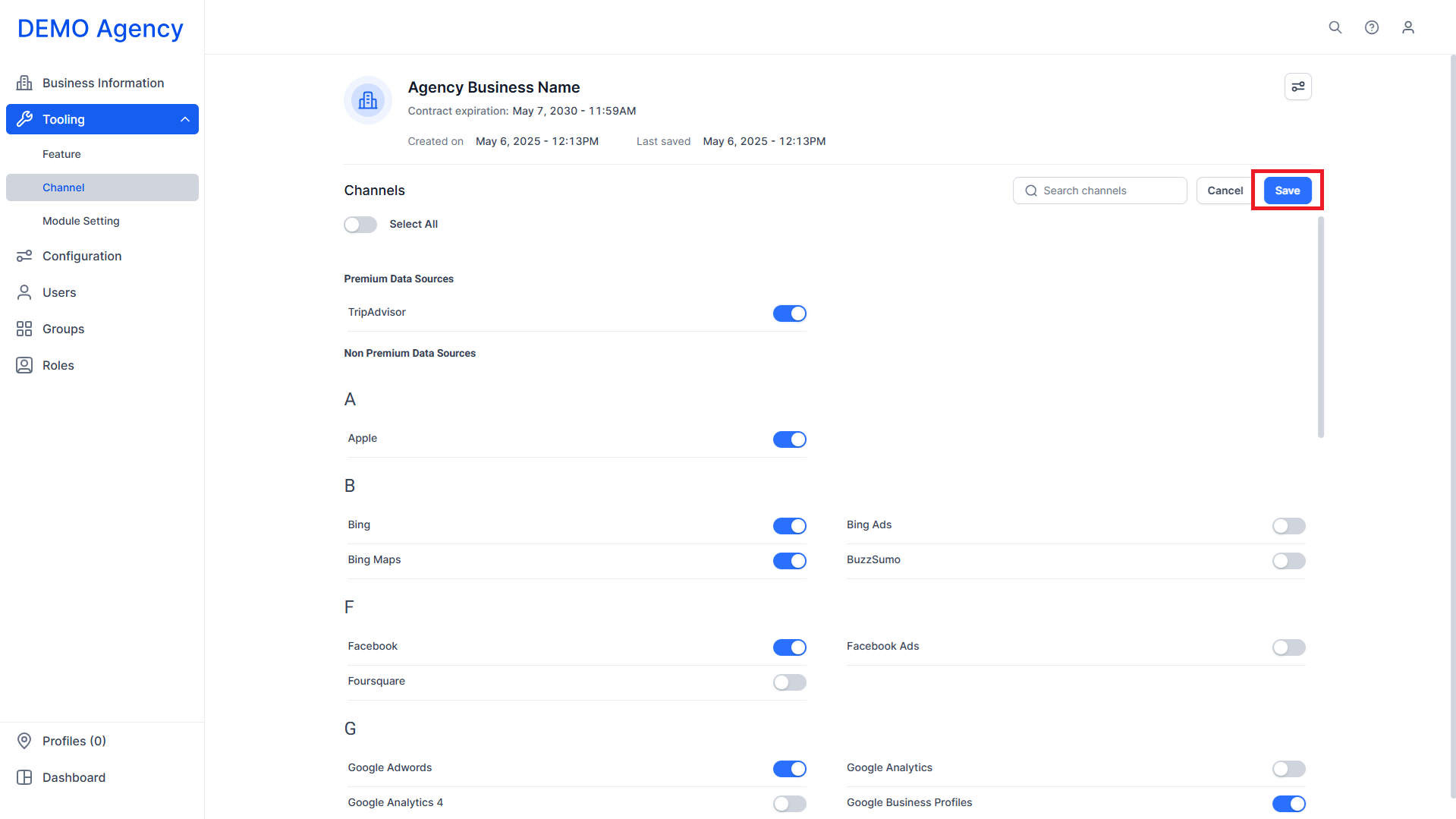
Step 4: Click on ‘Save’.
Glossary of Terms
Channel Settings: The configuration panel that controls which external platforms receive content and listing data from the platform.
Publishing Channels: External services or platforms (e.g., search engines, directories, social platforms) that can receive business data.
Business Profile: The top-level structure representing a brand, client, or organization on the platform.
Was this article helpful?
That’s Great!
Thank you for your feedback
Sorry! We couldn't be helpful
Thank you for your feedback
Feedback sent
We appreciate your effort and will try to fix the article