Overview
Schema tagging is a crucial process that enables agencies to add structured data to web pages, enhancing search engine understanding and improving visibility in search results. By implementing schema markup, agencies can help clients achieve richer search snippets, leading to increased click-through rates and better user engagement.
Background & Flow
Implementing schema markup across multiple client websites can be complex. A structured approach to schema tagging ensures consistency, accuracy, and efficiency.
Step-by-Step Workflow
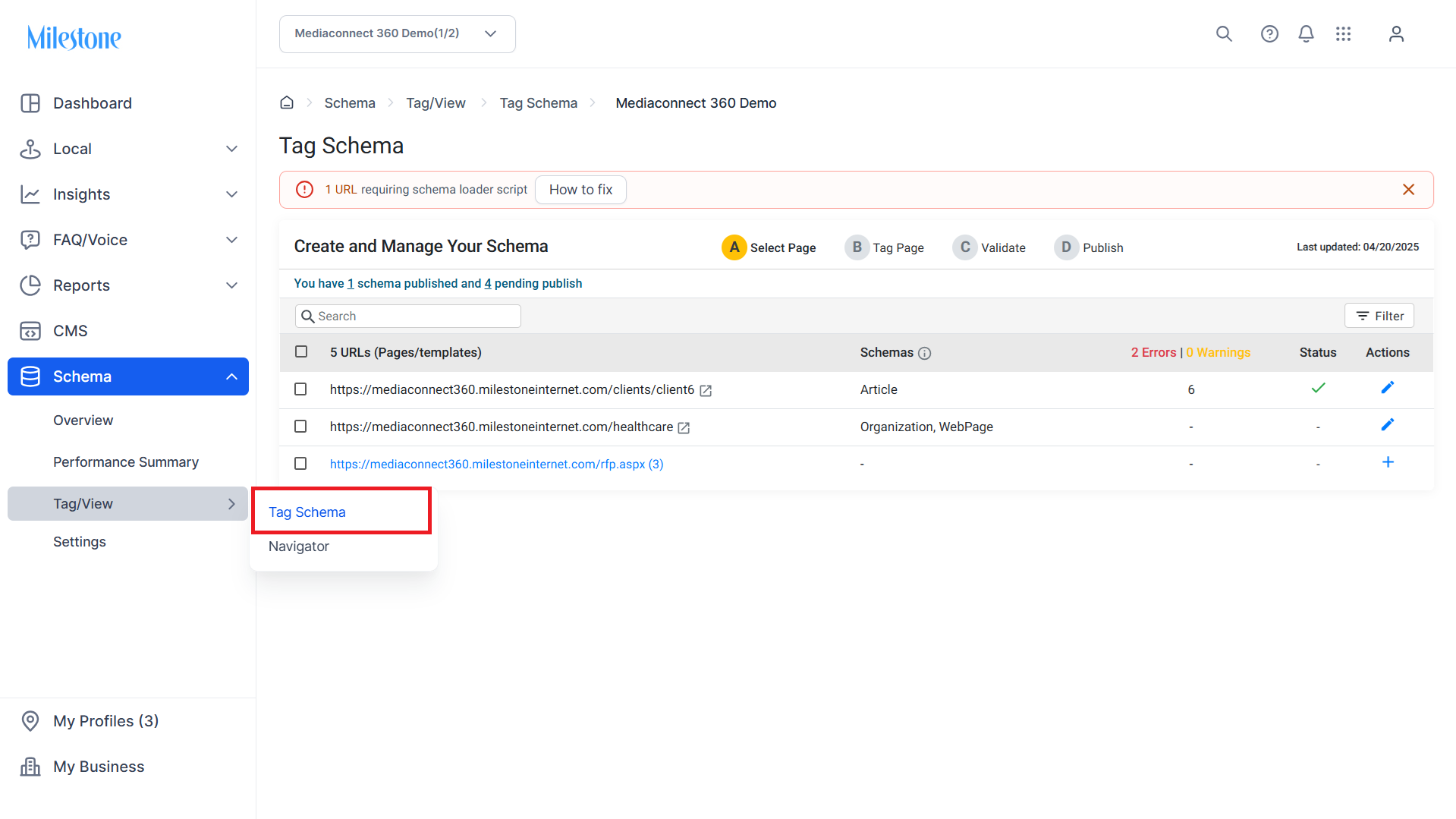
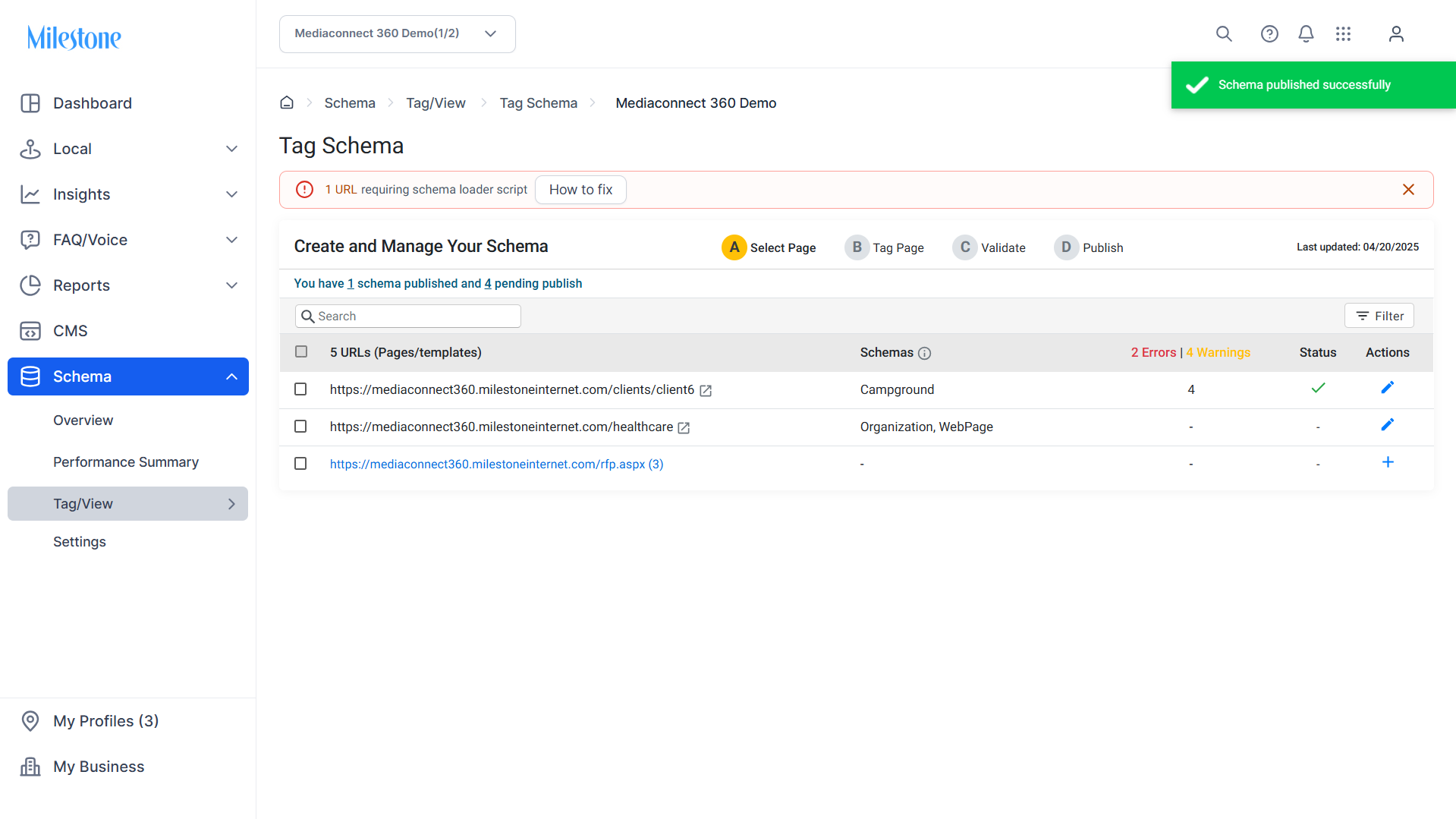
Step 1: Click on ‘Tag Schema’ in the ‘Tag/View’ menu.
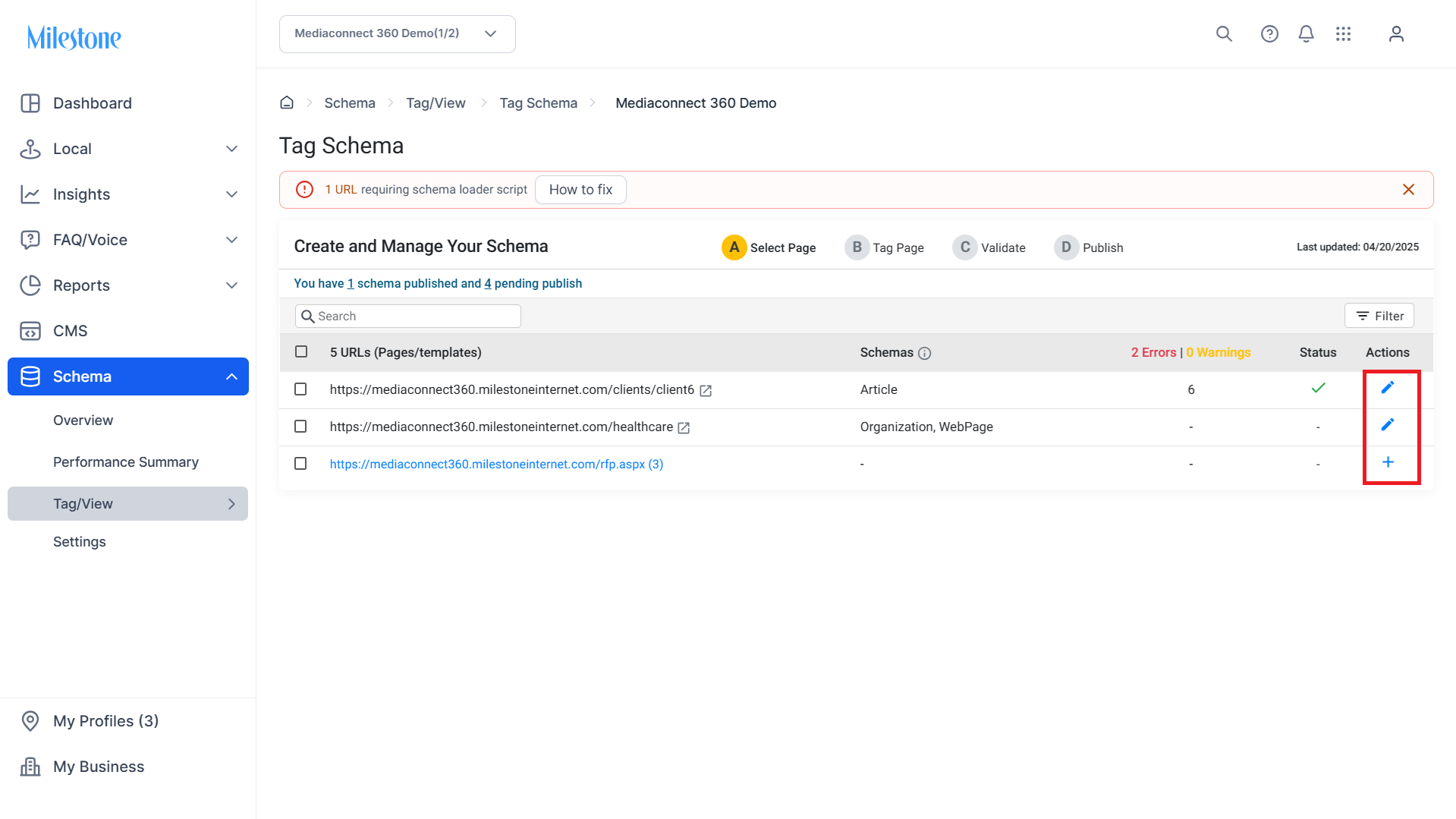
Step 2: Click on the Edit icon in the ‘Actions’ column to start tagging.
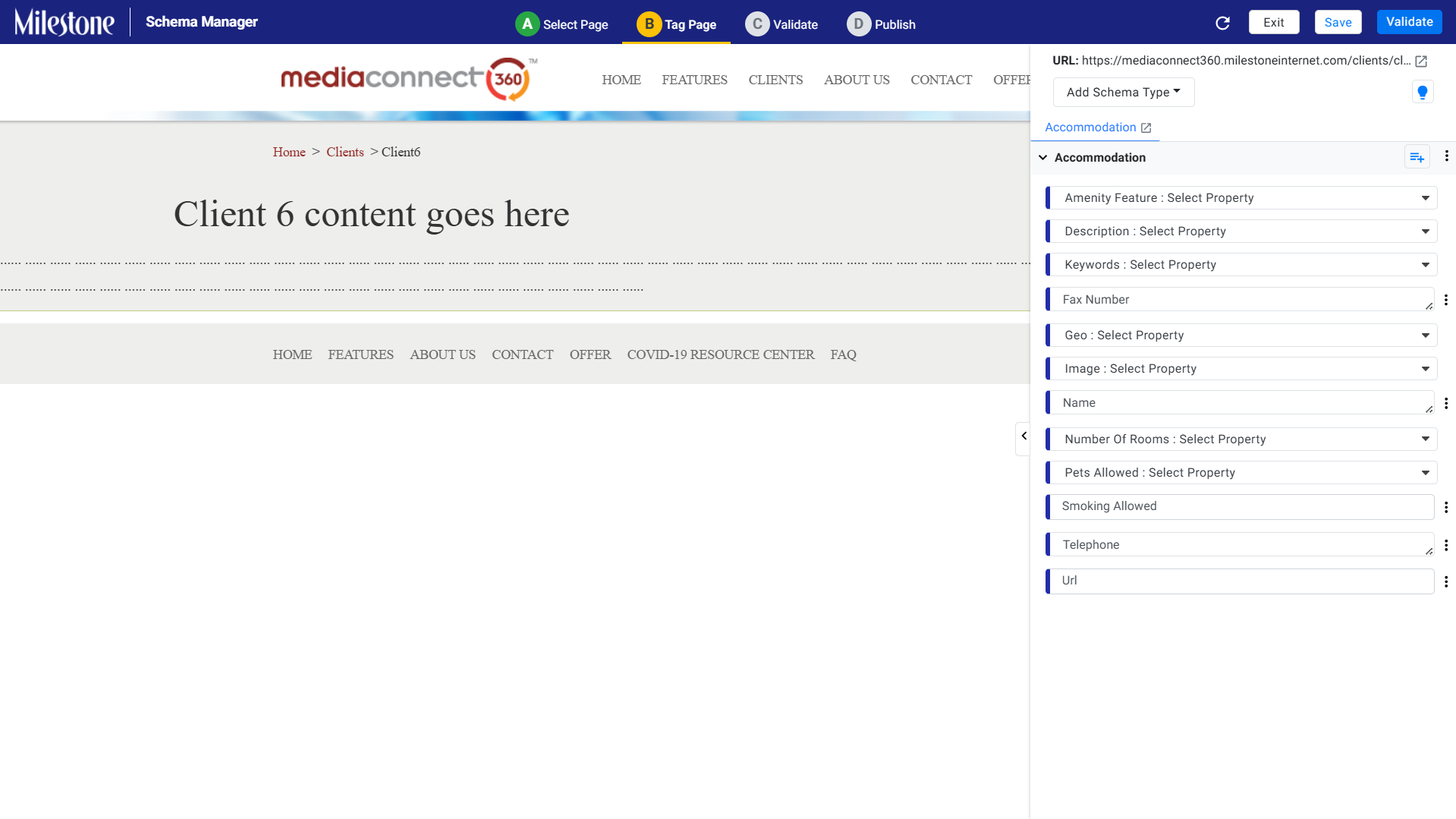
Step 3: Apply Schema Markup:
- Use the visual editor to select appropriate schema types (e.g., Article, Product, LocalBusiness).
- Map relevant properties to page content using point-and-click functionality.
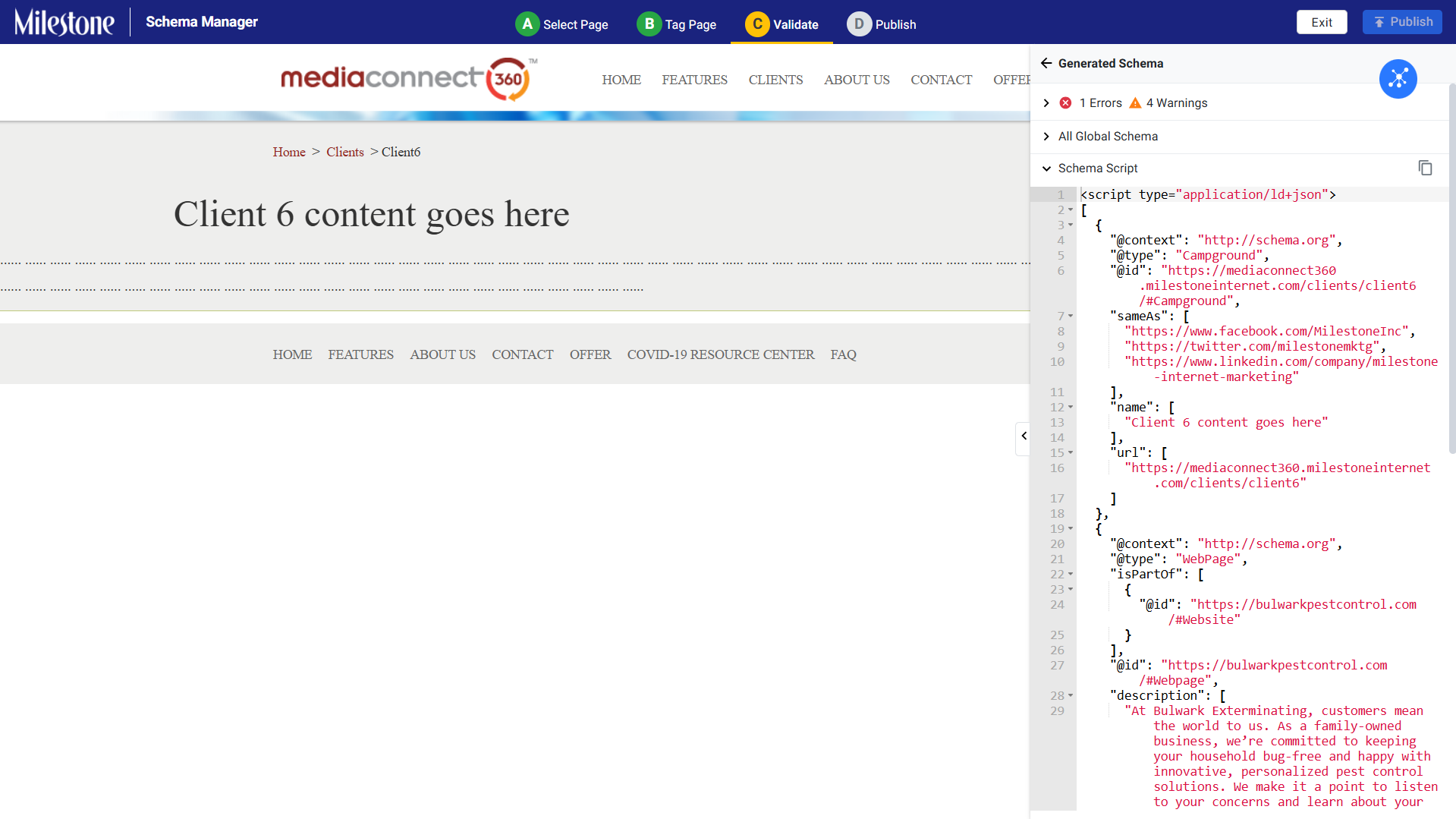
Step 4: Validate Schema:
- Utilize the built-in validation tool to check for errors or warnings.
- Ensure compliance with current schema standards.
Step 5: Publish Schema:
- Once validated, publish the schema to the selected pages.
- Monitor deployment status and performance metrics.
Glossary of Terms
Schema Markup: Structured data added to web pages to help search engines understand the content.
Validation Tool: A feature that checks schema markup for errors and compliance with standards.
Publishing: The process of deploying validated schema markup to live web pages.
Was this article helpful?
That’s Great!
Thank you for your feedback
Sorry! We couldn't be helpful
Thank you for your feedback
Feedback sent
We appreciate your effort and will try to fix the article