Overview
Accurate business hours are crucial for ensuring customers know when a business is open, enhancing user experience, and improving local search visibility. For agencies managing multiple client profiles, maintaining up-to-date business hours across all listings is essential for consistency and customer trust.
Background & Workflow
Business hours inform customers of a business's operating times. Keeping this information current helps prevent customer dissatisfaction and potential loss of business due to misinformation.
Step-by-Step Workflow
Access the Profile Summary
- Navigate to the 'Local' tab in the dashboard.
- Select the desired business profile.
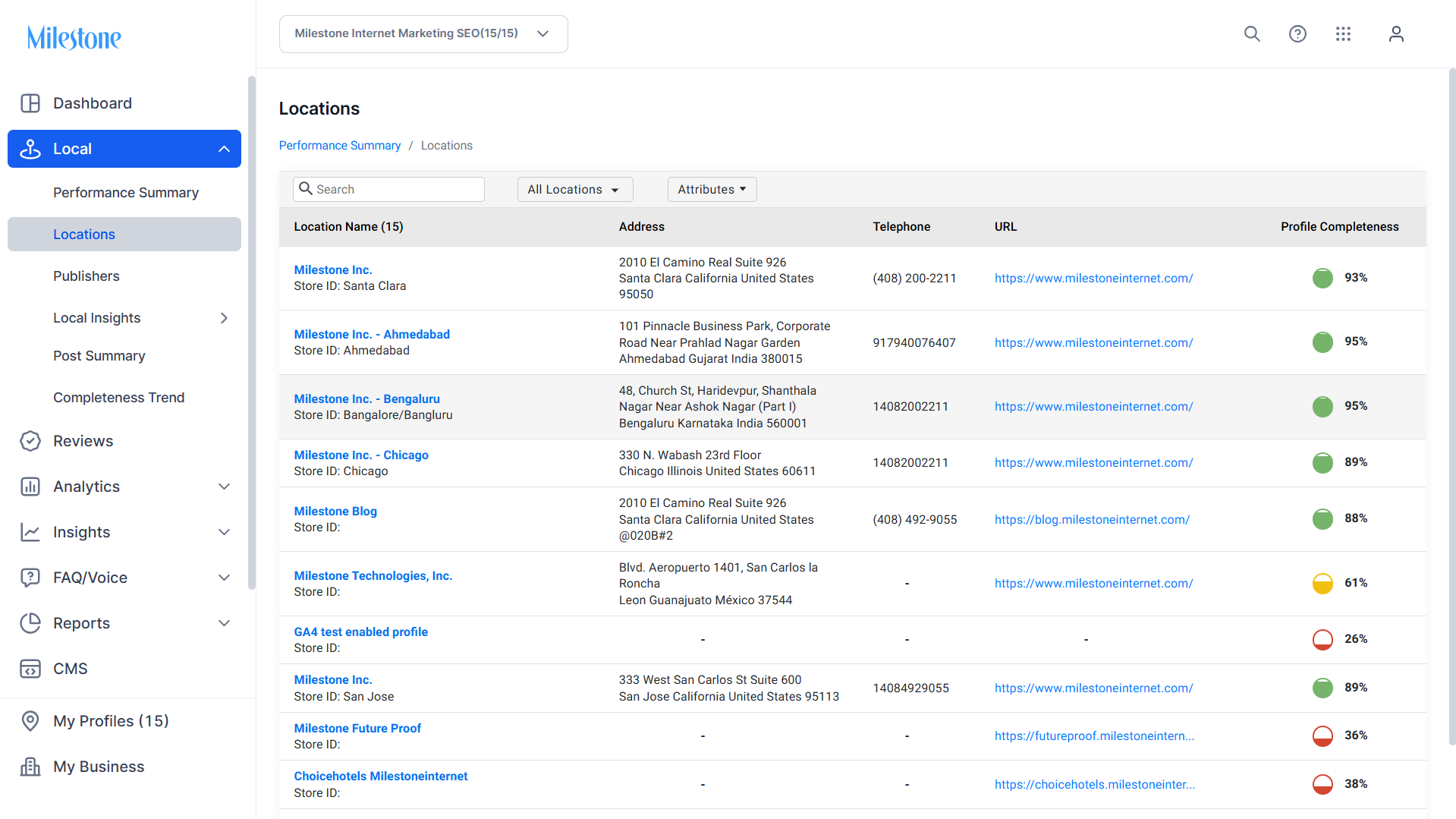
Edit Business Hours
Locate the 'Business Hours' section.
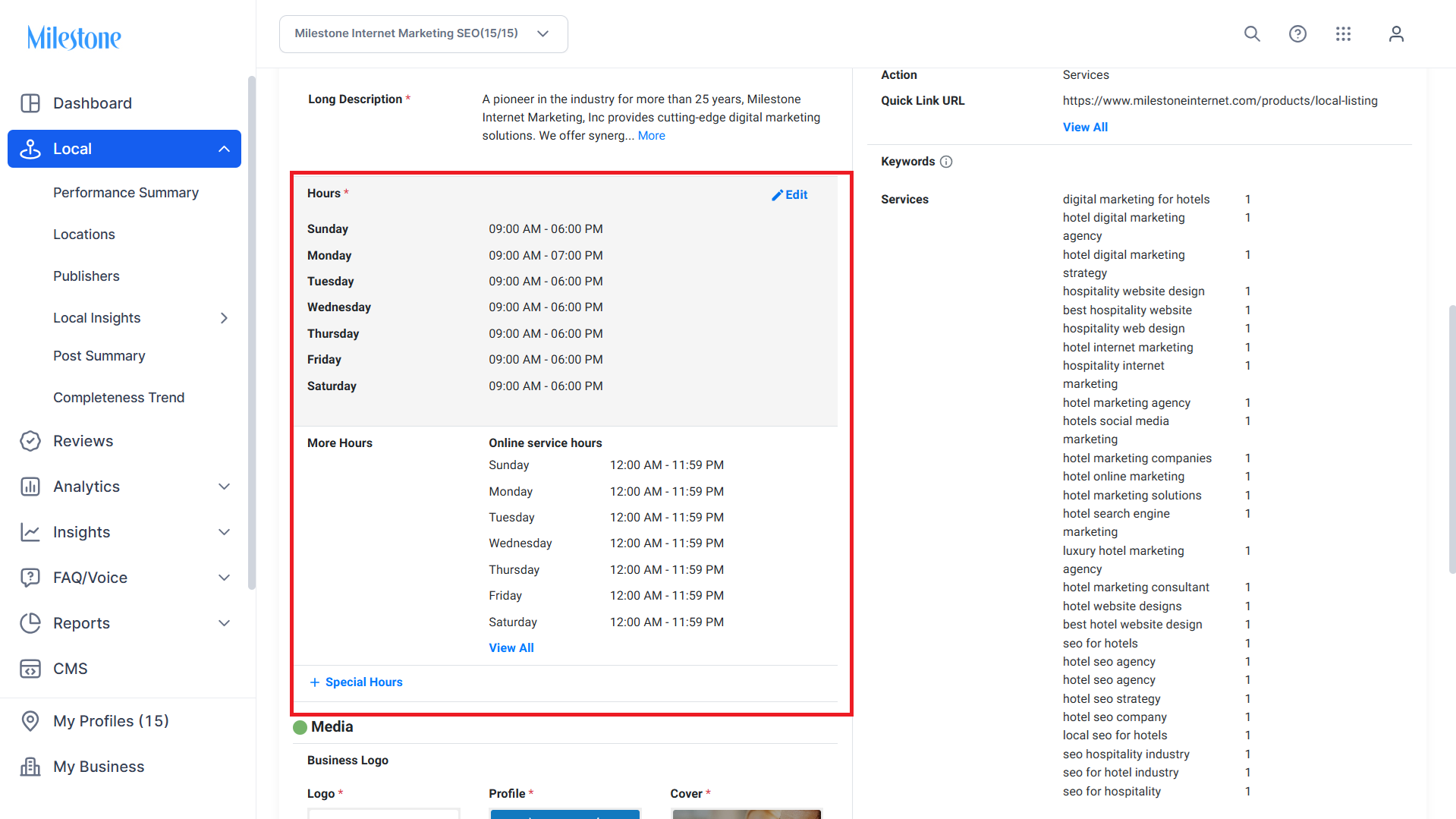
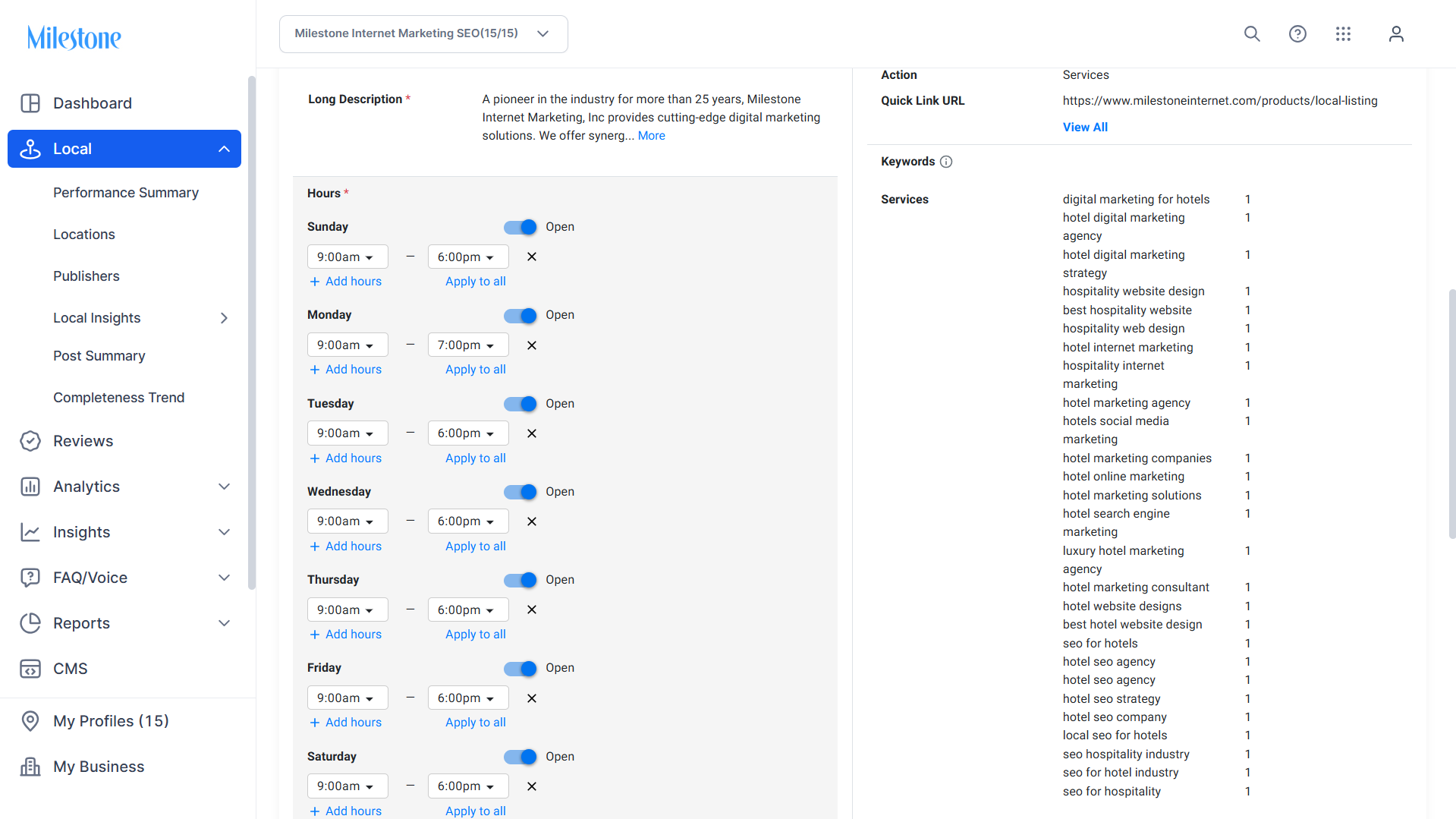
Update the hours for each day as necessary.
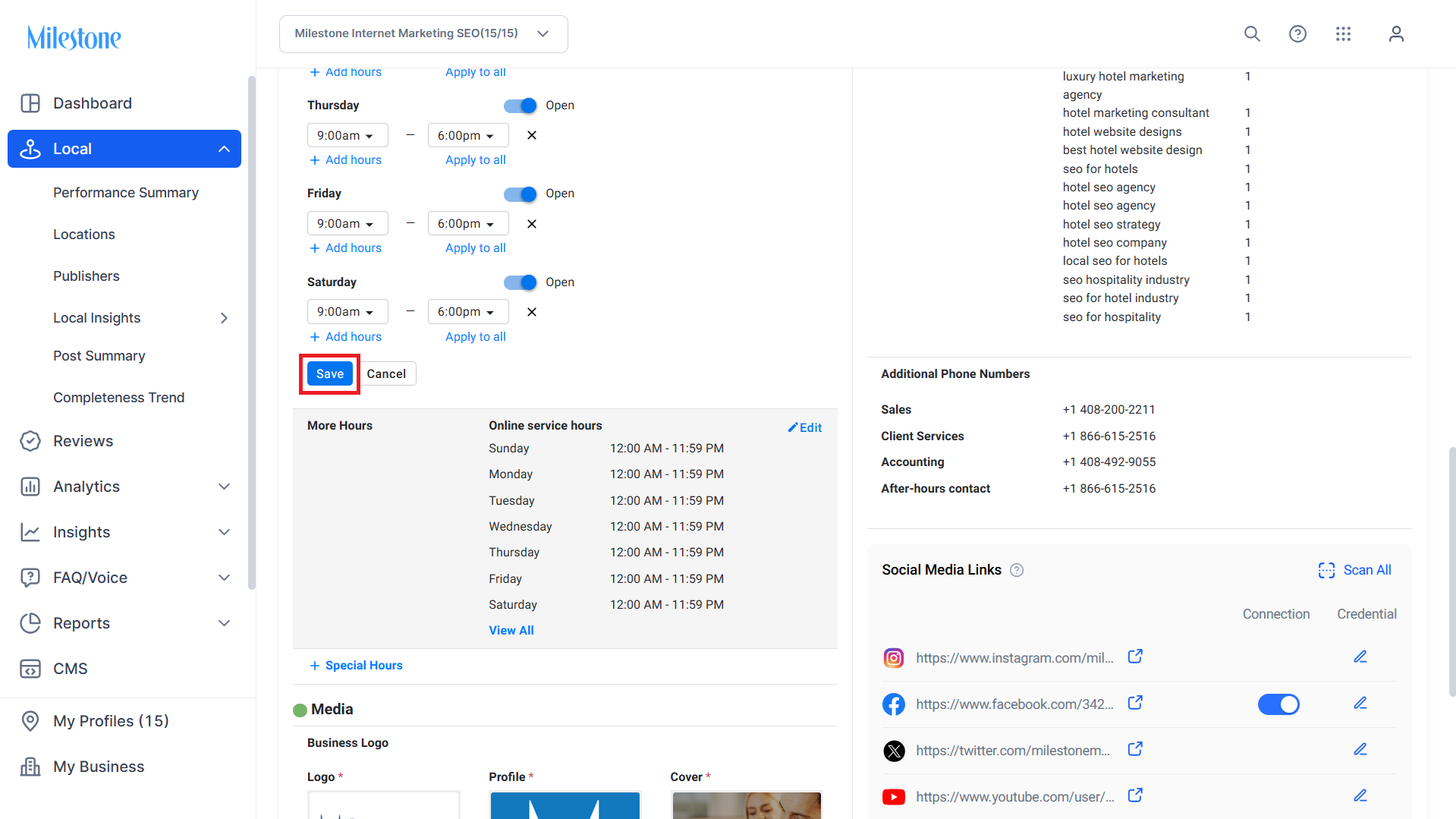
Save changes to update the profile.
Glossary of Terms
Business Hours: The days and times a business is open to customers.
Profile Summary: A consolidated view of a business's information, including hours, descriptions, and attributes.
Tips for Agency Success
Regular Updates: Periodically review and update business hours to reflect any changes, including holidays or special events.
Client Communication: Engage with clients to confirm the accuracy of listed hours, especially during seasonal changes.
Leverage Bulk Editing: For agencies managing multiple profiles, utilize bulk editing features to streamline updates.
Was this article helpful?
That’s Great!
Thank you for your feedback
Sorry! We couldn't be helpful
Thank you for your feedback
Feedback sent
We appreciate your effort and will try to fix the article