Once you have installed the Milestone Schema Manager Connector for AEM, these steps will help you configure it for the AEM environment.
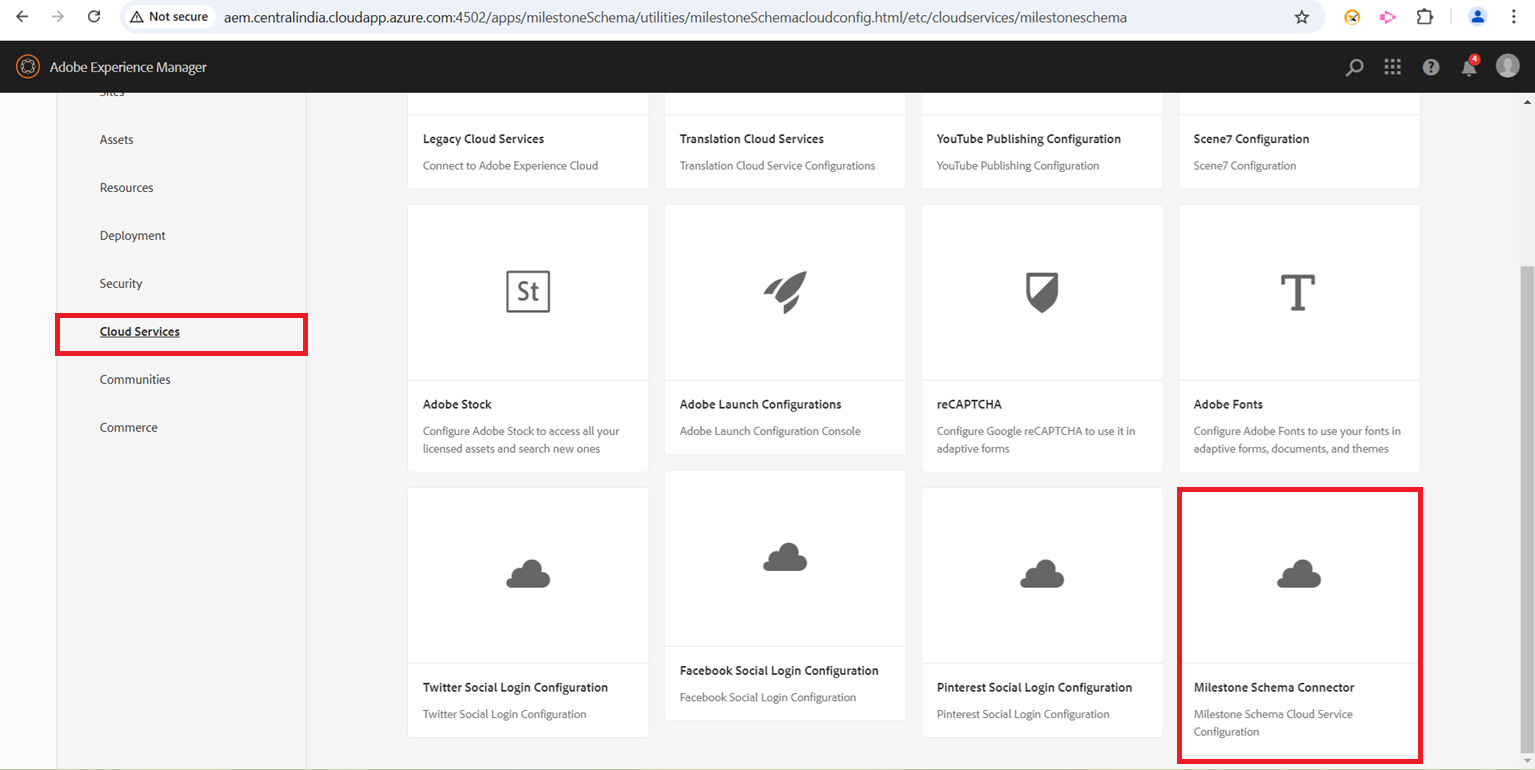
Step 1: Select ‘Milestone Schema Connector’ from the ‘Cloud Services’ section.
Step 2: Add a website title and the schema loader script here.
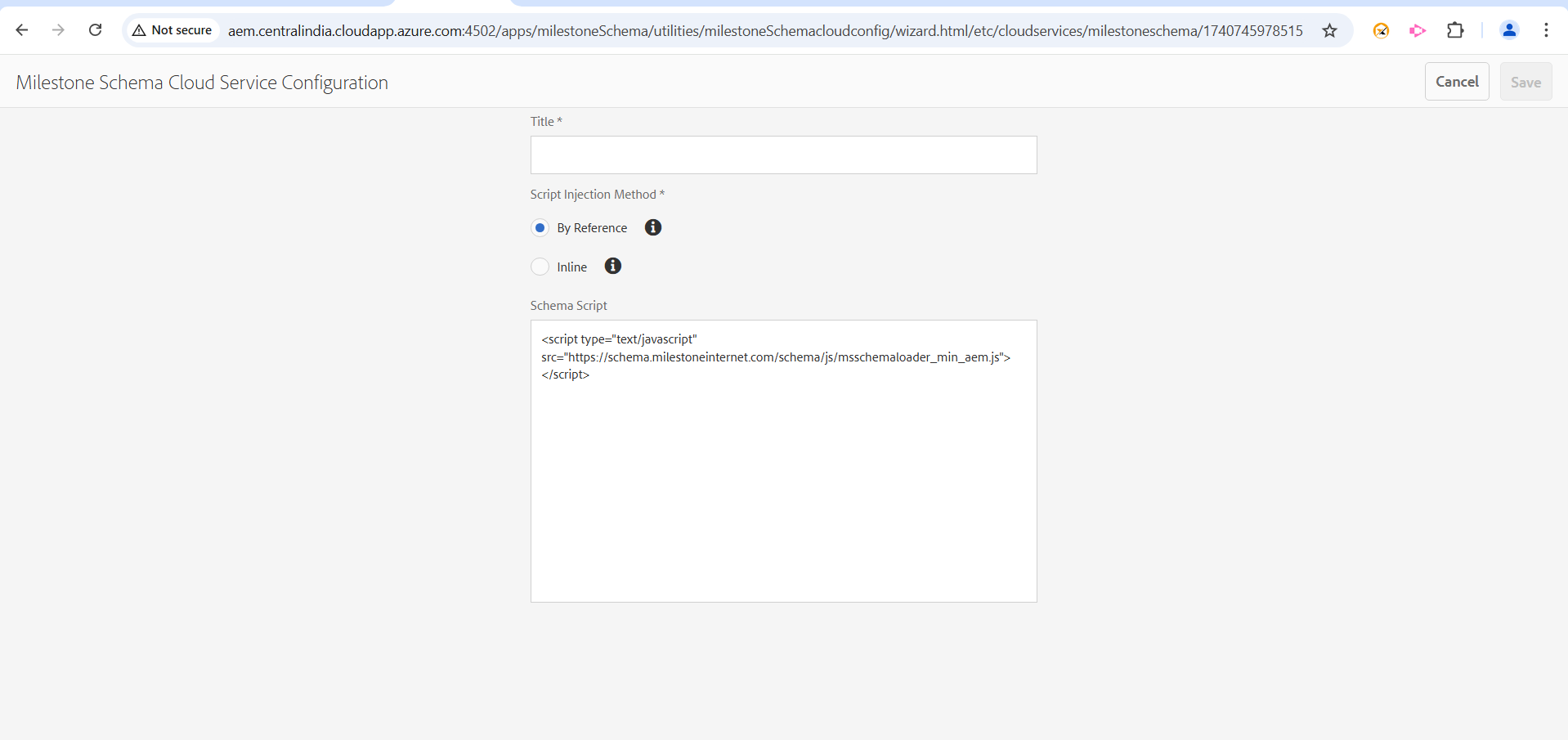
Schema Loader Script:
<script type="text/javascript" src="https://schema.milestoneinternet.com/schema/js/msschemaloader_min.js"></script>
<script type="text/javascript">msSchemaLoader();</script>
Step 3: Enable Milestone Schema Manager Connector for the website.
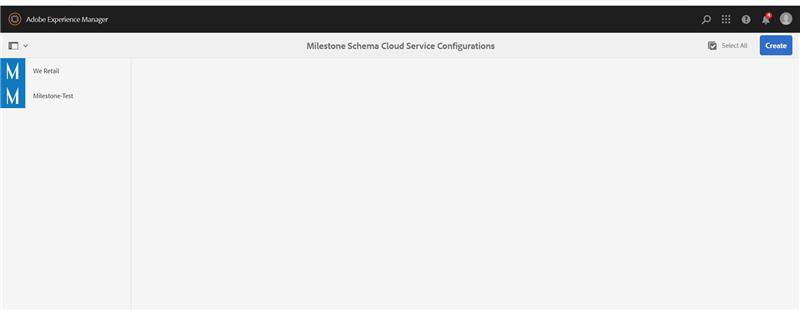
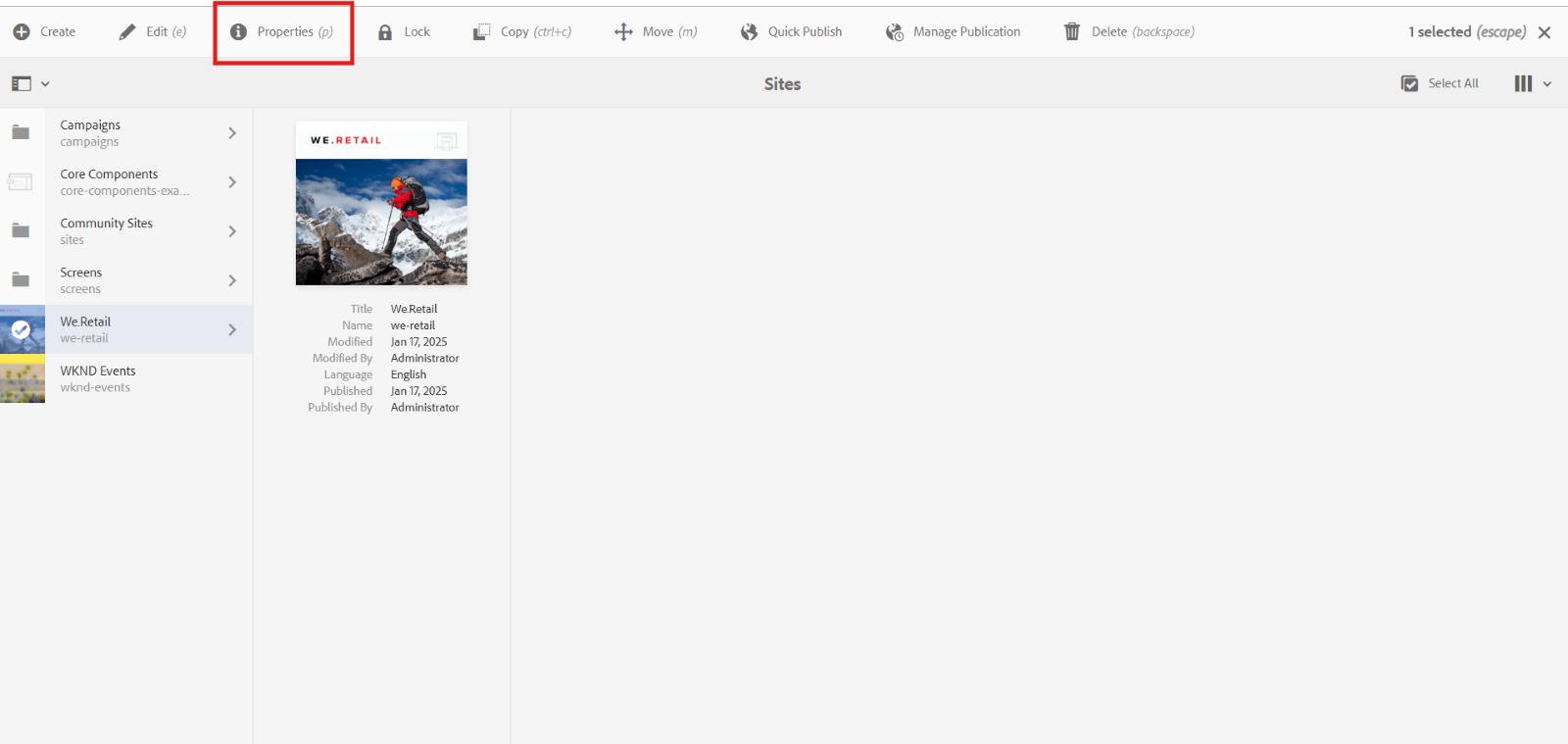
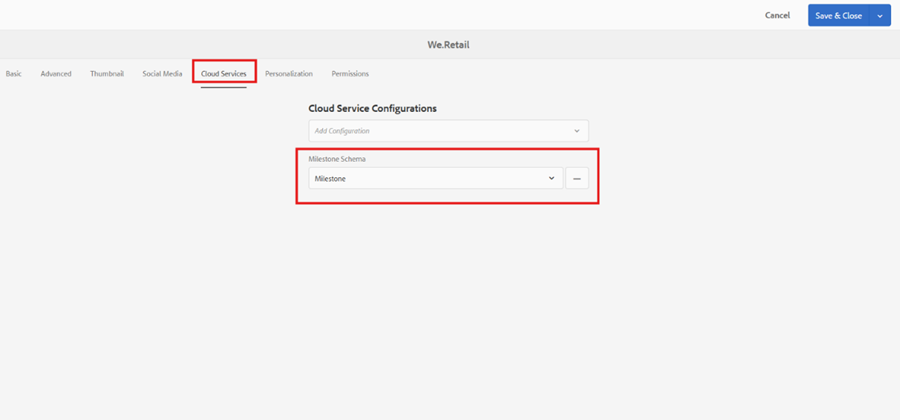
Step 4: To enable click on the site you want to go to, properties and go to cloud services and enable.
Step 5: Once connected, you can use the SSO login into Milestone Presence Cloud to access profiles and tag schema.
Was this article helpful?
That’s Great!
Thank you for your feedback
Sorry! We couldn't be helpful
Thank you for your feedback
Feedback sent
We appreciate your effort and will try to fix the article