Milestone Insights lets you track keywords for locations as well as national searches.
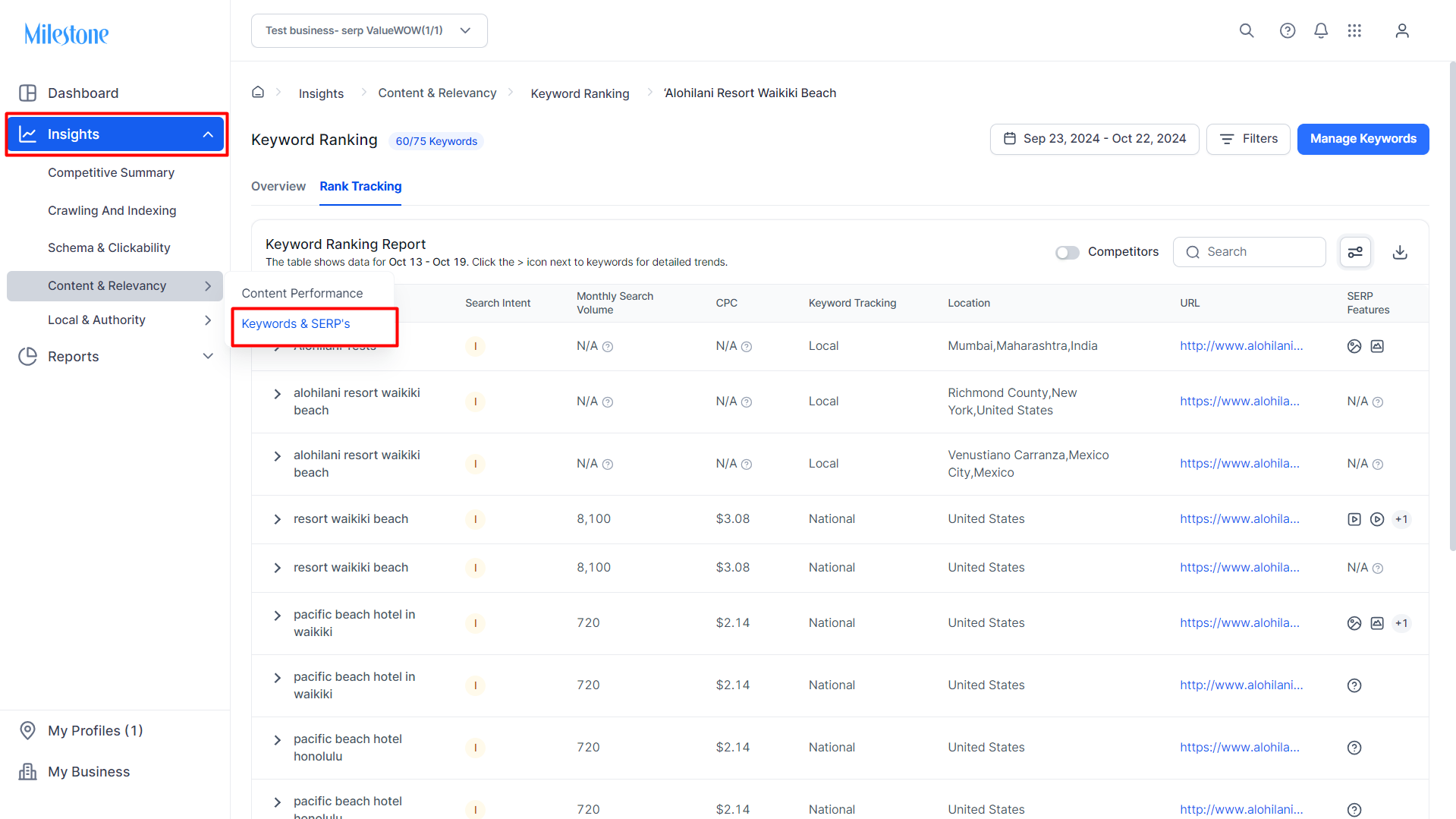
Path: Milestone Insights > Content & Relevancy > Keywords & SERPs > Rank Tracking
Step 1: Navigate to Keywords & SERPs in Milestone Insights.
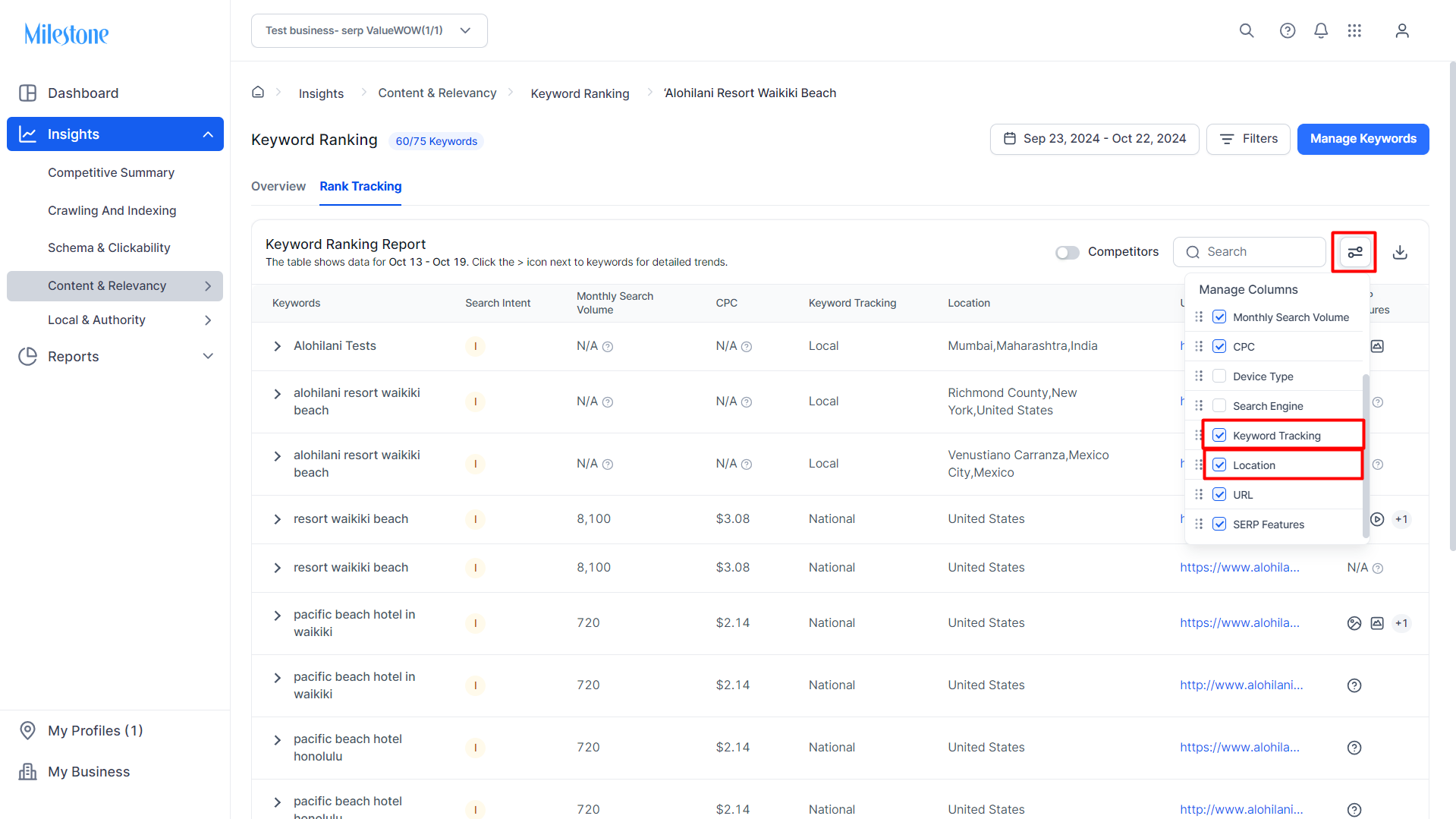
Step 2: In the Manage Columns select ‘Keyword Tracking’ and ‘Location’.
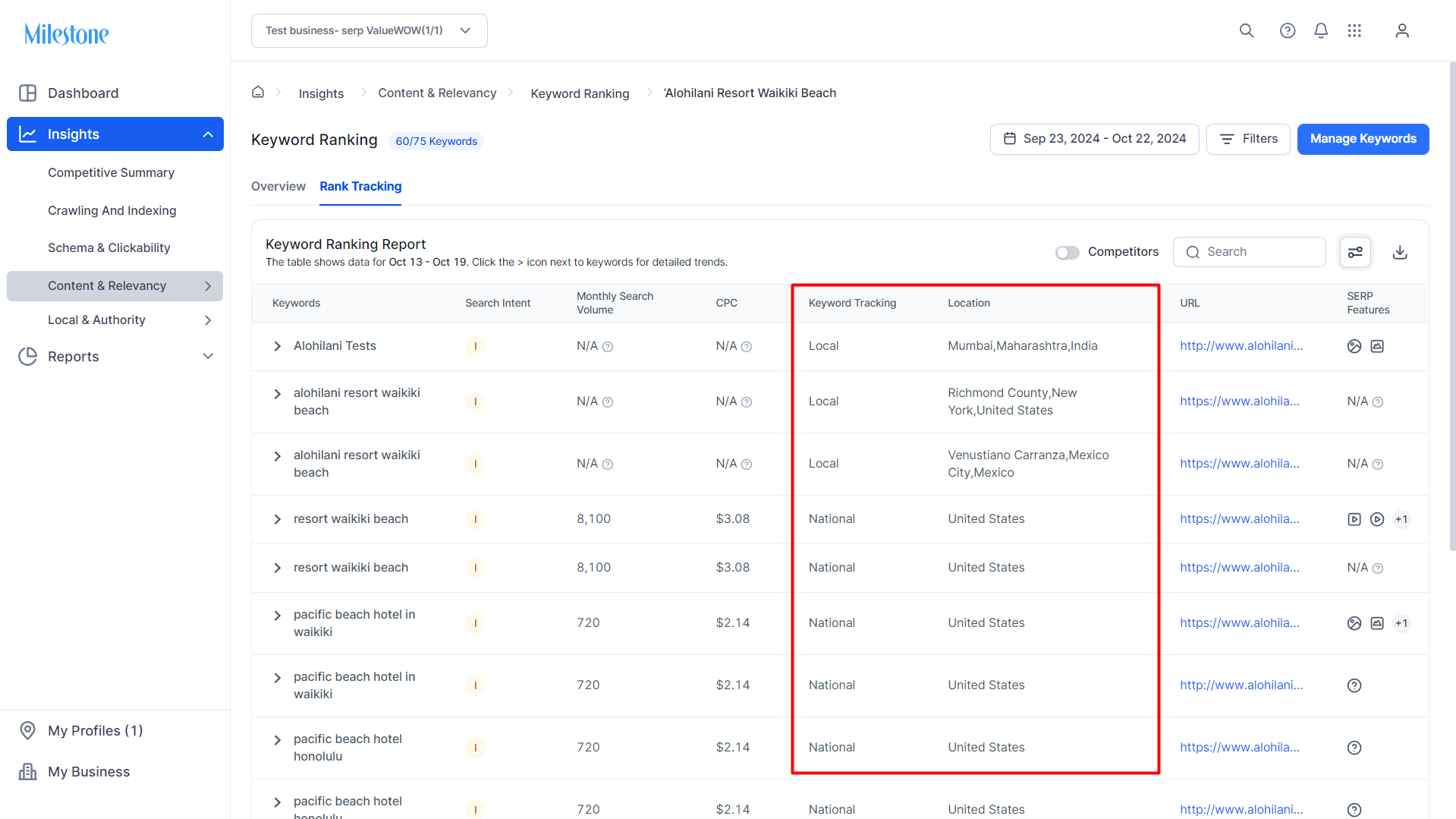
The Keyword Ranking Report will now display Keyword Tracking and Location data. For local searches the location will be displayed.
Was this article helpful?
That’s Great!
Thank you for your feedback
Sorry! We couldn't be helpful
Thank you for your feedback
Feedback sent
We appreciate your effort and will try to fix the article