You can save yourself time and add, publish or delete FAQs in bulk. All you have to do is enter the ‘Action’ on the sample download file – add, publish, or delete.
To upload Q&As in bulk, click on the ‘Select Download Sample File’. The sample file will automatically download.
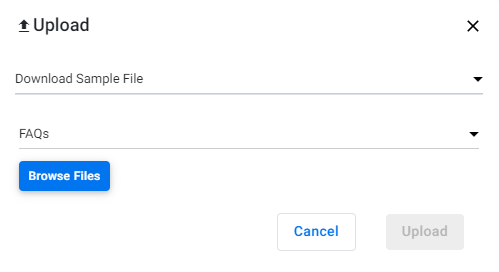
On the upload file, you can choose whether you wish to add FAQs (to the Q&A tab), publish the FAQs in bulk, or delete FAQs.

Now click on the 'Upload' button, and choose 'Add to FAQ Manager. Click on 'Browse Files' and choose the file you've entered the details.
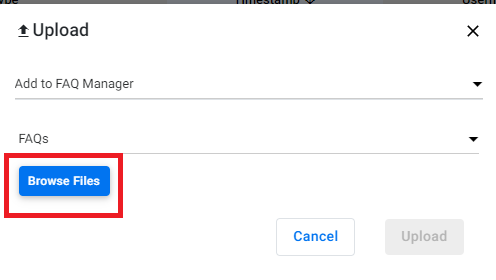
Once you upload the file, click on the ‘Refresh button to see the file on the screen.

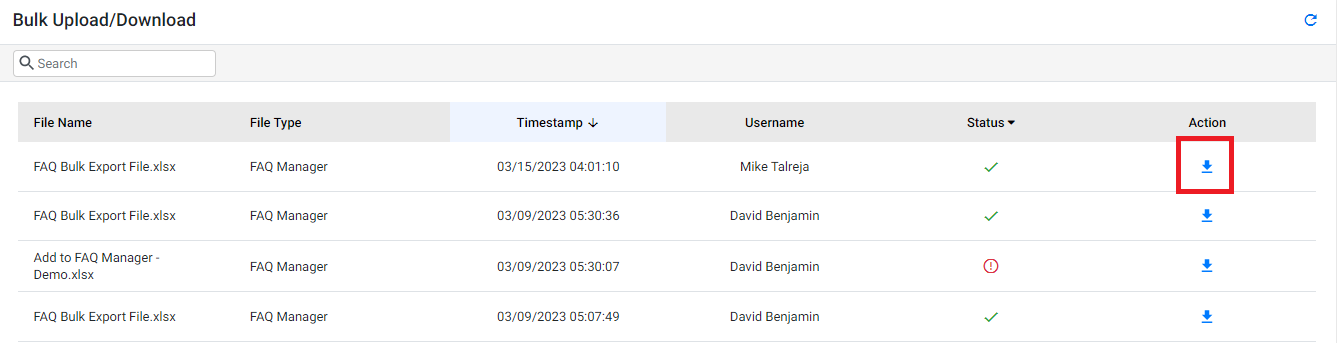
Once the upload is complete, you will see it under the ‘Status’ as Complete, the Request Date and Time under the next column, the user that carried out the Bulk upload, and the Action - whether you wish to download the file.
Was this article helpful?
That’s Great!
Thank you for your feedback
Sorry! We couldn't be helpful
Thank you for your feedback
Feedback sent
We appreciate your effort and will try to fix the article