Milestone Schema Manager allows you to delete multiple URLs from the database in one go, improving the accuracy of the data on Schema Manager.
Milestone Schema Manager > Settings > URL Settings > Delete
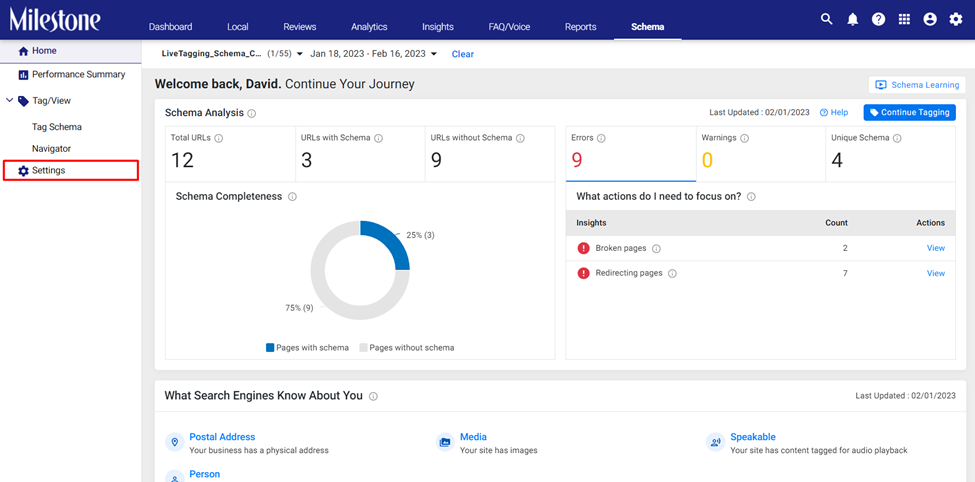
Step 1: Click on ‘Settings’ in the left navigation panel of Milestone Schema Manager
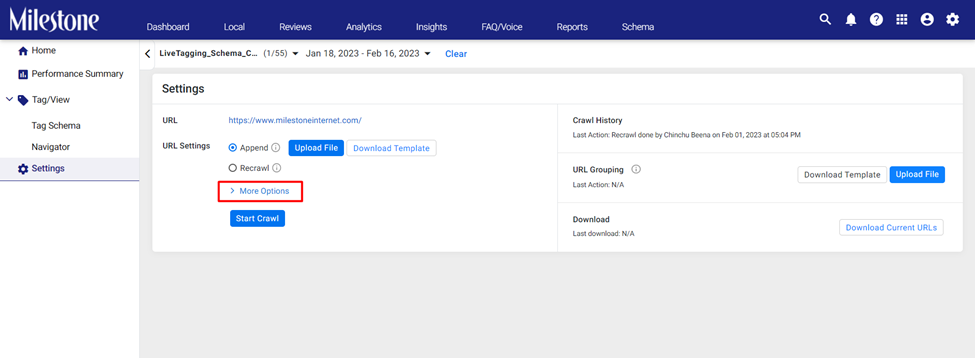
Step 2: Under ‘URL Settings’ click on ‘More Options’
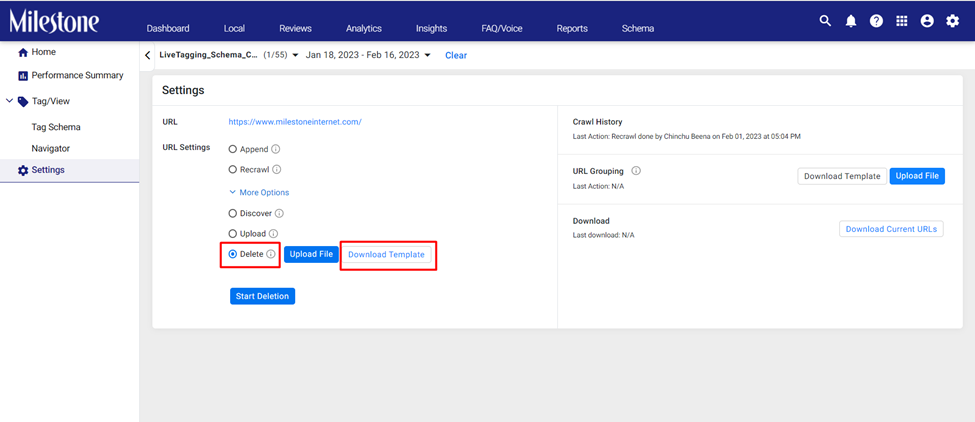
Step 3: Select the ‘Delete’ option and download the template file
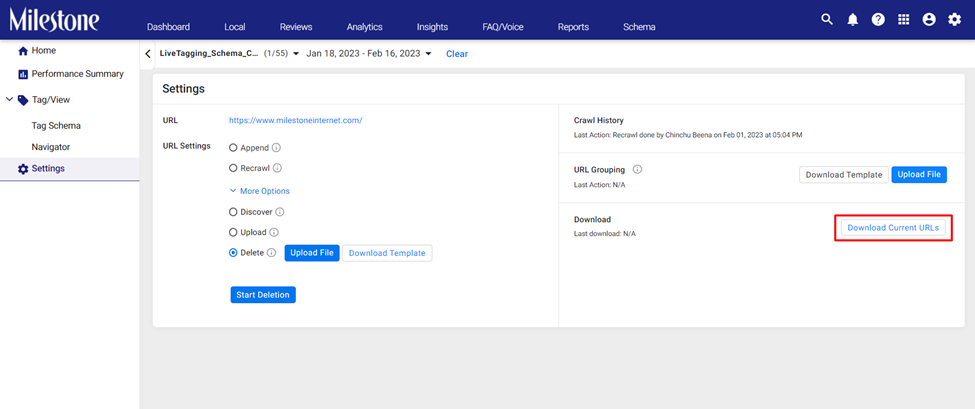
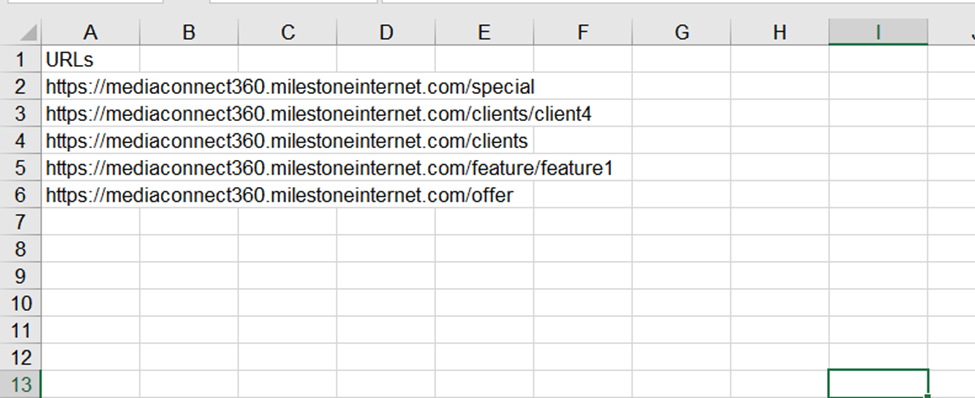
Step 4: To get a complete list of the URLs for this profile on Schema Manager you can use the ‘Download Current URLs’ button
Step 5: Add the URLs you wish to delete to the template you downloaded earlier and save it
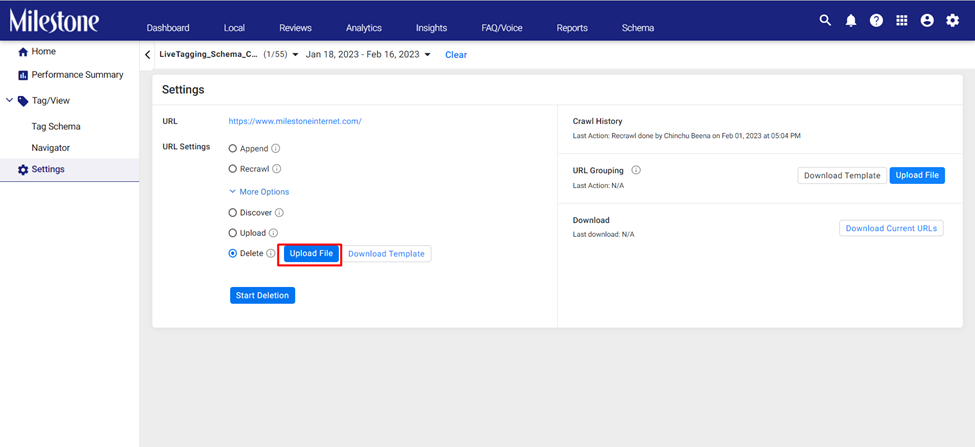
Step 6: Upload the list of URLs using the ‘Upload File’ button
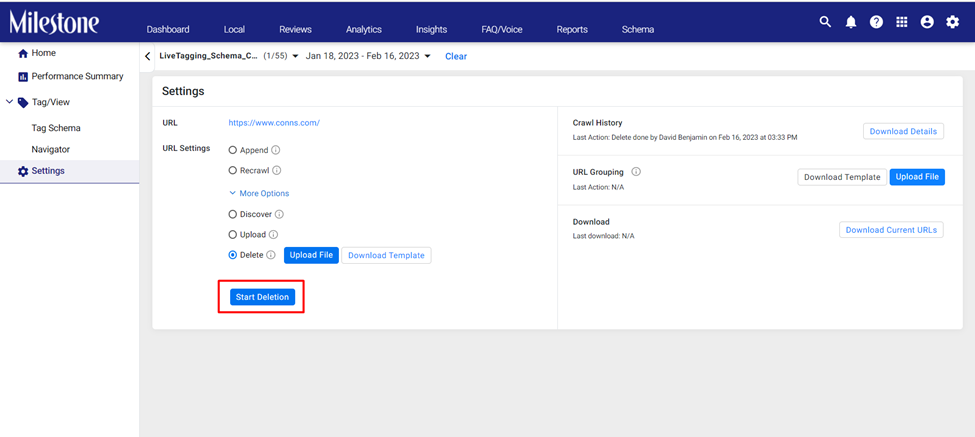
Step 7: Once uploaded click on ‘Start Deletion’ to delete the URLs for Schema Manager
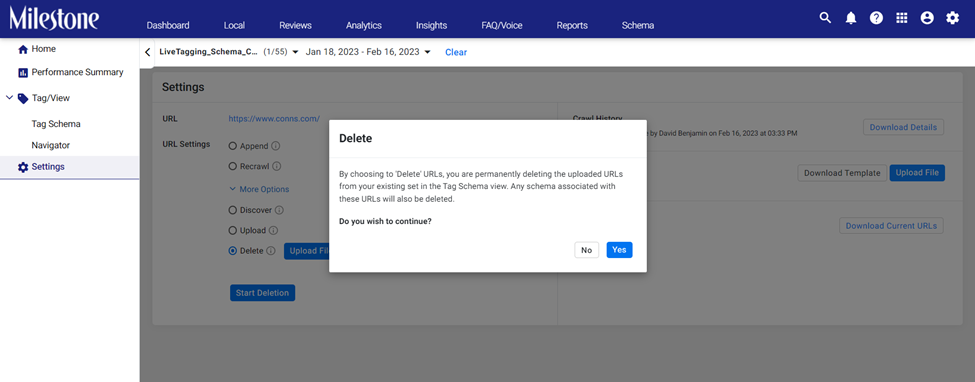
Step 8: These URLs will be permanently deleted from Schema Manager. If you wish to continue click on ‘Yes’
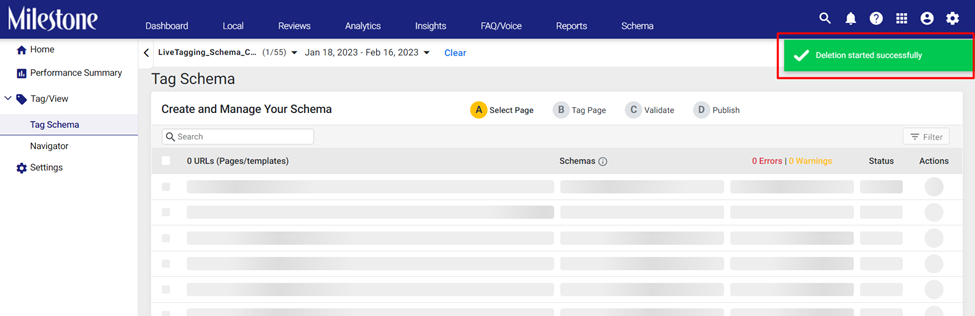
Step 9: Once the URLs are deleted you will be prompted to the top right
Was this article helpful?
That’s Great!
Thank you for your feedback
Sorry! We couldn't be helpful
Thank you for your feedback
Feedback sent
We appreciate your effort and will try to fix the article