The CMS enables you to easily translate your pages in just a few clicks. By leveraging AI these pages are translated instantly and with a high level of accuracy.
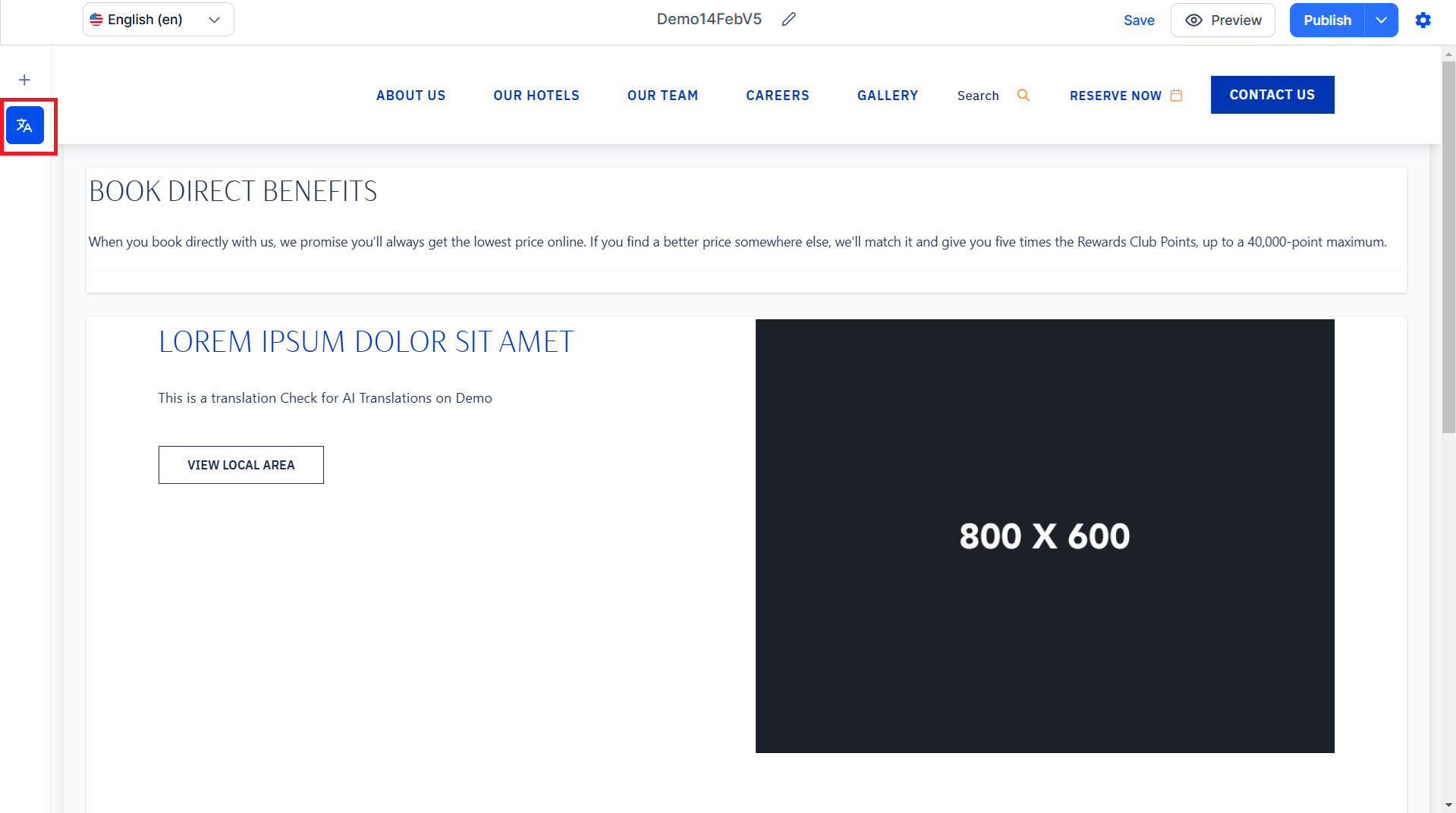
Step 1: In the CMS' editor click on the 'Translate' icon in the left navigation panel.
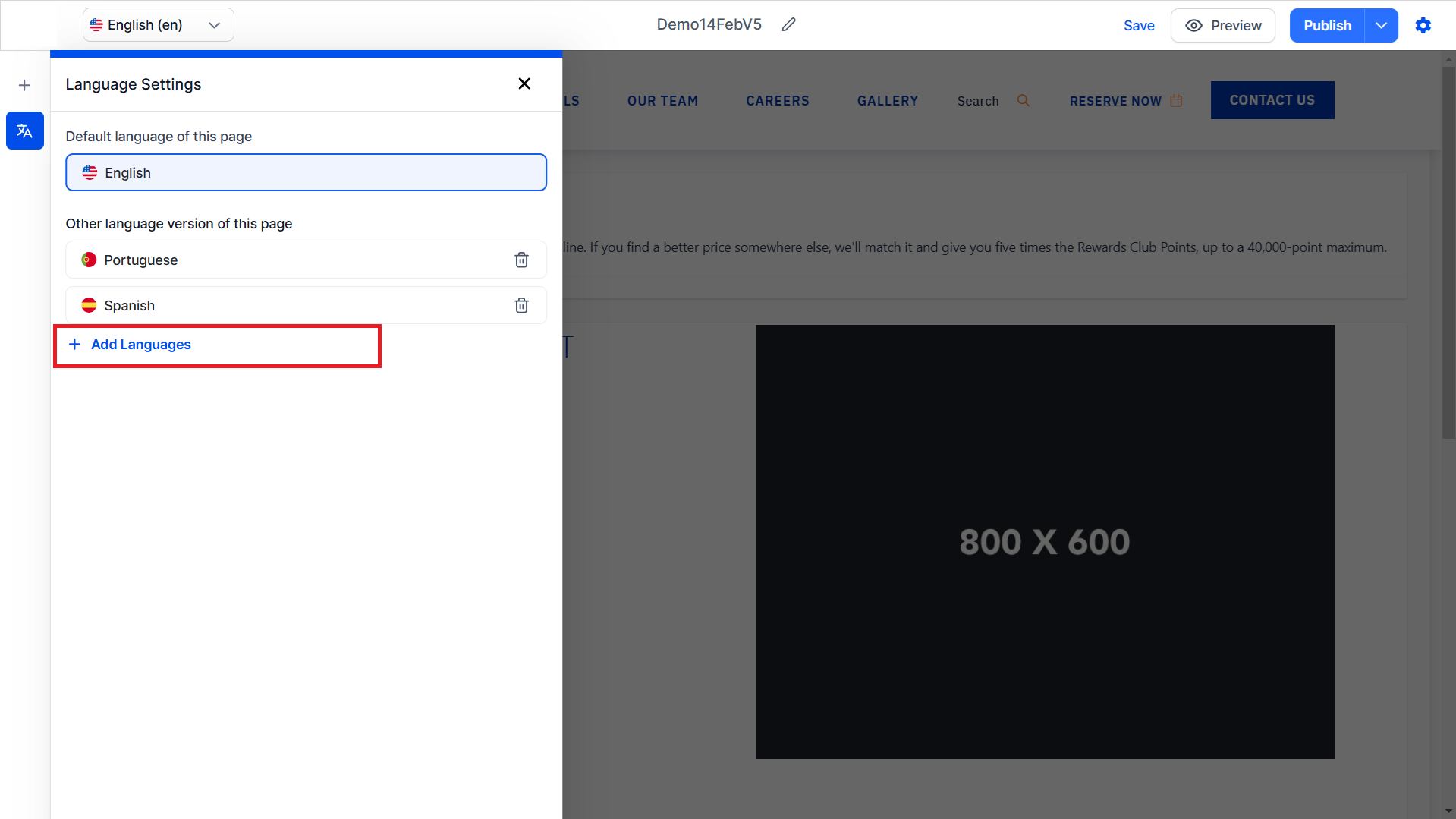
Step 2: Click on 'Add New Languages'.
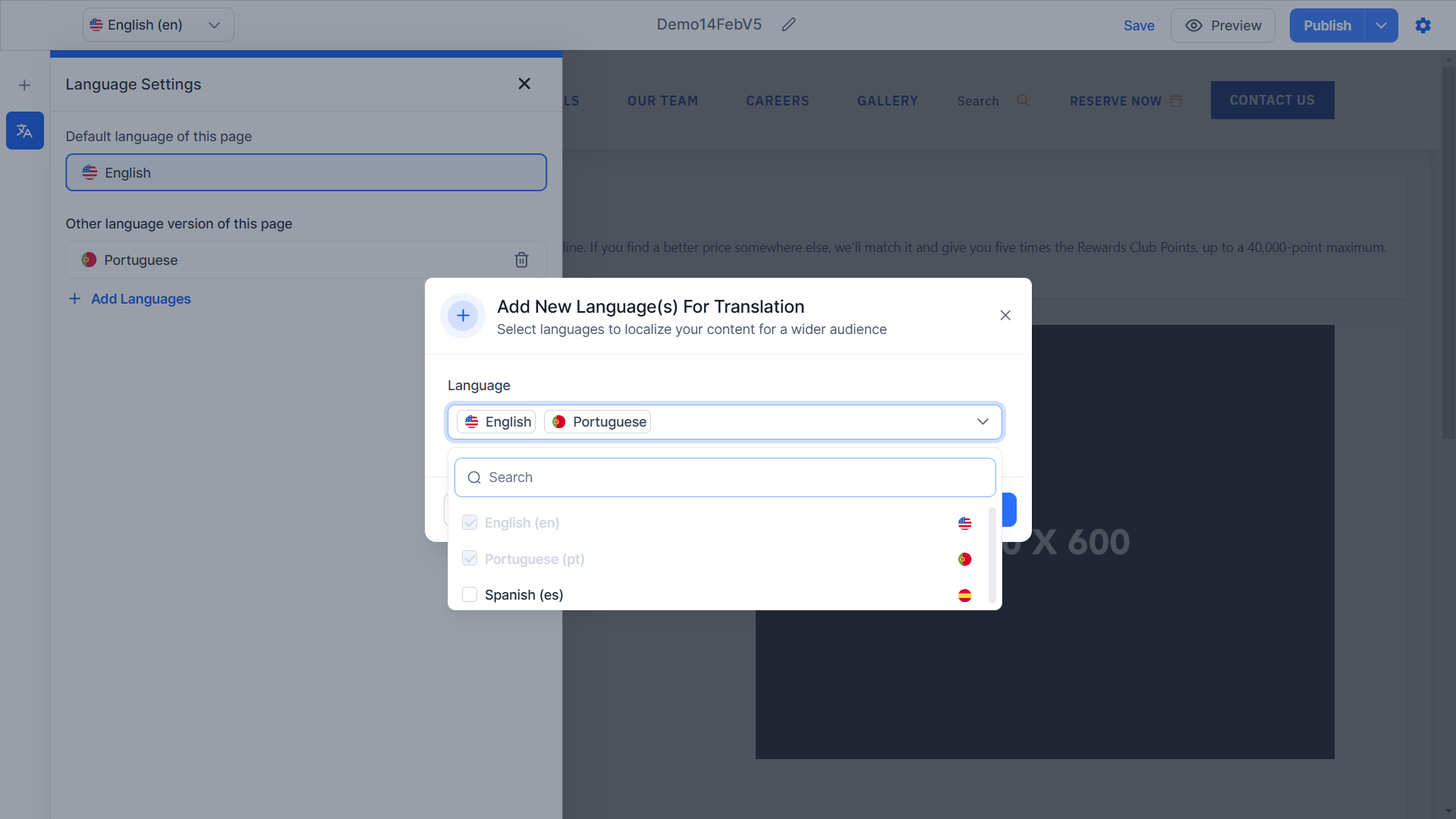
Step 3: Select the language you want the page translated to from the dropdown menu.
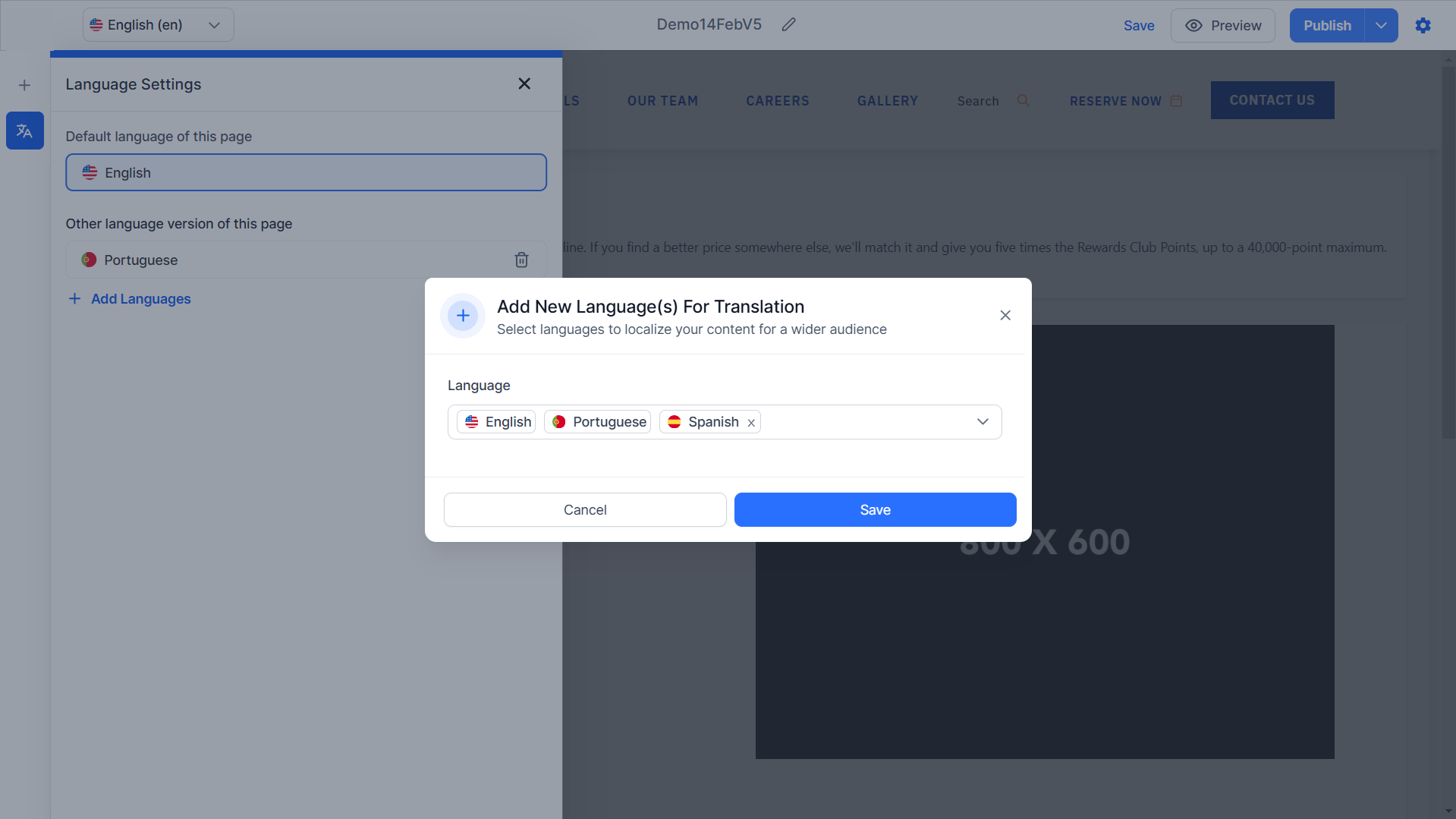
Step 4: Click on 'Save'.
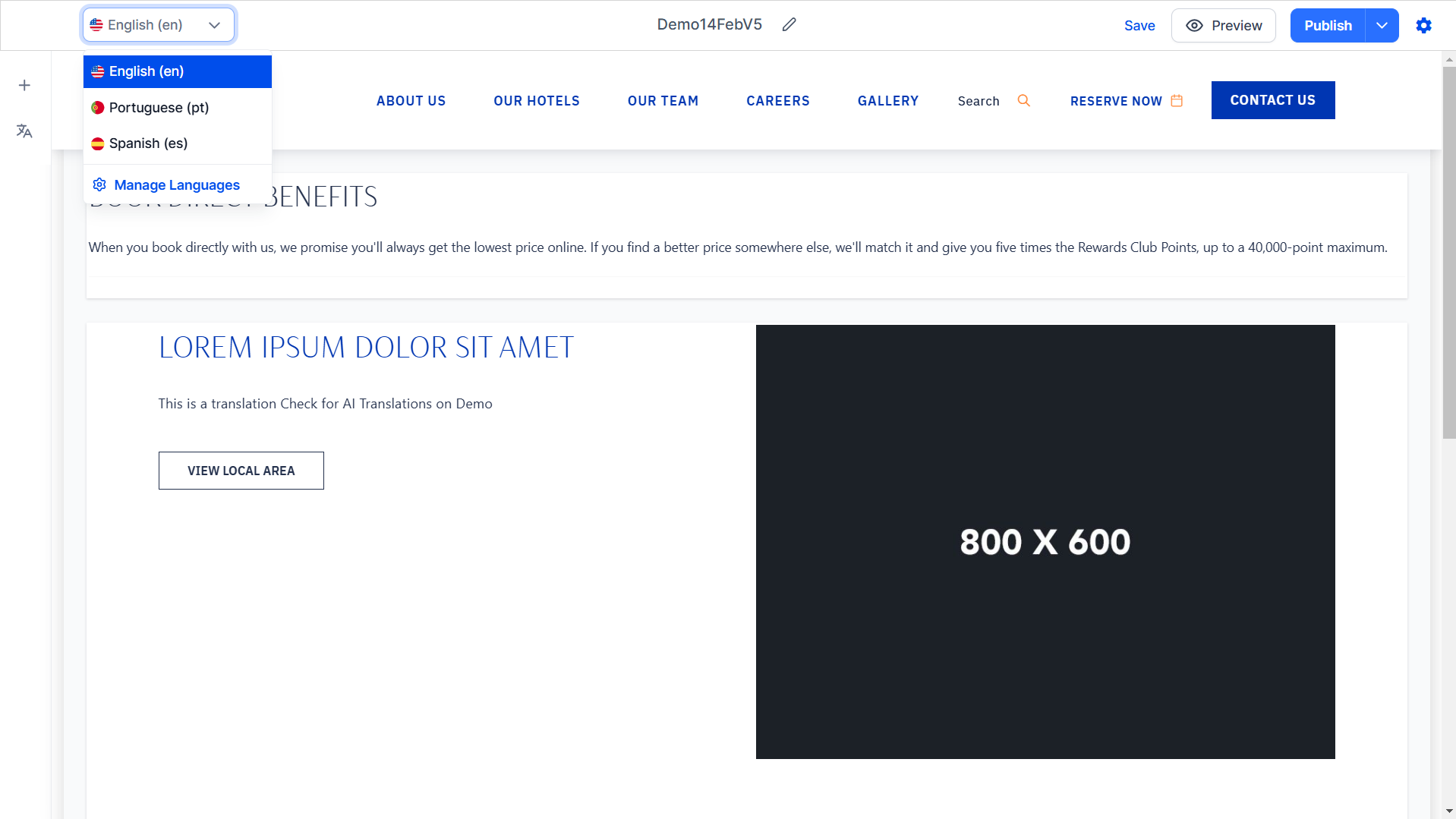
Step 5: To view the translated page click on the dropdown menu at the top left of the editor and select the language/
Was this article helpful?
That’s Great!
Thank you for your feedback
Sorry! We couldn't be helpful
Thank you for your feedback
Feedback sent
We appreciate your effort and will try to fix the article