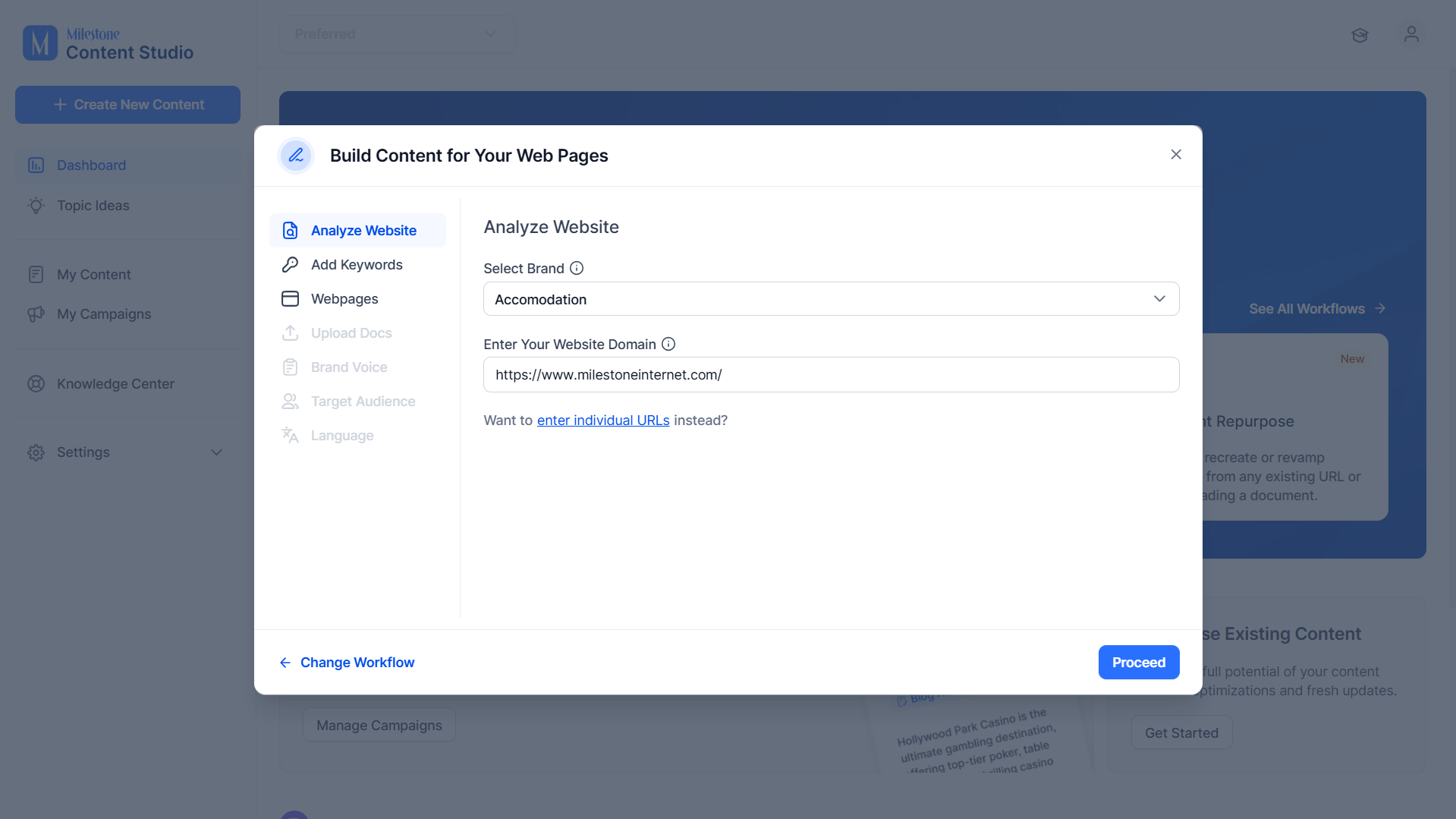
Step 1: Select the brand and add the URL for the website.
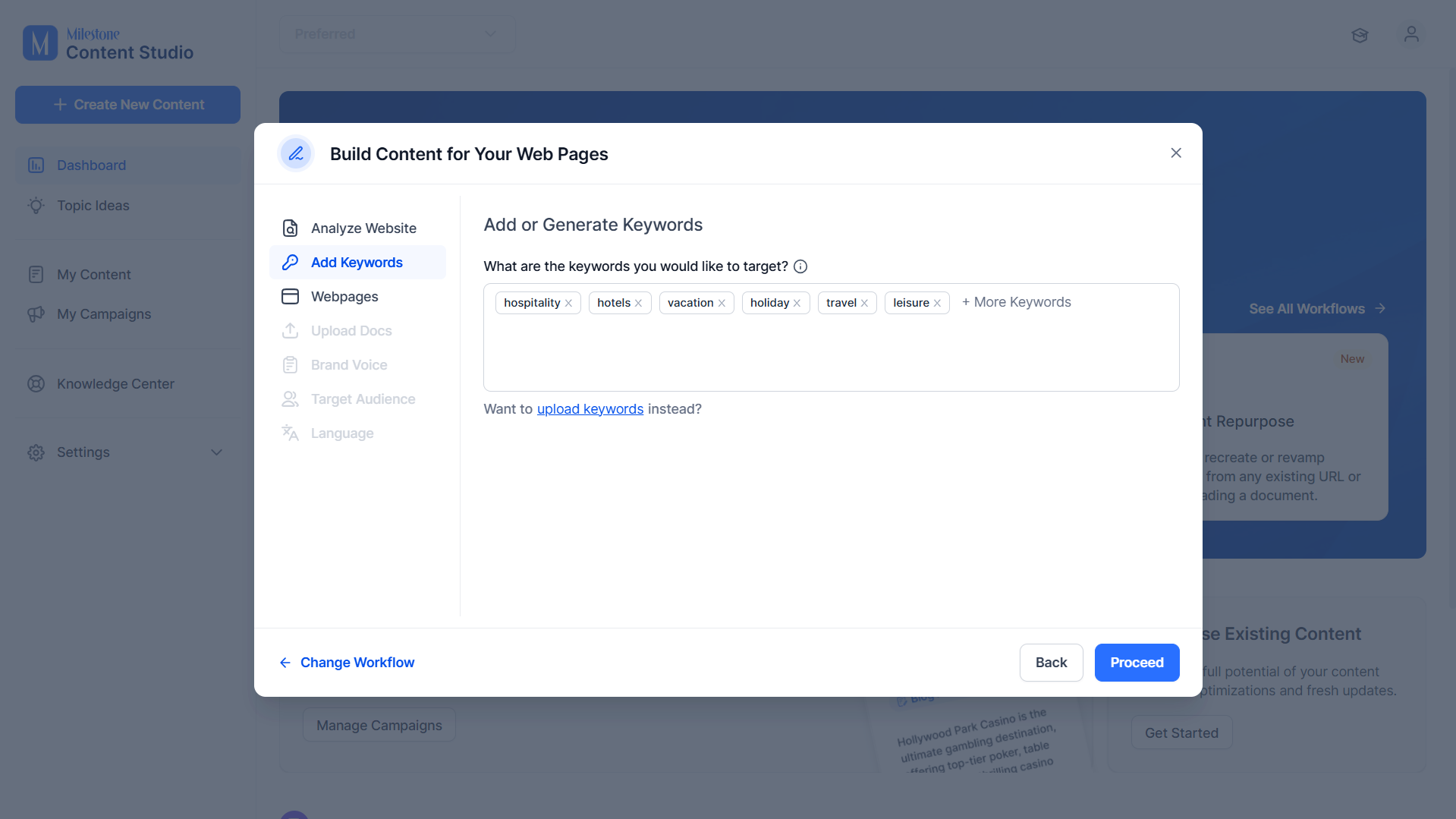
Step 2: Add keywords you would like to use across the page.
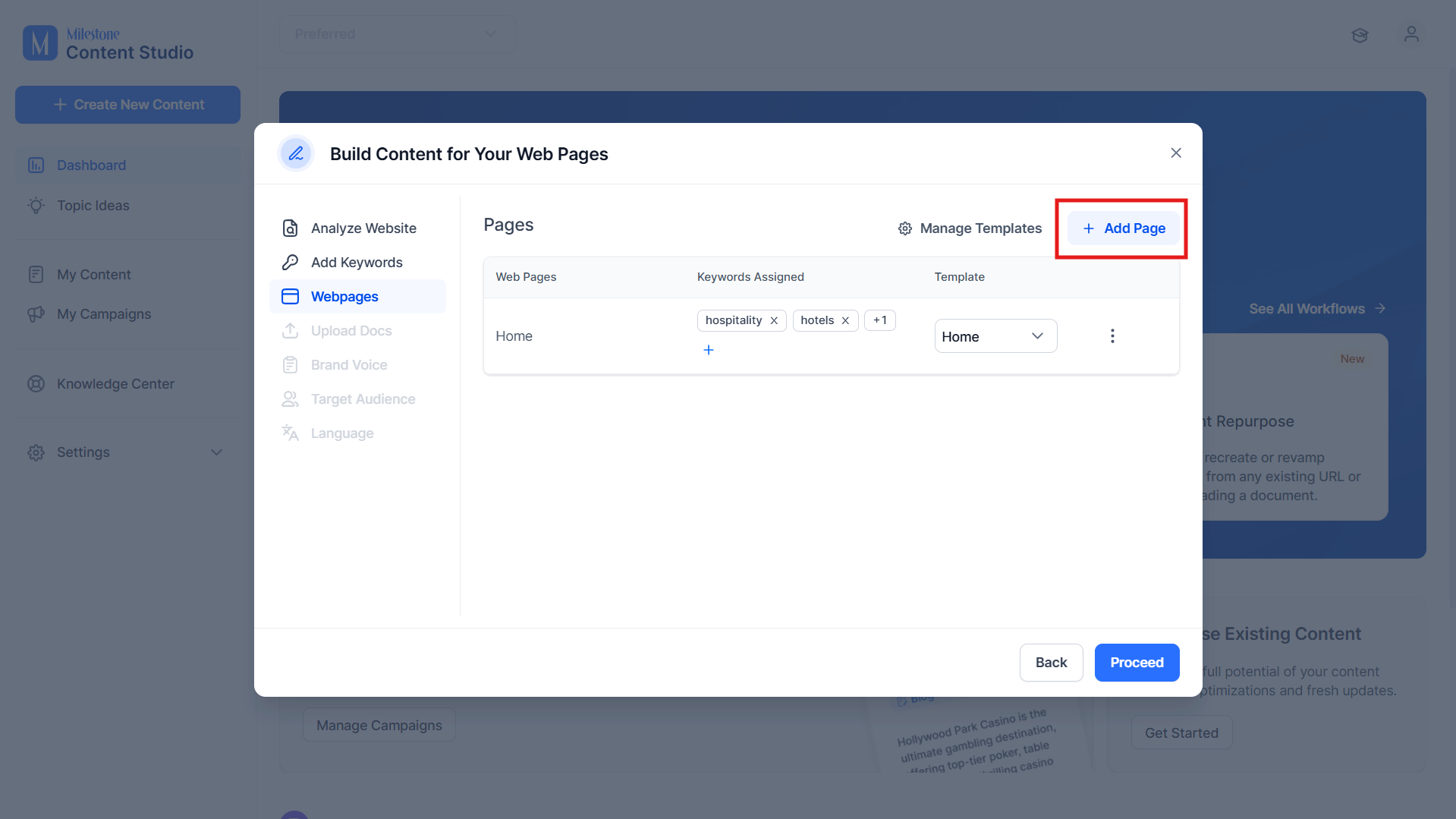
Step 3: Click on ‘Add Page’ at the top right to add a new page.
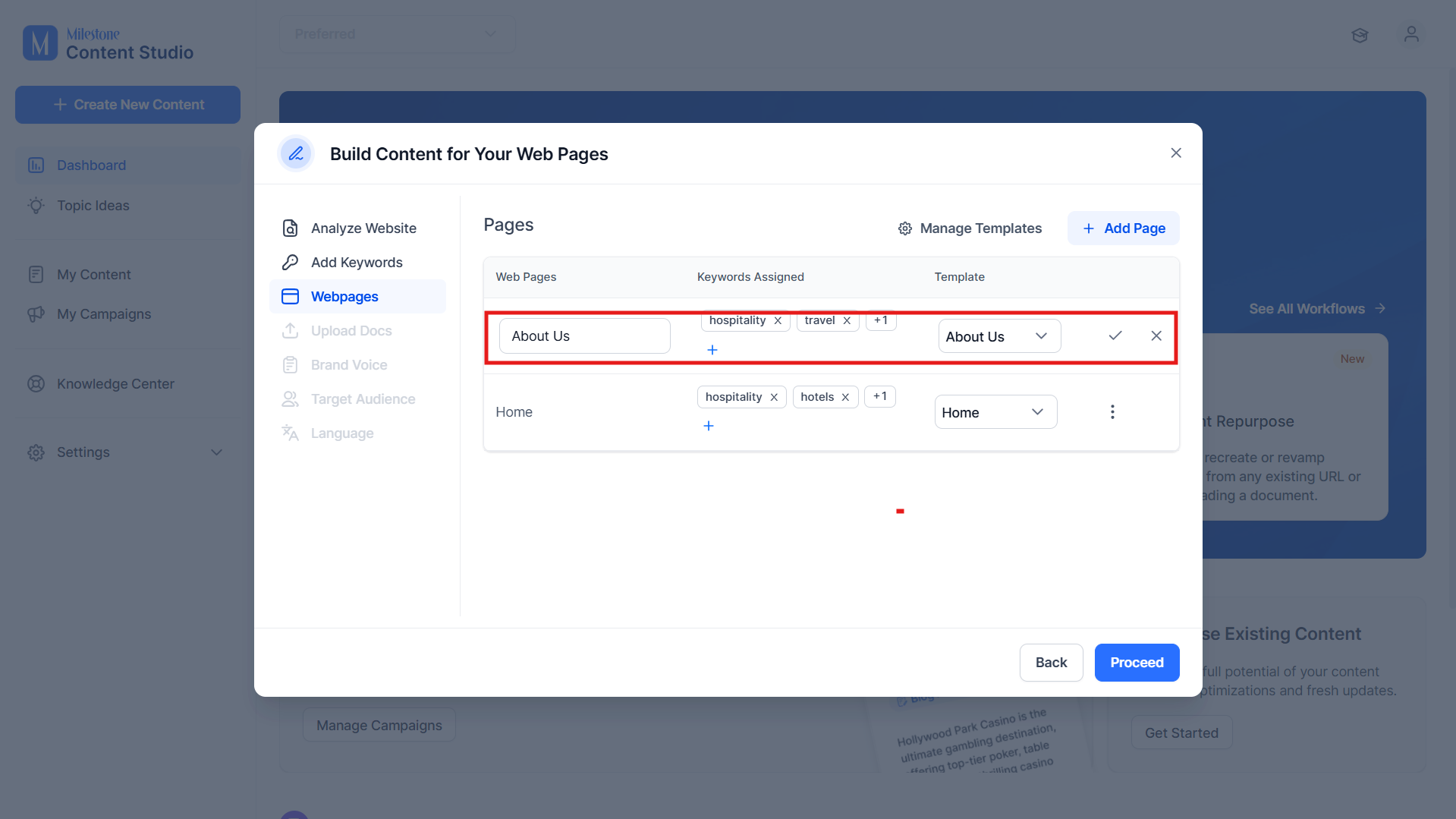
Step 4: Add a Page Name, select the keywords you want to use, and select the template. Now click on the tick next to it.
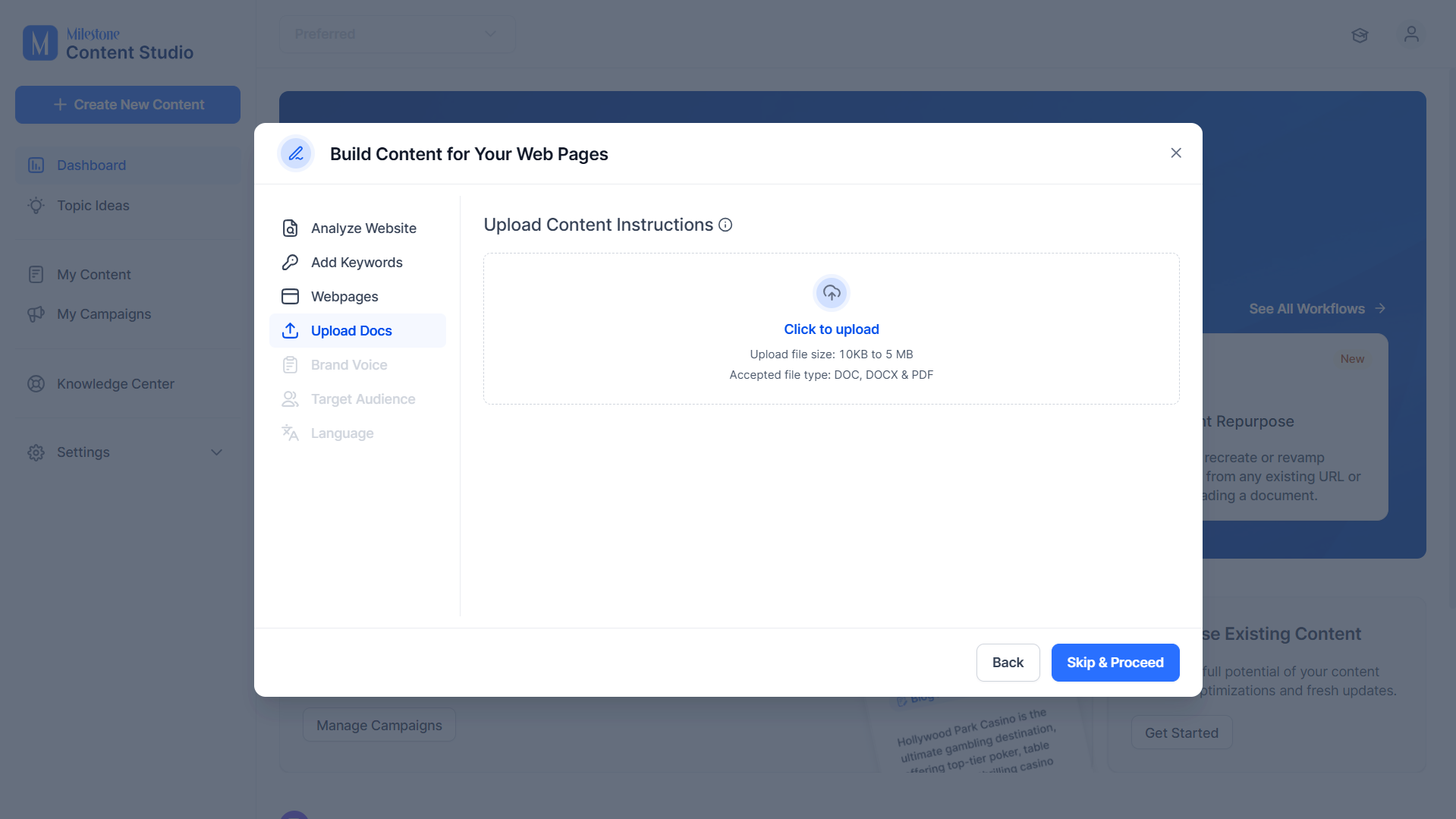
Step 5: Upload any documents you would like to add to the page.
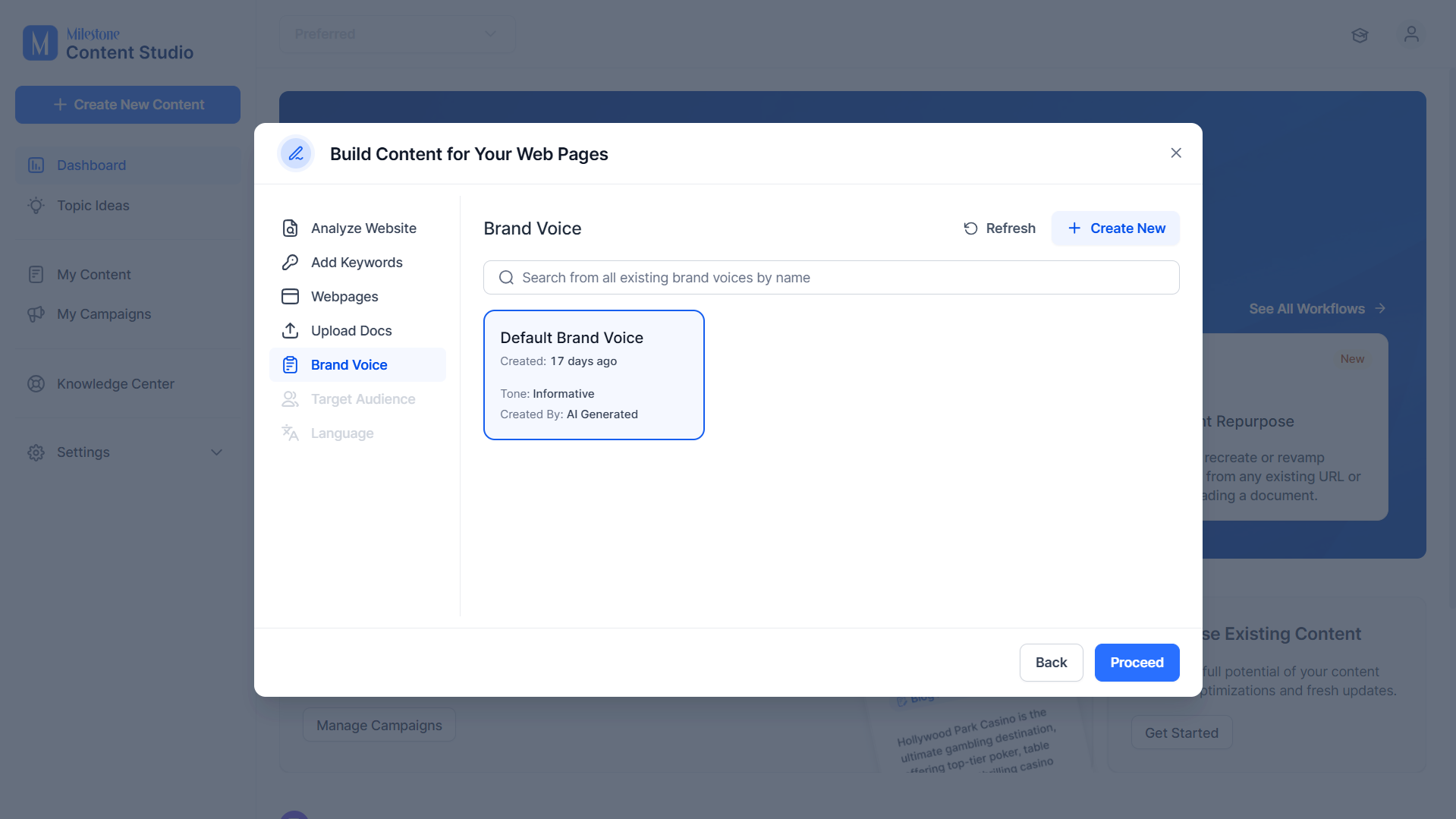
Step 6: Select a Brand Voice.
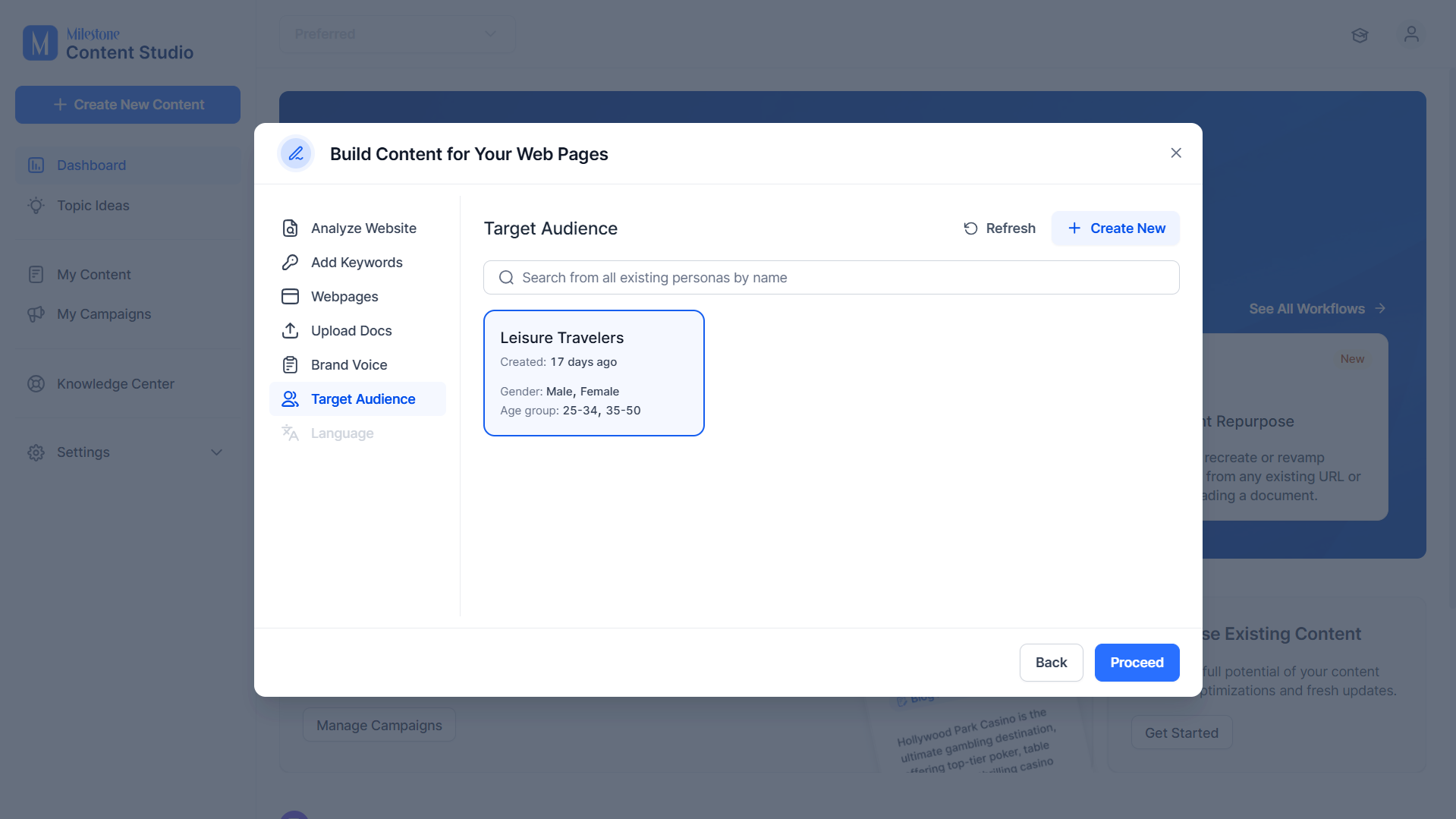
Step 7: Select a Target Audience.
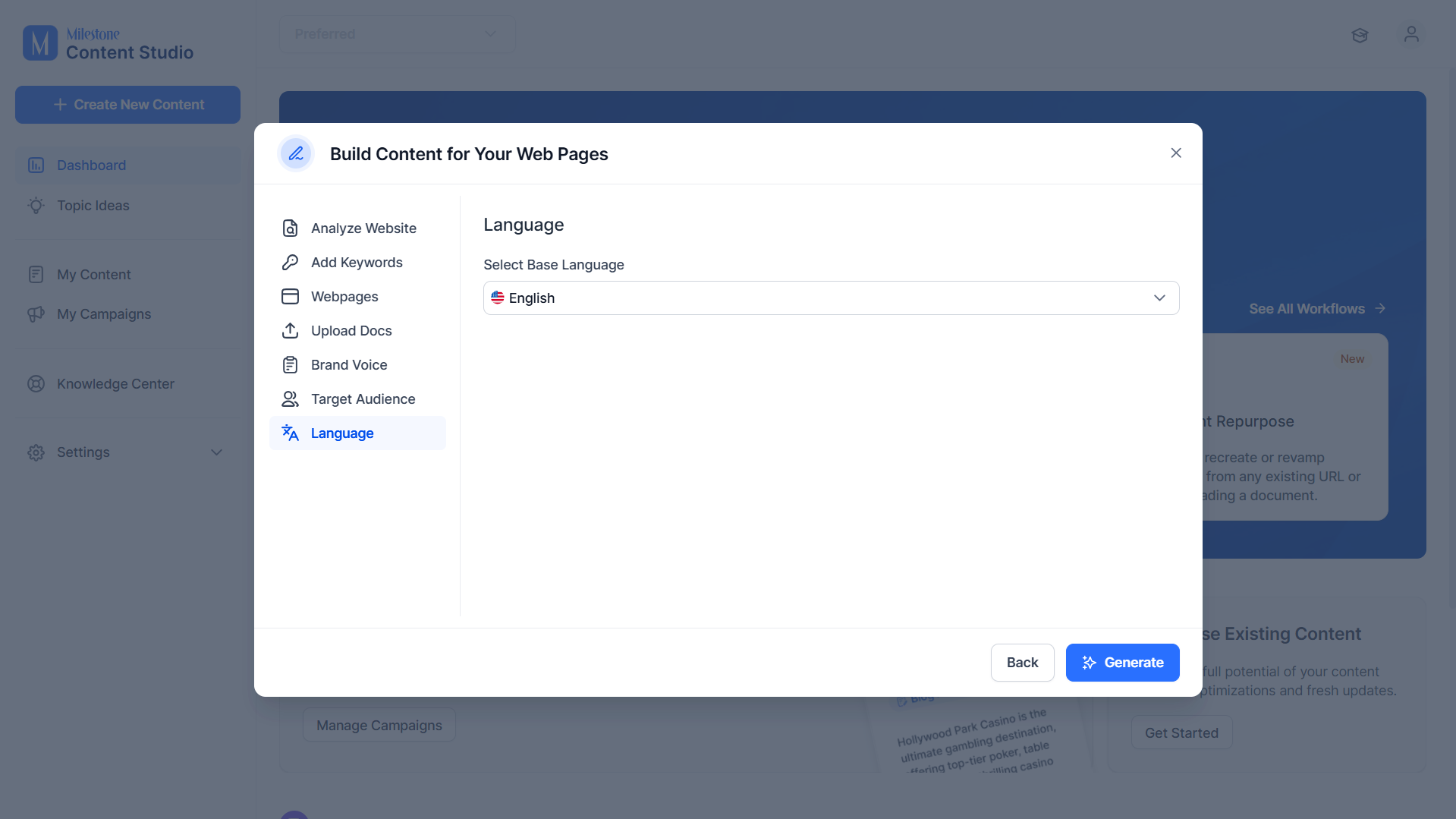
Step 8: Select the page's primary language and click on ‘Generate’.
Was this article helpful?
That’s Great!
Thank you for your feedback
Sorry! We couldn't be helpful
Thank you for your feedback
Feedback sent
We appreciate your effort and will try to fix the article