Users can enter a domain or up to 300 URLs. The system scans existing pages, retrieves metadata, and allows:
- Regenerating SEO-rich meta titles/descriptions one by one
- Or generating all at once for scale
- Exporting results in CSV or JSON for bulk upload elsewhere
Here's how it works.
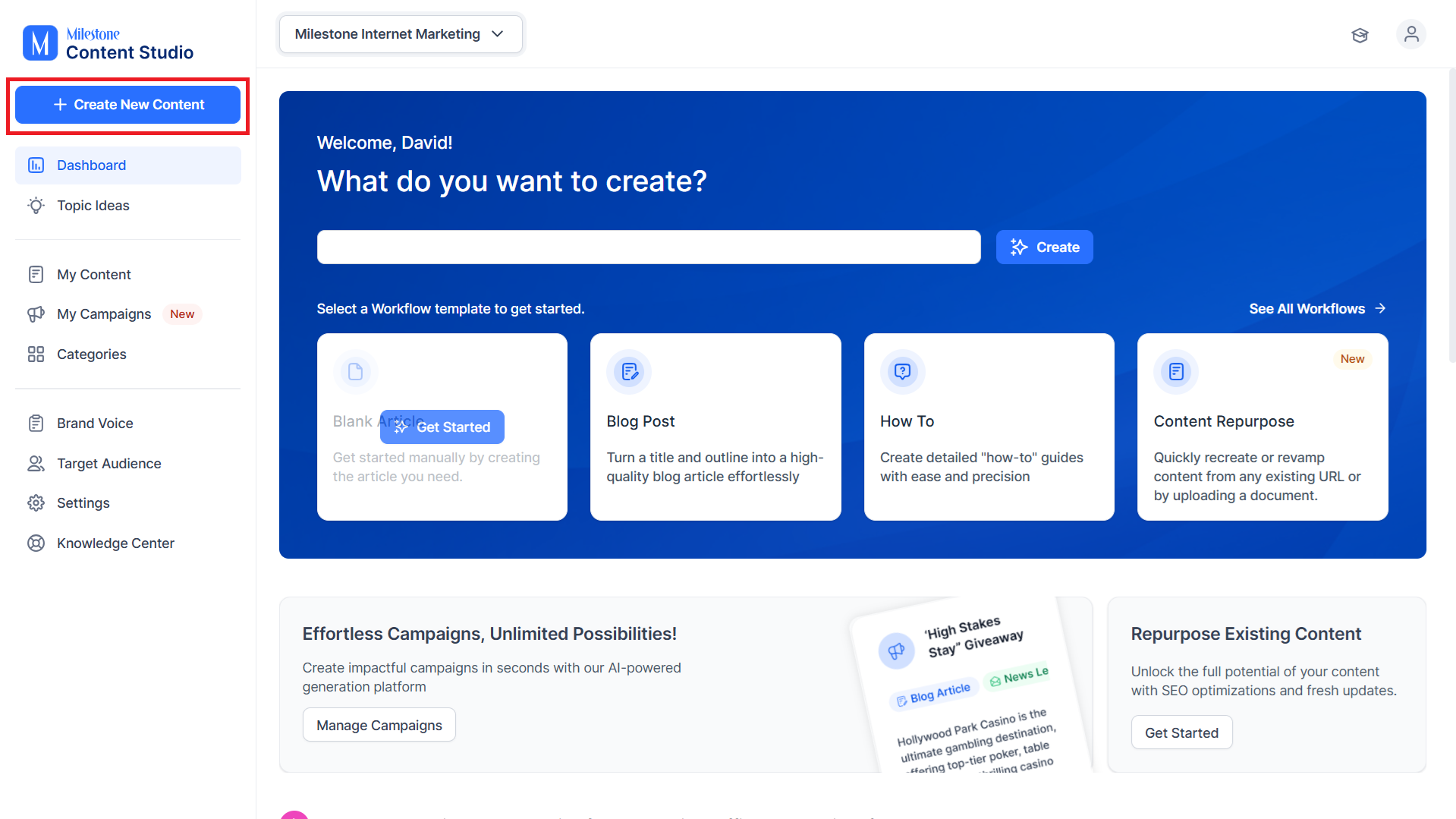
Step 1: To start off, click on ‘Create New Content’.
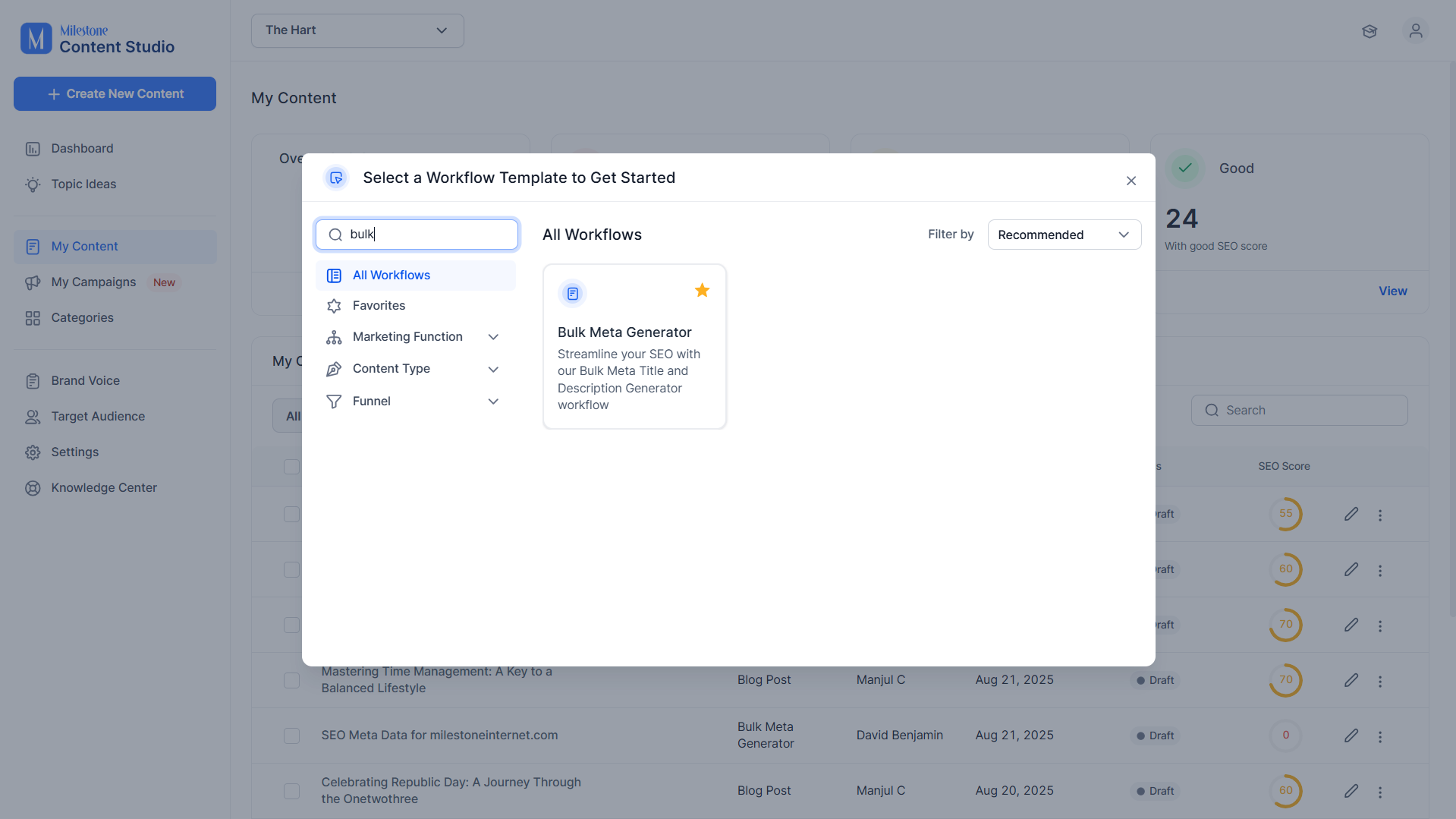
Step 2: Select the ‘Bulk Meta Generator’ workflow.
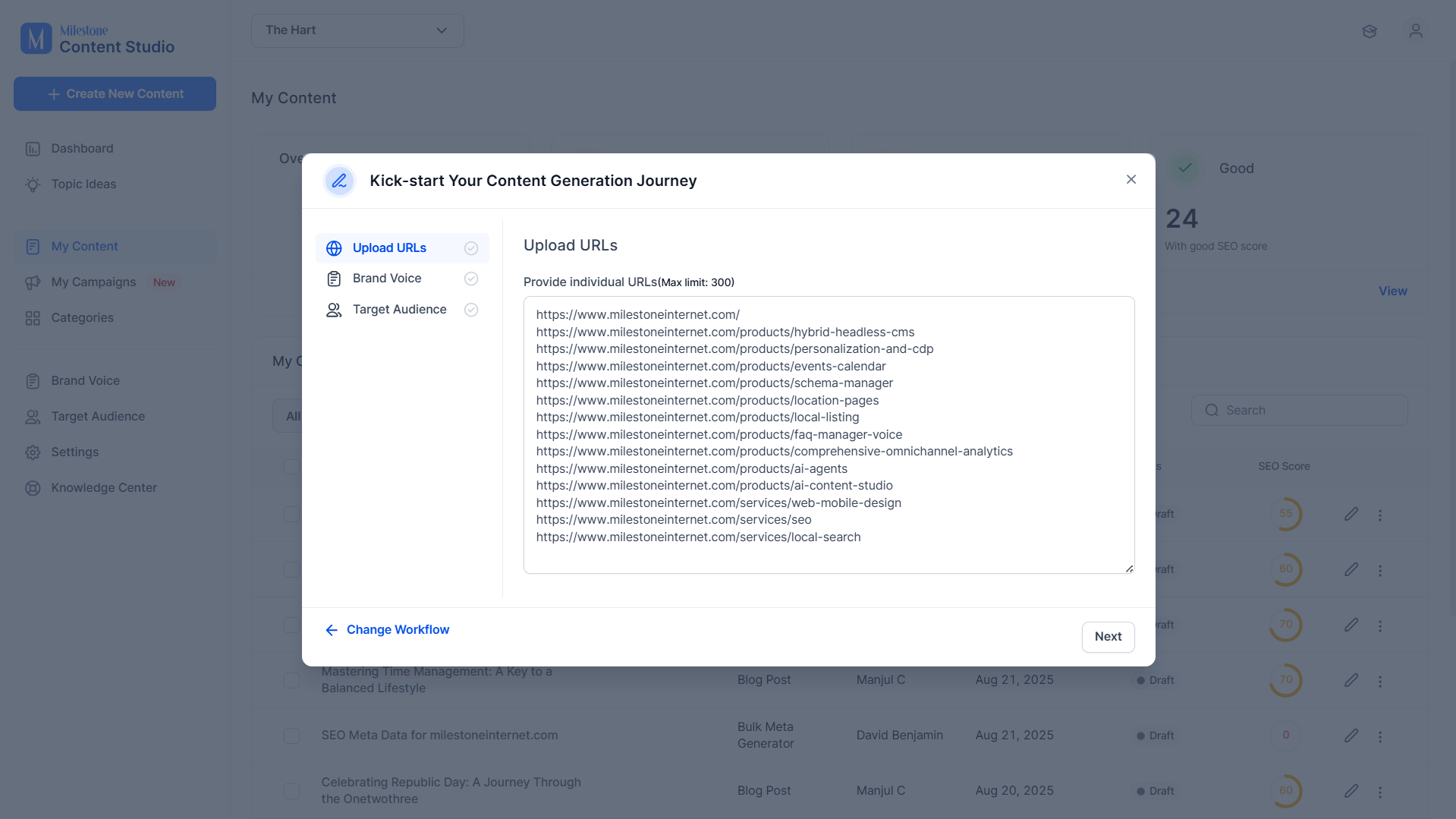
Step 3: Add the URLs for which you want to generate meta information.
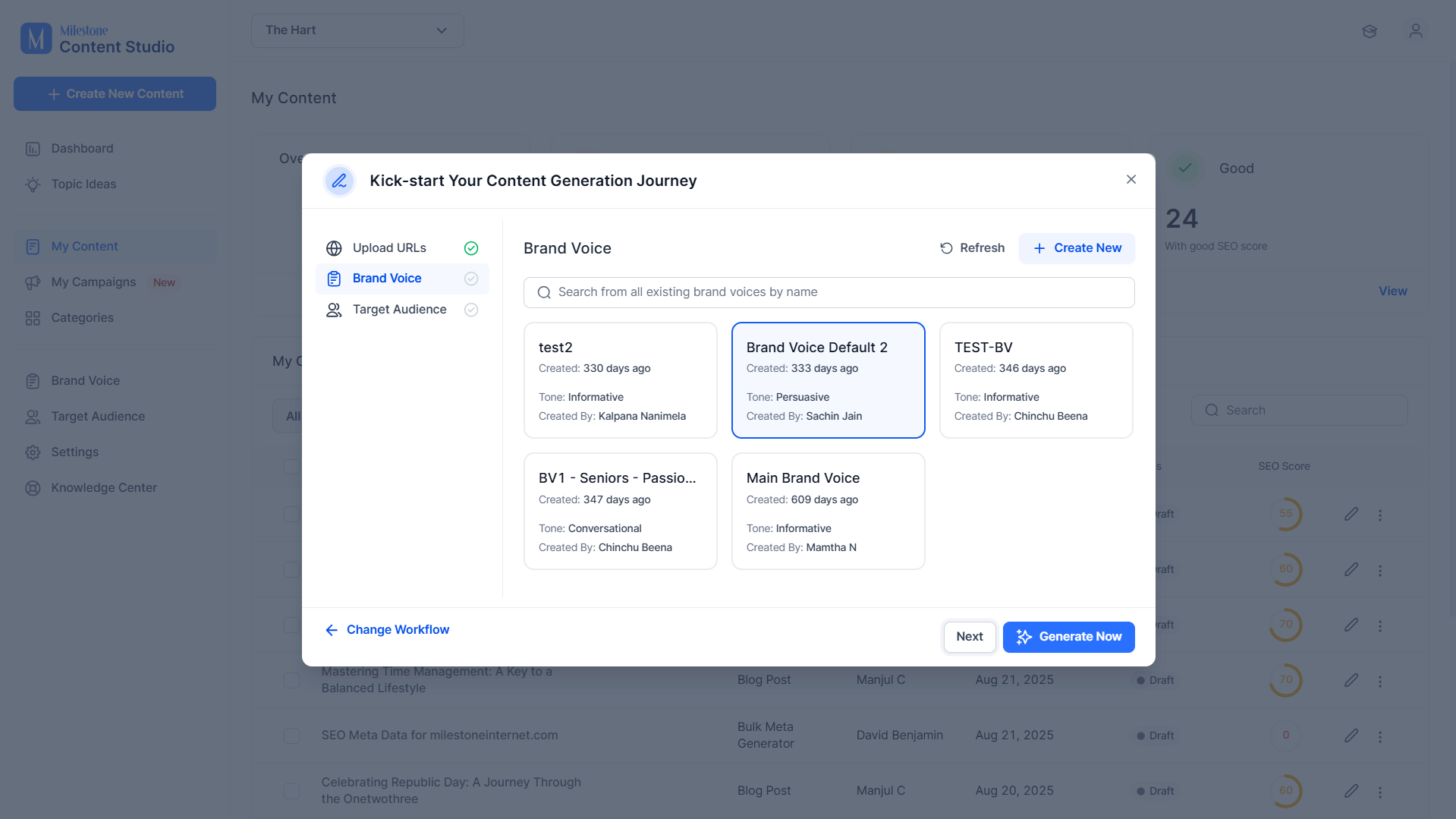
Step 4: Add a Brand Voice for the meta information.
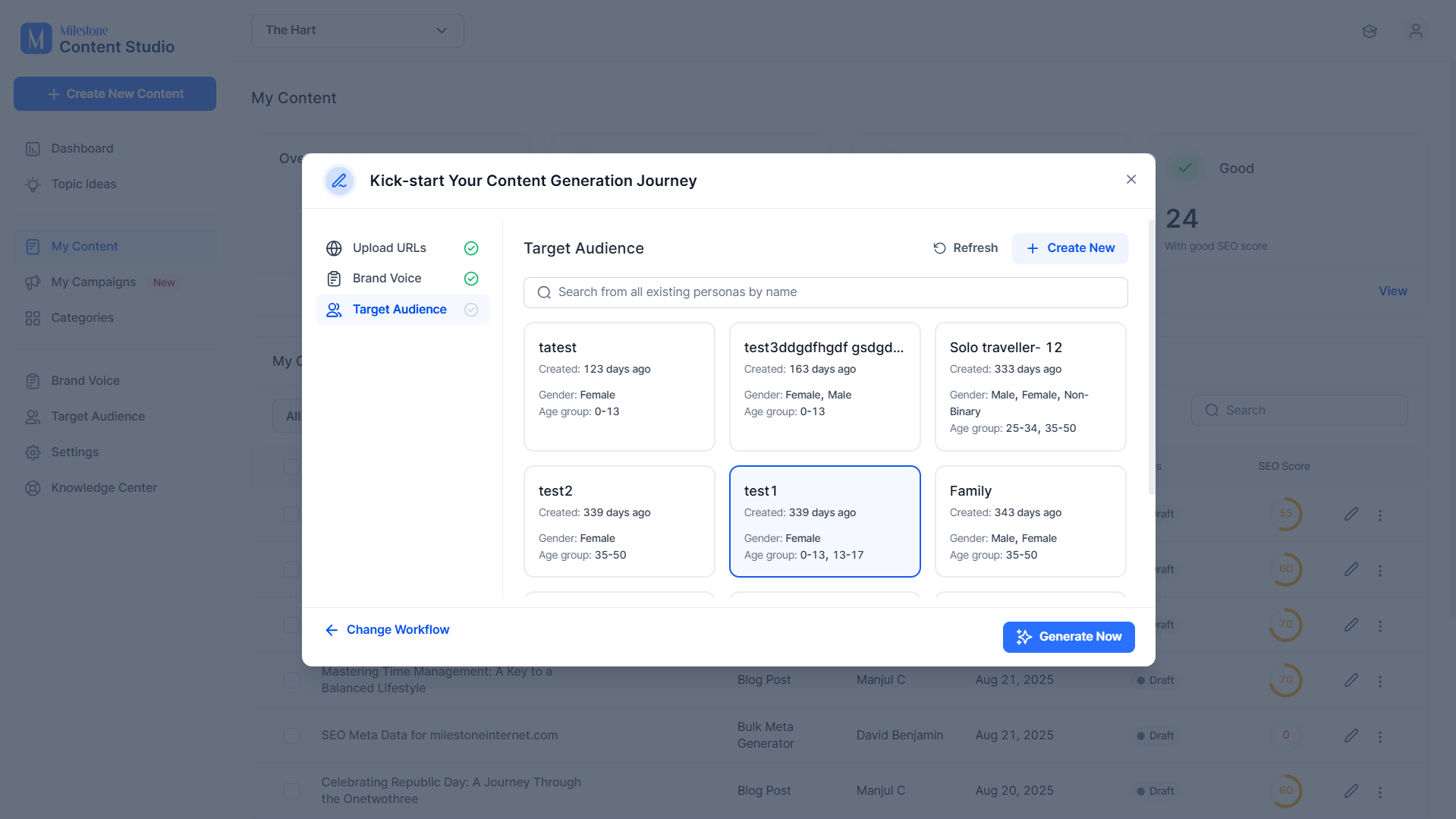
Step 5: Add a Target Audience for the meta information.
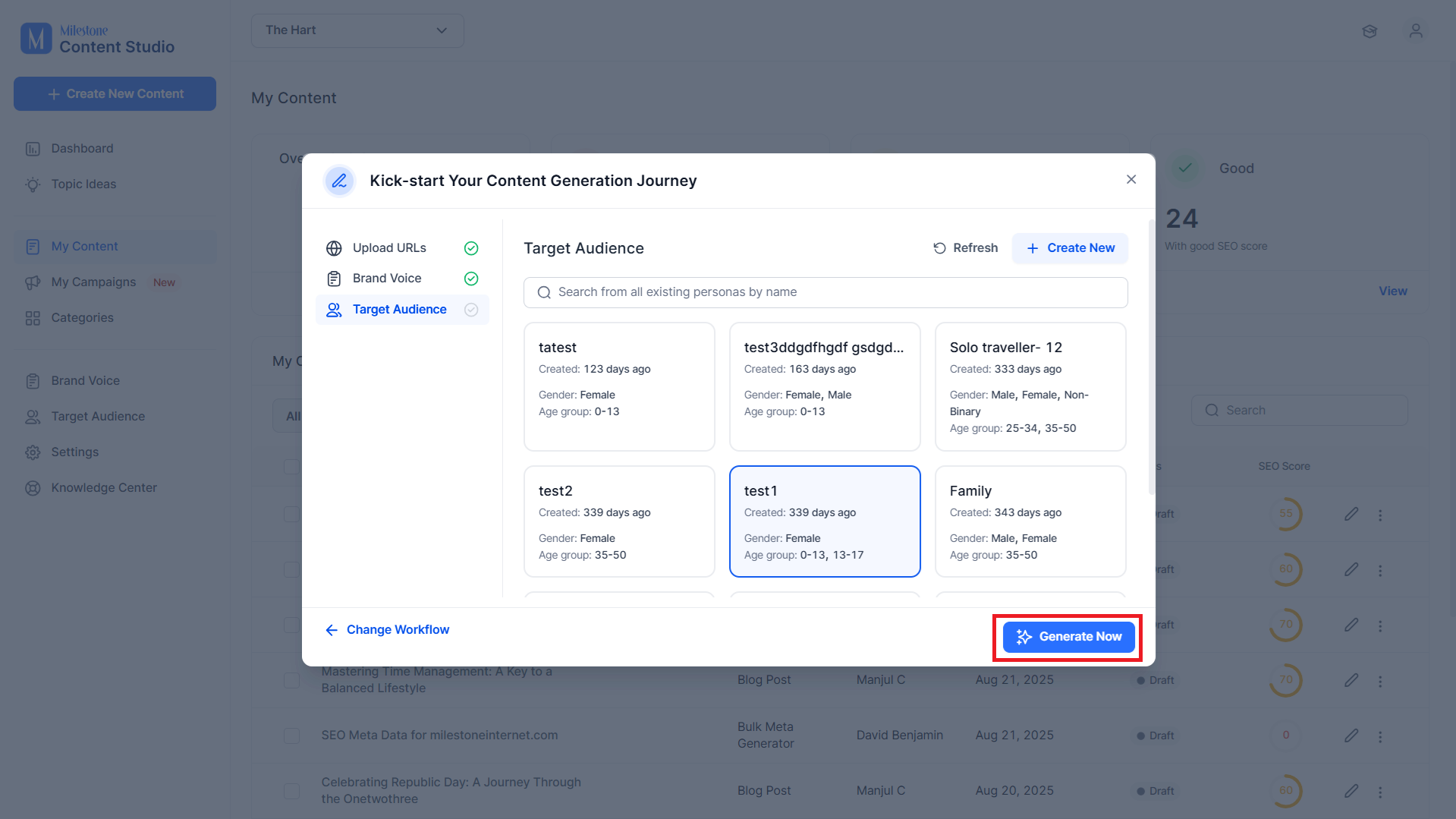
Step 6: Click on Generate Now to start generating the meta information.
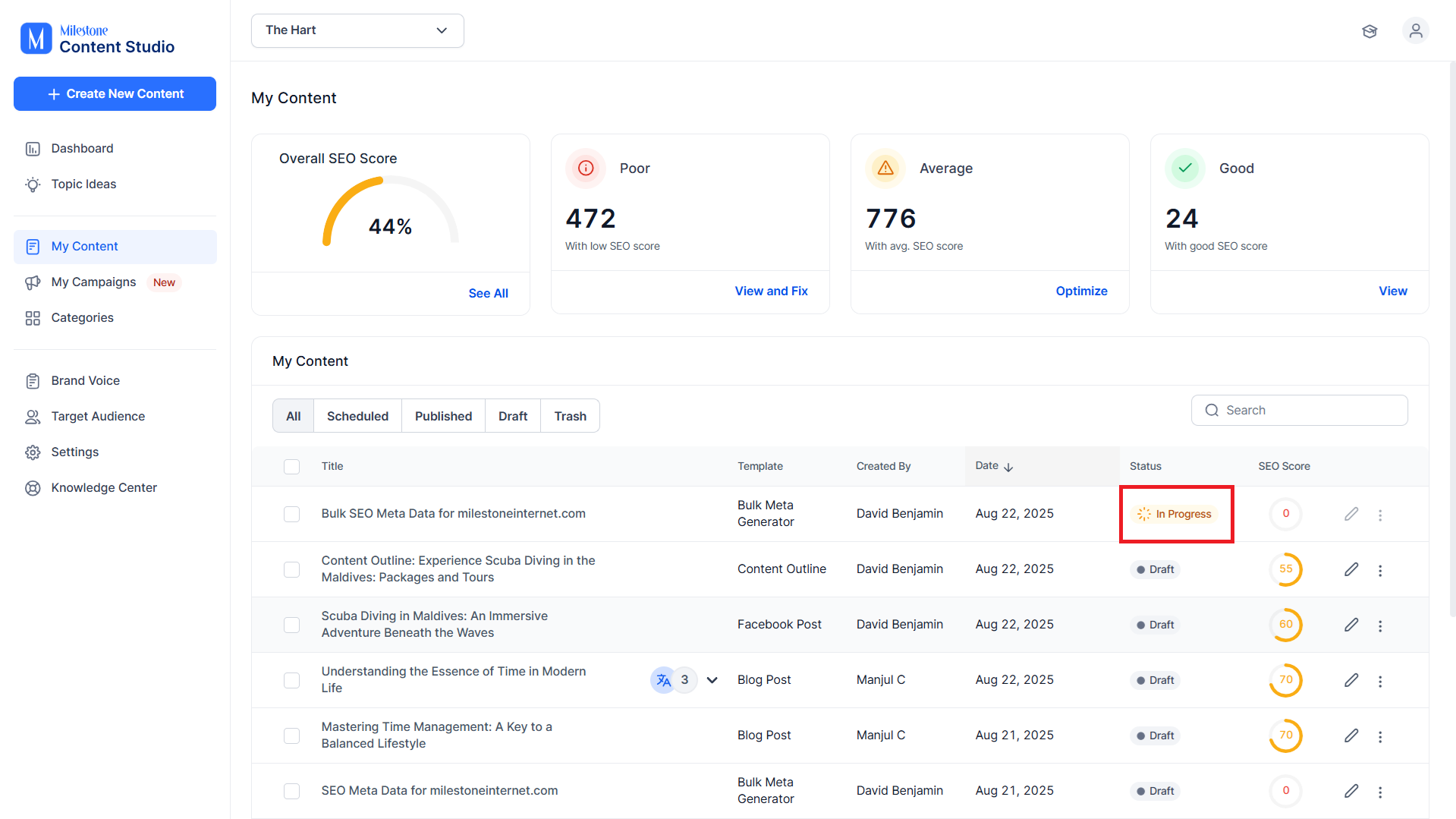
The generation can take a few minutes. While the generation is taking place, the status will be ‘In Progress’.
The bulk metadata is generated and presented in a table.
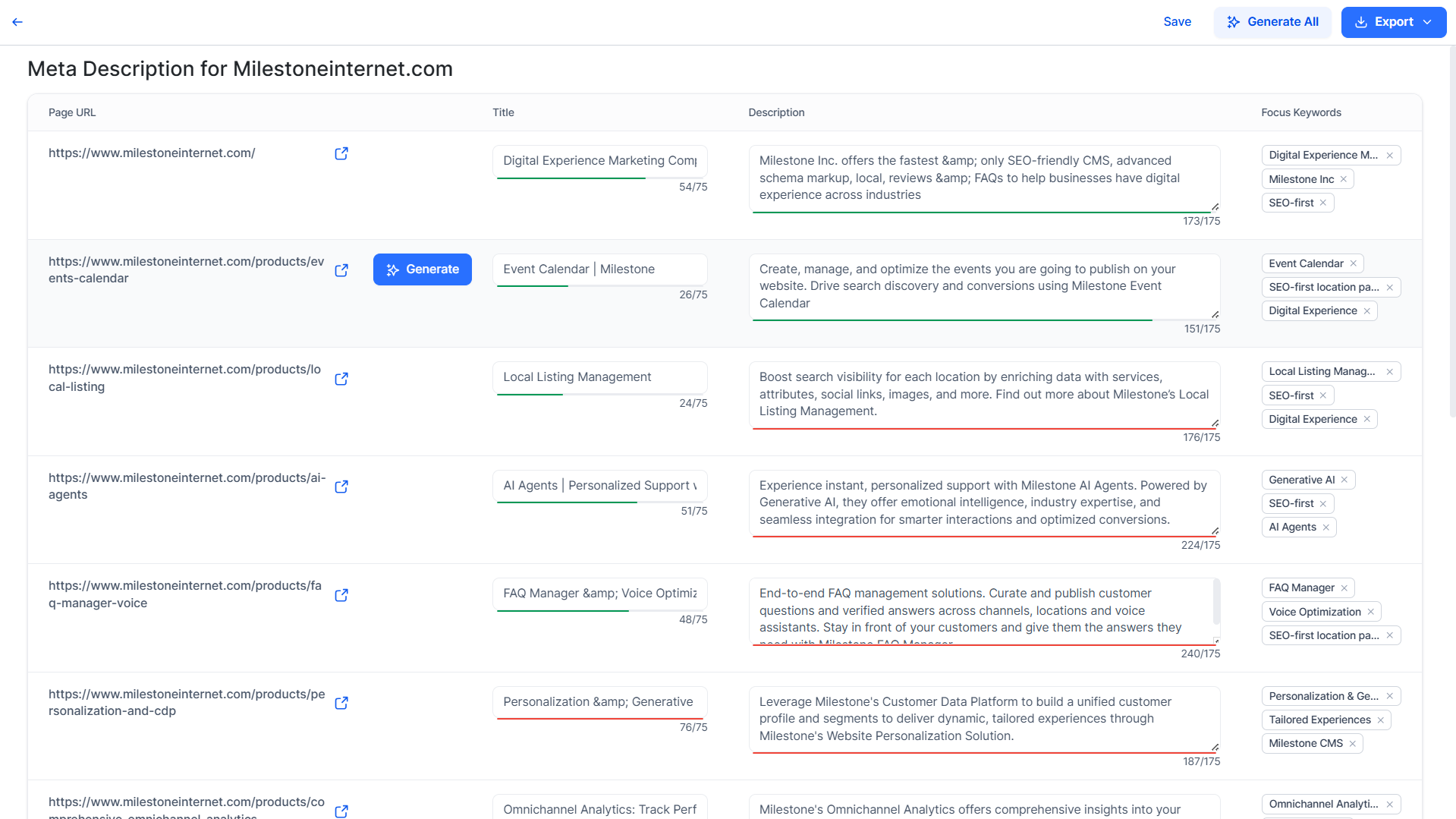
Once the metadata is generated it is ready to be exported and used across your pages.
Was this article helpful?
That’s Great!
Thank you for your feedback
Sorry! We couldn't be helpful
Thank you for your feedback
Feedback sent
We appreciate your effort and will try to fix the article