Structured data is key to visibility in AI and search, but manual tagging is often slow and error-prone. This feature uses AI to automate and accelerate schema deployment at scale.
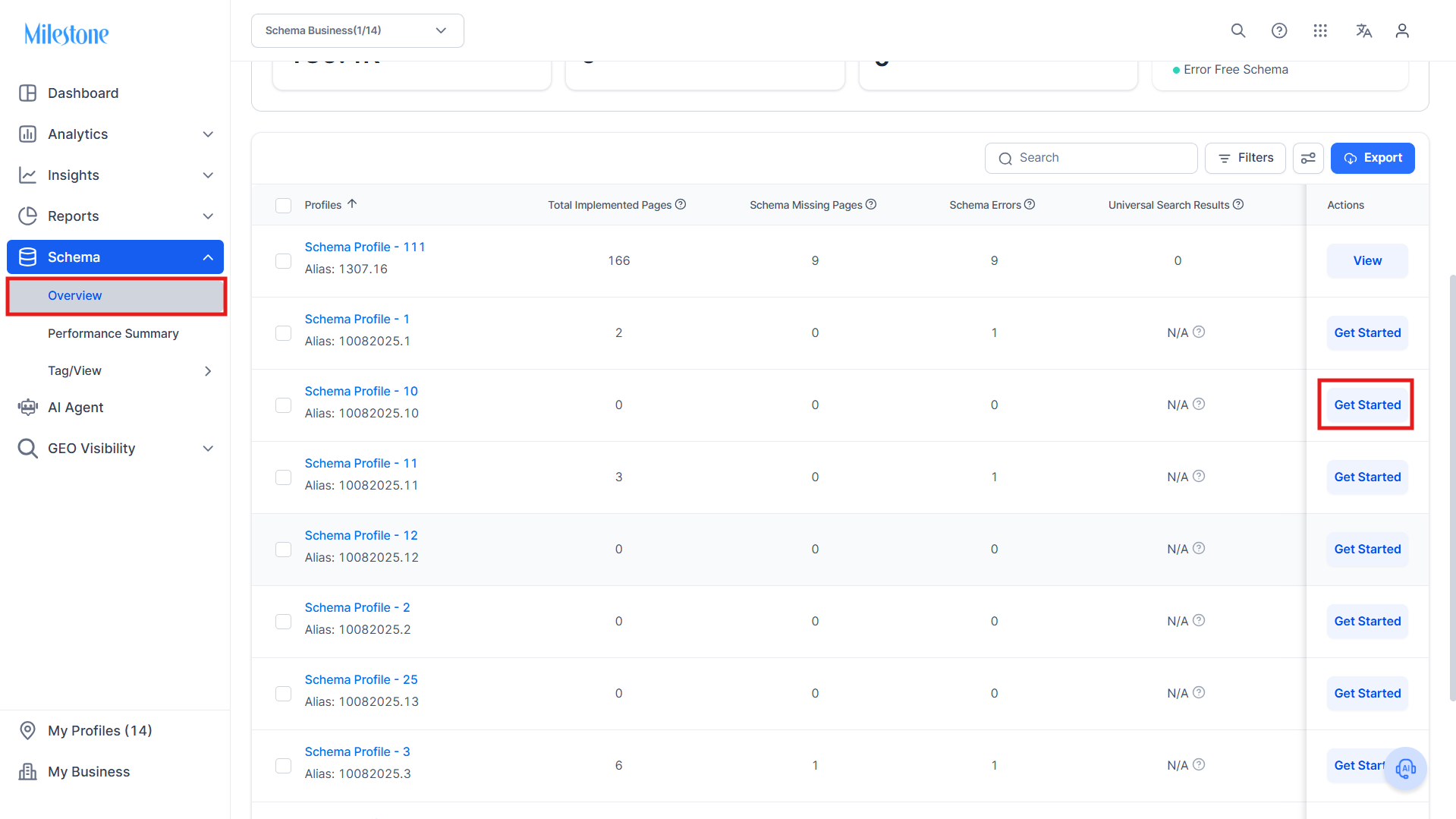
Step 1: In the Schema Overview section, scroll down to the available profiles for schema tagging and click on ‘Get Started’.
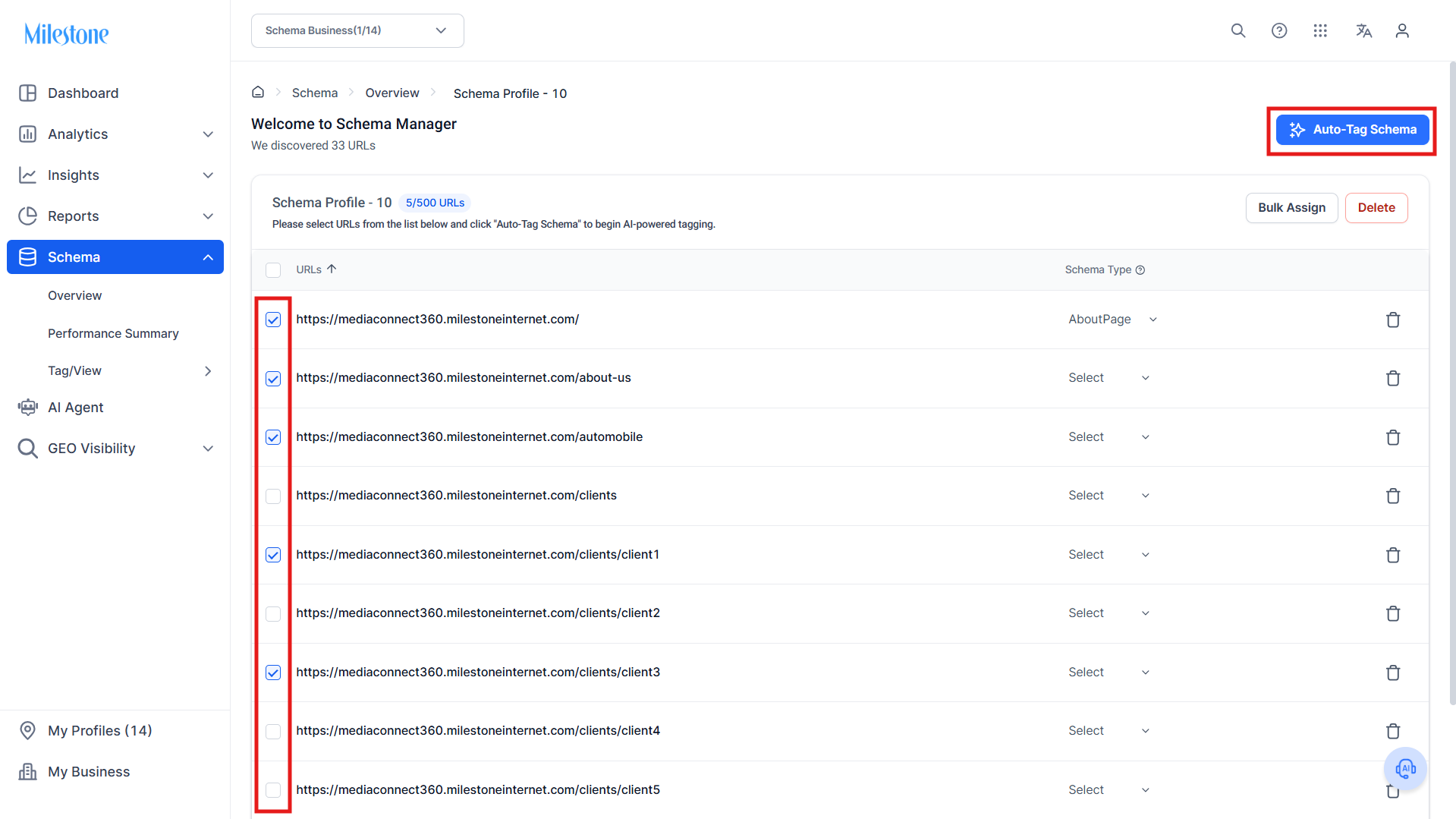
Step 2: Select the pages you want to auto-tag schema for and click on ‘Auto-Tag Schema’.
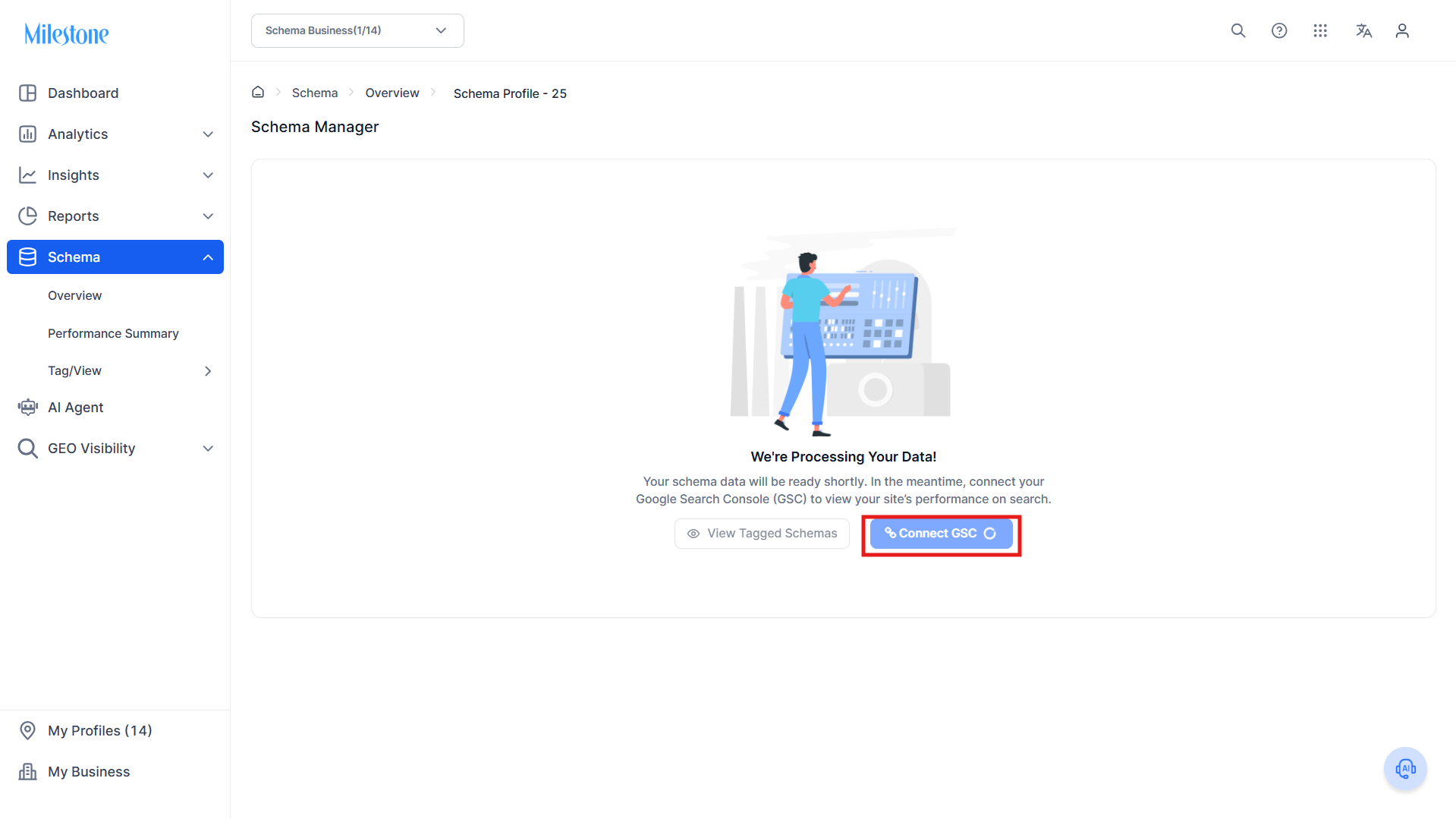
Auto-Tagging the schema takes a few minutes. In the meantime you can choose to ‘Connect GSC’ if not connected.
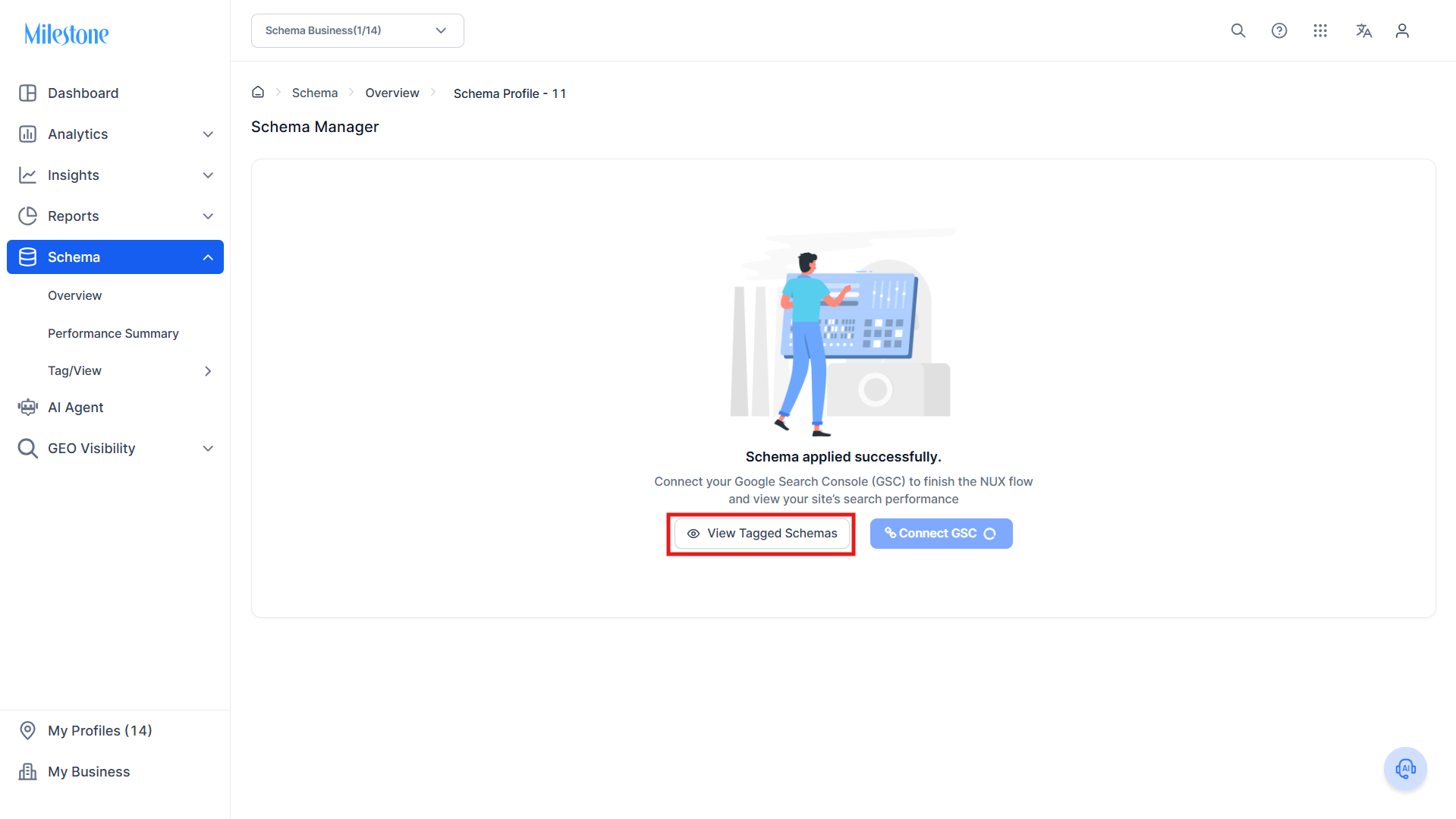
Step 4: Once the schemas have been tagged, you can click on the ‘View Tagged Schemas’ to view and edit the applied schemas.
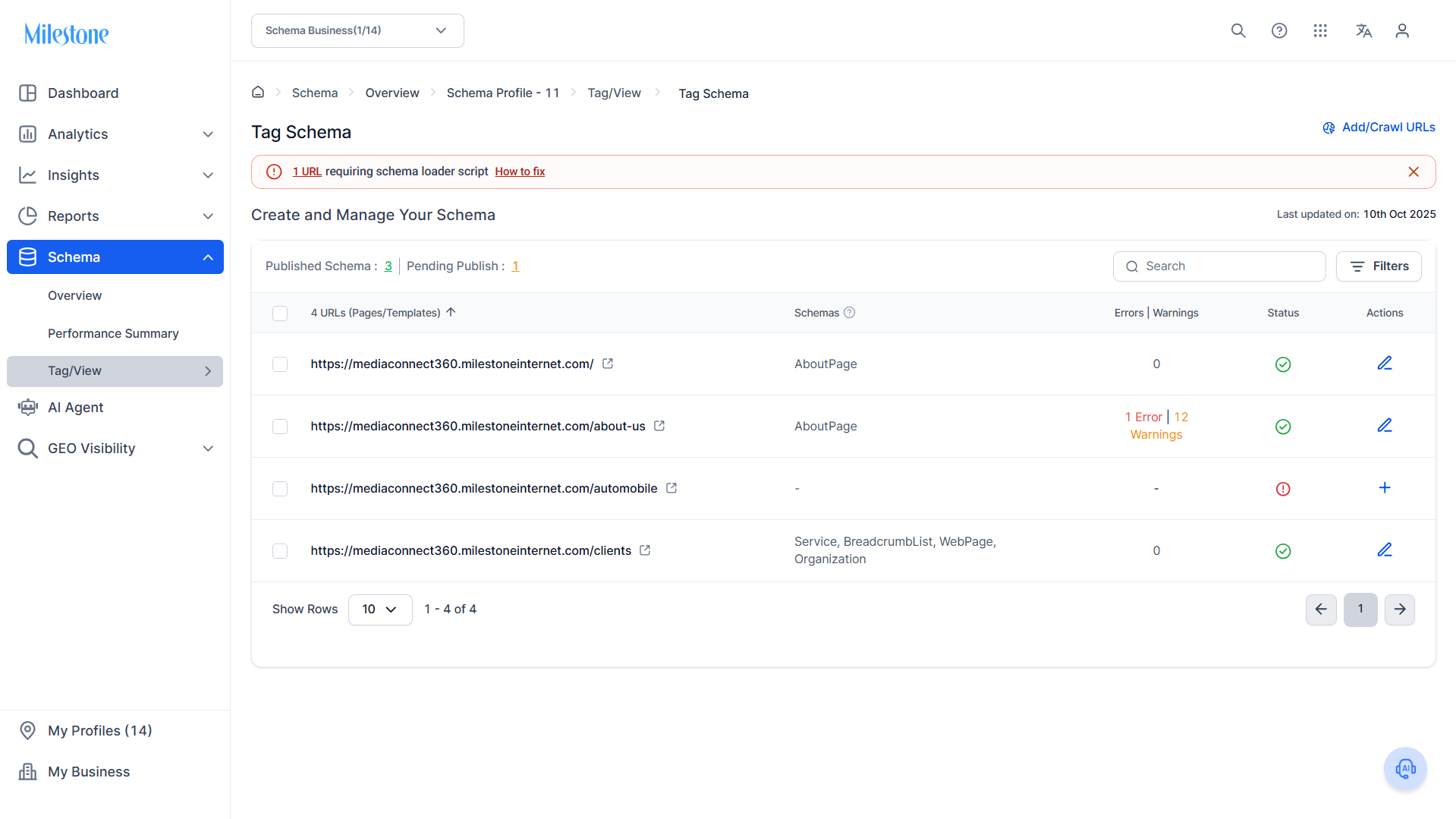
Step 5: Here you can view the schemas applied, any errors or warnings, the status of the schema, and you can use the edit button to edit the schemas deployed.
Was this article helpful?
That’s Great!
Thank you for your feedback
Sorry! We couldn't be helpful
Thank you for your feedback
Feedback sent
We appreciate your effort and will try to fix the article