Schema Manager automatically submits pages for indexing once the schema has been tagged for them. So when you update the schema for a page, Schema Manager proactively informs search engines about the updates to the page's schema. Here's how it works.
Path: Schema Manager > Tag Schema > Edit
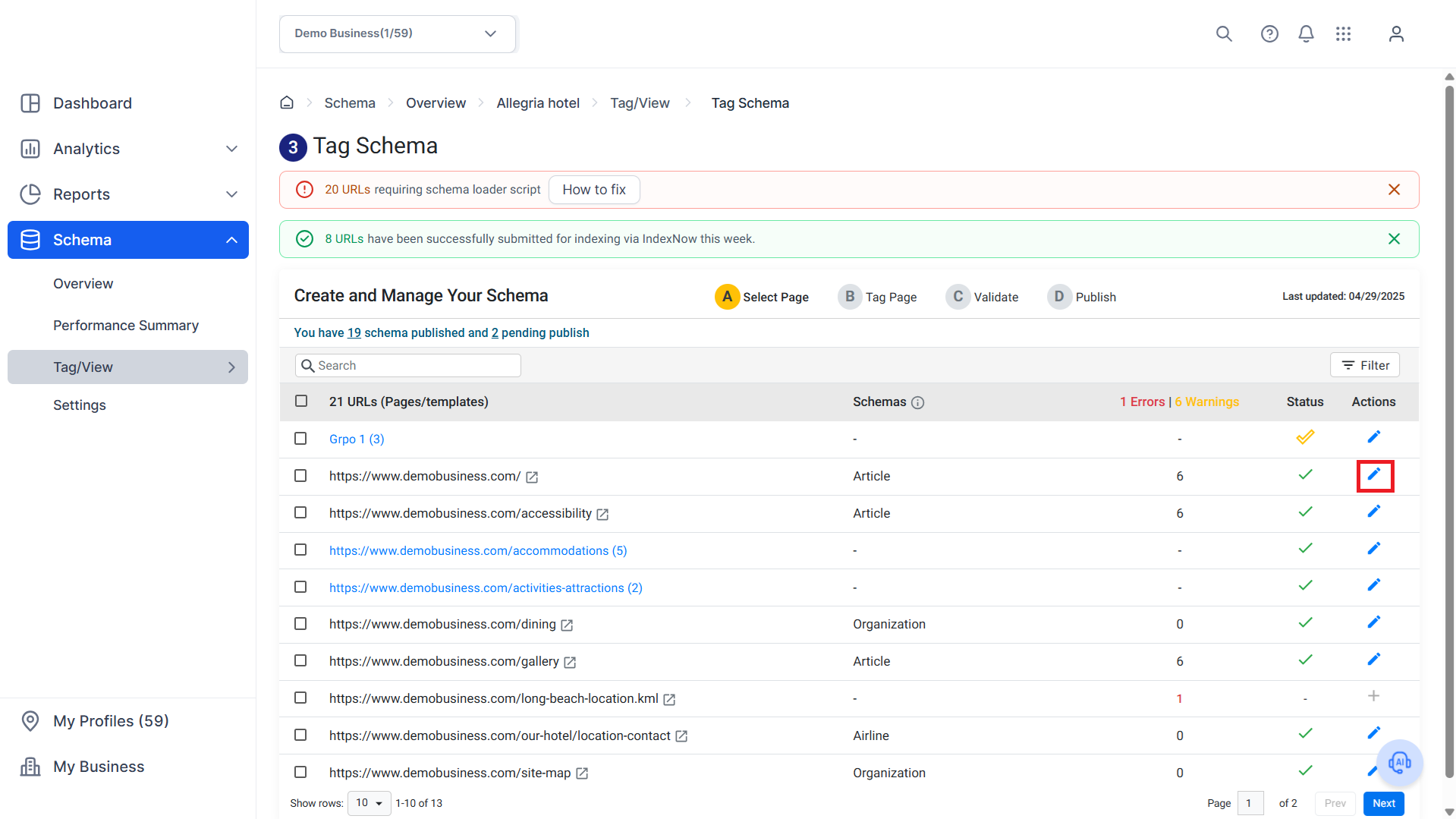
Step 1: From the ‘Tag Schema’ section, click on the Edit icon corresponding to the page you wish to update the schema.
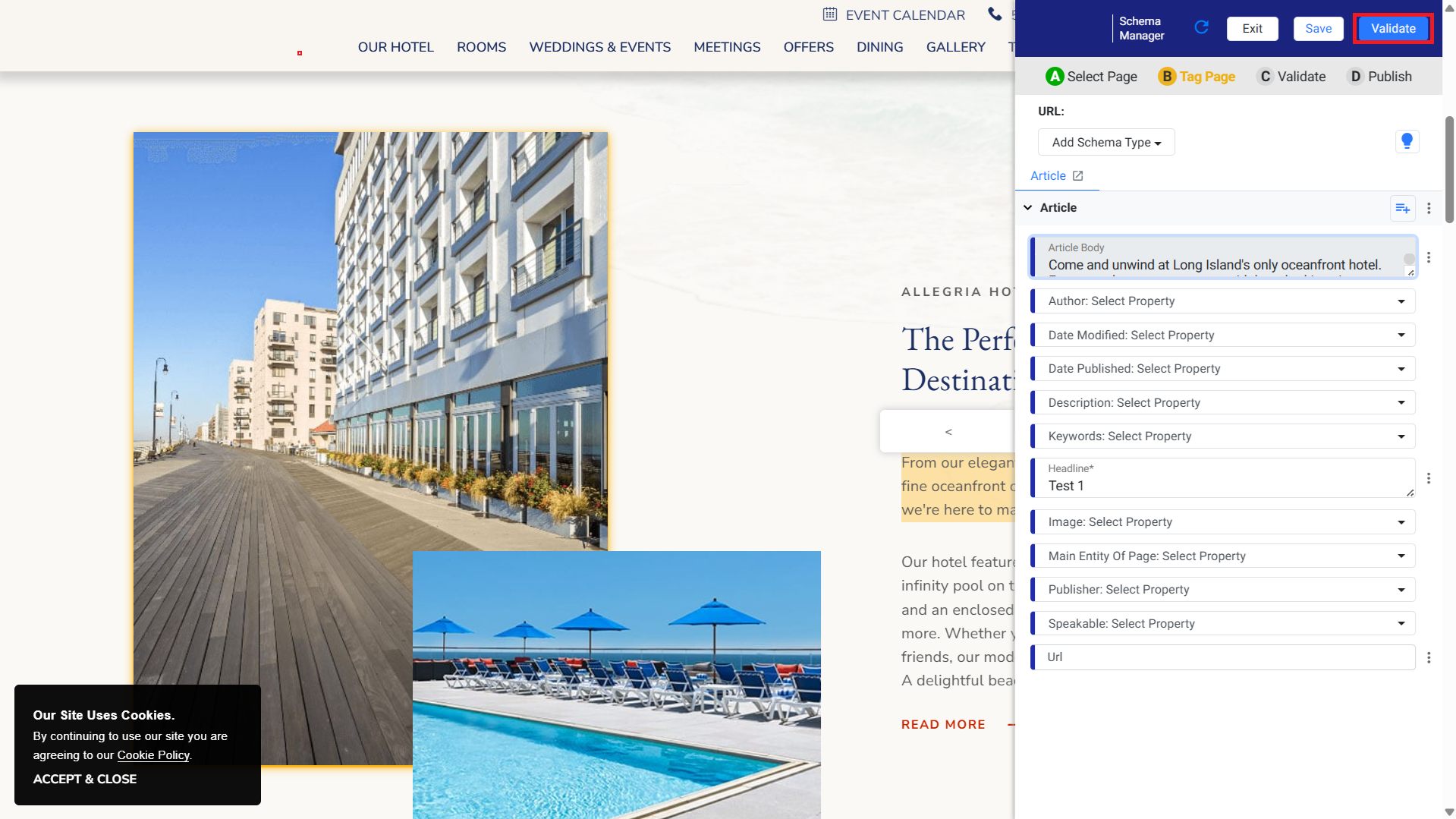
Step 2: Once you have made the changes to the schema, click on ‘Validate’.
Step 3: After validating the schema, click on ‘Publish’.

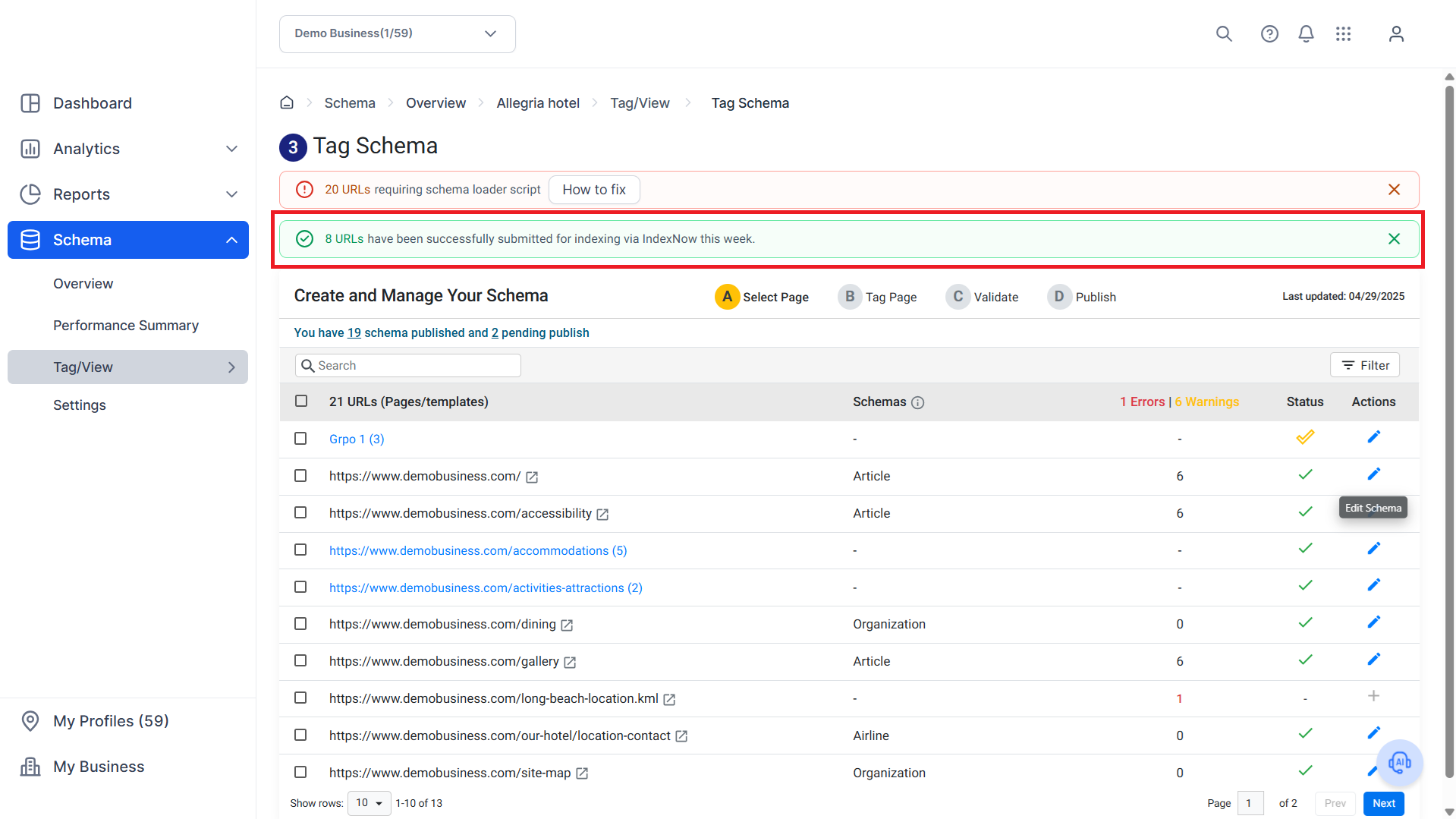
You will be notified that the schema has been submitted for indexing.

You can also see the URLs recently submitted for indexing at the top of the Tag Schema page.
Was this article helpful?
That’s Great!
Thank you for your feedback
Sorry! We couldn't be helpful
Thank you for your feedback
Feedback sent
We appreciate your effort and will try to fix the article