Overview
A business profile represents the overall organization or client and serves as the container for all related assets, including location profiles, users, modules, and data. By creating a distinct business profile for each brand or client, teams can streamline setup, assign users appropriately, and manage data securely across separate accounts.
Creating a business profile provides a centralized foundation for all future configurations. Whether you’re managing multiple brands, clients, or divisions, this structure ensures clear separation between data and workflows. Once a business is created, location profiles, user roles, and platform features can be configured under that specific business.
Step-by-Step Flow
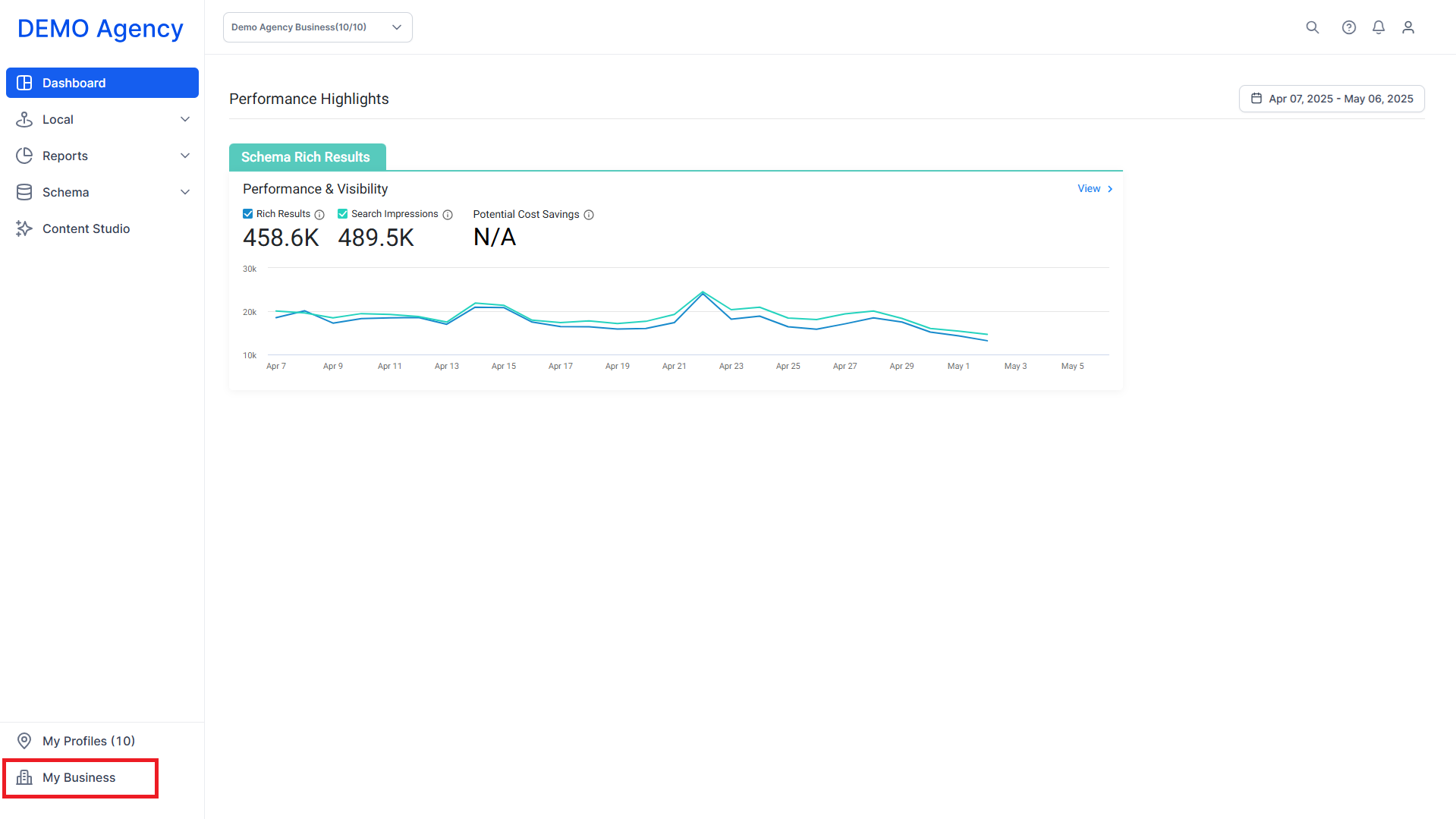
Step 1: Navigate to the ‘My Business’ section under your agency.
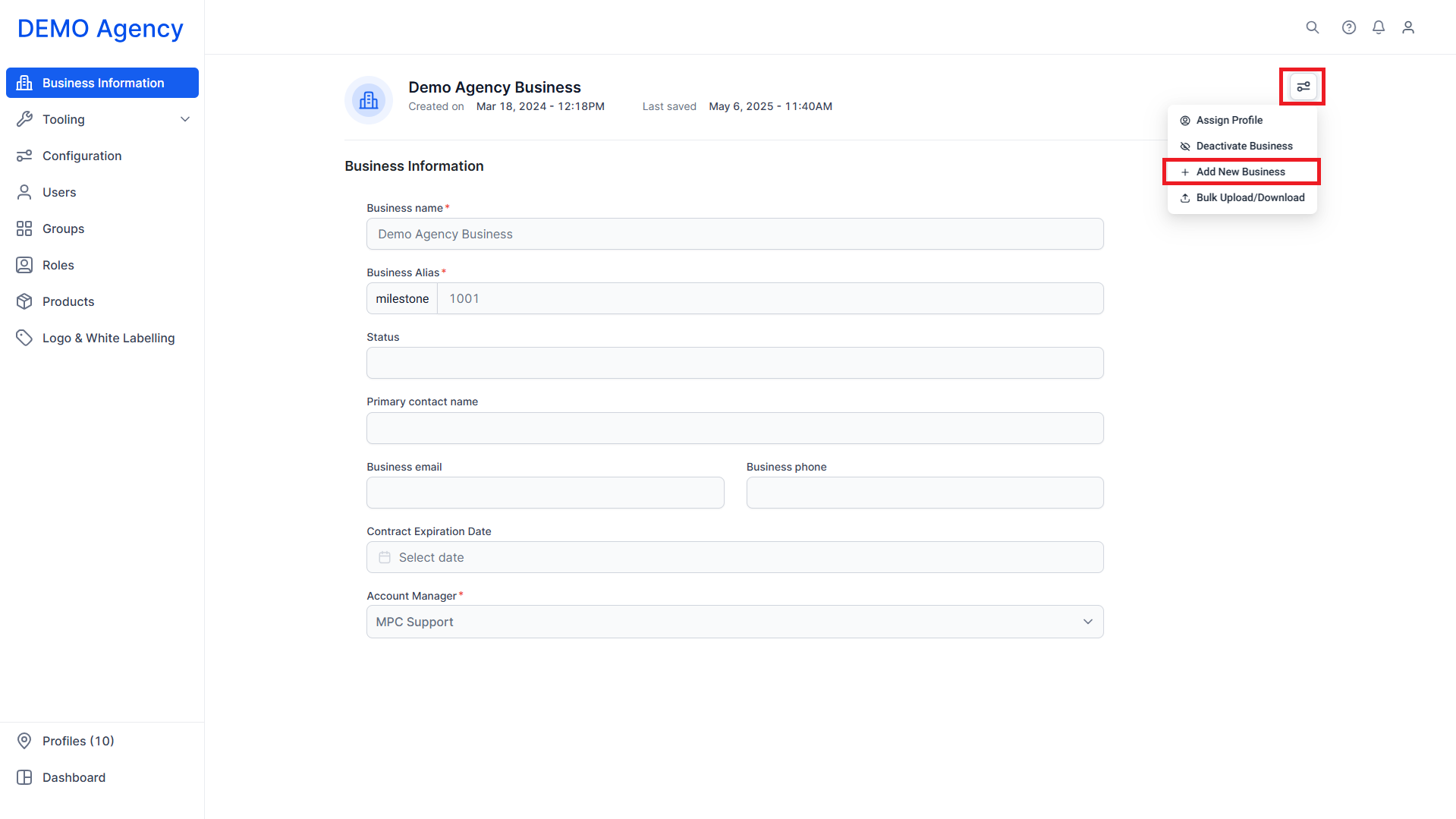
Step 2: Click the configuration icon (top-right) and select Add New Business.
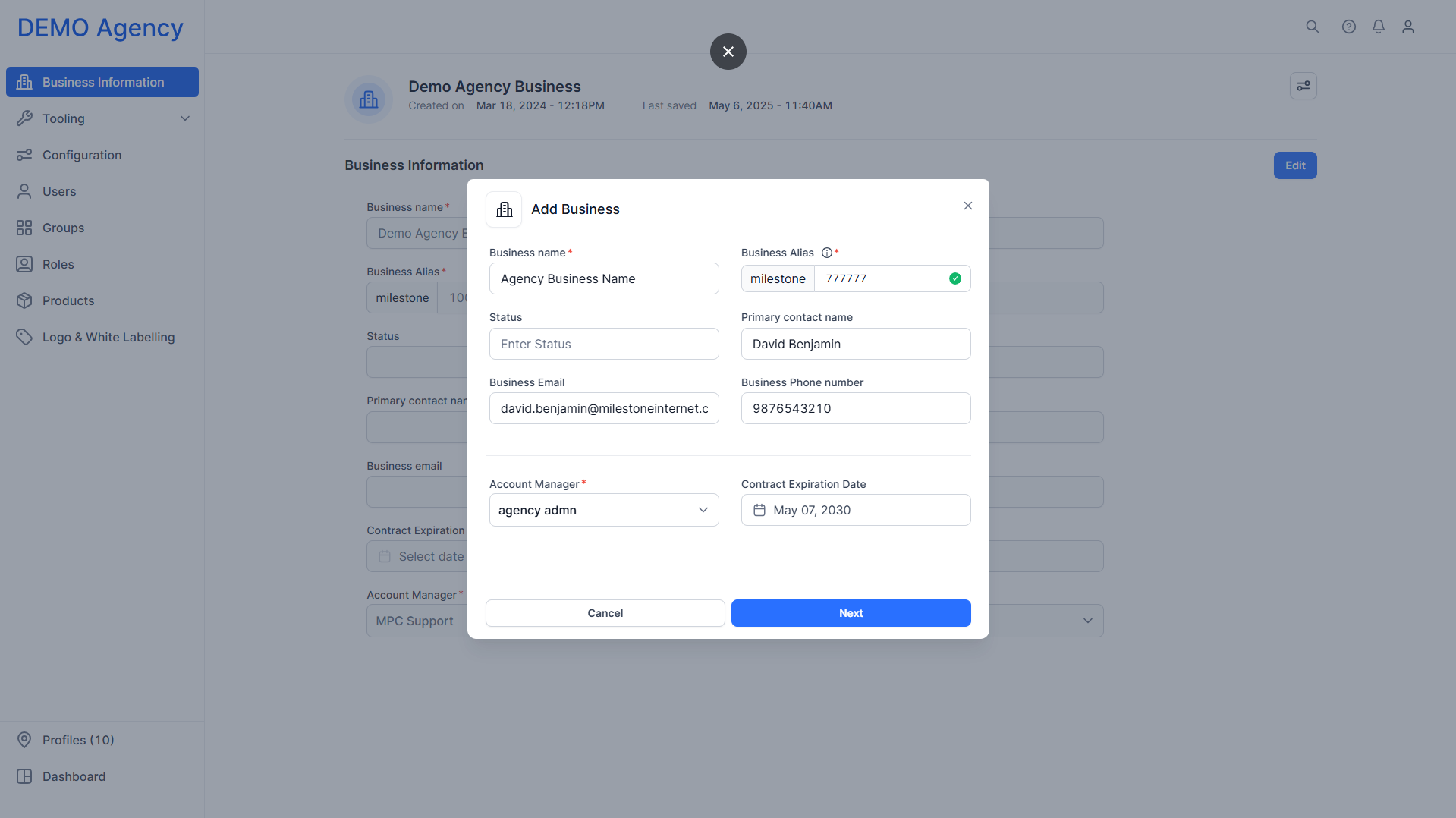
Step 3: Enter the following:
- Business Name
- Business Alias (typically the NetSuite Order ID or a unique available ID)
- Account Manager (mandatory)
- Optional: Primary Contact Name, Account Expiration Date (manual entry based on contract)
Note: Use test patterns like "100XXX" for demos.
Glossary of Terms
Business Profile: A top-level entity representing a client, brand, or organization. It contains all related data and assets.
Location Profile: A sub-entity created under a business profile to represent individual storefronts, offices, or service areas.
User Roles: Permissions granted to individual users to control their access level within the business profile.
Alias: A short-form or alternate name for the business, useful for internal clarity.
Modules/Features: Tools enabled within the platform, such as content management, analytics, or review tracking.
Was this article helpful?
That’s Great!
Thank you for your feedback
Sorry! We couldn't be helpful
Thank you for your feedback
Feedback sent
We appreciate your effort and will try to fix the article