Delete images from a page easily on Milestone Page Studio.
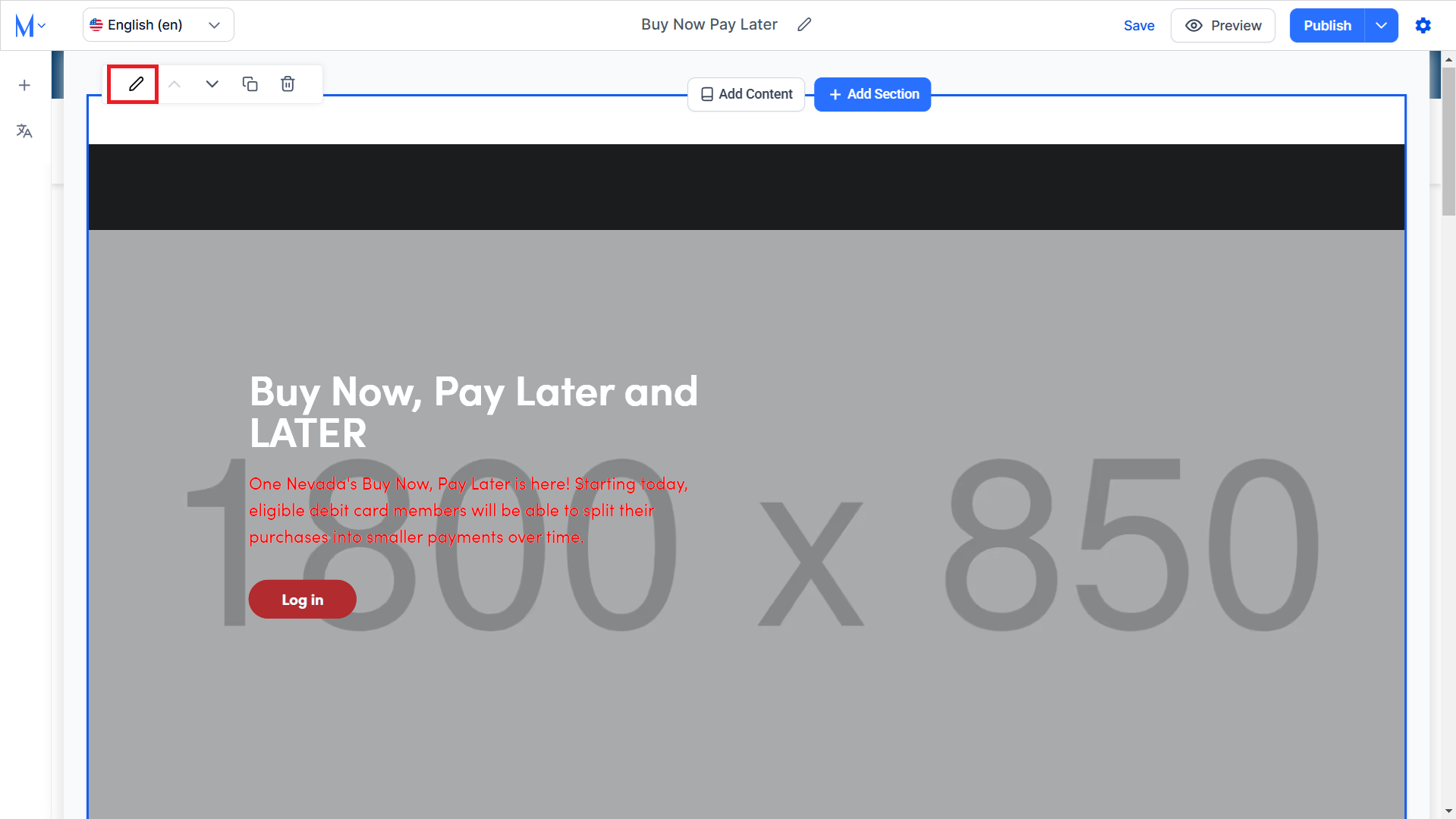
Step 1: Click on the edit icon on the component from which you want to delete an image.
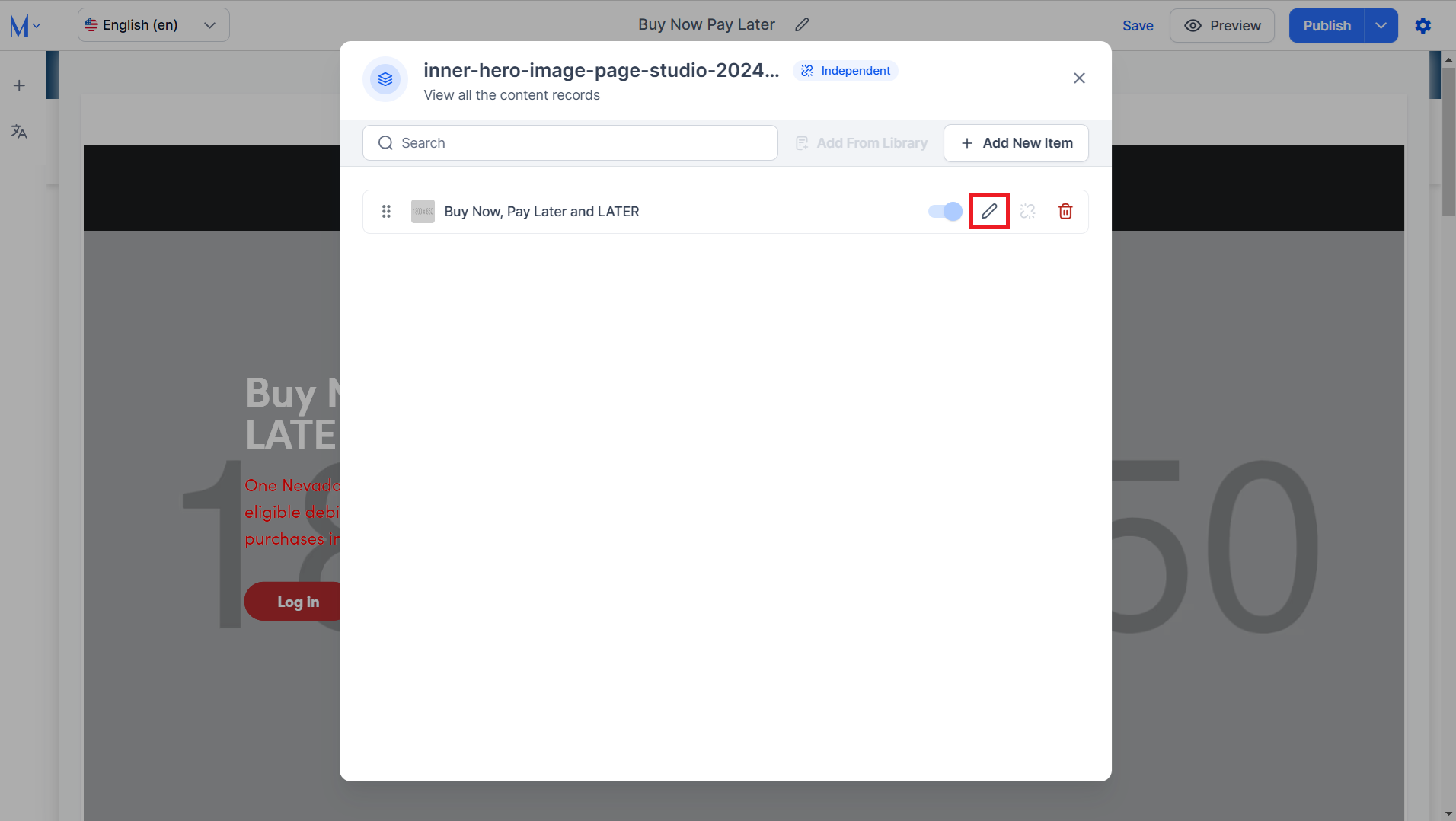
Step 2: Click on the edit icon corresponding to the record you want to delete the image from.
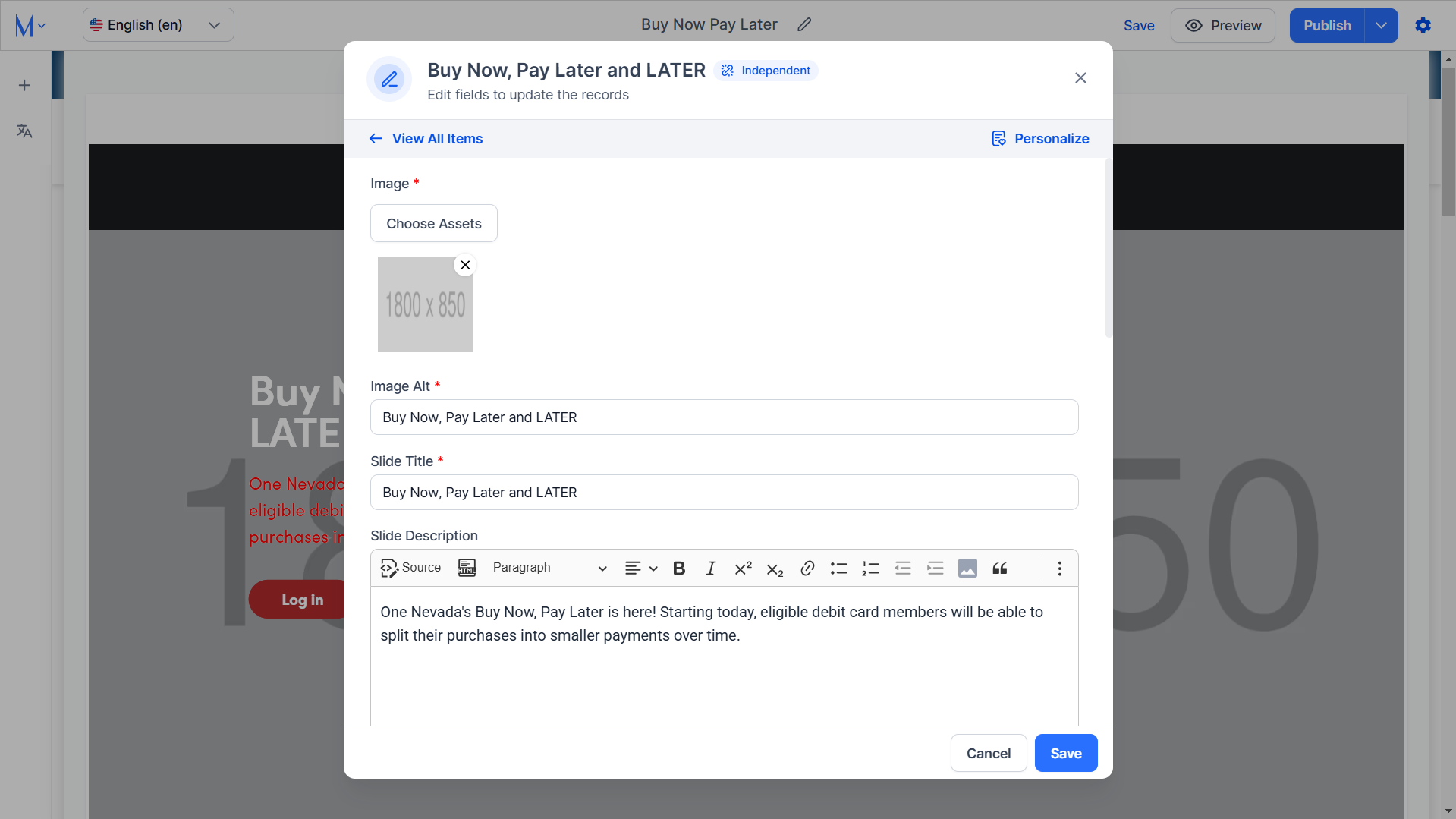
Step 3: Click on the ‘X’ icon at the top right of the image you want to delete.
Was this article helpful?
That’s Great!
Thank you for your feedback
Sorry! We couldn't be helpful
Thank you for your feedback
Feedback sent
We appreciate your effort and will try to fix the article