Have a wide variety of services your business offers? Add custom services to your Milestone Profiles and deploy them across business locations.
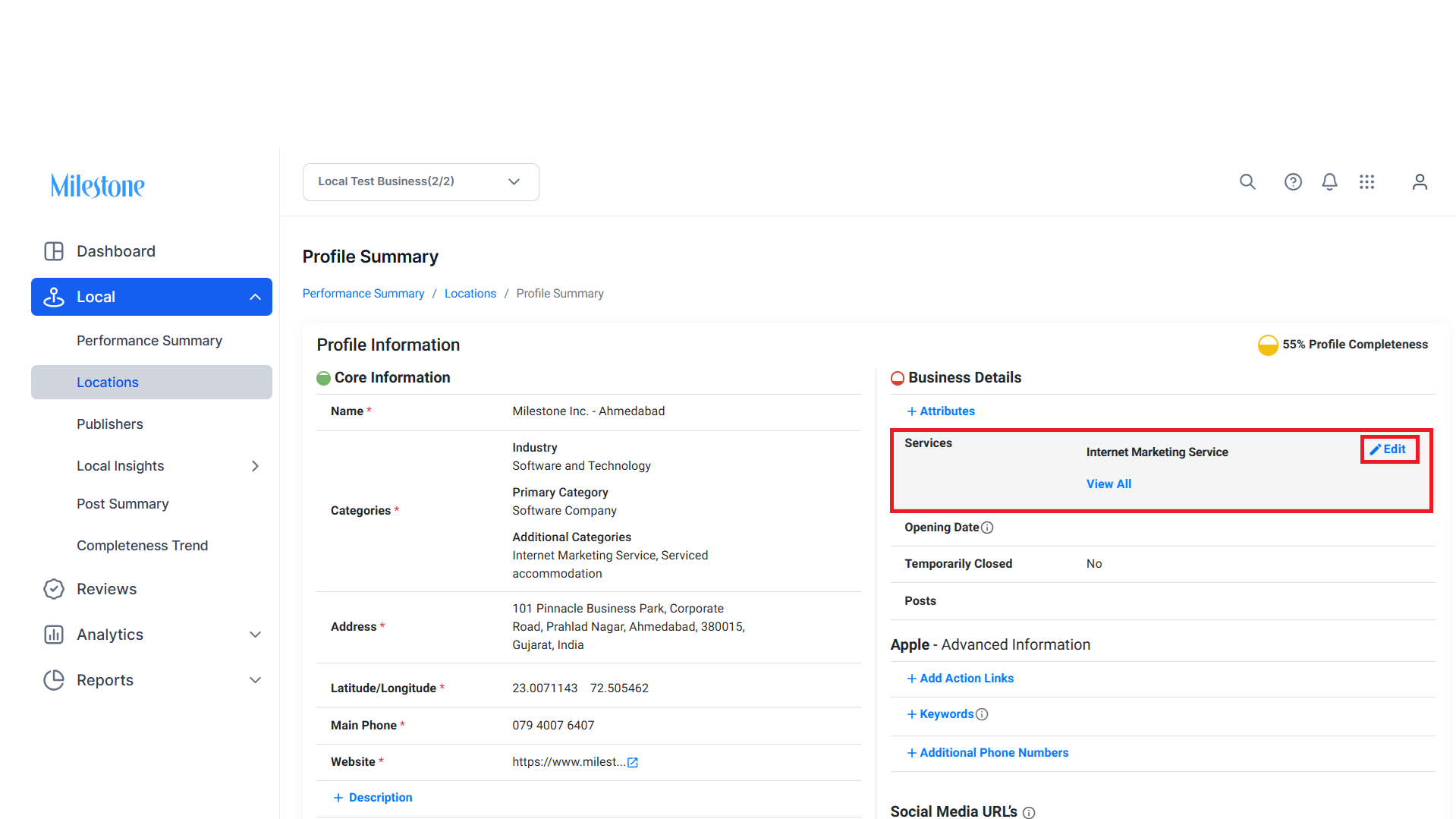
Path: Milestone Local > Locations > Select Profile > Business Details > Services
Step 1: In the ‘Business Details’ section of the Profile Summary click on ‘Edit’ in the Services section.
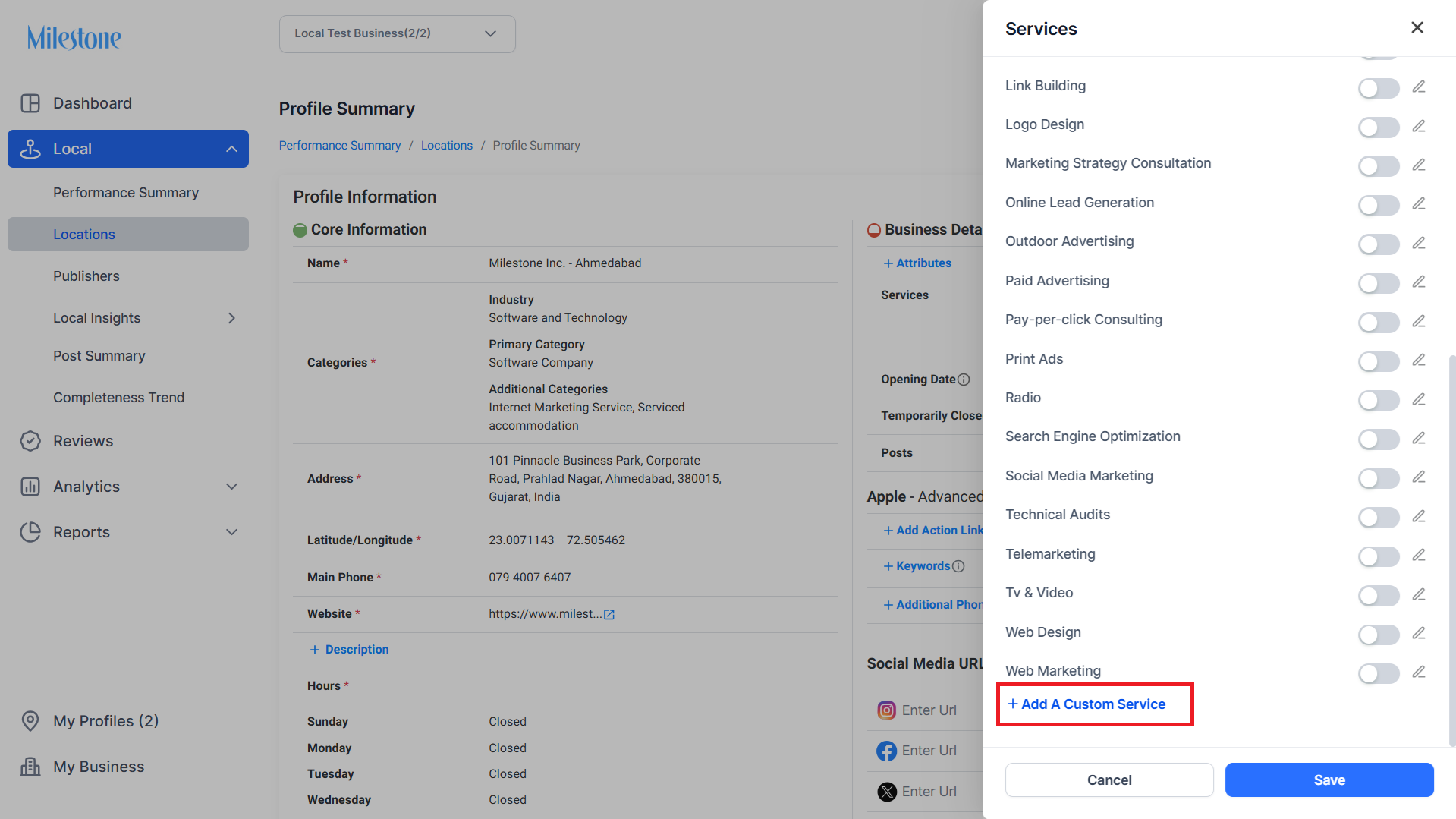
Step 2: Click on ‘Add a Custom Service’ at the bottom of the Services menu.
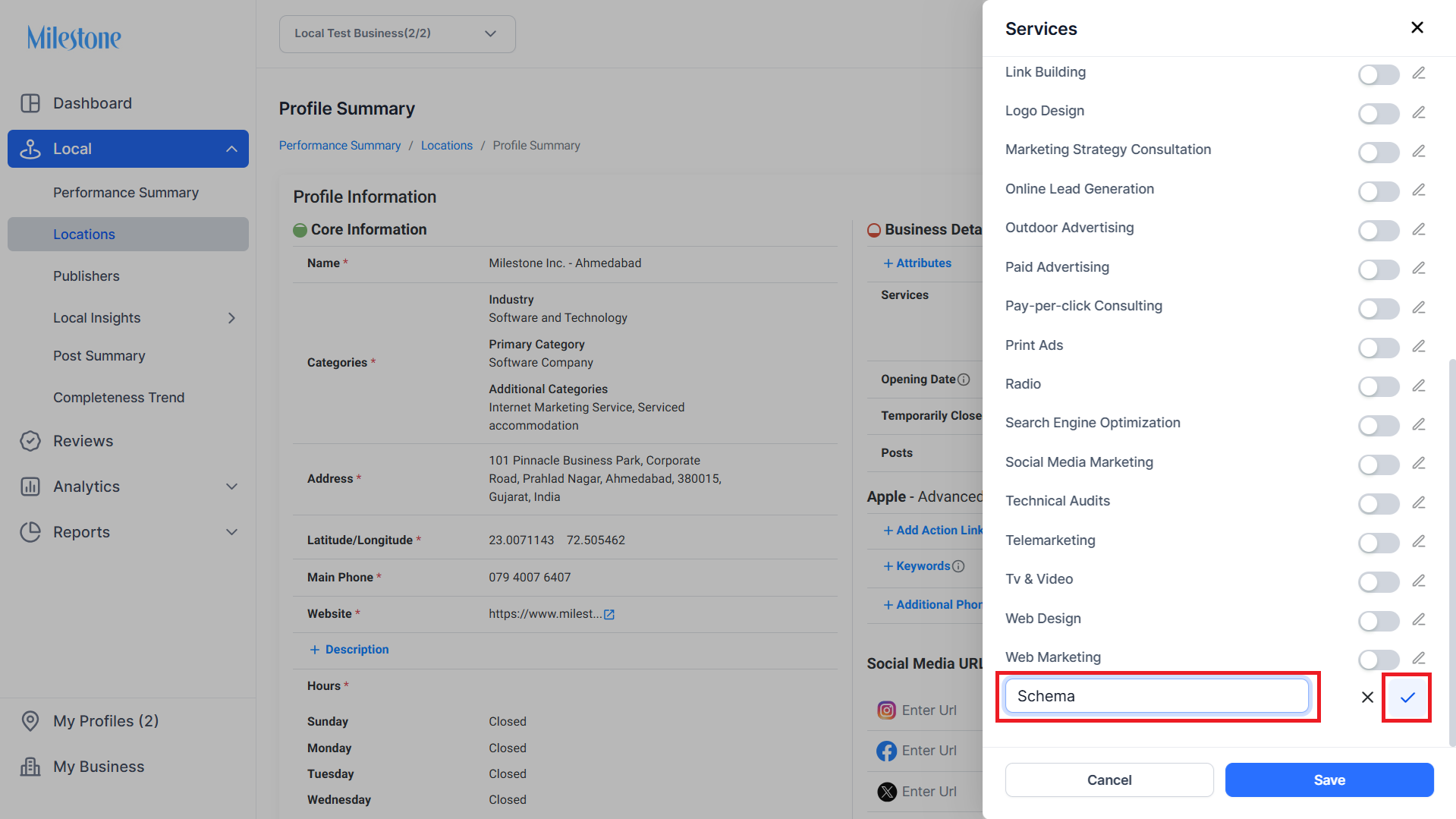
Step 3: Add a name for the service and click on the tick mark to save it.
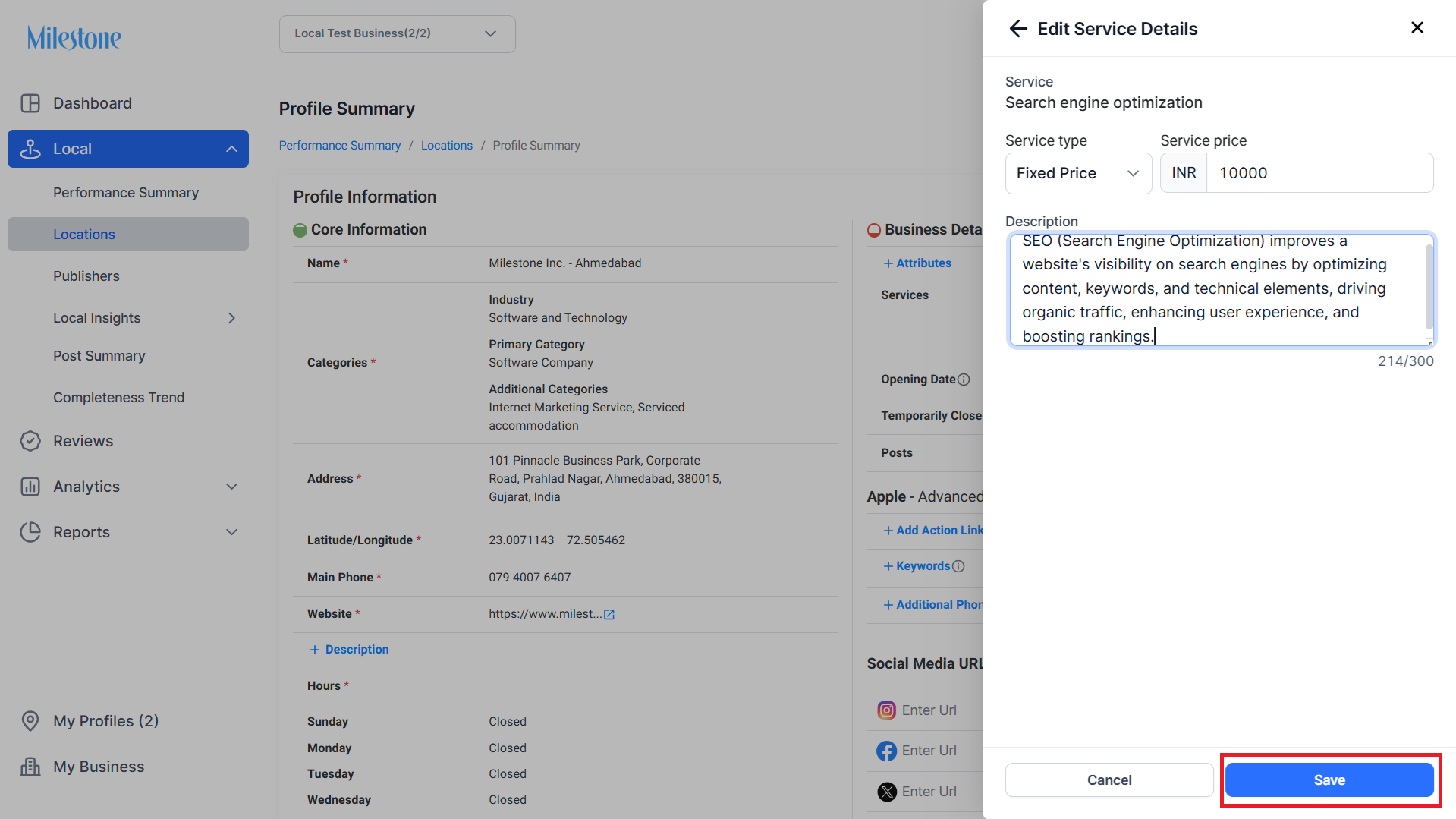
Step 4: Add the service details and click on ‘Save’.
Was this article helpful?
That’s Great!
Thank you for your feedback
Sorry! We couldn't be helpful
Thank you for your feedback
Feedback sent
We appreciate your effort and will try to fix the article