Viewing Profiles on MPC
You can use filters to access data for a certain profile or profiles associated with your business.
To view the profile(s), follow the steps below:
Step 1: Locate the dashboard filter in the top left corner of the Dashboard. When the profile is clicked, a list of all available profiles will be displayed.
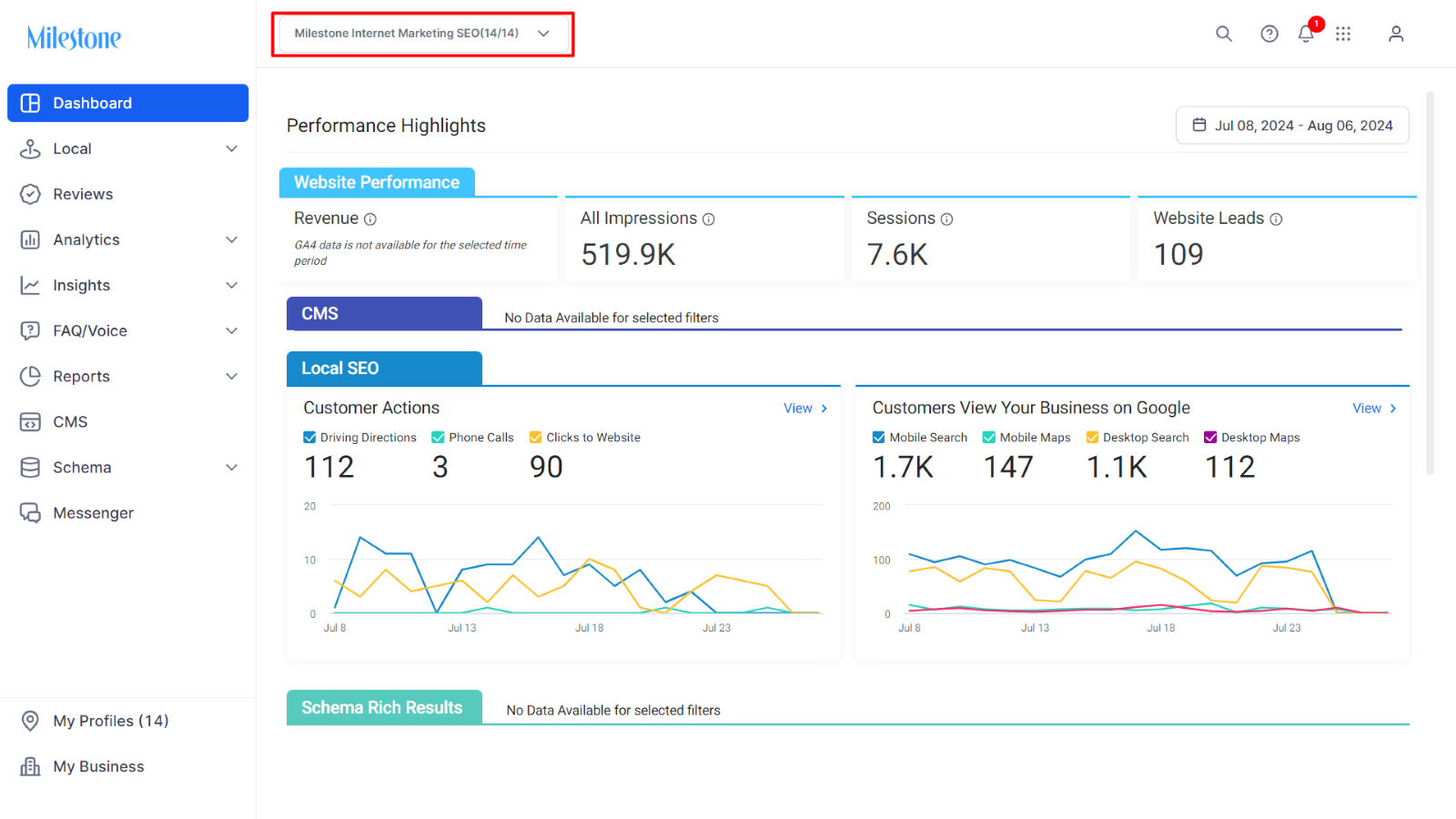
Step 2: Click on the business name to open a drop-down list of available profiles. By default, all profile checkboxes will be selected.
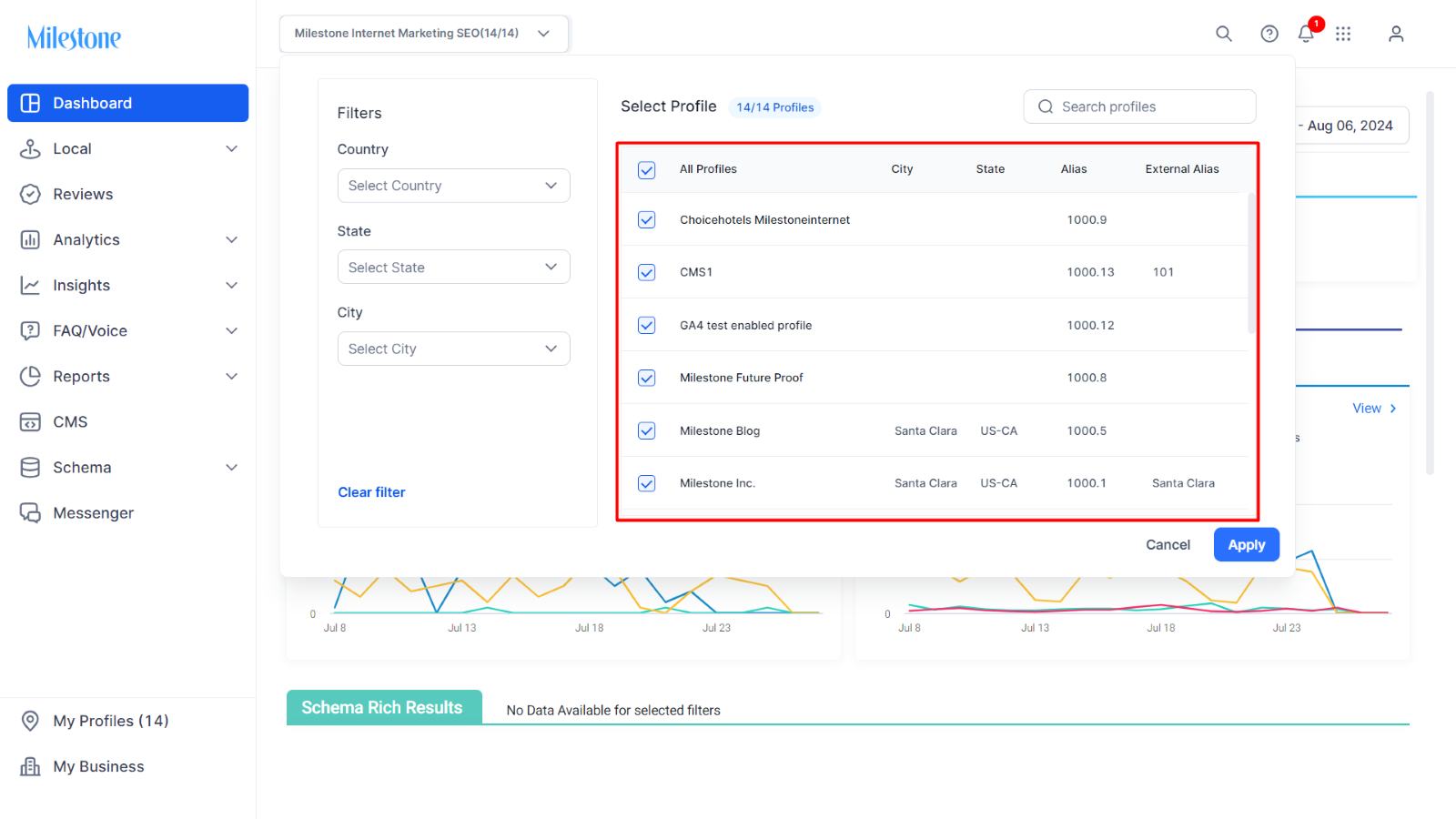
Step 3: Remove the default selection of all profiles by deselecting the checkbox next to All Profiles.
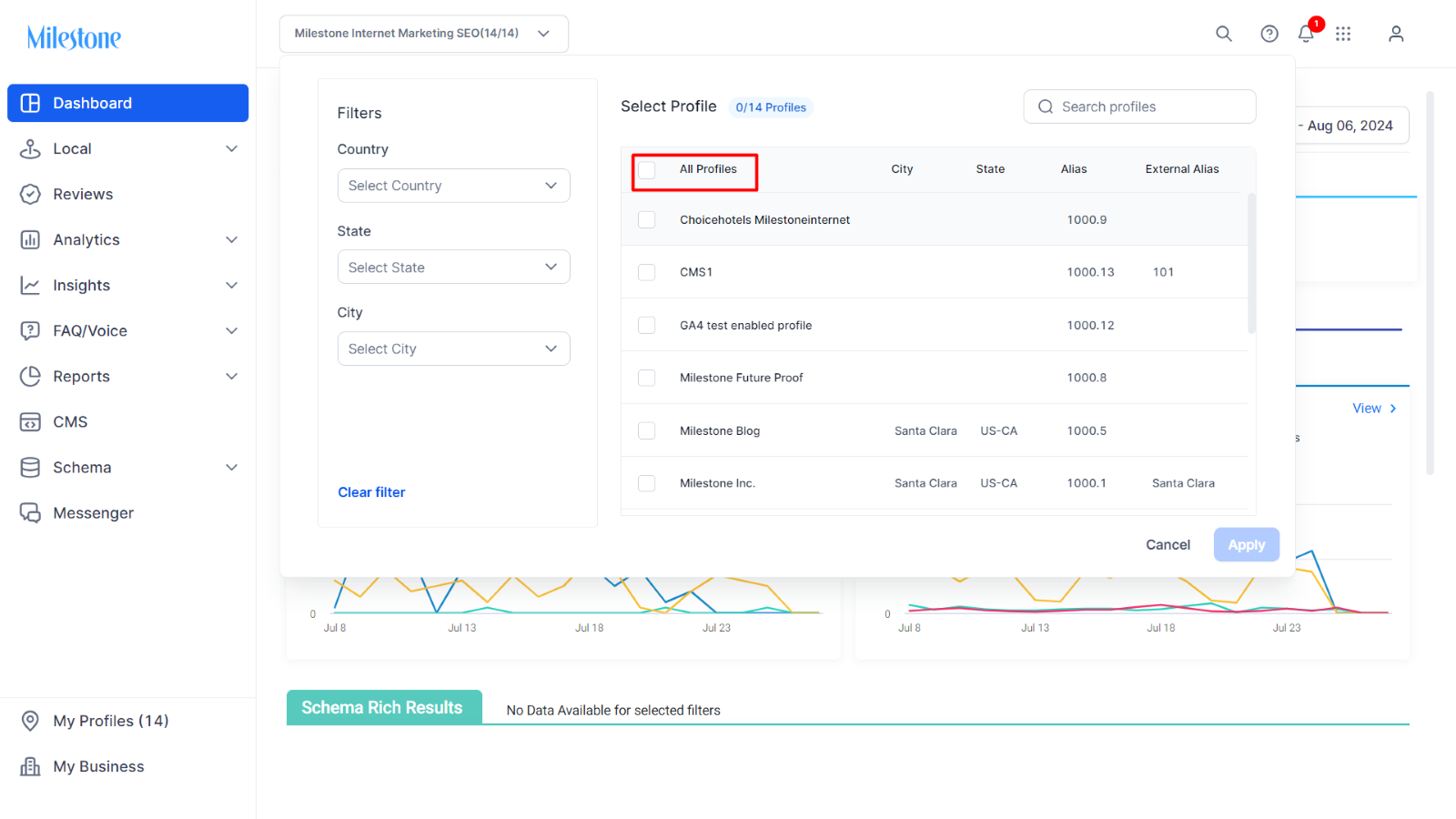
Step 4: To select specific profiles, you can either type a few initial characters of the profile name or search using city/state names.
Step 5: Choose the profiles whose performance you want to view.
Step 6: Click the Apply button.
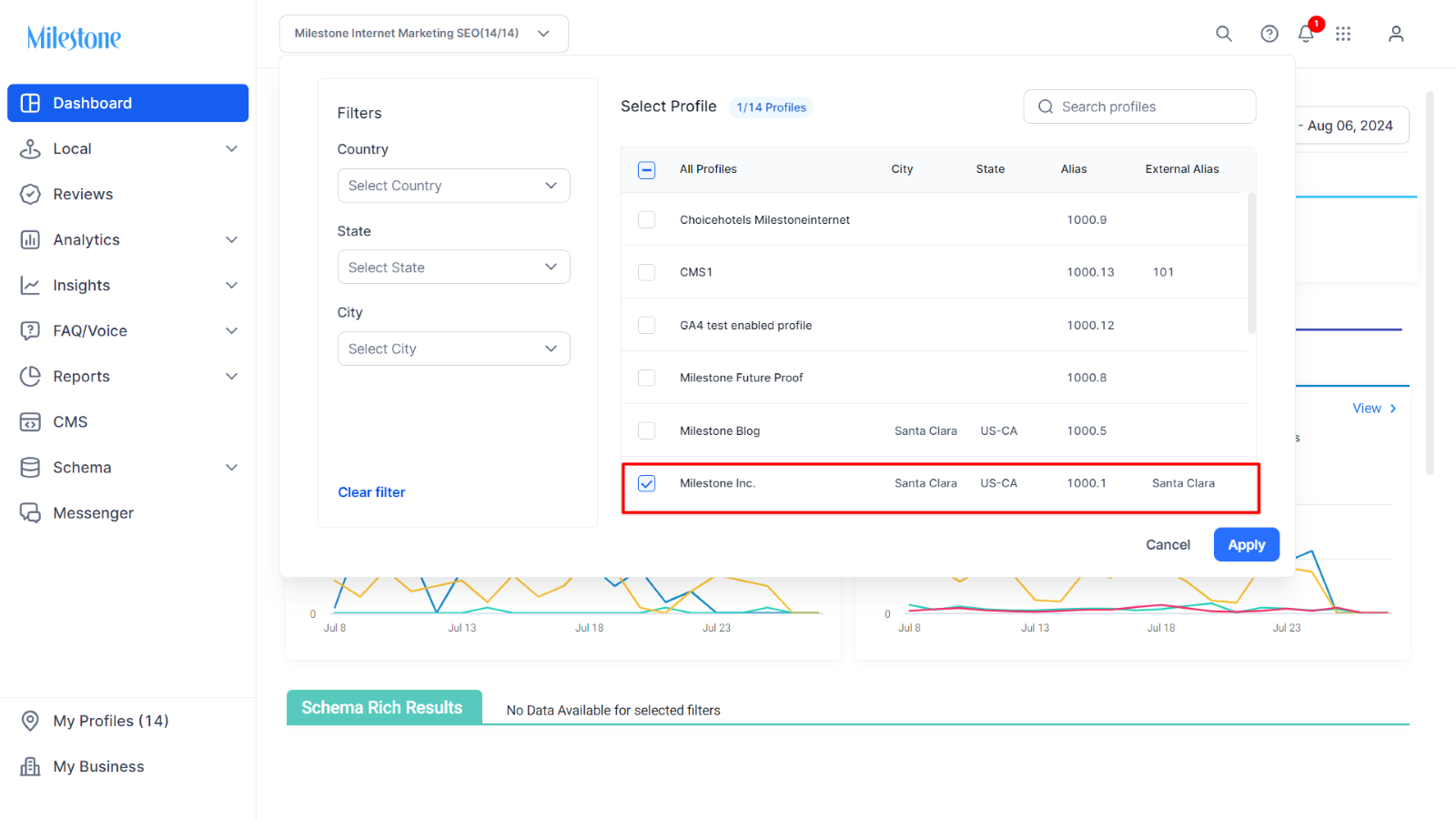
Step 7: The dashboard will be updated with the details of the selected profiles.
Was this article helpful?
That’s Great!
Thank you for your feedback
Sorry! We couldn't be helpful
Thank you for your feedback
Feedback sent
We appreciate your effort and will try to fix the article