You can use the ‘Permanently Closed' to mark a business location as permanently closed across channels like Google, Facebook, Yelp etc.
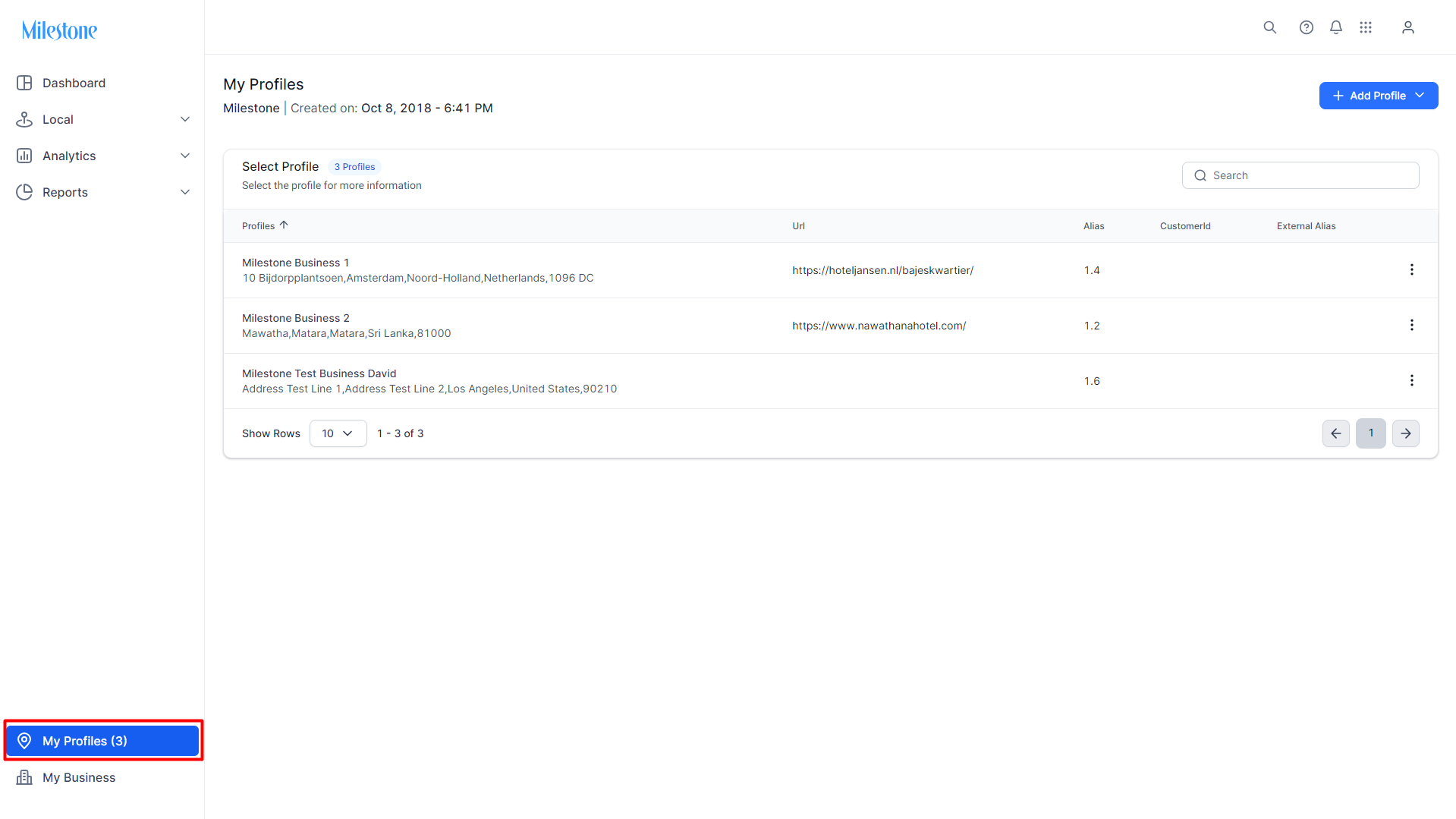
Path: MPC > My Profiles
Step 1: From the MPC Dashboard click on the ‘My Profiles’ icon to the bottom left.
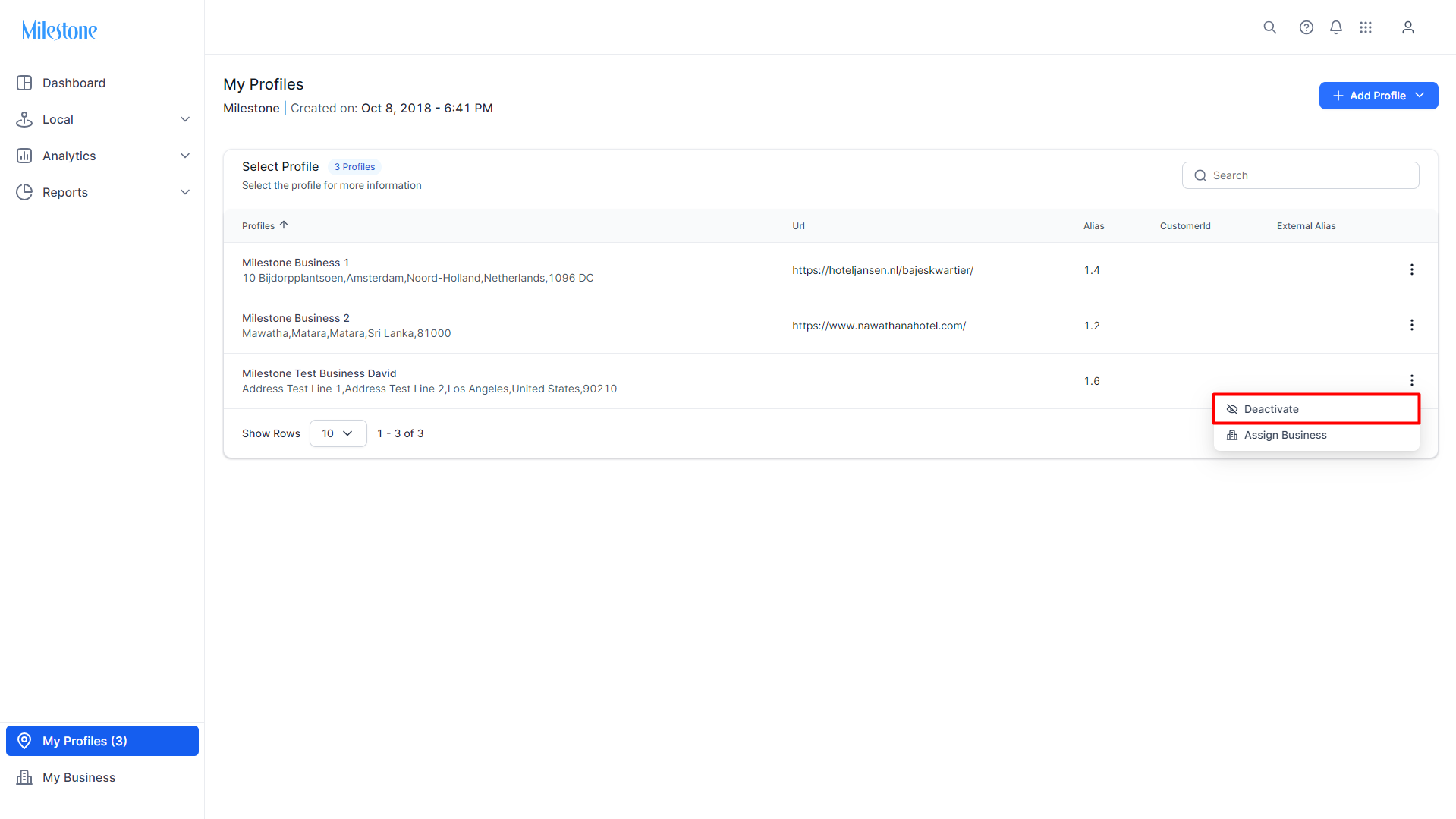
Step 2: Click on the three-dot menu corresponding to the profile you wish to deactivate and select 'Deactivate'.
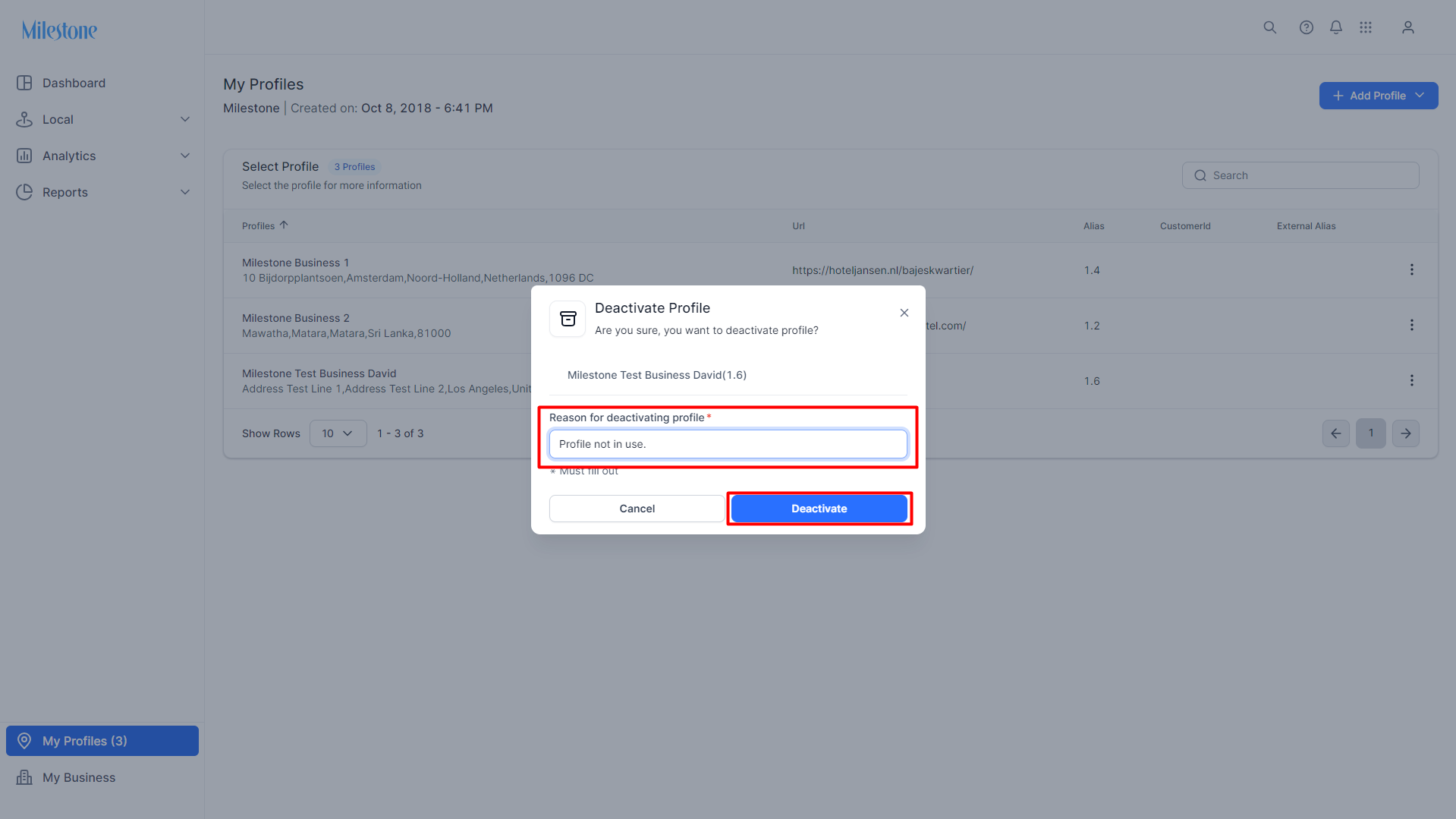
Step 3: Provide a reason for deactivating the profile and click on 'Deactivate'.
Was this article helpful?
That’s Great!
Thank you for your feedback
Sorry! We couldn't be helpful
Thank you for your feedback
Feedback sent
We appreciate your effort and will try to fix the article