Milestone Content Studio's Content Intelligence feature can be enabled from Milestone Presence Cloud's My Business section. Here's how to enable Content Intelligence.
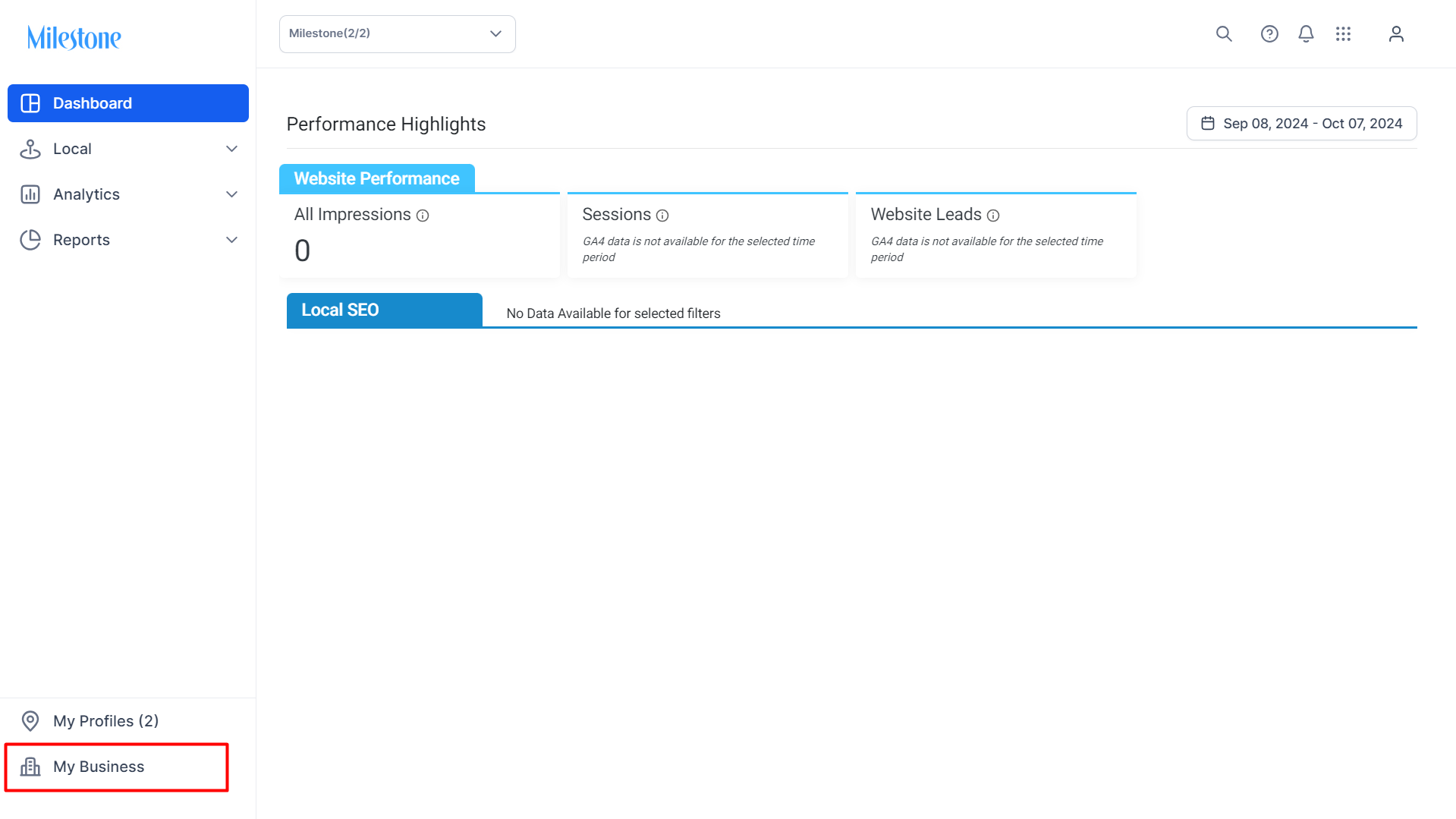
Step 1: Go to the ‘My Business’ section of Milestone Presence Cloud.
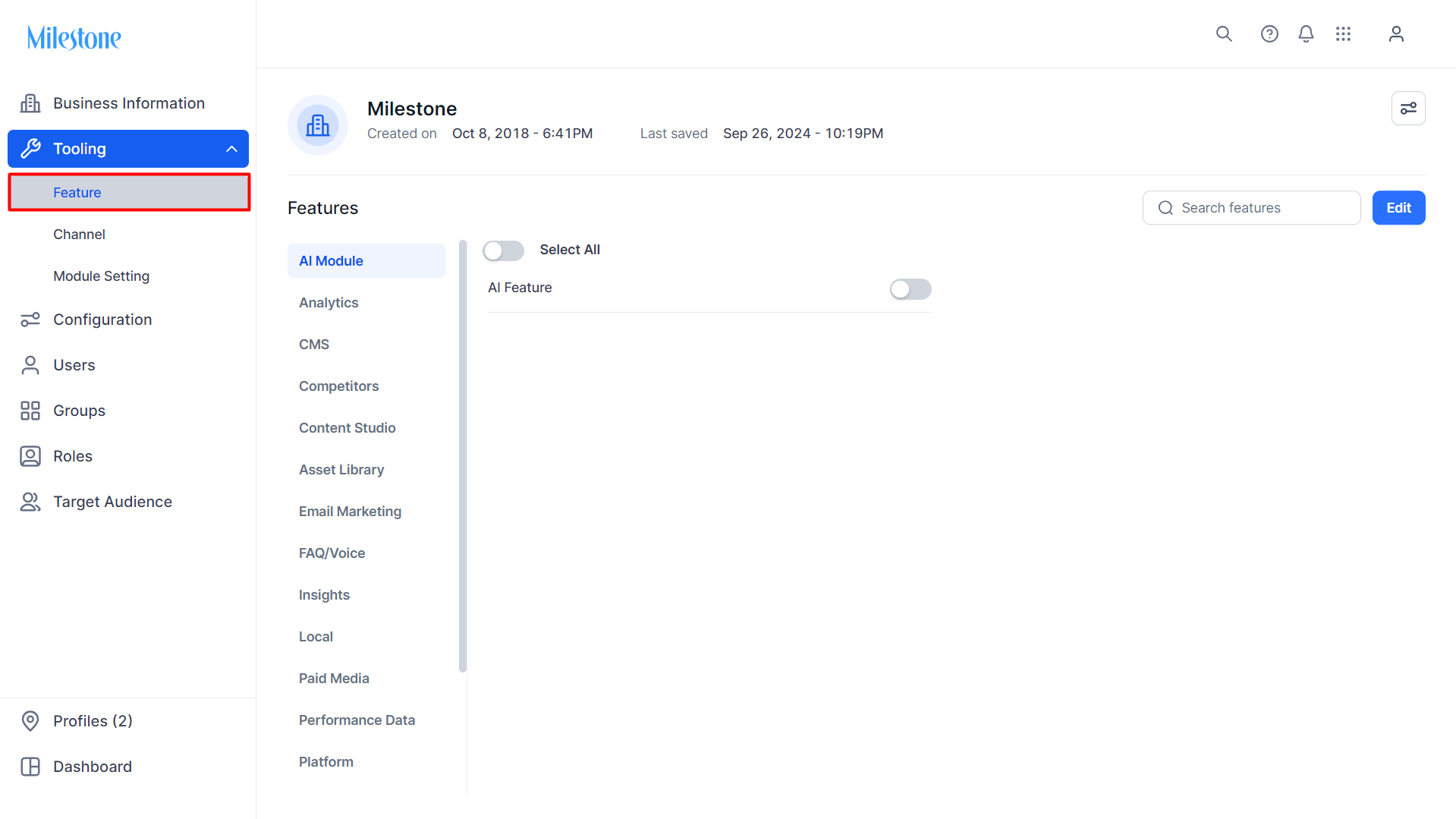
Step 2: Go to ‘Feature’ in the ‘Tooling’ section in the left navigation panel.
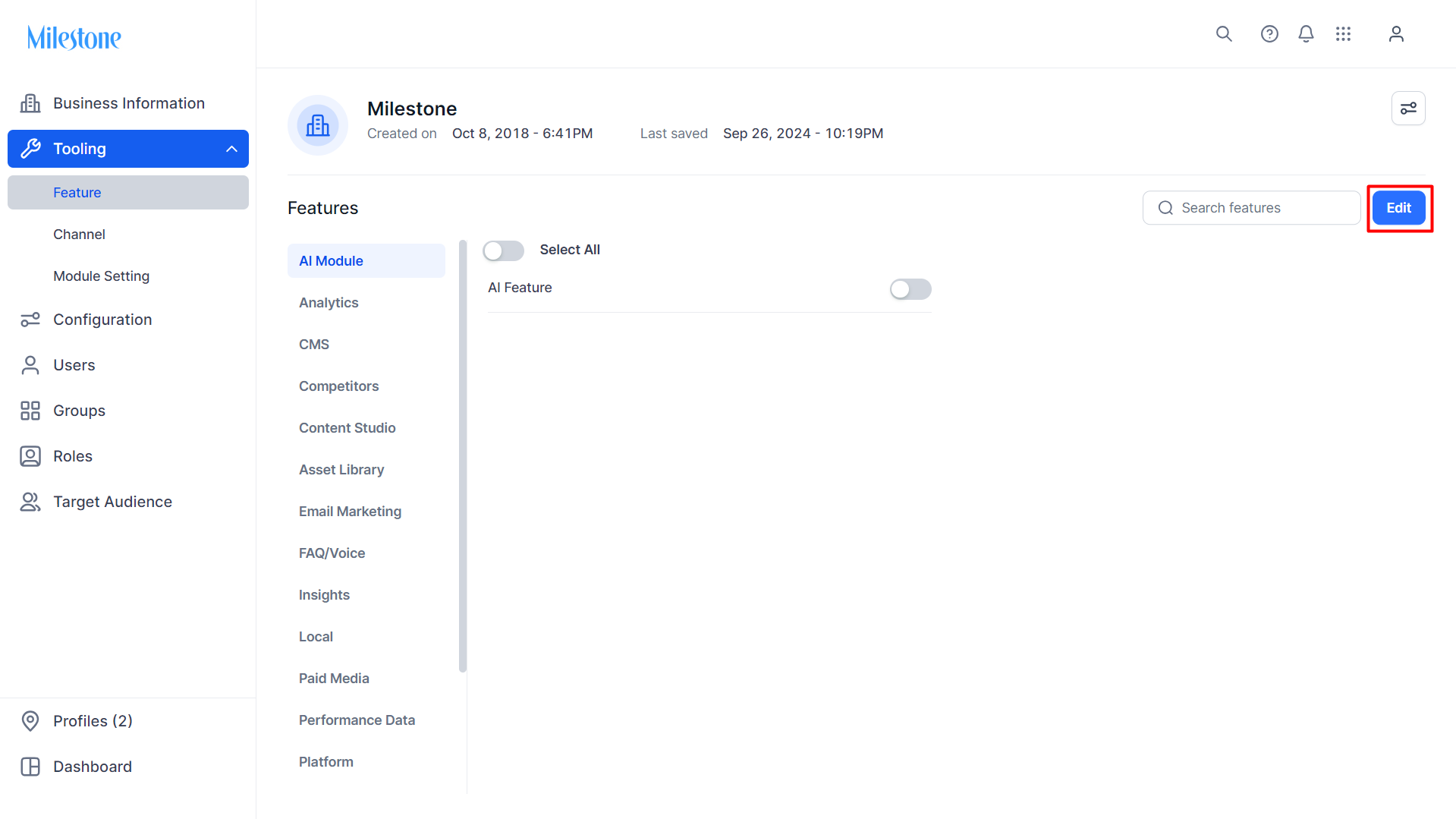
Step 3: Click on ‘Edit’ at the top right of the ‘Features’ list to edit the features being tooled for the business.
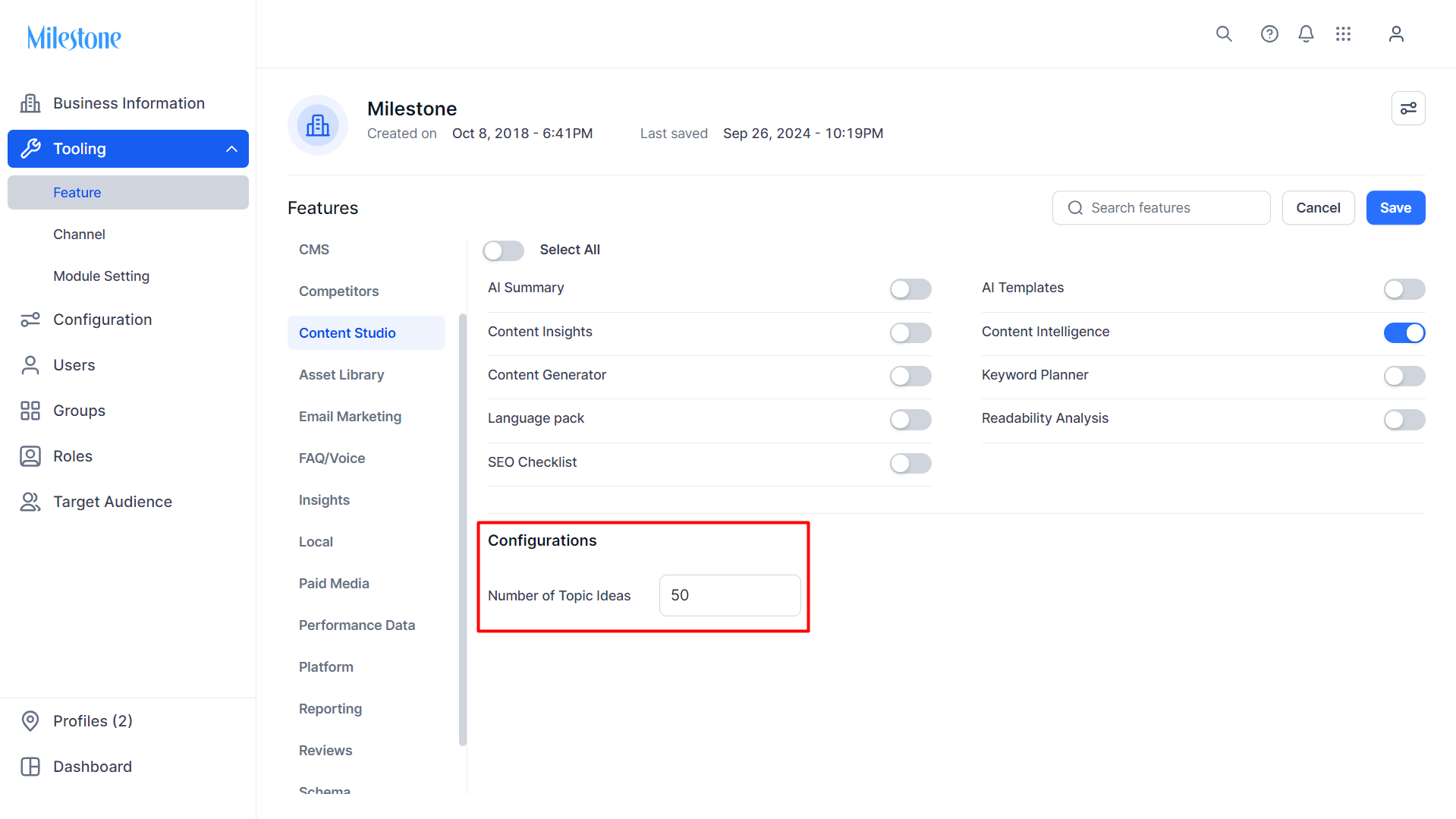
Step 4: Click on ‘Content Studio’ from the Features list and enable ‘Content Intelligence’.
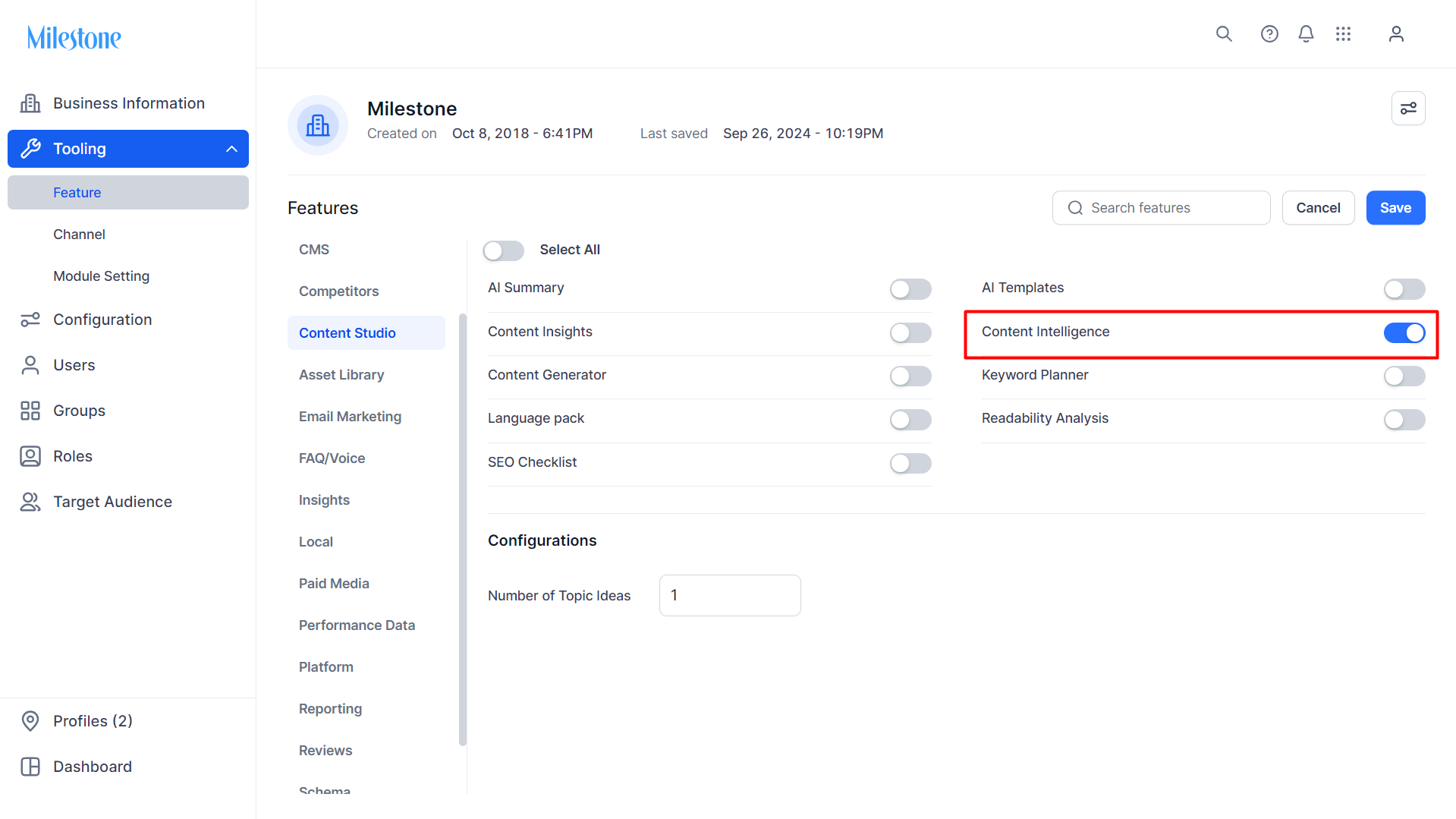
Step 5: Select the number of Topic Ideas. You can have a maximum of 50 topic ideas in Milestone Content Studio.
Was this article helpful?
That’s Great!
Thank you for your feedback
Sorry! We couldn't be helpful
Thank you for your feedback
Feedback sent
We appreciate your effort and will try to fix the article