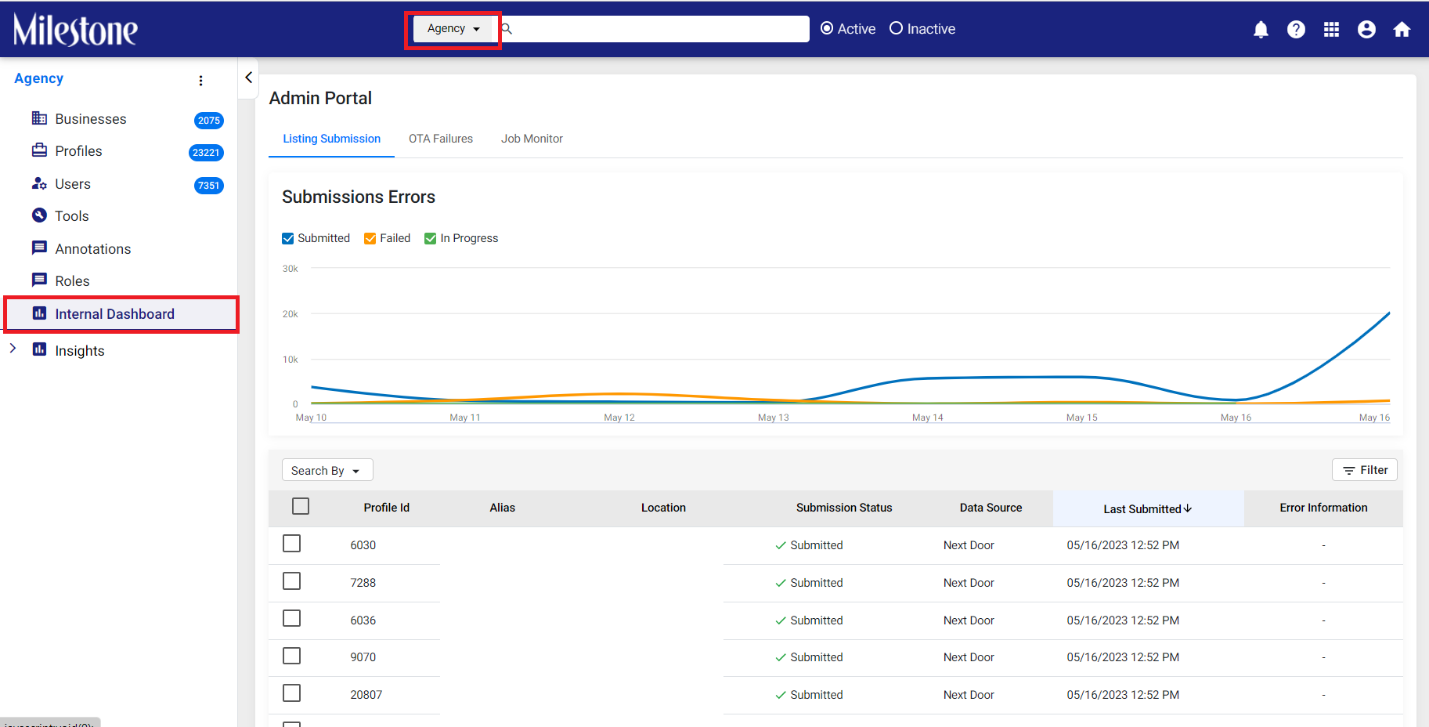
Step 1: To determine the error occurring here go to Milestone’s ‘Internal Dashboard’ in the ‘Agency’ view within ‘Settings’
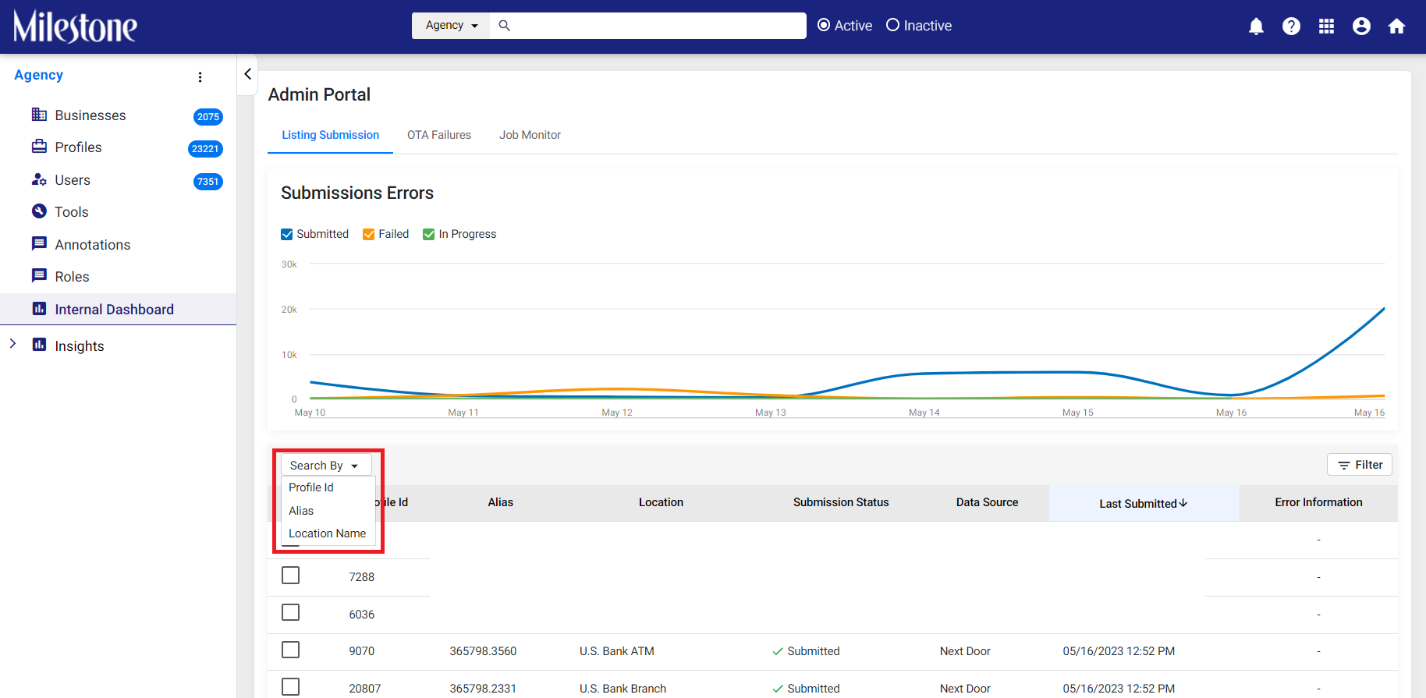
Step 2: Search for the specific profile using ‘Profile ID’, ‘Alias’ or ‘Location Name’
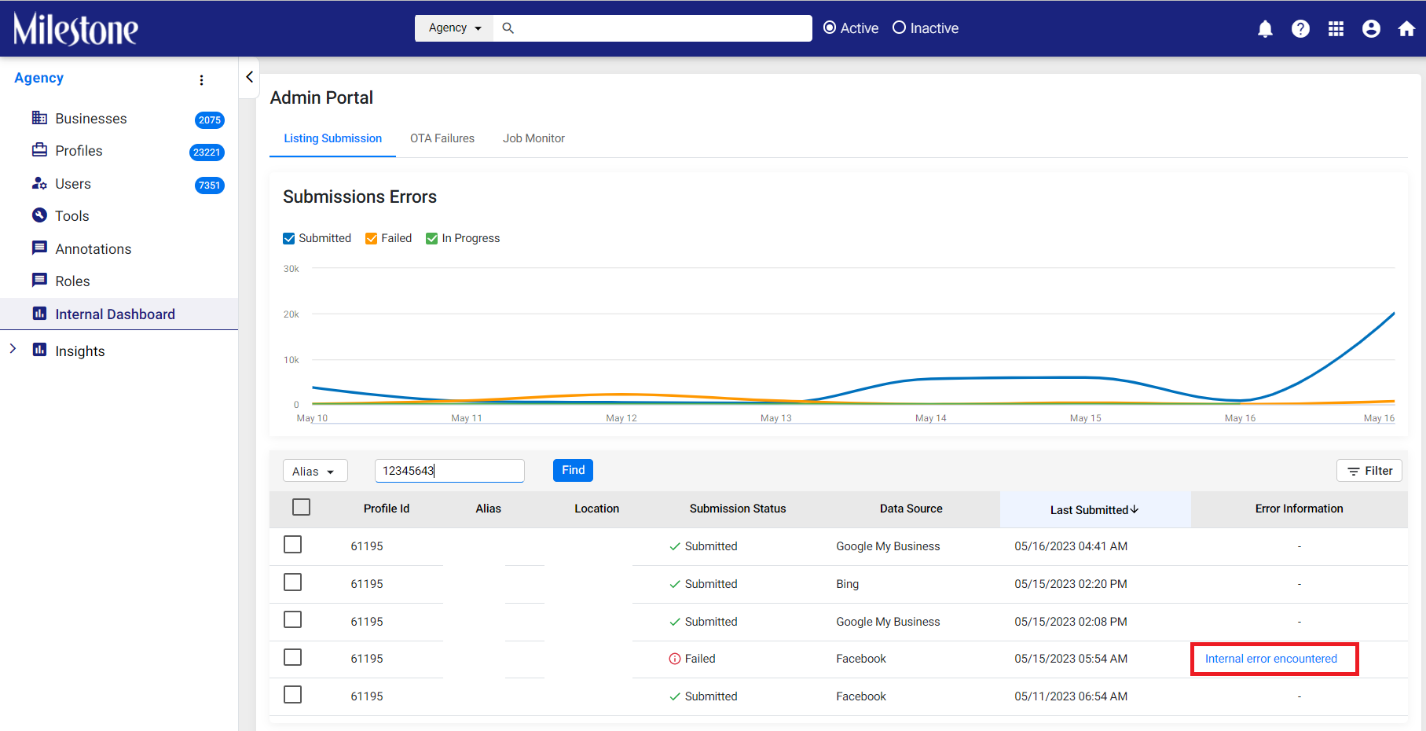
Step 3: Once you have located the error click on the ‘Error Information’ to view a detailed report
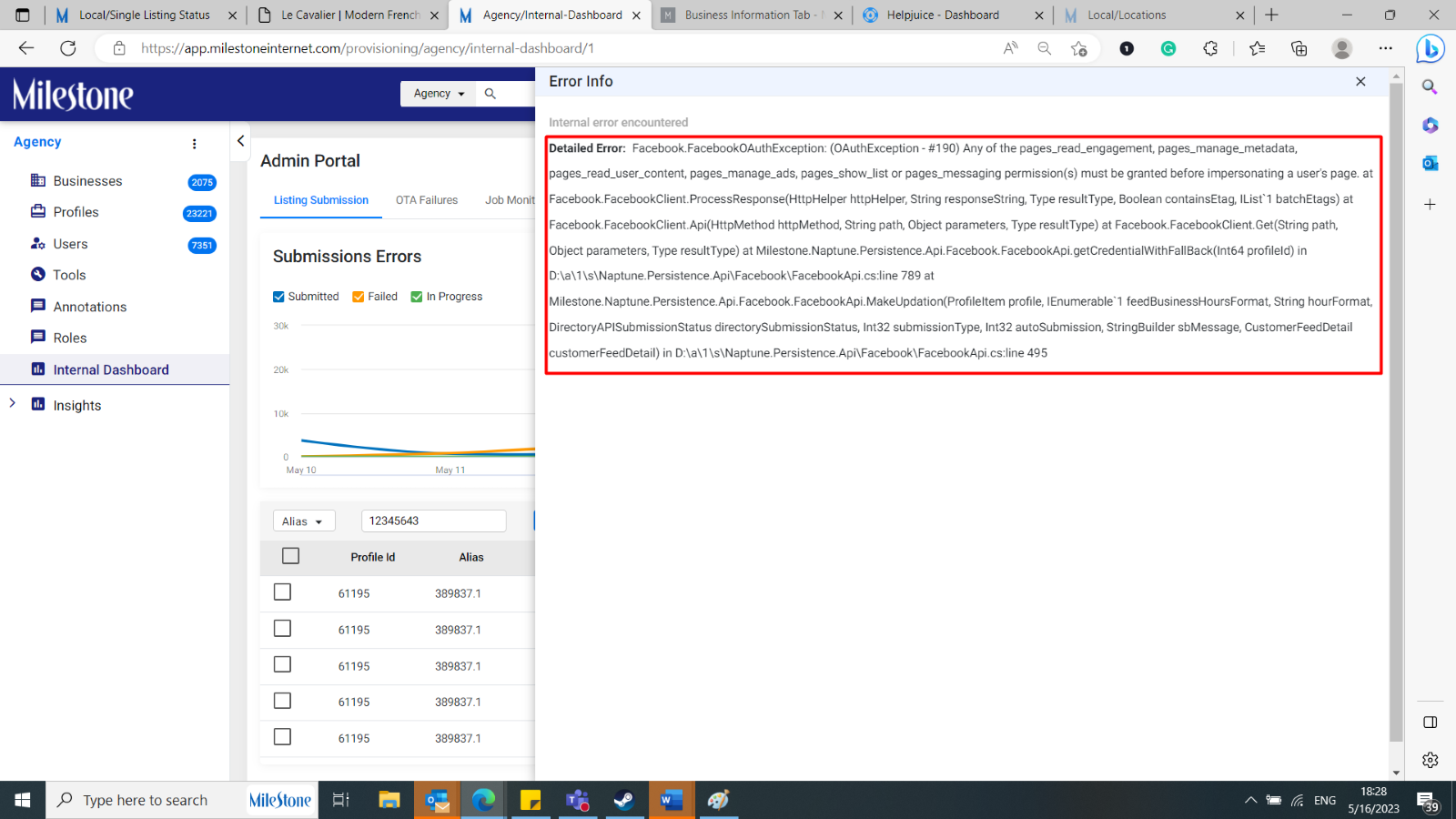
Step 4: Here you can see that Facebook has not been configured correctly. You will need to go to ‘Source Configuration’ for the profile and update the source from there.
Was this article helpful?
That’s Great!
Thank you for your feedback
Sorry! We couldn't be helpful
Thank you for your feedback
Feedback sent
We appreciate your effort and will try to fix the article