In some cases, the data for a particular business profile does not get crawled as there are other profiles with the same business details present. As there are duplicate profiles detected only one of the profiles will be considered. Let’s see how you can check if your business has duplicate profiles.
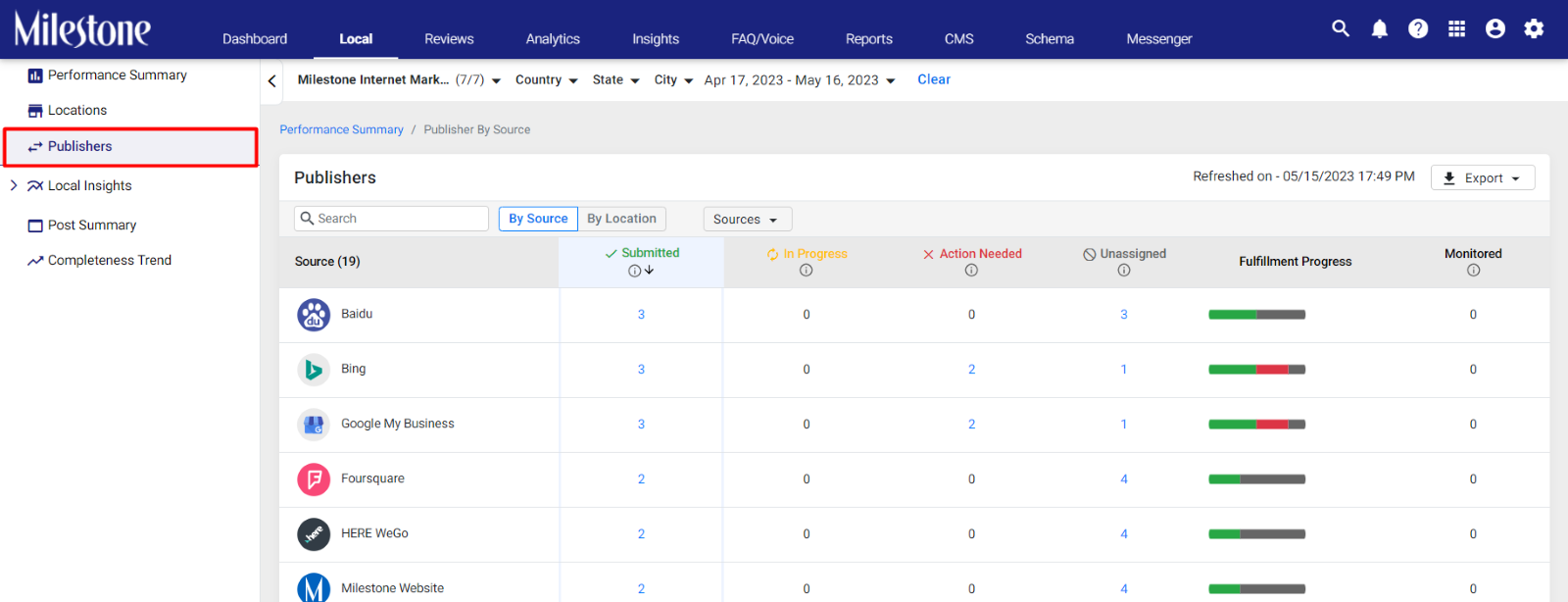
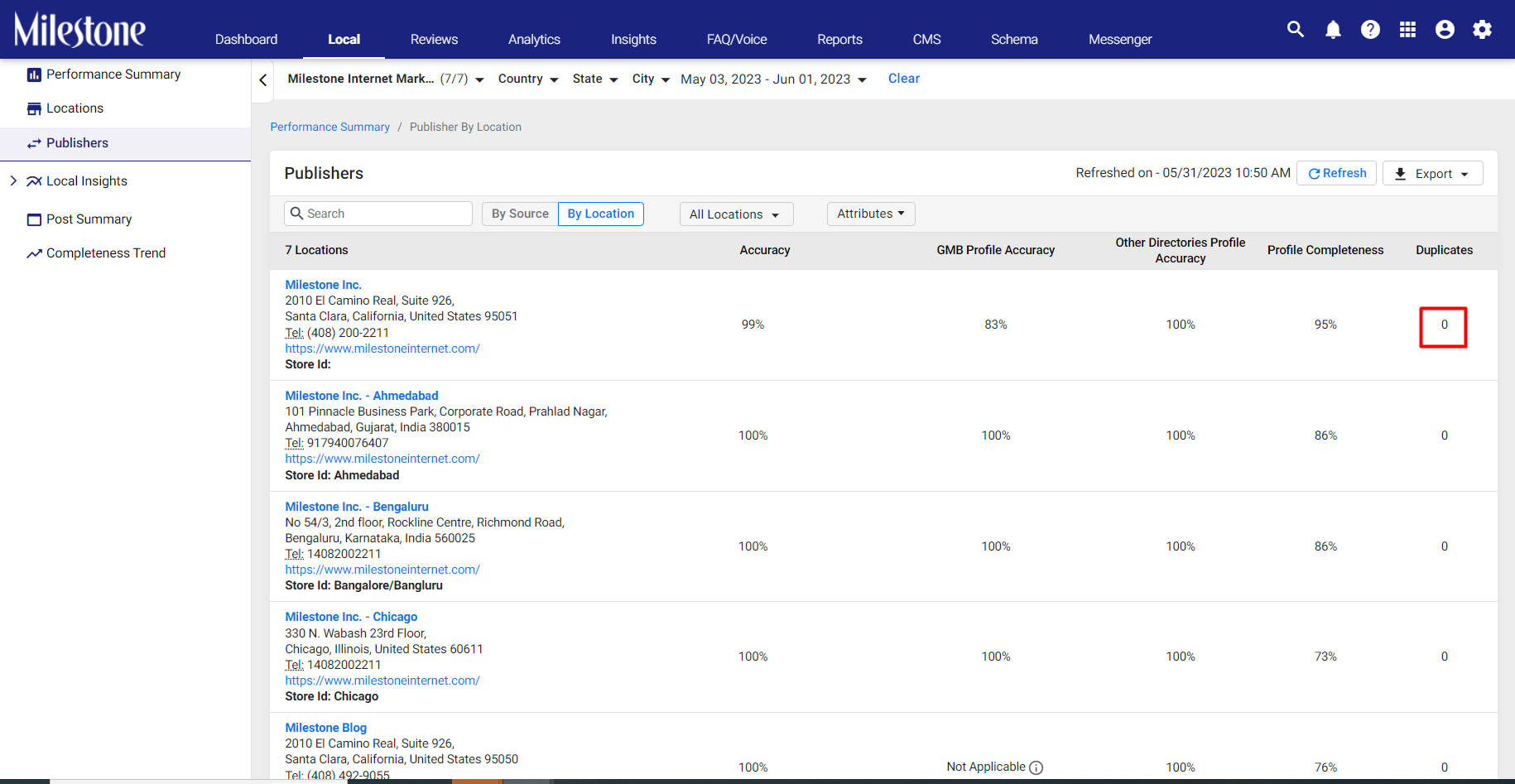
Step 1: Click on ‘Publishers’ in the left navigation panel of the Milestone Local.
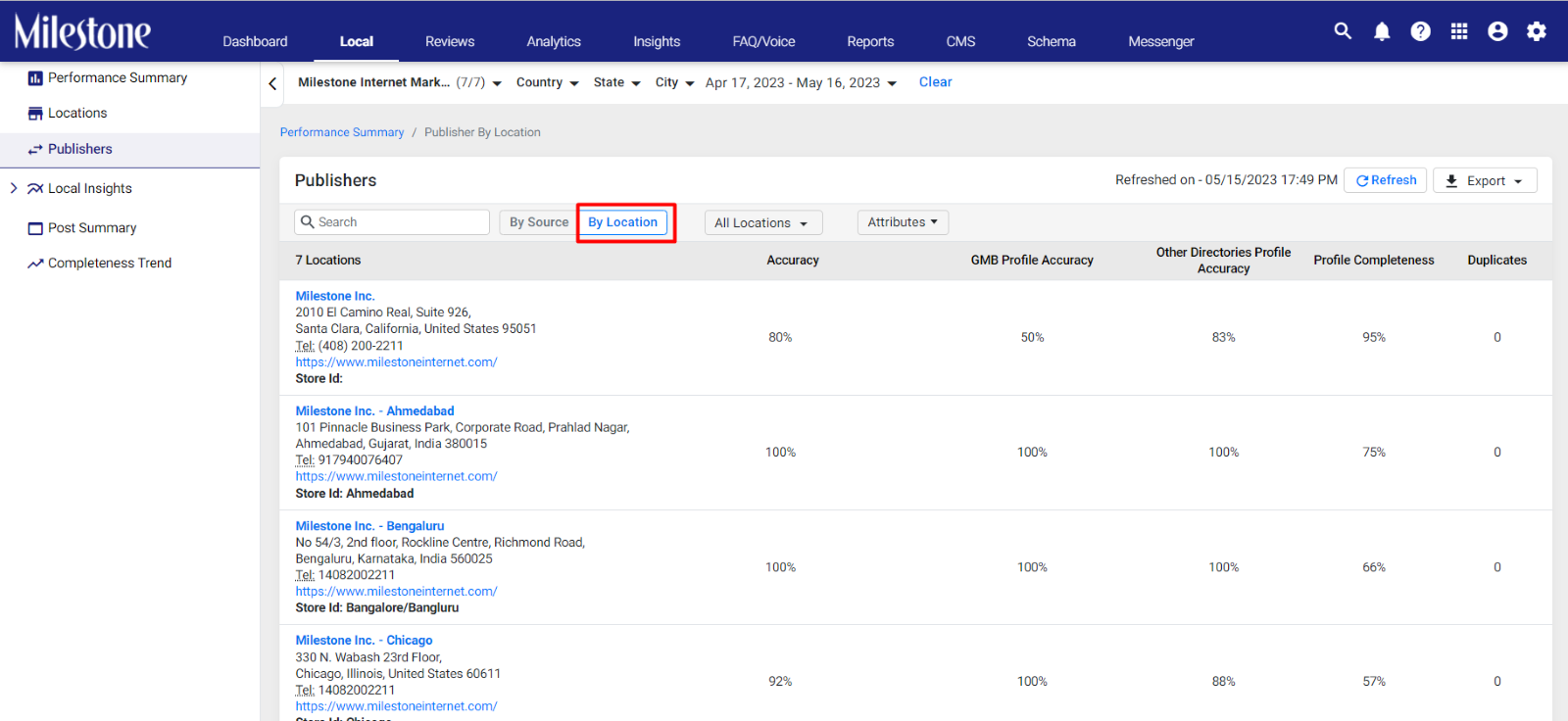
Step 2: Click on the ‘Locations’ icon to the top to view publishers by location.
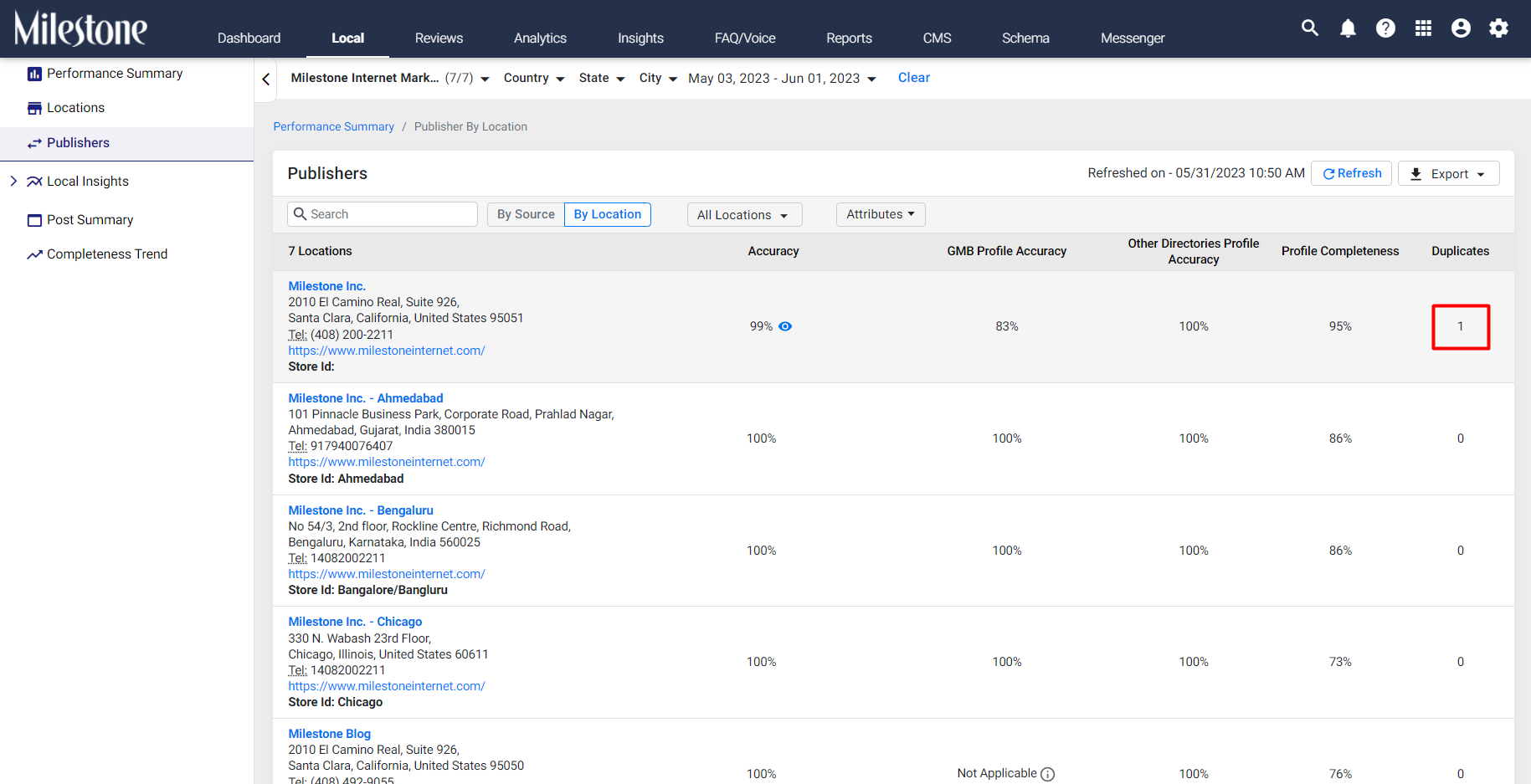
Step 3: The right-most column displays if there are any duplicate profiles created.
Step 4: Select the profile that has a duplicate profile created.
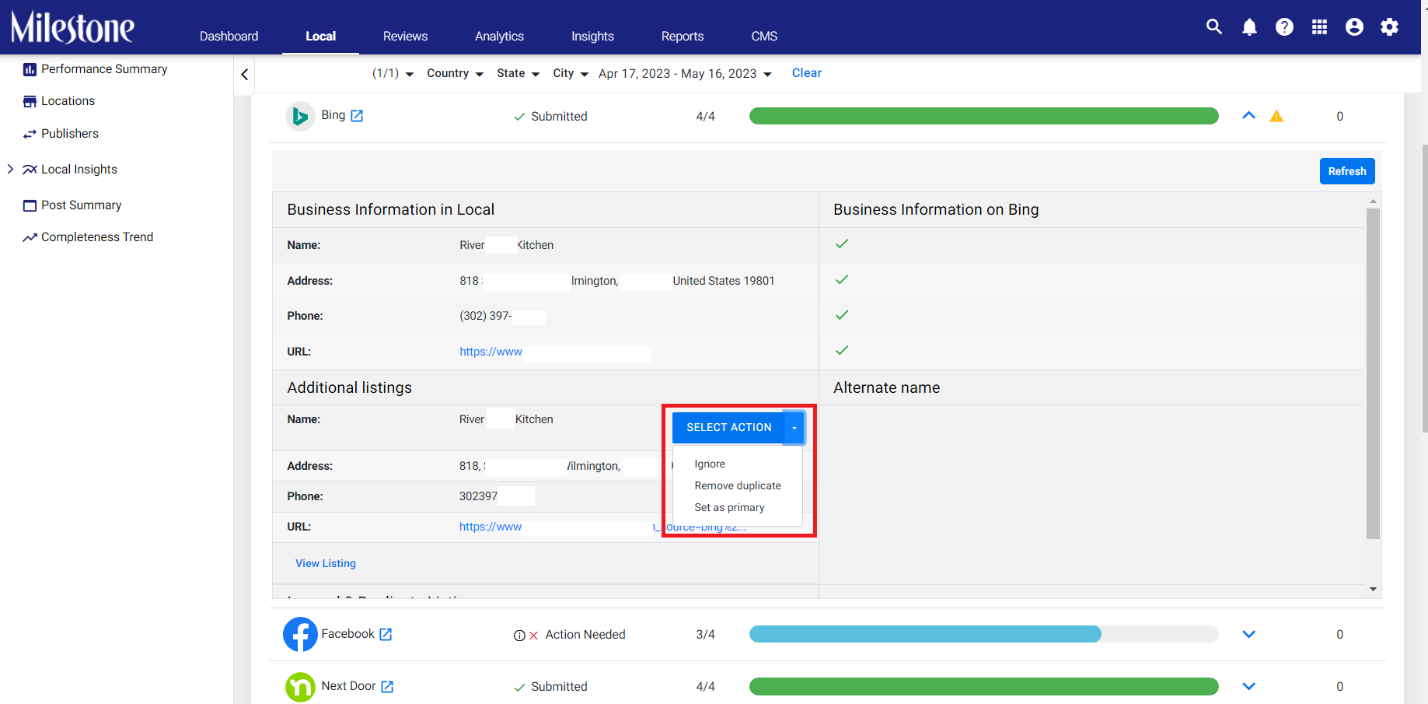
Step 5: Upon refreshing the ‘Publishers’ screen you can see that the duplicate has been removed.
Was this article helpful?
That’s Great!
Thank you for your feedback
Sorry! We couldn't be helpful
Thank you for your feedback
Feedback sent
We appreciate your effort and will try to fix the article