Google Business Profile Access
Milestone FAQ Manager requires access to Google Business Profiles to post FAQs and collect performance data.
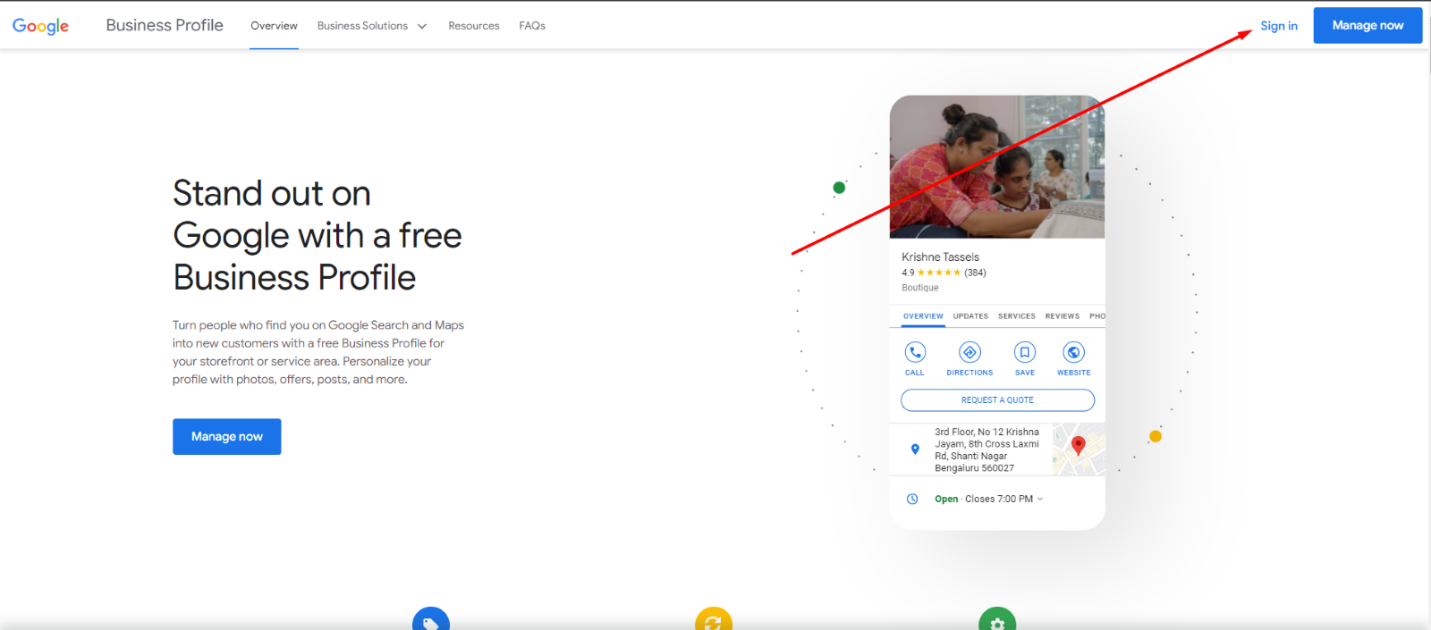
Step 1: Log in to your Google Business Profile https://www.google.com/business/
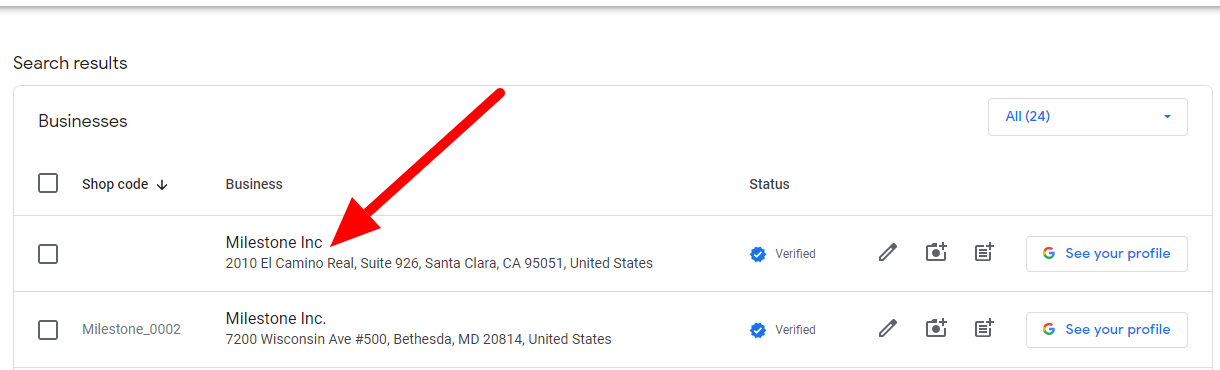
Step 2: From the Google Business Profile (GBP) dashboard, click on the business name for which you want to share the access with Milestone
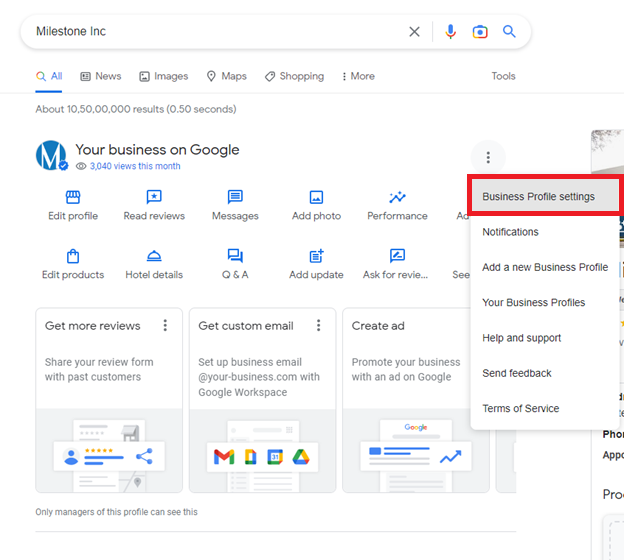
Step 3: ‘Business Profile settings’ on Google search will open. Click on 3 dots and select “Business Profiles Settings”
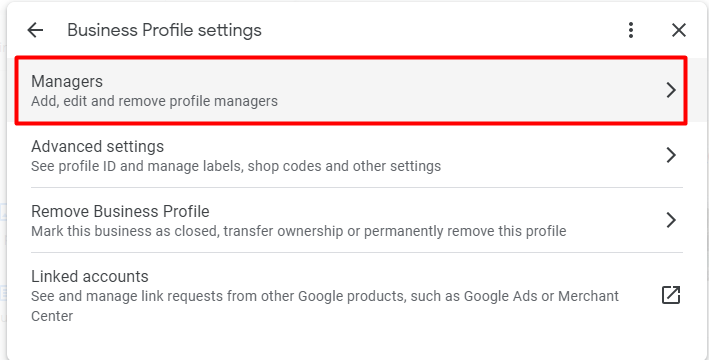
Step 4: A small dialog screen will appear. Click on ‘Managers’
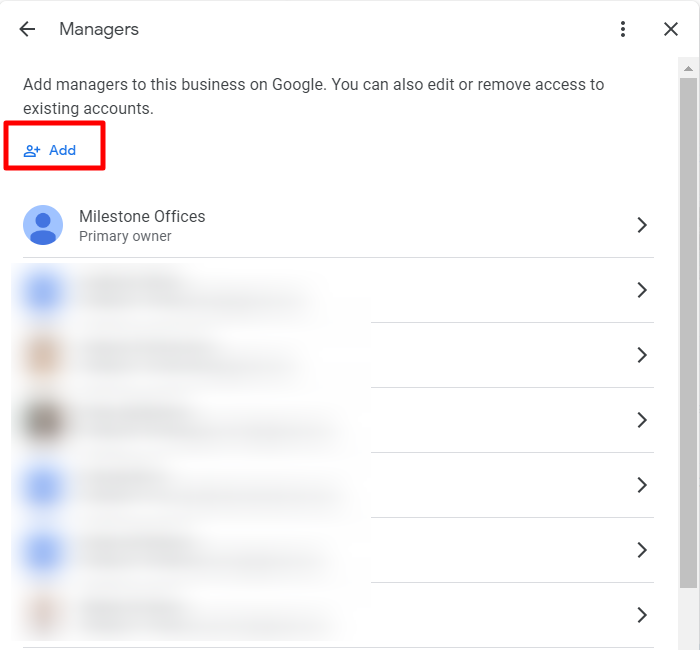
Step 5: Click on the ’Add’ Users Button
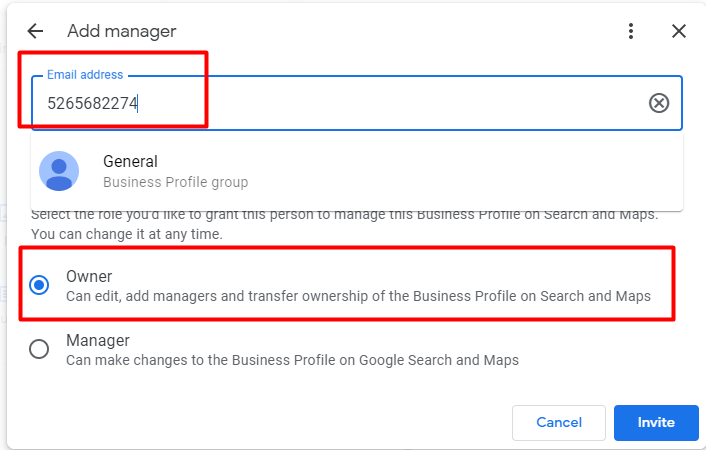
Step 6: In the ‘Email Address’ section, put Milestone Business Group ID: 5265682274 (General) and select Role as ‘Owner’.
Note: Group ID is only applicable if it is an individual or single business. If it is a business group, then please use Milestone Agency ID: 5580309839. The Milestone agency ID will not work for a single business.
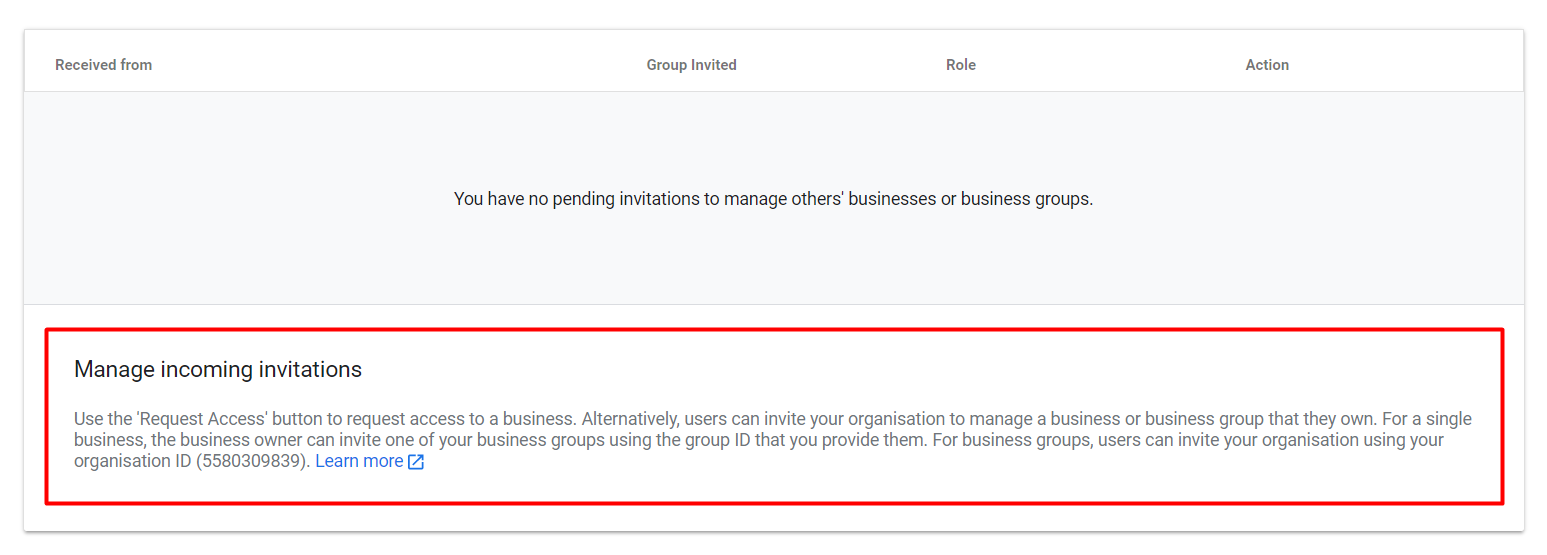
Important Note:
The group ID is only applicable if it is an individual or single business. If it is a business group, then please use Milestone Agency ID: 5580309839. Please note that milestone agency ID will not work for a single business or individual business or location.
Owner Access For Business Group
Provide Milestone Local with owner access to Business Groups to Google Business Profiles.
Step 1: From the Google Business Profile (GBP) dashboard, ‘Select Business Group’ for which you want to share the access with Milestone. Click on the ‘Group Settings’ button
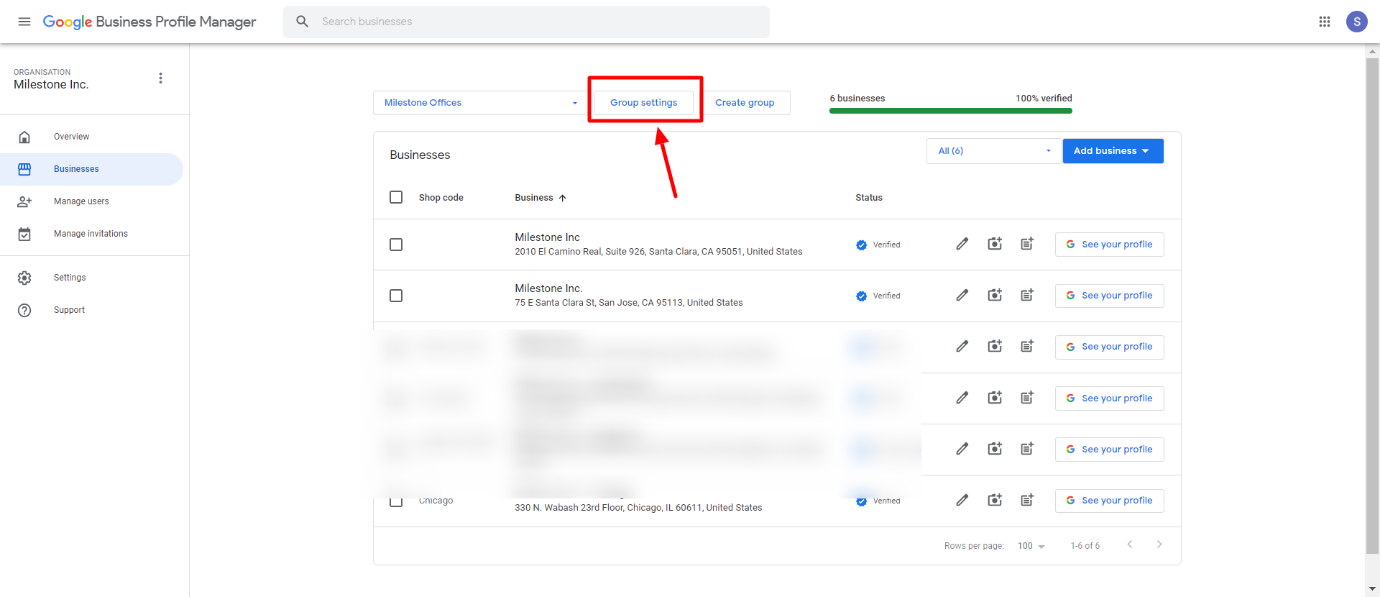
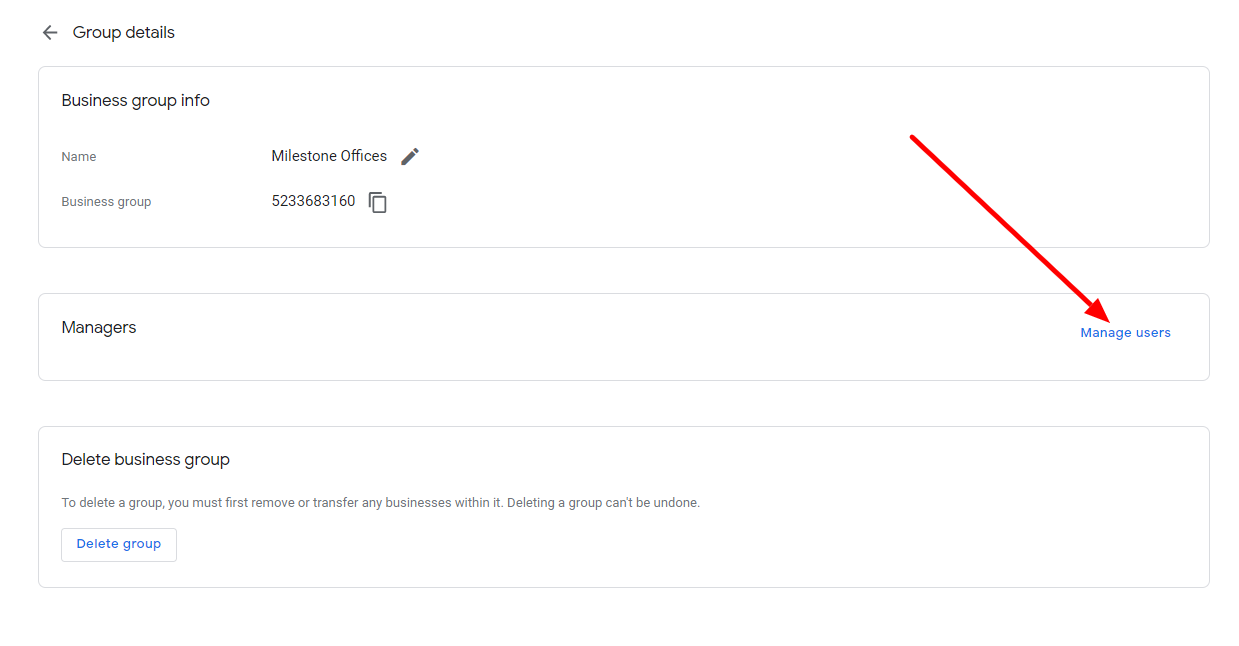
Step 2: Under Group details, Click on ‘Manager Users’
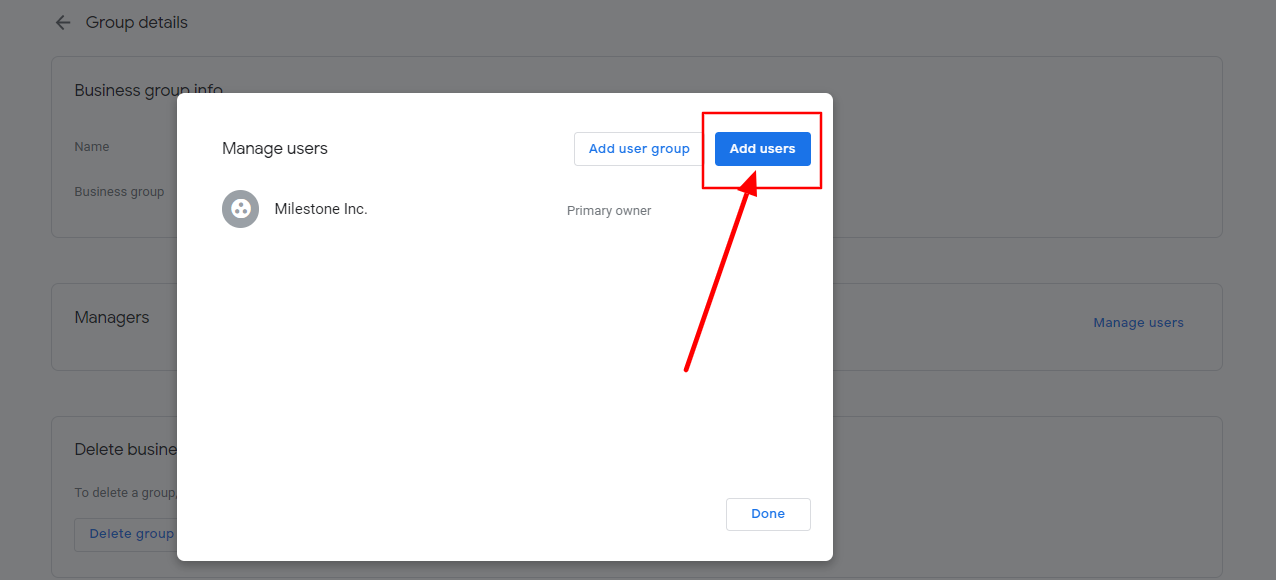
Step 3: A small dialog screen will appear. Click on ‘Add users’
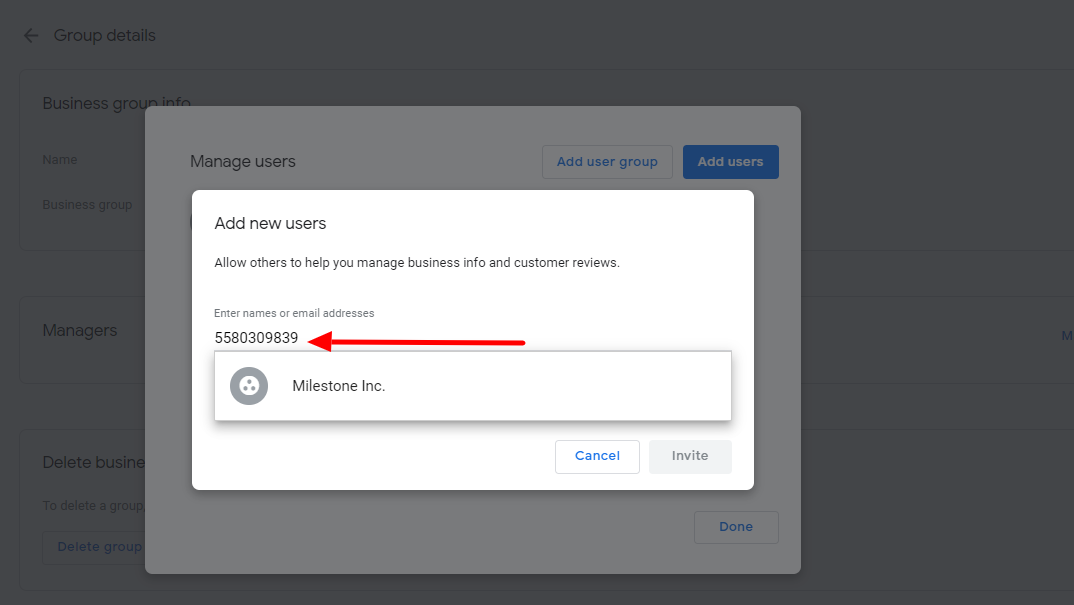
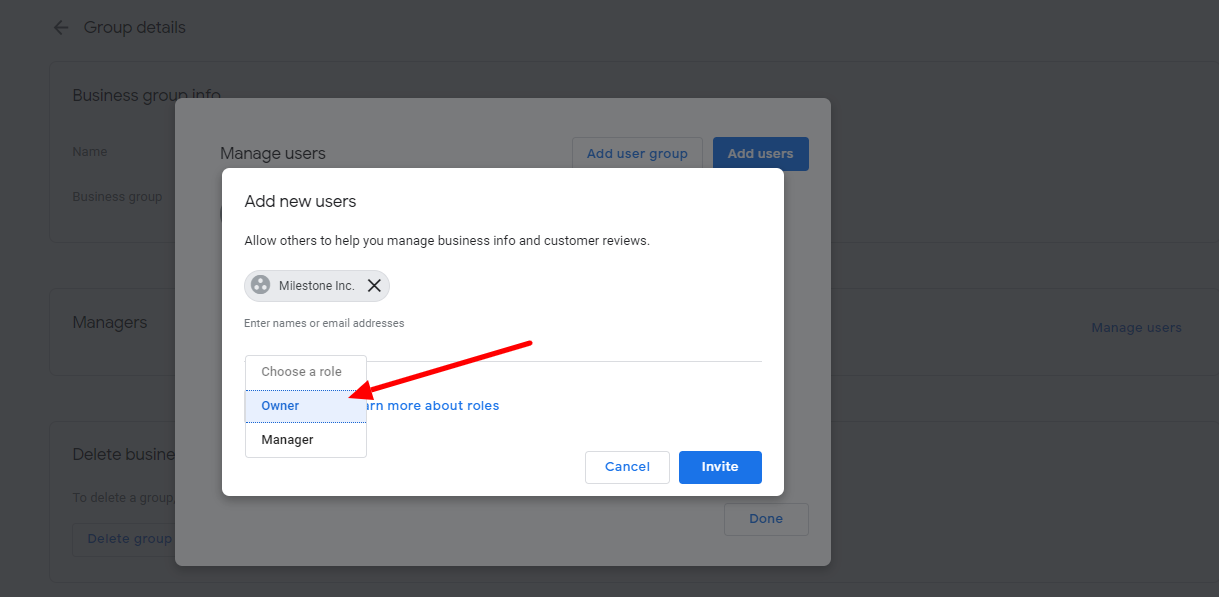
Step 4: In the ‘Email Address’ section, put Milestone Agency ID: 5580309839 (Milestone Inc.) and select Role as ‘Owner’ and then click on the invite button.
Was this article helpful?
That’s Great!
Thank you for your feedback
Sorry! We couldn't be helpful
Thank you for your feedback
Feedback sent
We appreciate your effort and will try to fix the article