Add custom annotations to the widgets in the Schema Manager section.
Dashboard > Schema > Summary
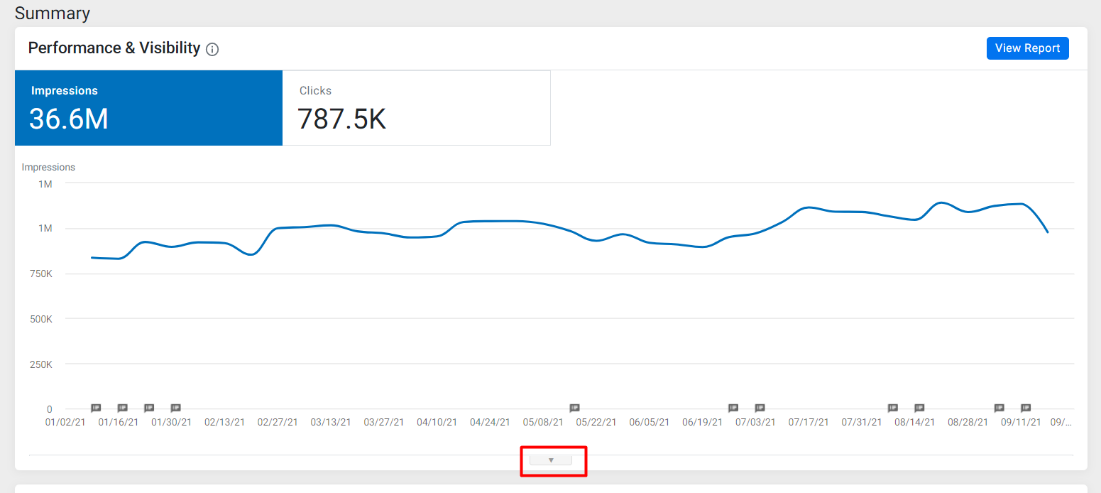
Step 1: From the ‘Summary’ screen click on the dropdown below the charts to open the annotation section.
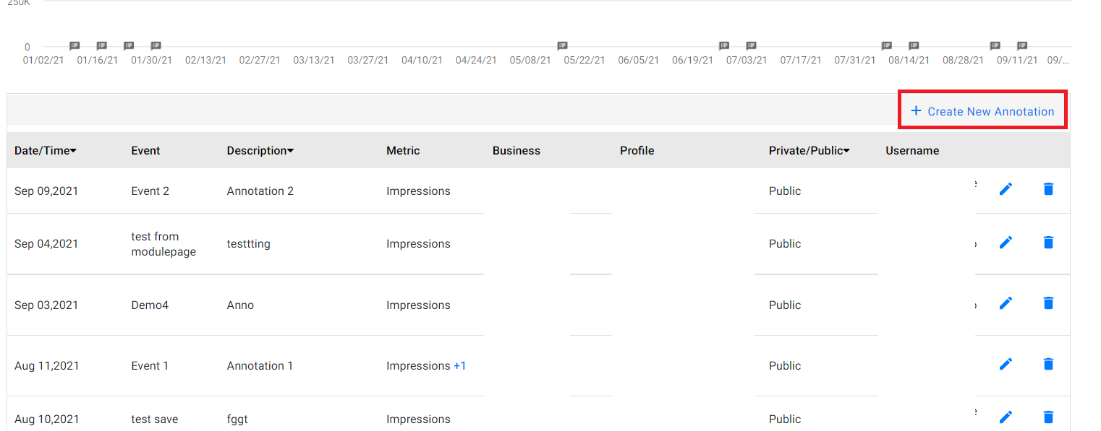
Step 2: Click on ‘Create New Annotation’
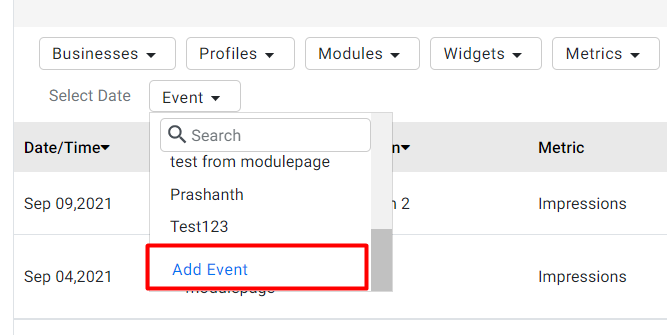
Step 3: Go to the ‘Event’ Dropdown menu and at the bottom click on ‘Add Event’
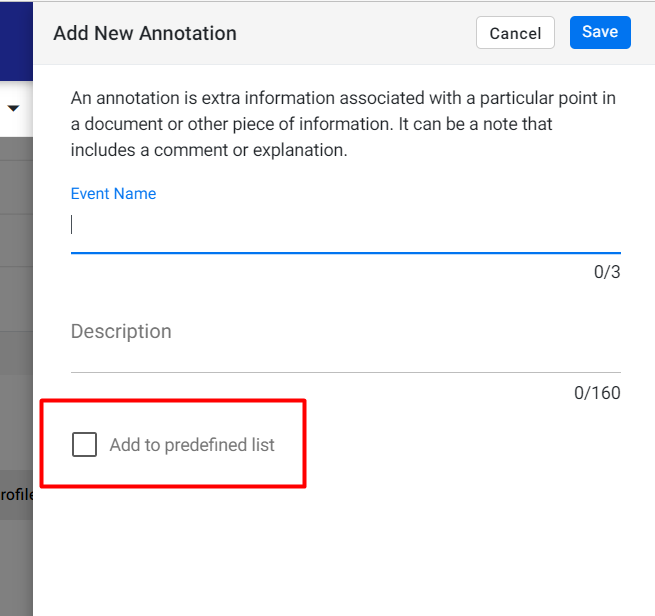
Step 4: Create an ‘Event Name’ and ‘Description’ of the Event. You can select ‘Add to Predefined List’ to remember this Event in case it occurs periodically
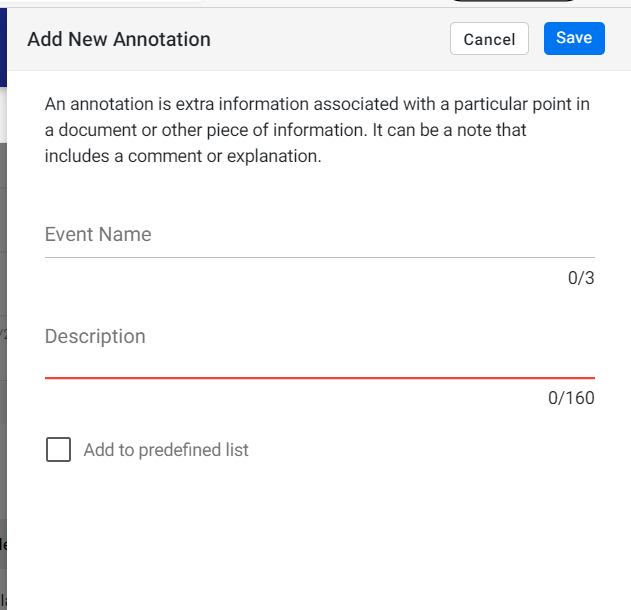
Step 5: Once you have filled in the fields click on ‘Save’ to add the annotation to the widget
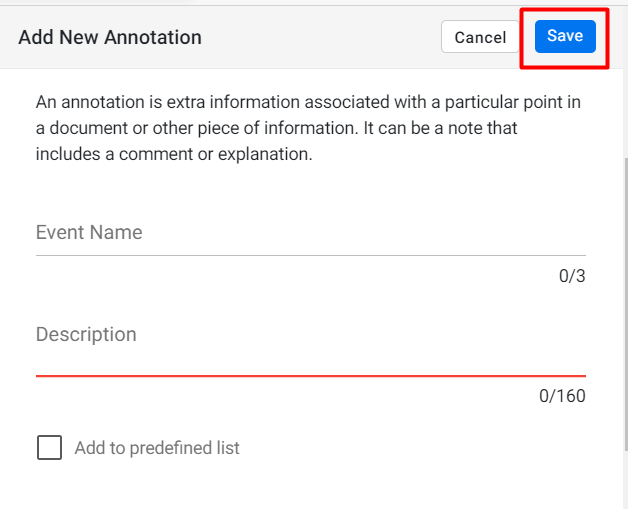
You can use the ‘Add to predefined list’ feature to save an annotation for reuse later. This is useful for regularly occurring events
Was this article helpful?
That’s Great!
Thank you for your feedback
Sorry! We couldn't be helpful
Thank you for your feedback
Feedback sent
We appreciate your effort and will try to fix the article