

Knowledge base
Multilingual Prompts and Recommendations
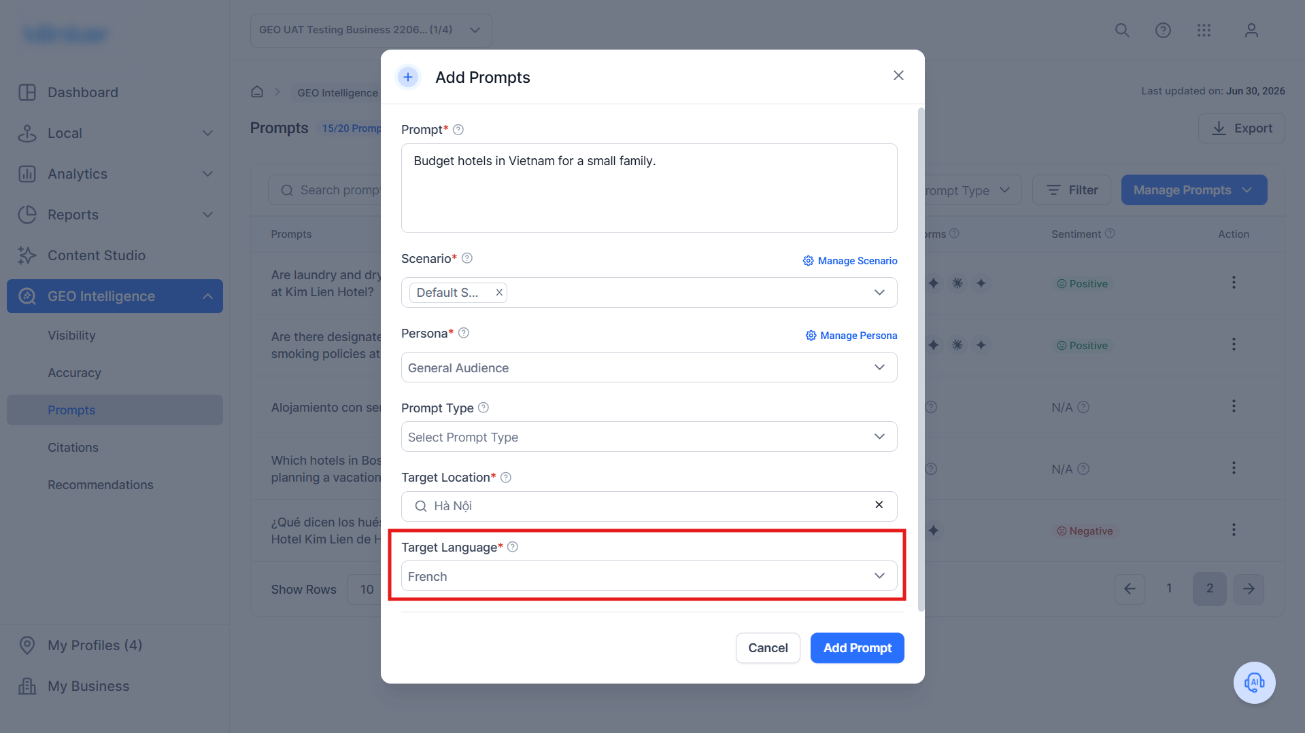
GEO Intelligence now supports 16 languages for prompts and recommendations.
Step 1: When adding a prompt select a target language.
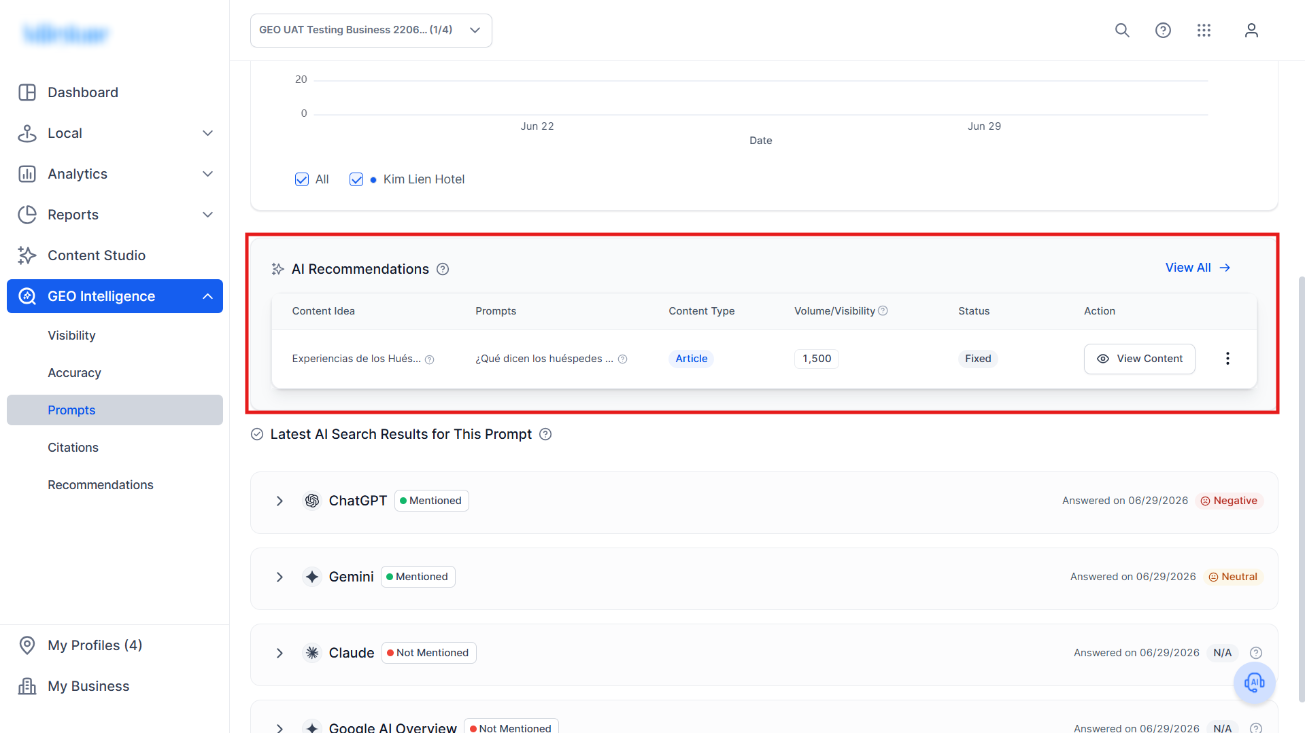
Step 2: In the Prompt Details page you will see the AI Recommendations are now provided in the target language.
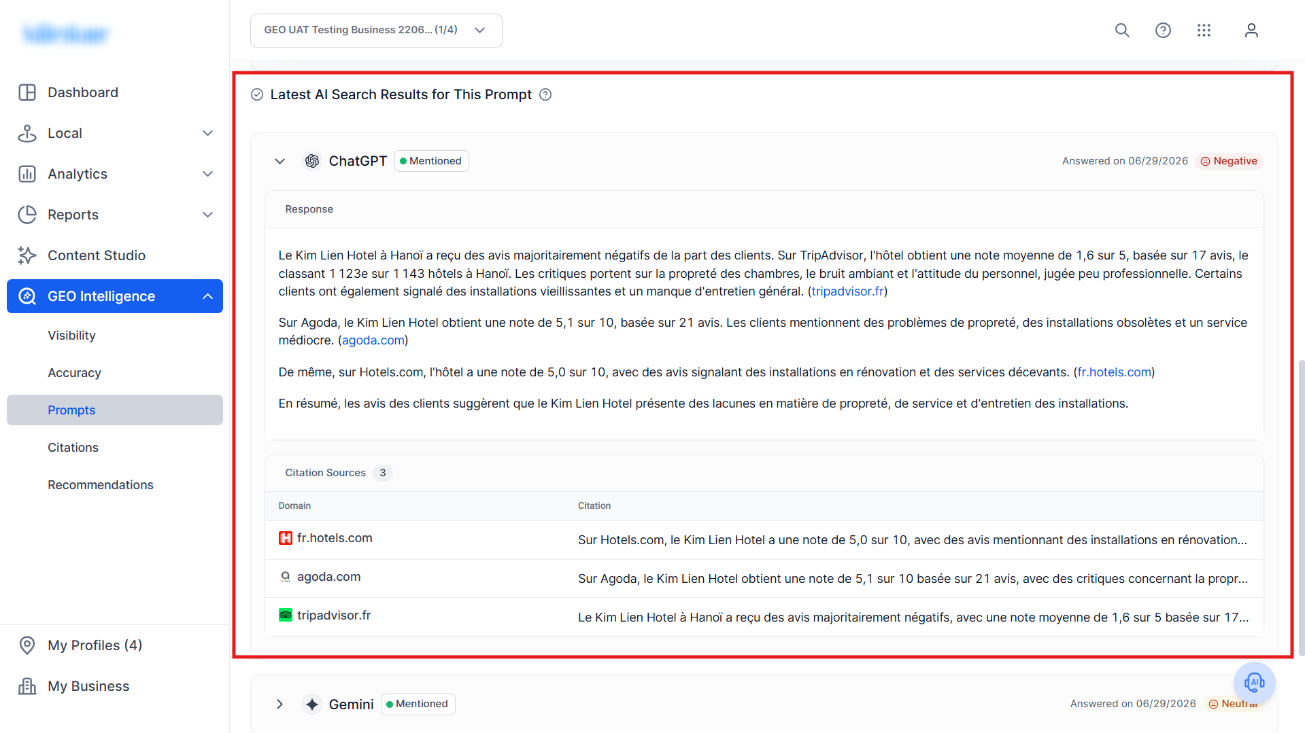
Step 3: The AI Search Results tab also displays data in the target language selected.
Was this article helpful?
That’s Great!
Thank you for your feedback
Sorry! We couldn't be helpful
Thank you for your feedback
Feedback sent
We appreciate your effort and will try to fix the article