

Knowledge base
GEO Prompts Dashboard Overview
The Prompts Dashboard in GEO Intelligence helps you understand the real questions customers ask when searching for businesses like yours through conversational AI. It shows which prompts surface your brand in AI-generated answers, where visibility gaps exist, and provides opportunities to improve and influence discoverability.
| Feature | Description | Value |
| Prompt Visibility Score | Shows how frequently your business appears in AI responses for specific queries. | Helps identify strengths and gaps in AI search presence. |
| Mentioned vs Not Mentioned Prompts | Compare prompts where your business is already visible versus missing. | Prioritize content creation and optimization. |
| Platform-level visibility | Indicates visibility across individual AI platforms (ChatGPT, Gemini, Perplexity, etc.). | Optimize strategy per platform instead of guessing. |
| Sentiment Analysis | Displays whether platform responses about your business are positive, neutral, or negative. | Manage brand perception in AI search. |
| Prompt Management Tools | Add, bulk upload, or review system-suggested prompts for optimization. | Scale prompt coverage efficiently. |
| Export and Reporting | Export all prompts and performance details. | Supports reporting, analysis, and stakeholder conversations. |
All Prompts / Mentioned / Not Mentioned Tabs
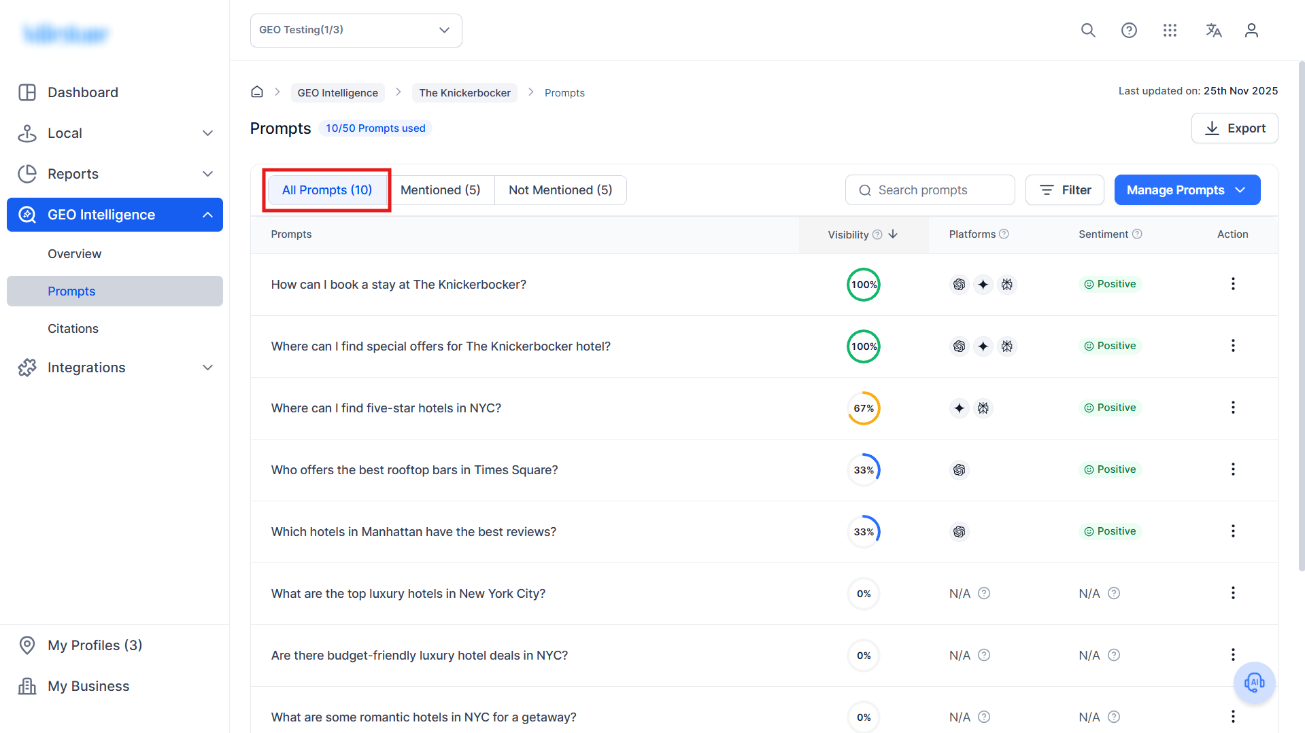
All Prompts: Shows the full list of configured prompts related to your location.
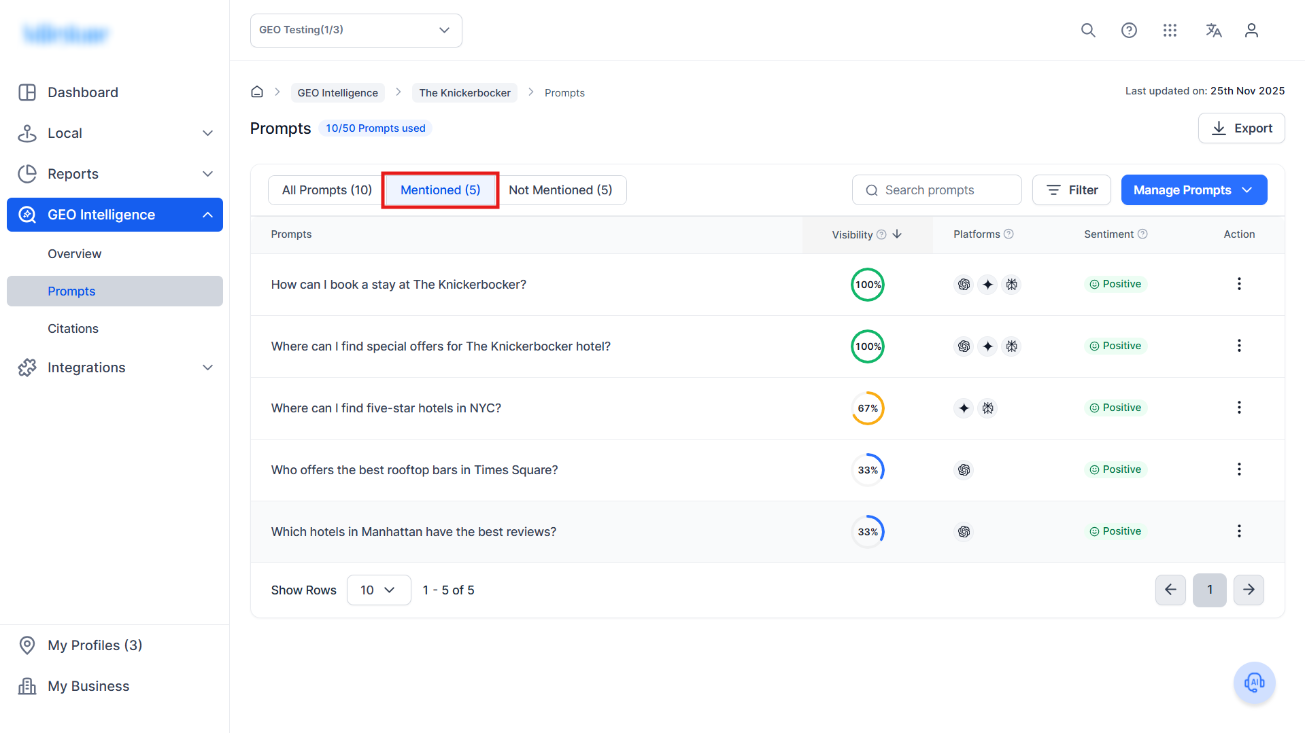
Mentioned: Prompts where your business is already being referenced by AI.
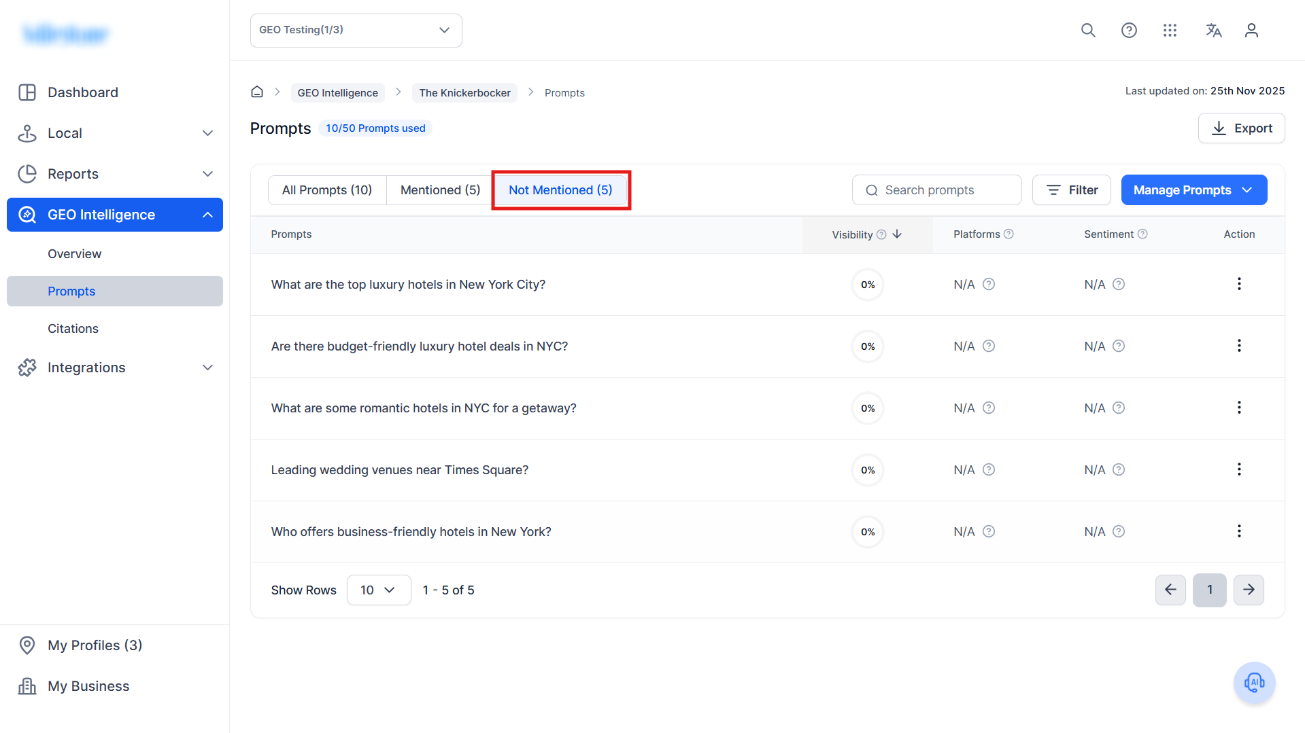
Not Mentioned: Prompts where your brand is not currently visible and needs improvement.
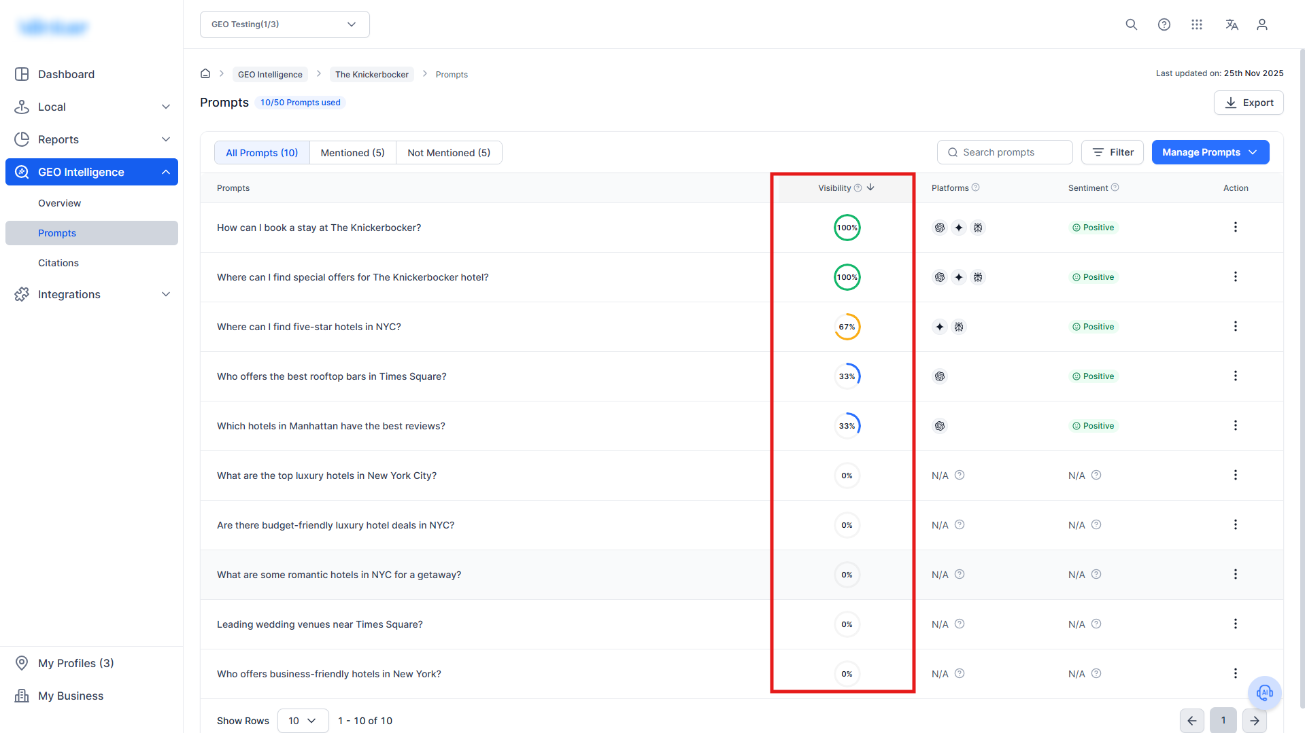
Prompt Visibility Score
Displays the visibility percentage for each prompt (0%–100%) representing how often your business appears in AI-generated answers.
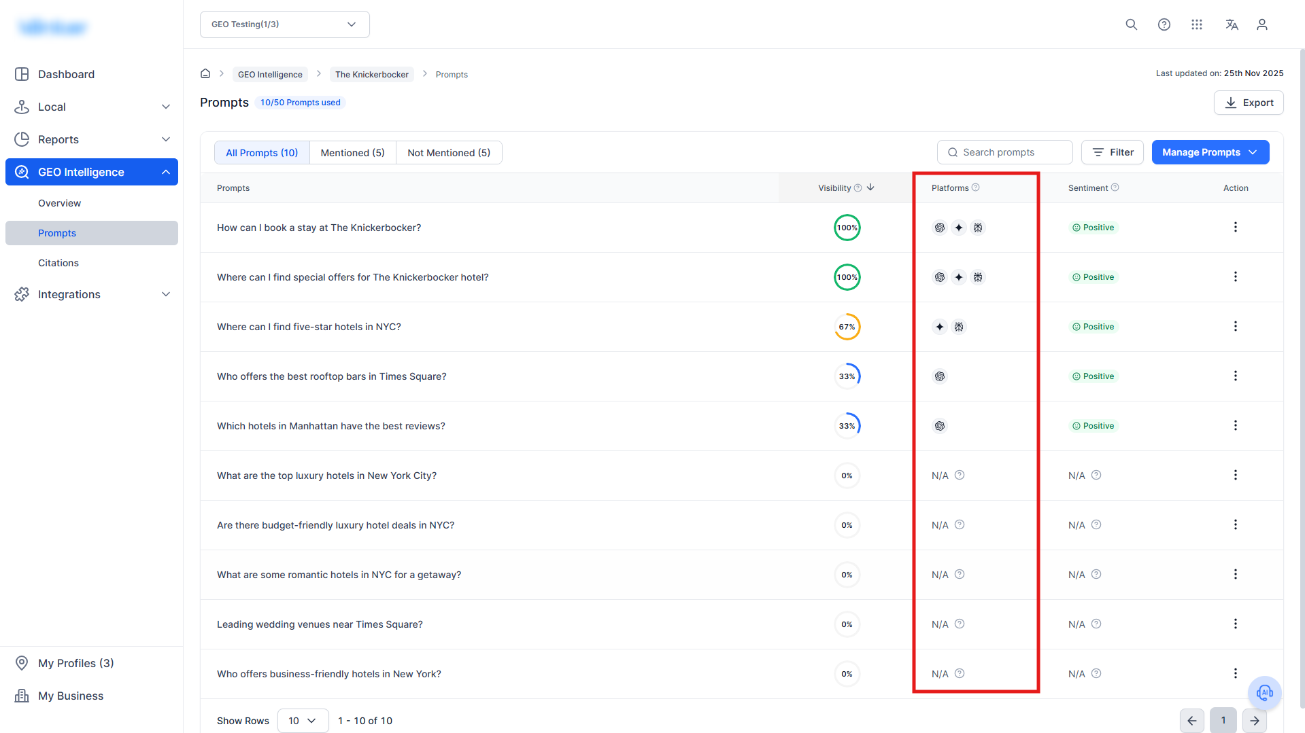
Platforms
Icons show where visibility exists across.
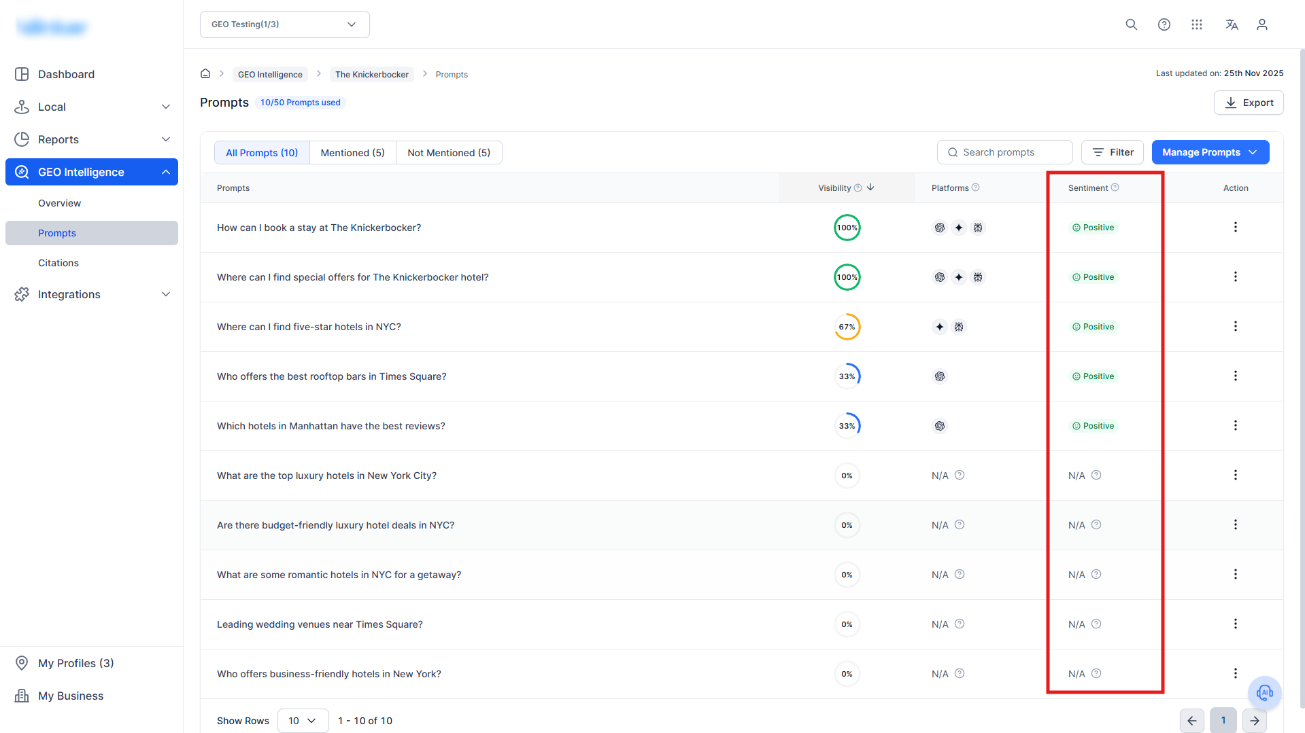
Sentiment
Shows platform-level sentiment for prompts where your business is mentioned:
- Positive
- Neutral
- Negative
Manage Prompts
Located on the top right, this menu includes:
- Suggested Prompts: AI-generated ideas based on search patterns
- Add Prompt Manually: Add custom questions
- Bulk Upload Prompts: Import multiple prompts at once
- Settings: Manage prompt configurations
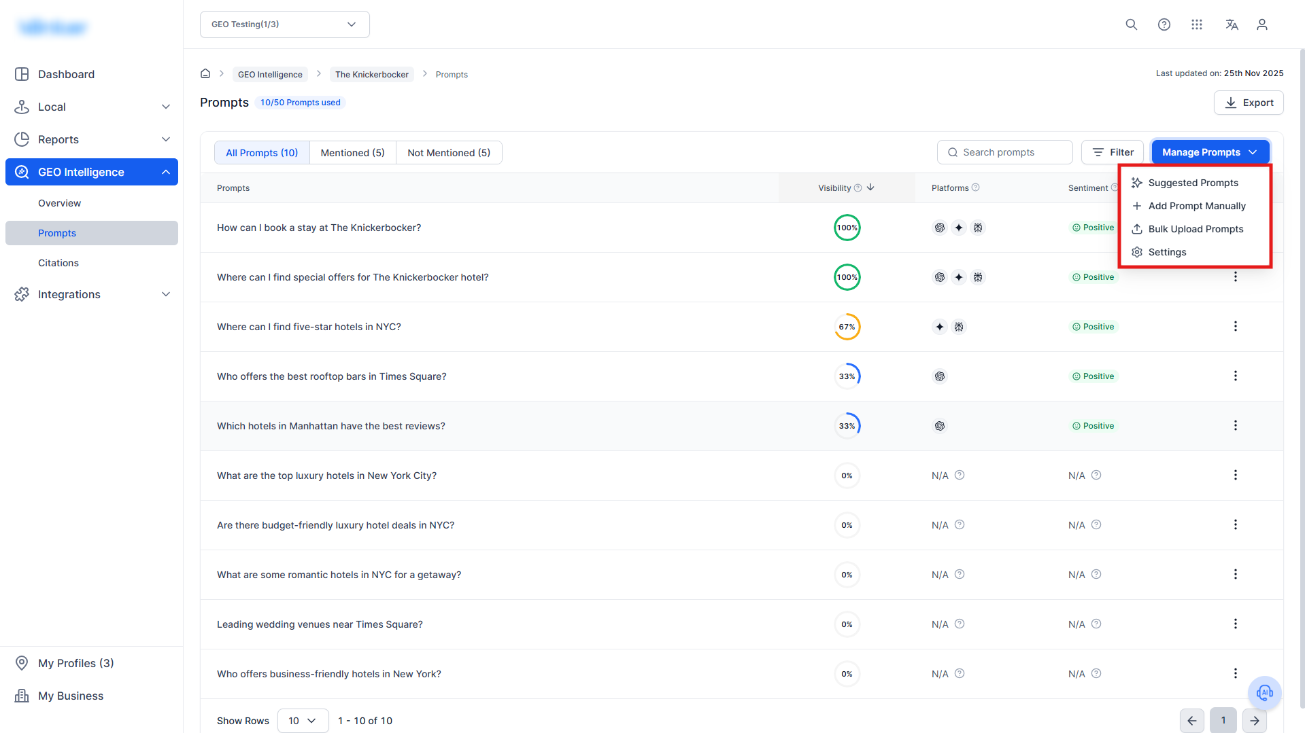
Use this to scale testing and optimization quickly.
Prompt Details Page
Clicking on a prompt will take you to the Prompt Details page.
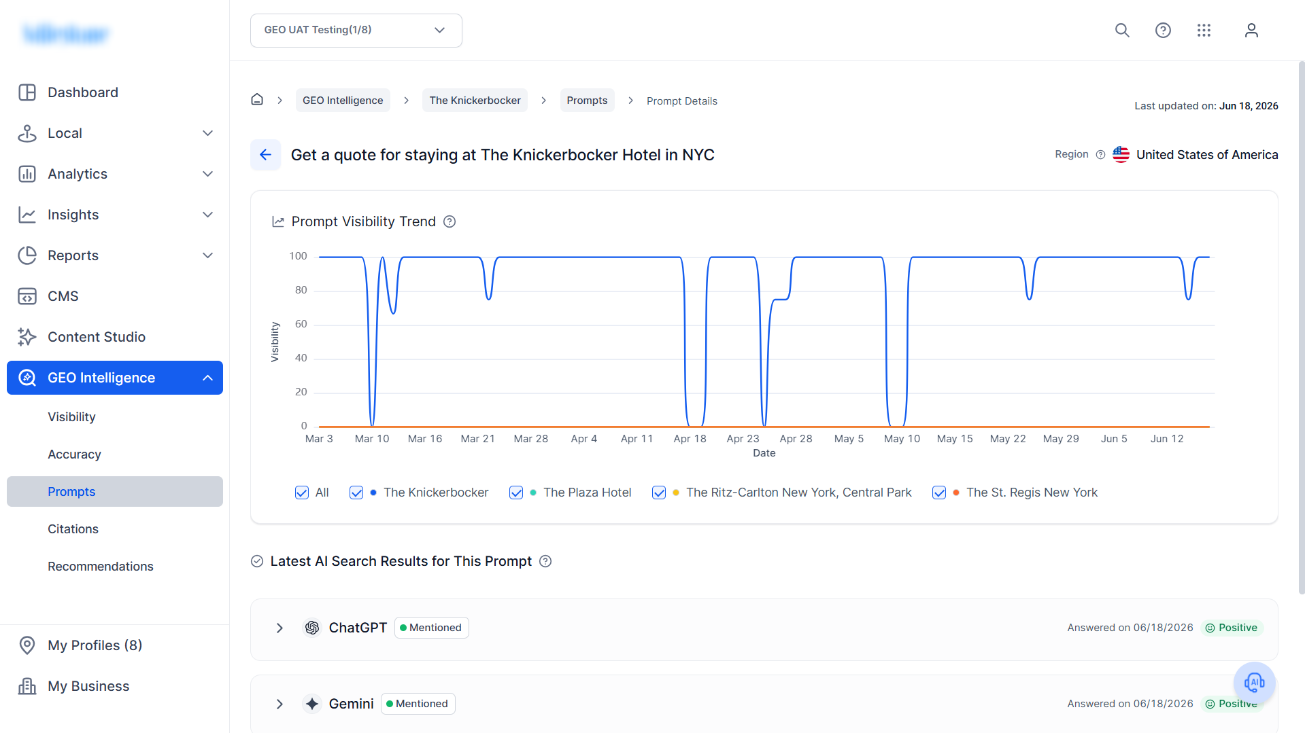
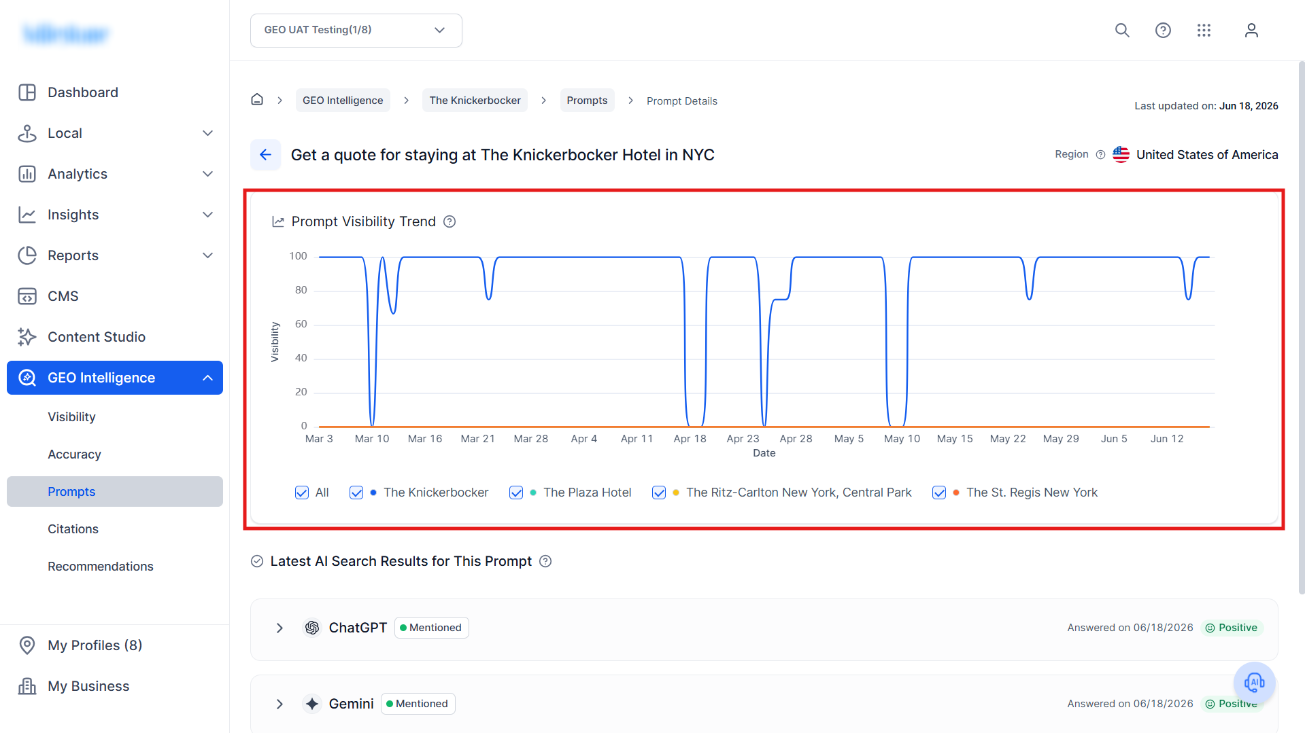
The prompt visibility trend shows you the visibility of the prompt over a period.
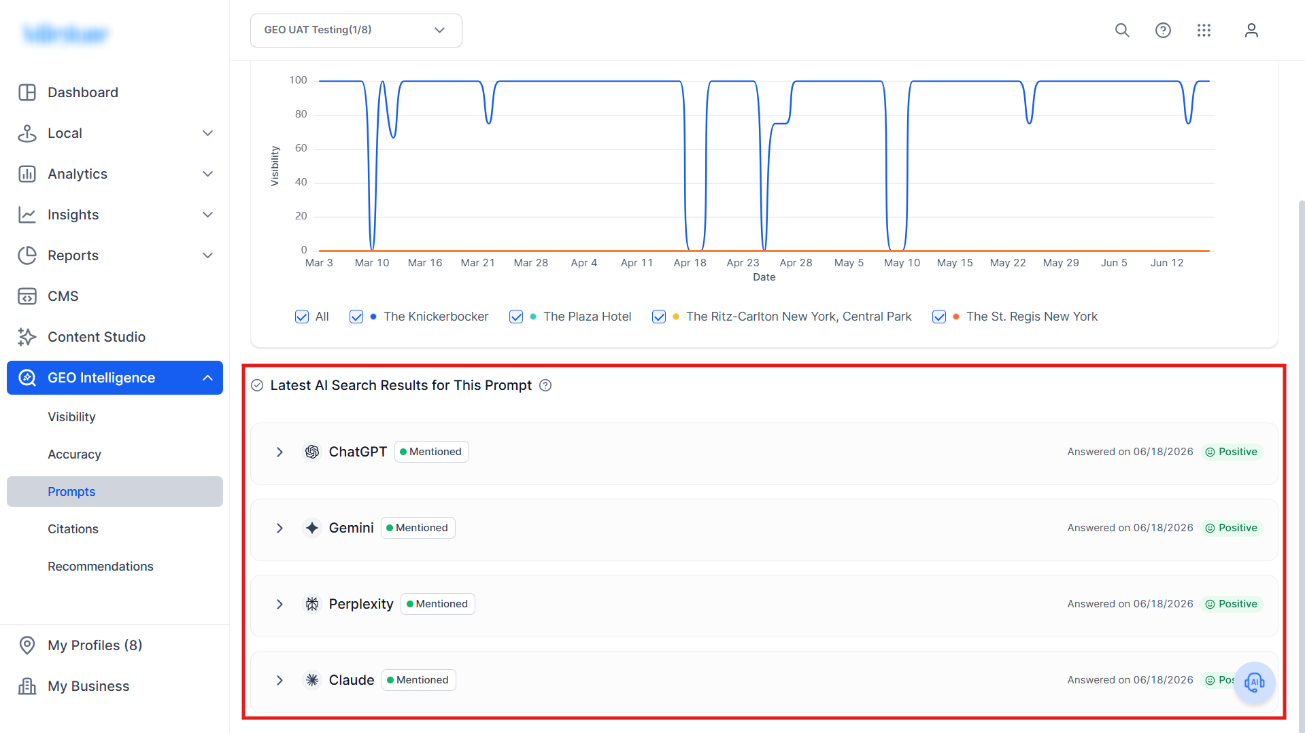
The Latest AI Search Results for This Prompt section shows you the AI search engines on which this prompt appeared.
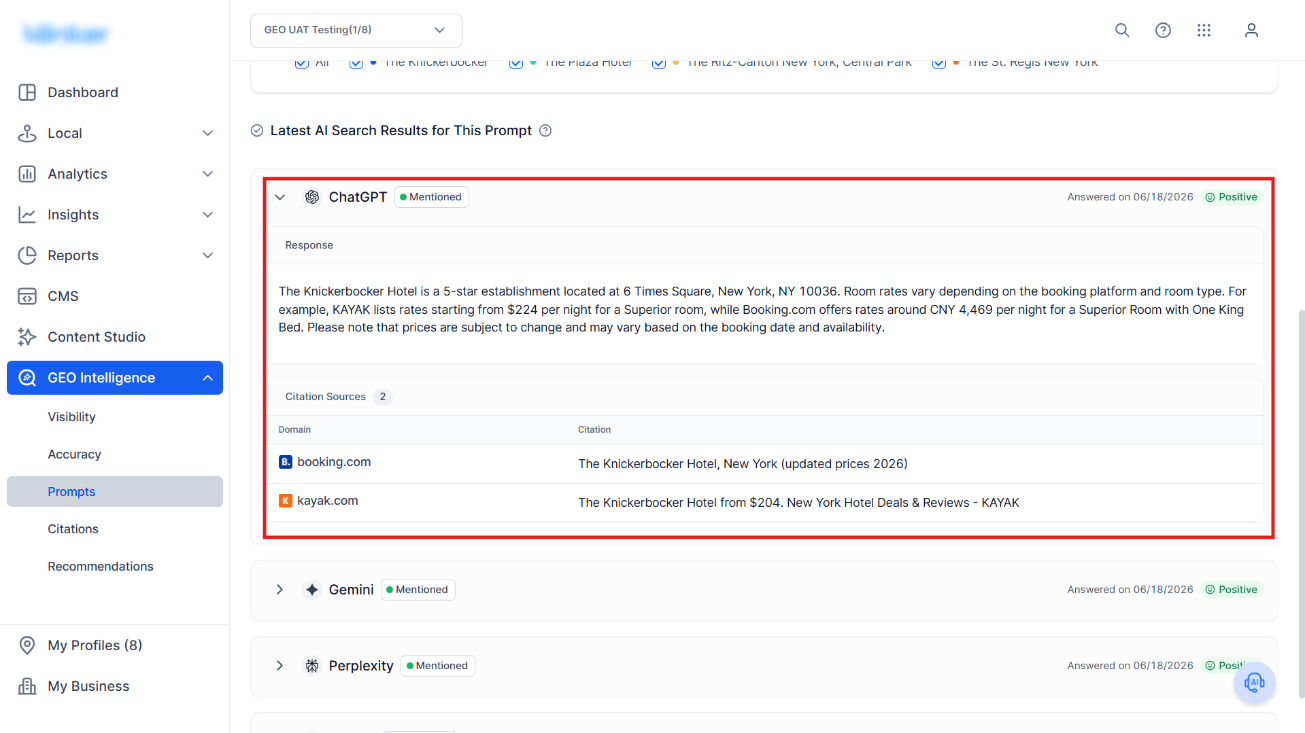
Clicking into a platform shows you the response, the citations used to generate the response along with the links to the webpages cited.
Was this article helpful?
That’s Great!
Thank you for your feedback
Sorry! We couldn't be helpful
Thank you for your feedback
Feedback sent
We appreciate your effort and will try to fix the article