

Knowledge base
Manage Social Media Links
You can manage the social media links associated to business profiles from Local.
Path: Local > Locations > Select Profile > Social Media URLs
Step 1: Navigate to ‘Locations’ in Local.
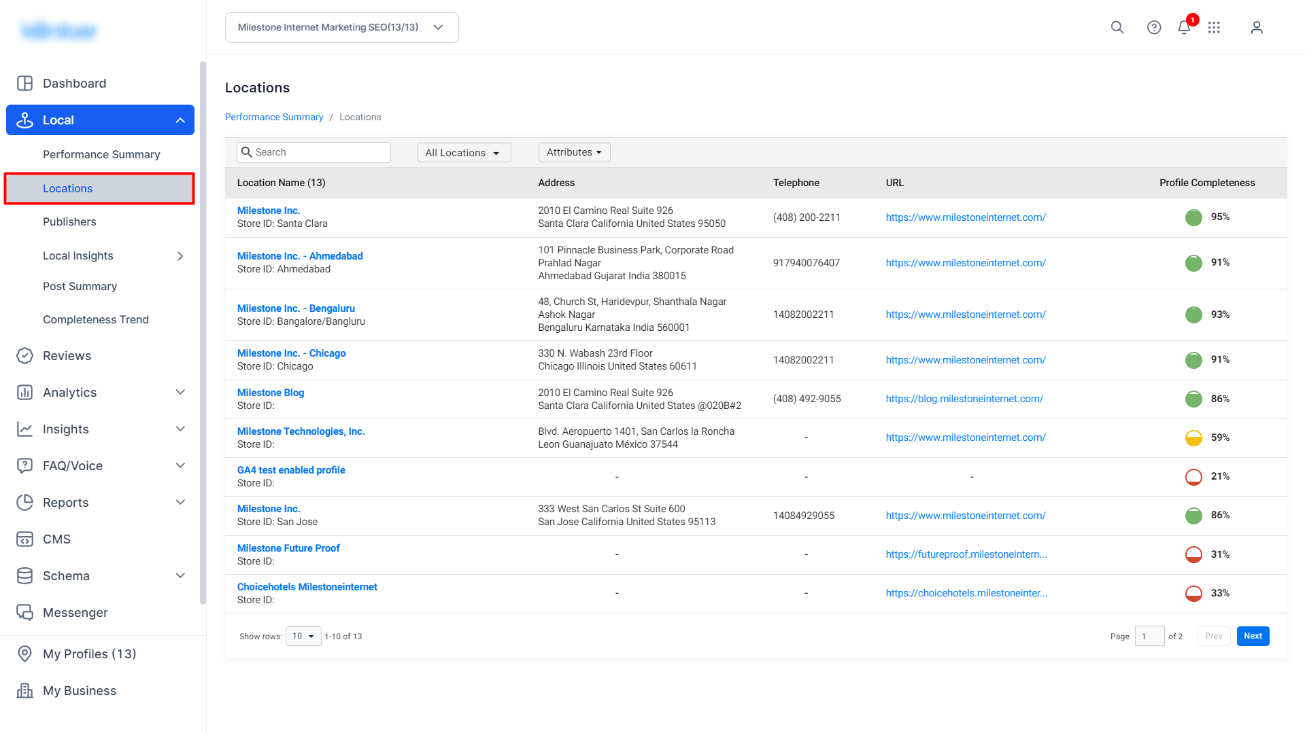
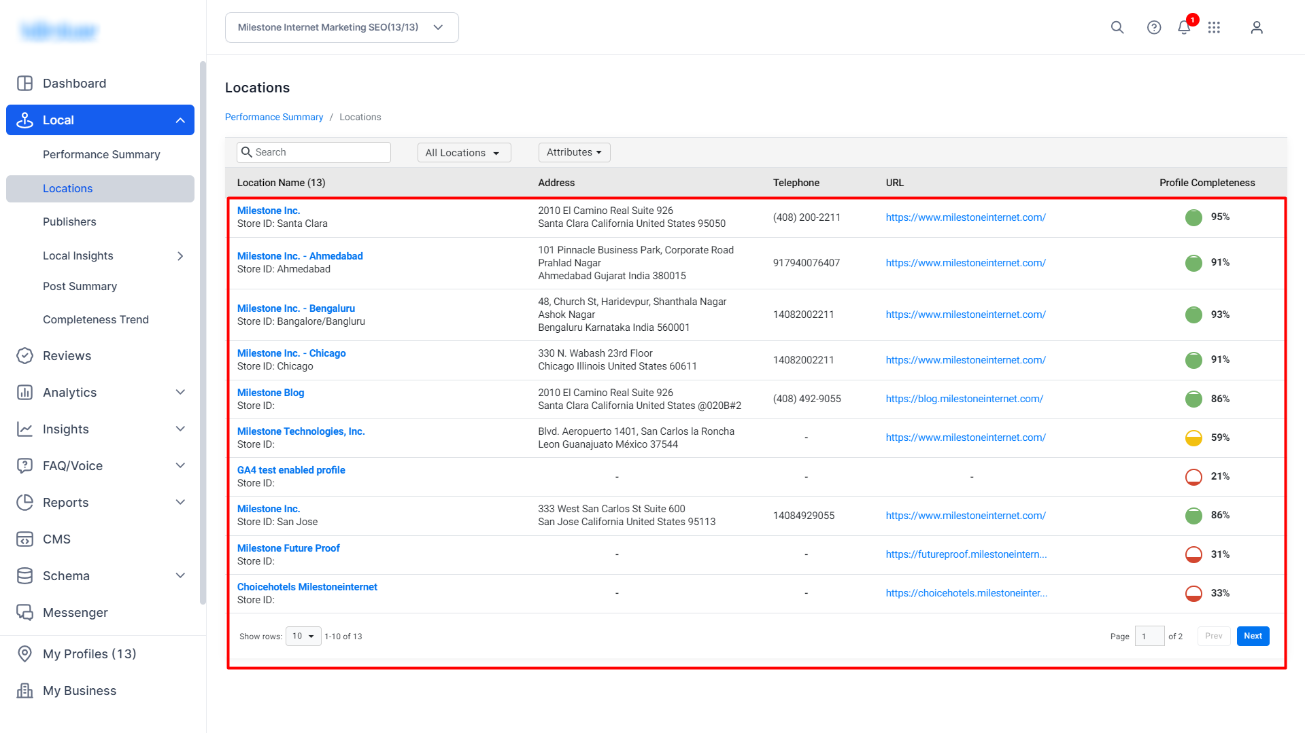
Step 2: Select the location you want to update the social media URLs for.
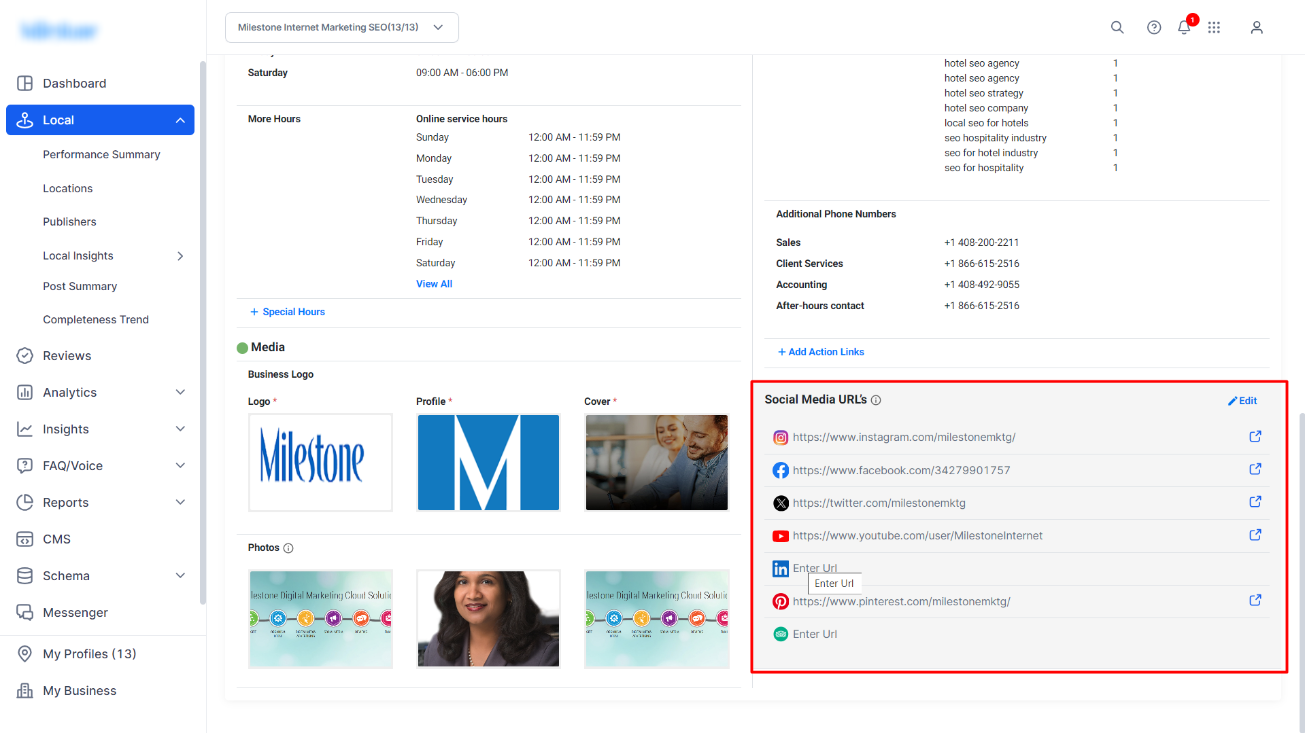
Step 3: The Social Media URLs can be found at the bottom left of the ‘Profile Information’ section.
Step 4: To edit the social media links click on ‘Edit’ at the top right of this section.
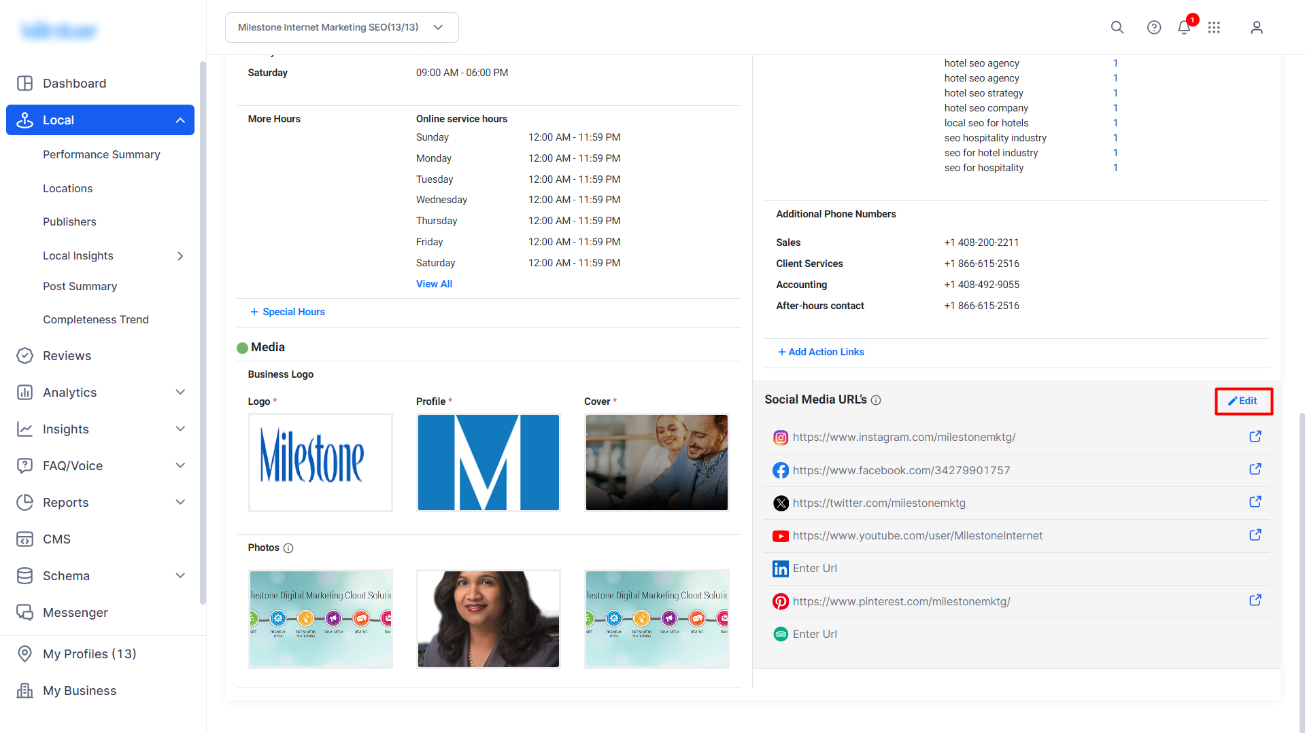
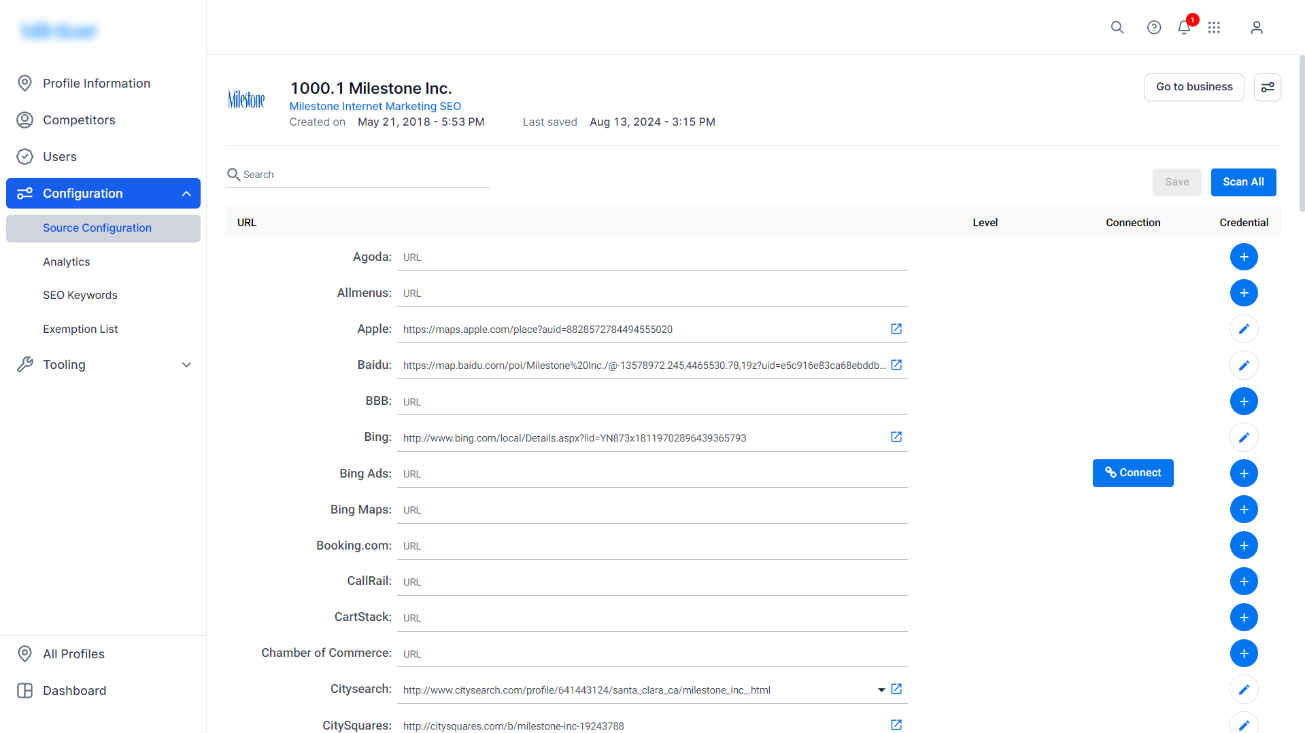
Step 5: You will be redirected to the platform to manage the social media URLs. Here you can add, edit and disconnect social media URLs for a business profile.
Was this article helpful?
That’s Great!
Thank you for your feedback
Sorry! We couldn't be helpful
Thank you for your feedback
Feedback sent
We appreciate your effort and will try to fix the article