

Knowledge base
ADA check
CMS ensures ADA conformance of all websites ensuring that your web pages and property are inclusive to all. Let’s show you how you can carry out an ADA check.
Accessing ADA Check
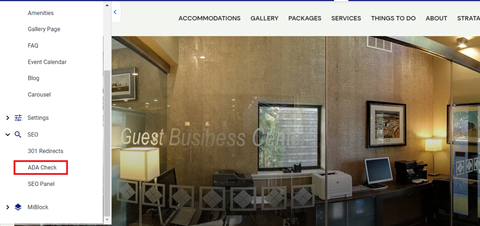
On the website editor screen, click on the left-hand navigation, choose ‘SEO’ and click on ‘ADA check’.
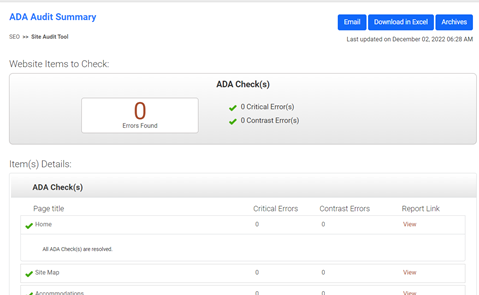
You will see your monthly ADA check. You can choose to email the report or download it as an excel.
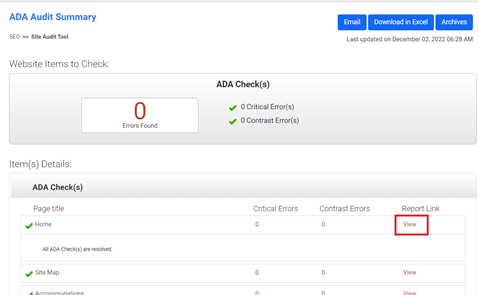
To further scrutinize an element in the report, click on view. You will be redirected to a detailed report of the same.
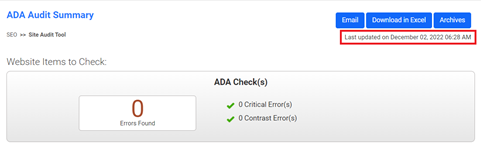
CMS carries out an automatic monthly audit of the conformance of your website. You’ll see the last ADA check right here.
Was this article helpful?
That’s Great!
Thank you for your feedback
Sorry! We couldn't be helpful
Thank you for your feedback
Feedback sent
We appreciate your effort and will try to fix the article