

Knowledge base
Business Settings
On the ‘Settings’ tab, agency administrators, or the tooling administration on behalf of the business can enable sources to fetch and sync data. While some sources can be connected via the ‘Source Configuration’ tab using tokens or credentials, the whole list of sources can be configured or connected via the ‘Settings' tab.
There are two parts to the ‘Settings’ tab:
- Sources
- Module Settings
Sources:
Based on the sources that the business wishes to connect; the agency or tooling administrator will carry out the enablement.
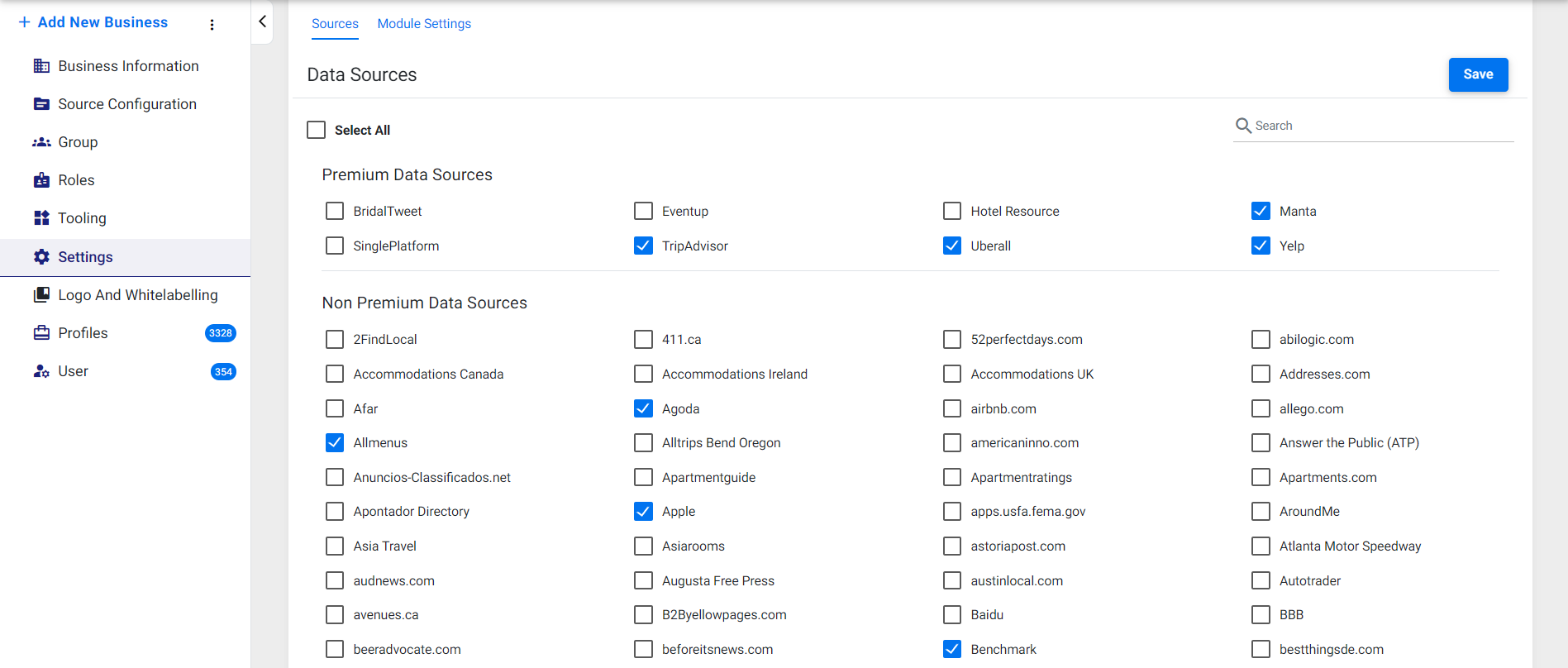
There are two types of sources:
- Premium Data Sources
Sources that can be enabled based on a paid plan with the source platform to fetch and sync data.
- Non-Premium Data Sources
Sources that can be enabled for free and required no payment.
Click on ‘Save’ once the sources have been enabled.
Module Settings:
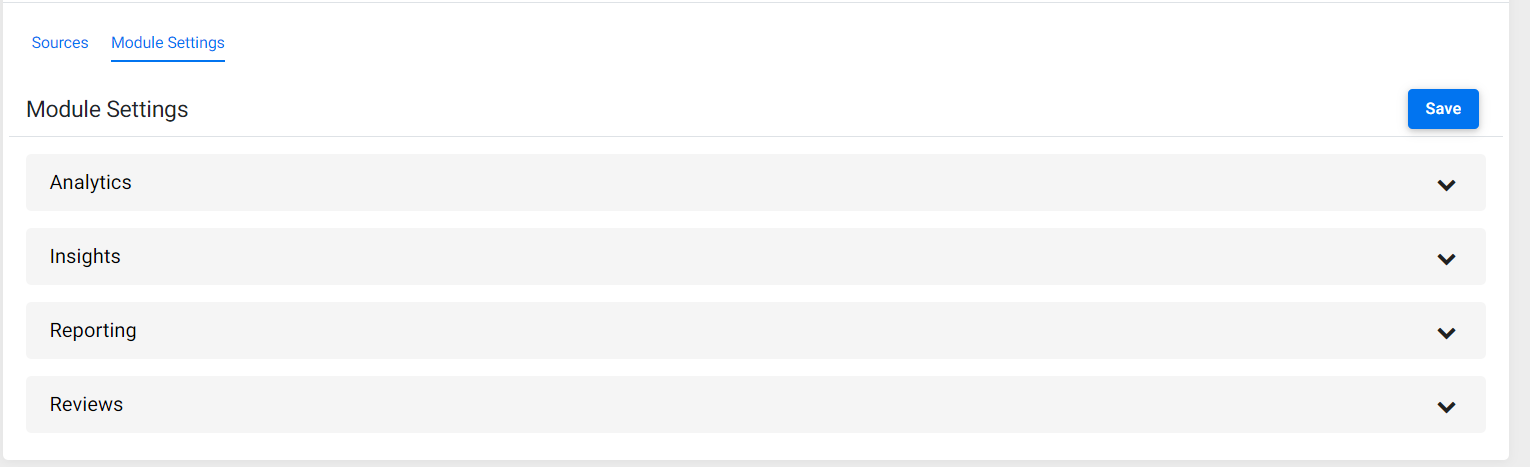
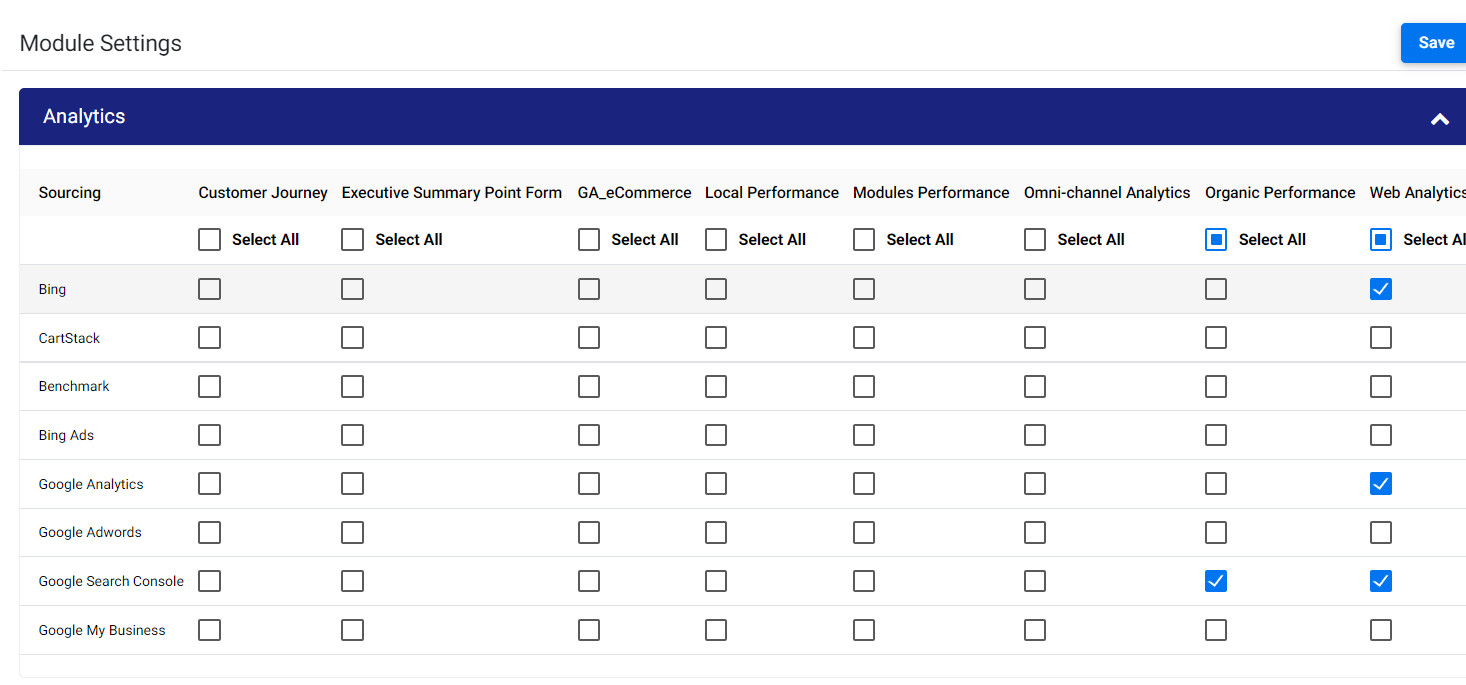
On the ‘Module Settings’ tab, based on the sources that you have enabled, you will now have to enable the source and feature enabled for the business as a whole. Click on the drop-down for the modules that have been enabled for your business.
Enable the sources for each feature of the module.
Was this article helpful?
That’s Great!
Thank you for your feedback
Sorry! We couldn't be helpful
Thank you for your feedback
Feedback sent
We appreciate your effort and will try to fix the article