The CMS takes location information for location pages from the Platform. So to ensure your Profile information is synced with the CMS, follow these steps.
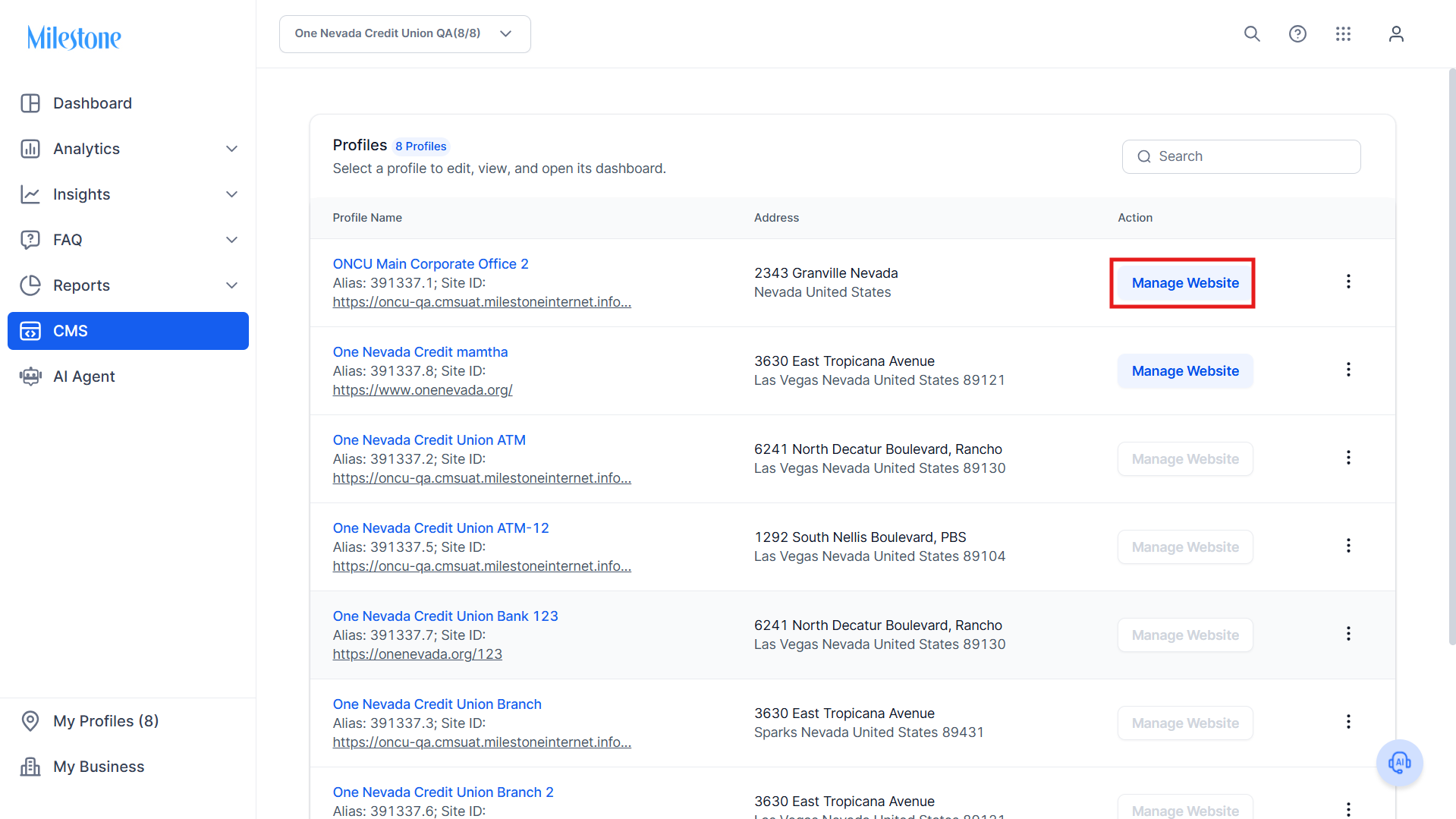
Step 1: Click on ‘Manage Website’ corresponding to a Profile in the CMS.
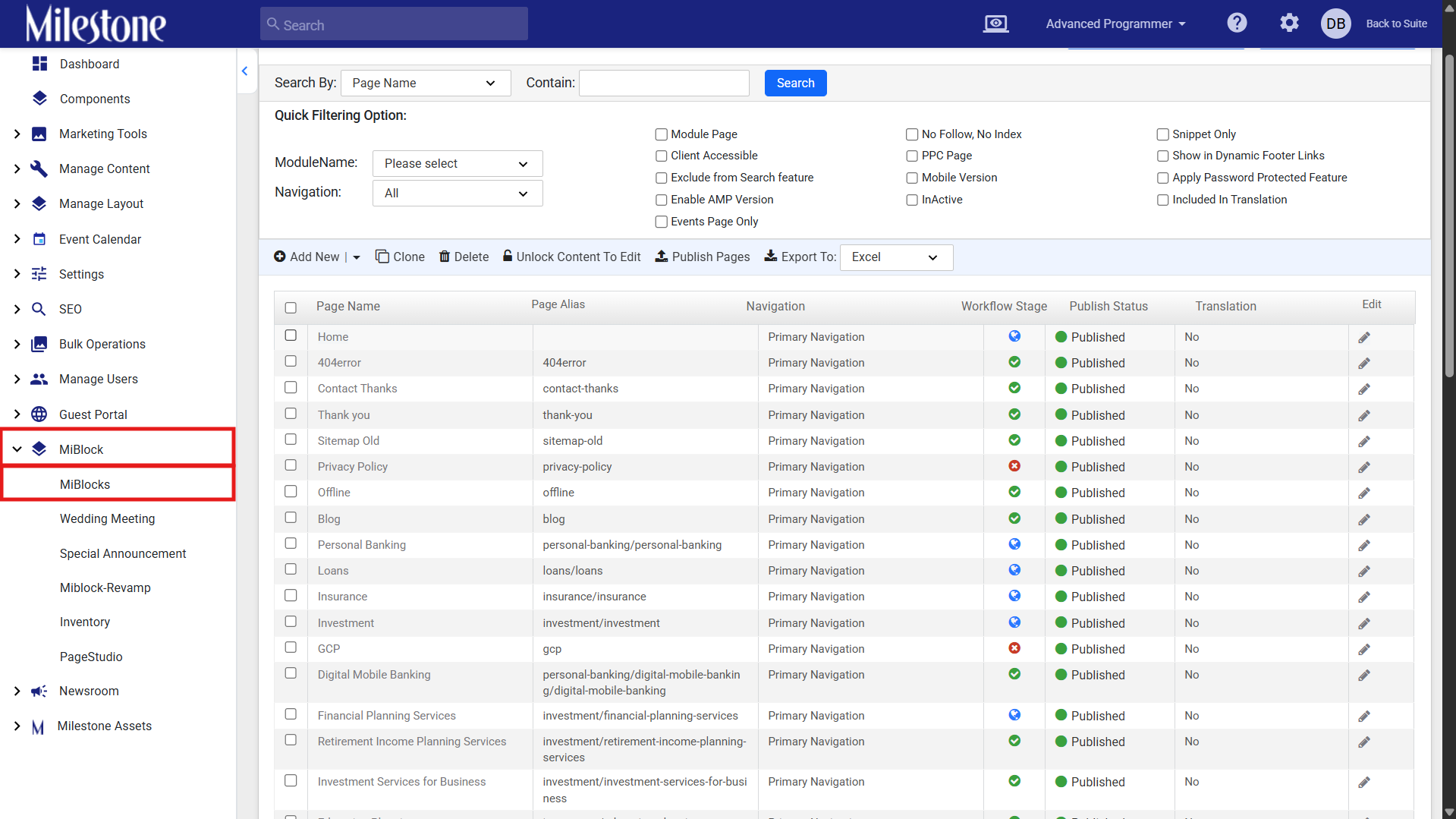
Step 2: In the CMS, click on MiBlocks in the MiBlocks menu.
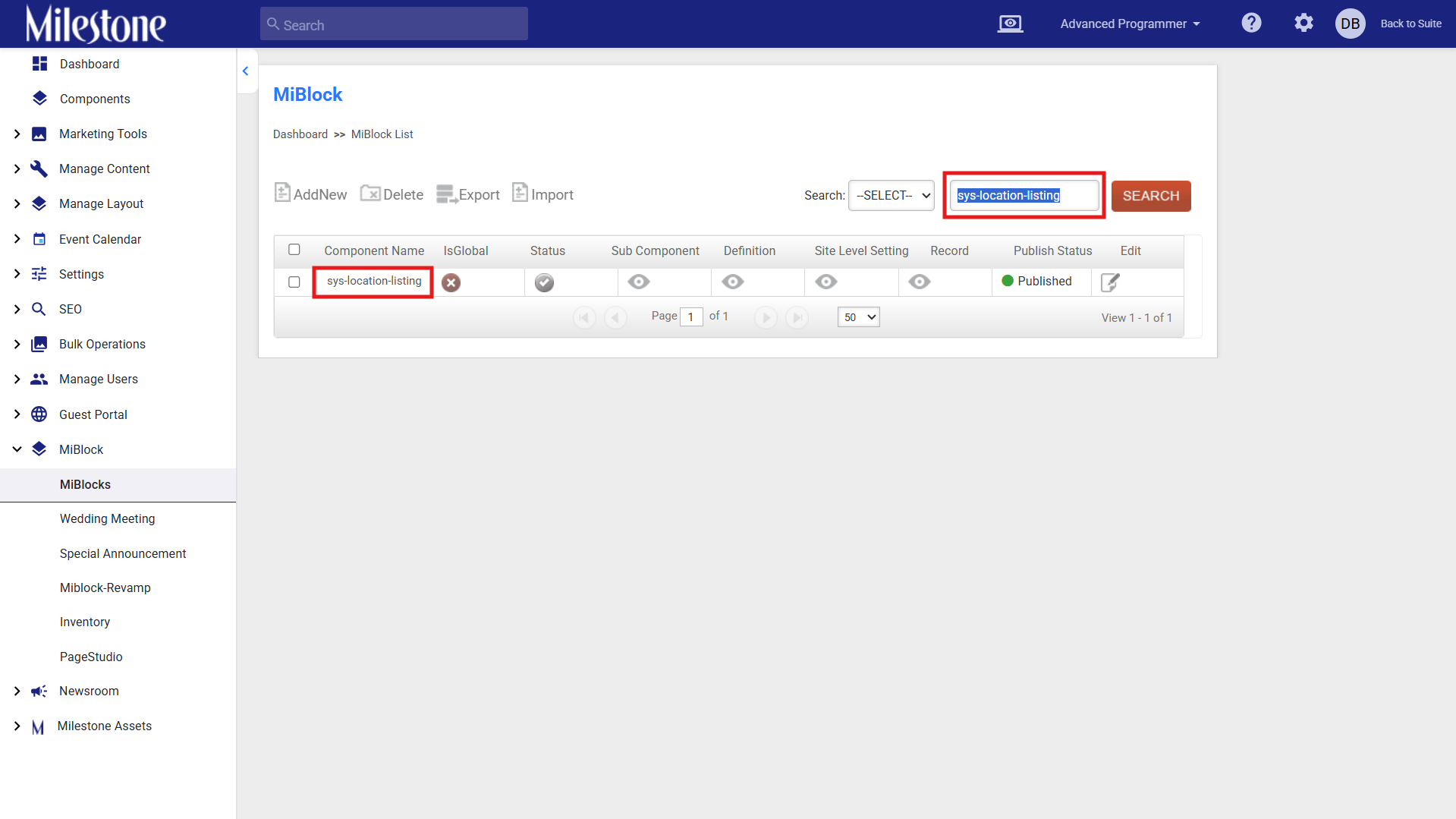
Step 3: Search for the ‘sys-location-listing’ MiBlock.
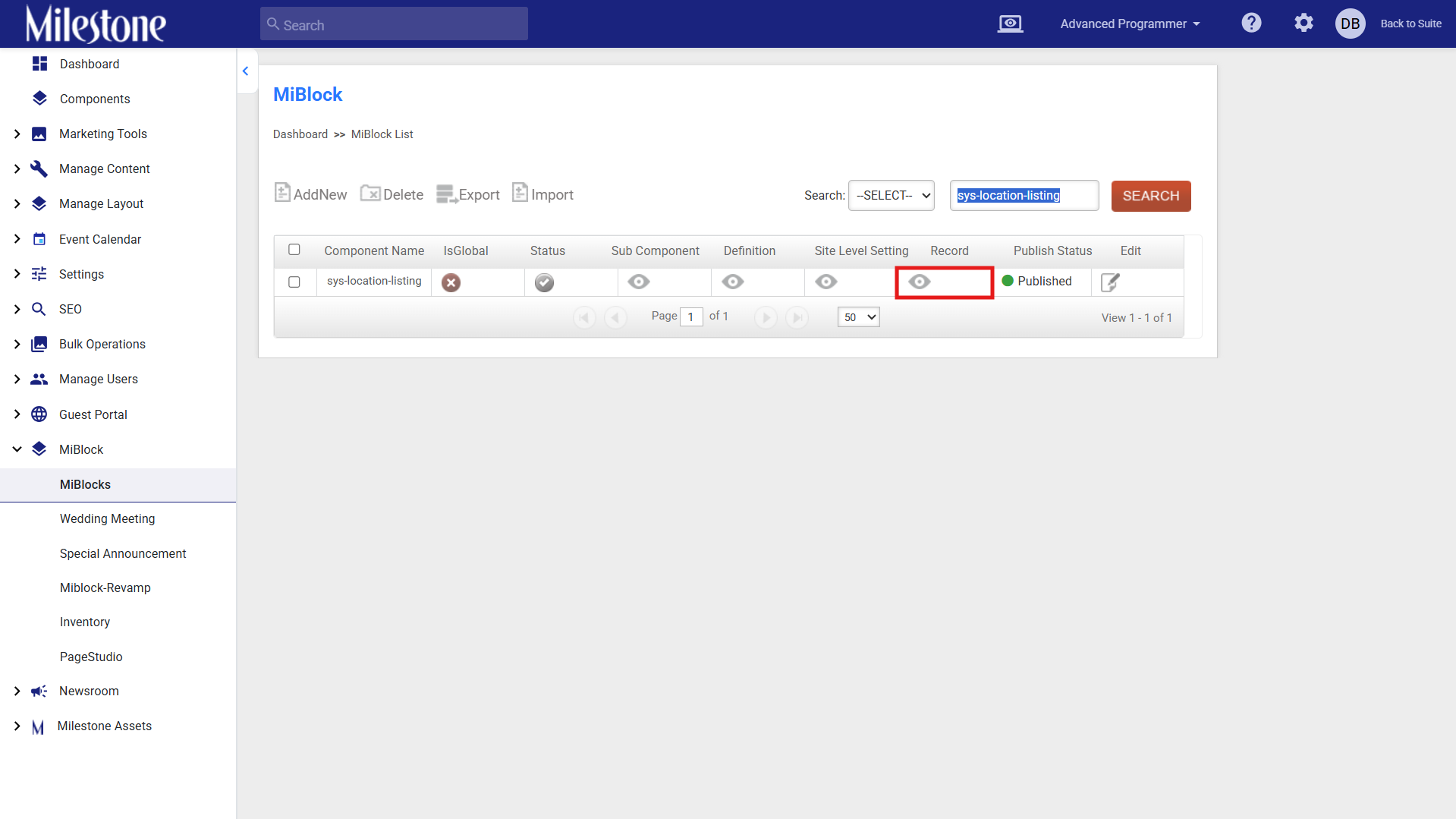
Step 4: Click on ‘Record’ to view the record for the MiBlock.
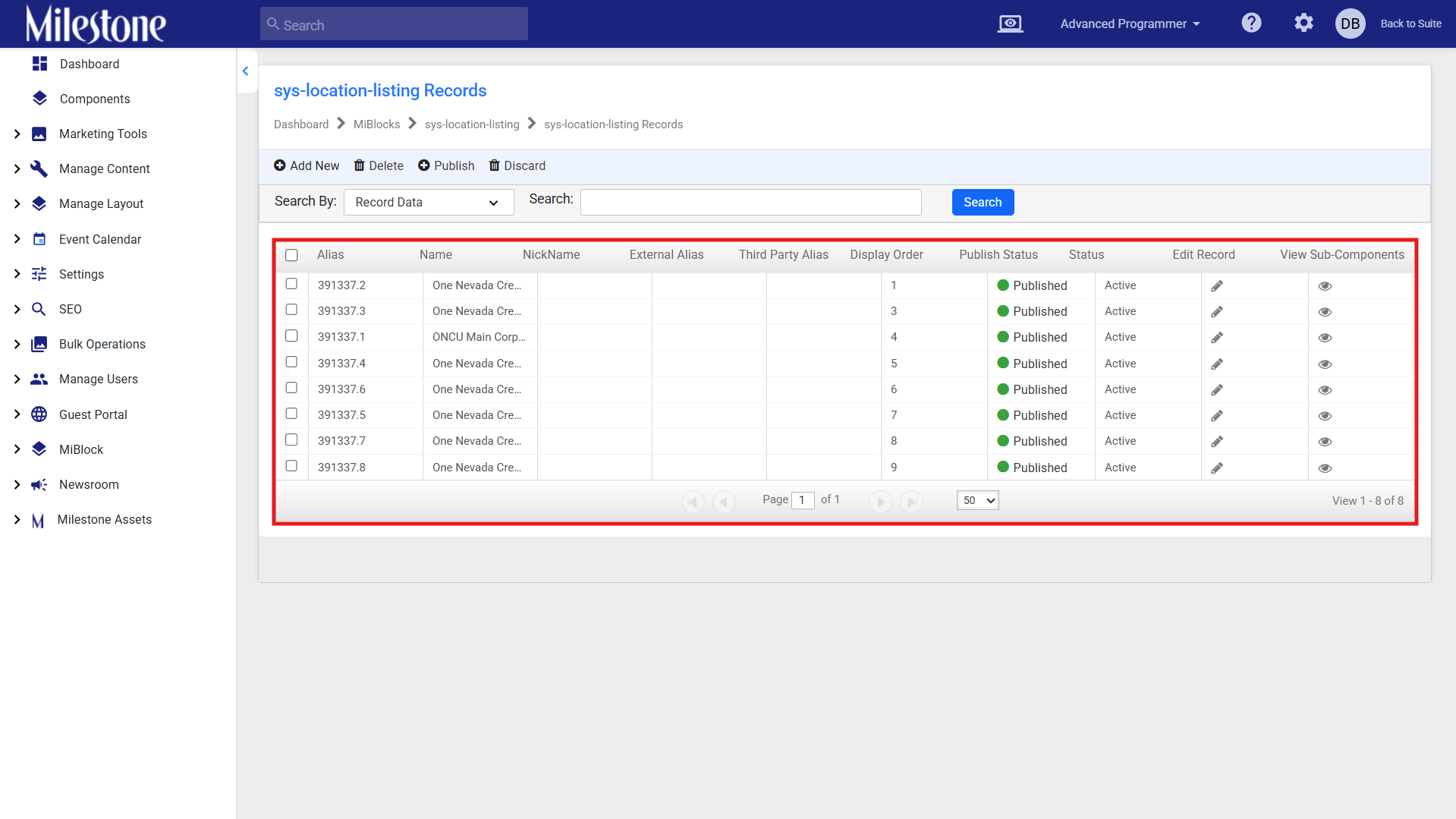
Step 5: You will be able to see all the profile records associated with the Miblock here. Whenever a new profile is added to the business, a new MiBlock will be created and added here.
Was this article helpful?
That’s Great!
Thank you for your feedback
Sorry! We couldn't be helpful
Thank you for your feedback
Feedback sent
We appreciate your effort and will try to fix the article