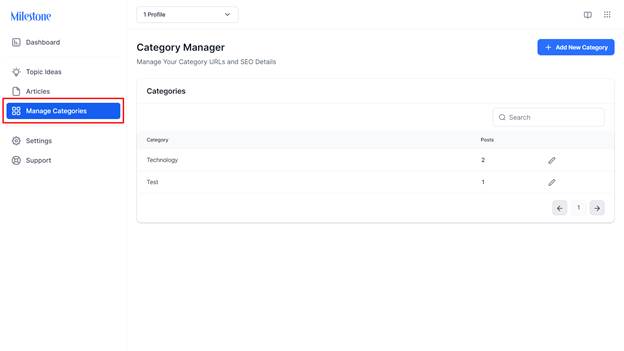
Step 1: Click on ‘Manage Categories’ in the left navigation panel of AI Content Studio.
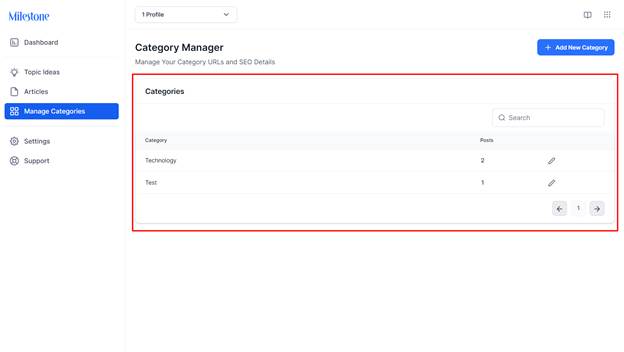
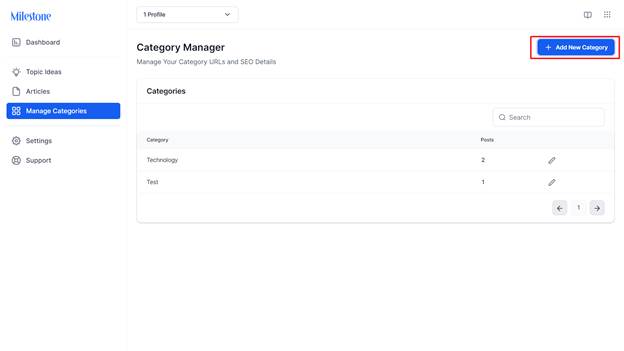
Step 2: In the Category Manager section, you will be able to see the categories created, the number of posts under each category, and editing options for the categories.
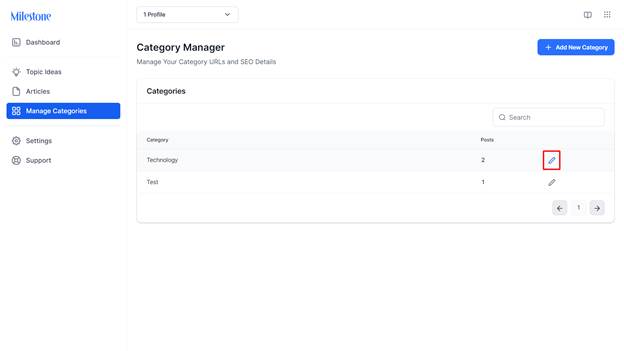
Step 3: To edit a category, click on the ‘Edit’ icon corresponding to it.
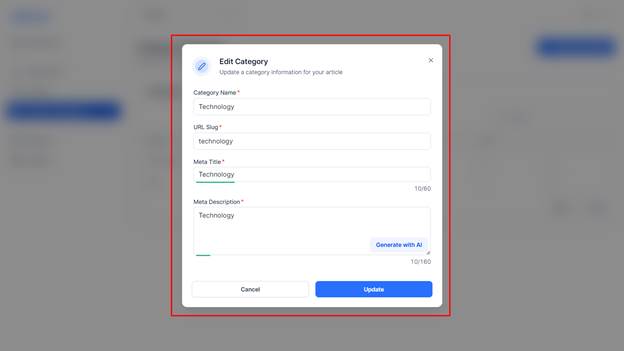
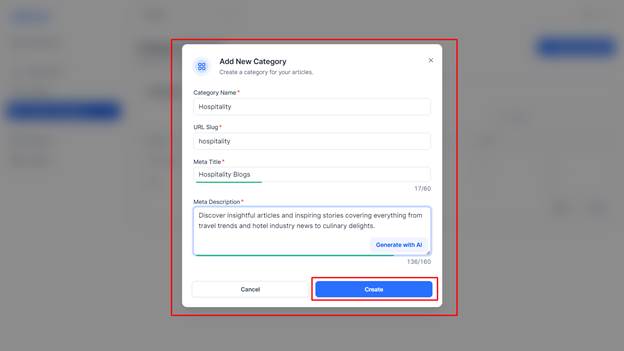
Here you can edit the category name, the URL slug for the category page, the meta title for the page, and the meta description for the page.
To create a new category, click on ‘Add New Category’ to the top right.
Add the details for the category page and click on ‘Create’.
Was this article helpful?
That’s Great!
Thank you for your feedback
Sorry! We couldn't be helpful
Thank you for your feedback
Feedback sent
We appreciate your effort and will try to fix the article