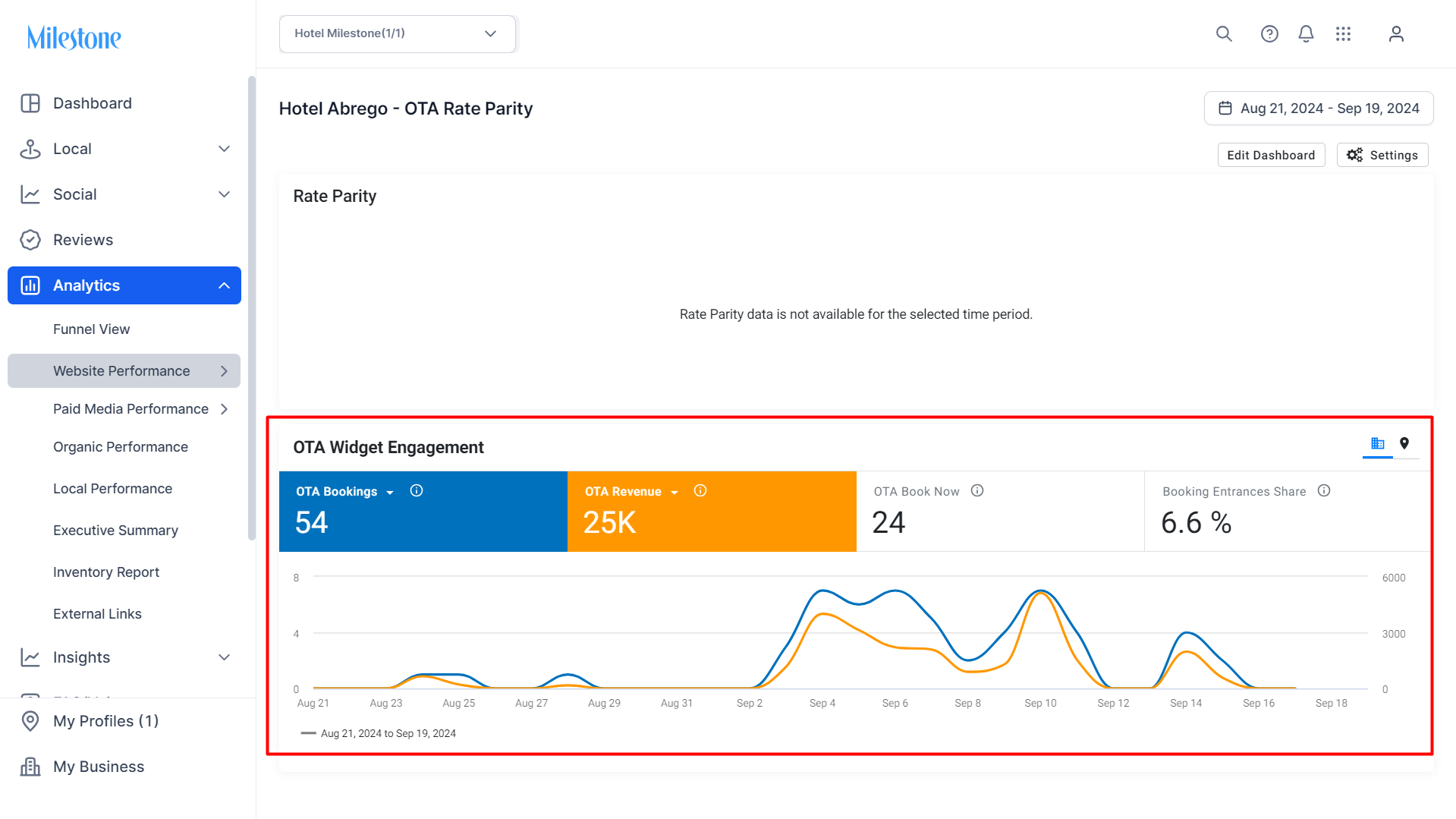
To view your OTA booking and revenue data go to the OTA Rate Parity section. This new feature captures user engagement data via GA4 using a custom dimension, allowing for detailed analysis of bookings and revenue from users who interacted with the OTA widget and completed a purchase.
Path: Milestone Analytics > Website Performance > OTA Rate Partiy
Step 1: Go to the ‘OTA Rate Parity’ section under ‘Website Performance’.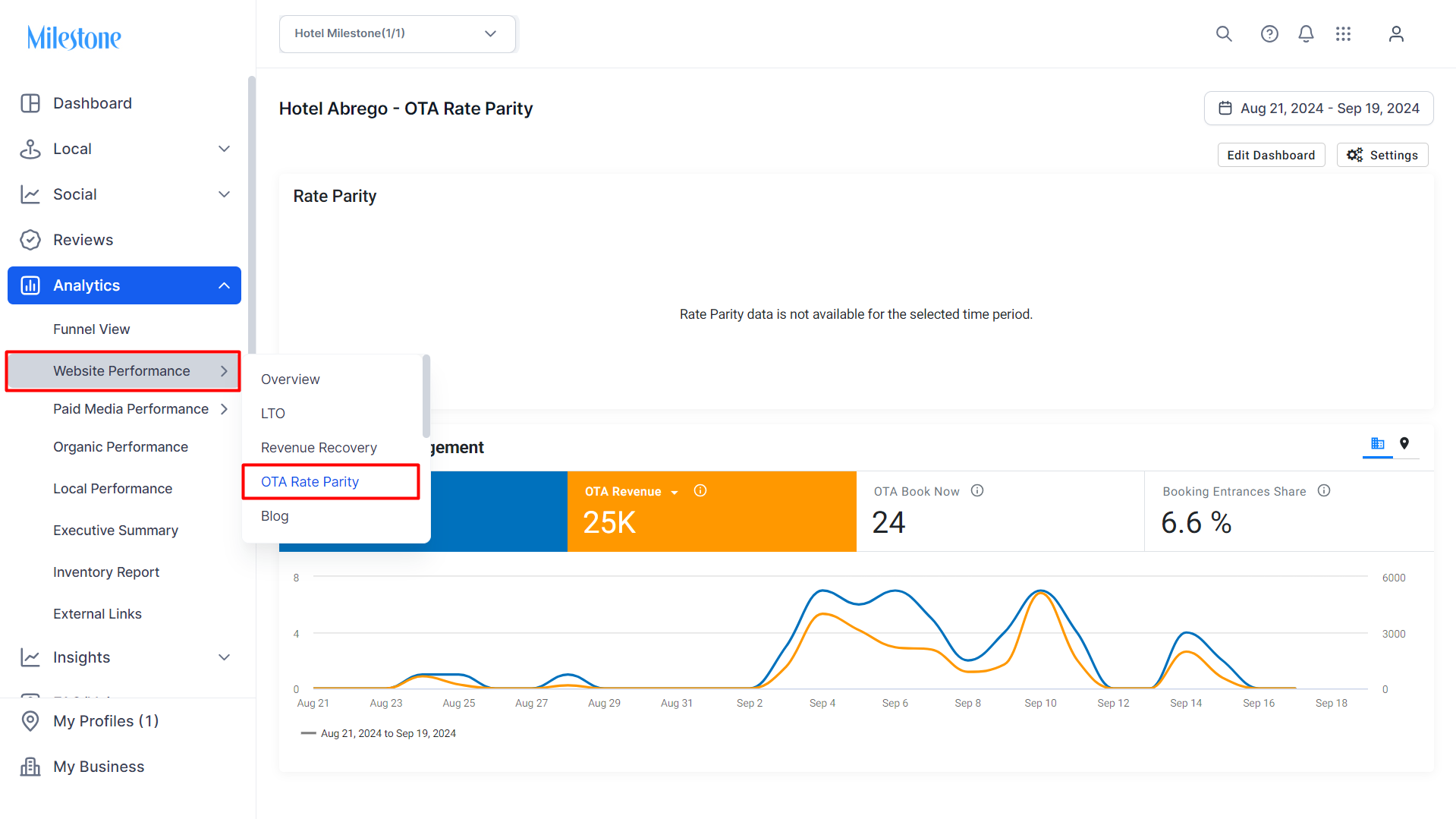
Step 2: Use the dropdown menus in the data tiles under ‘OTA Widget Engagement’ to select ‘OTA Bookings’ and ‘OTA Revenue’.
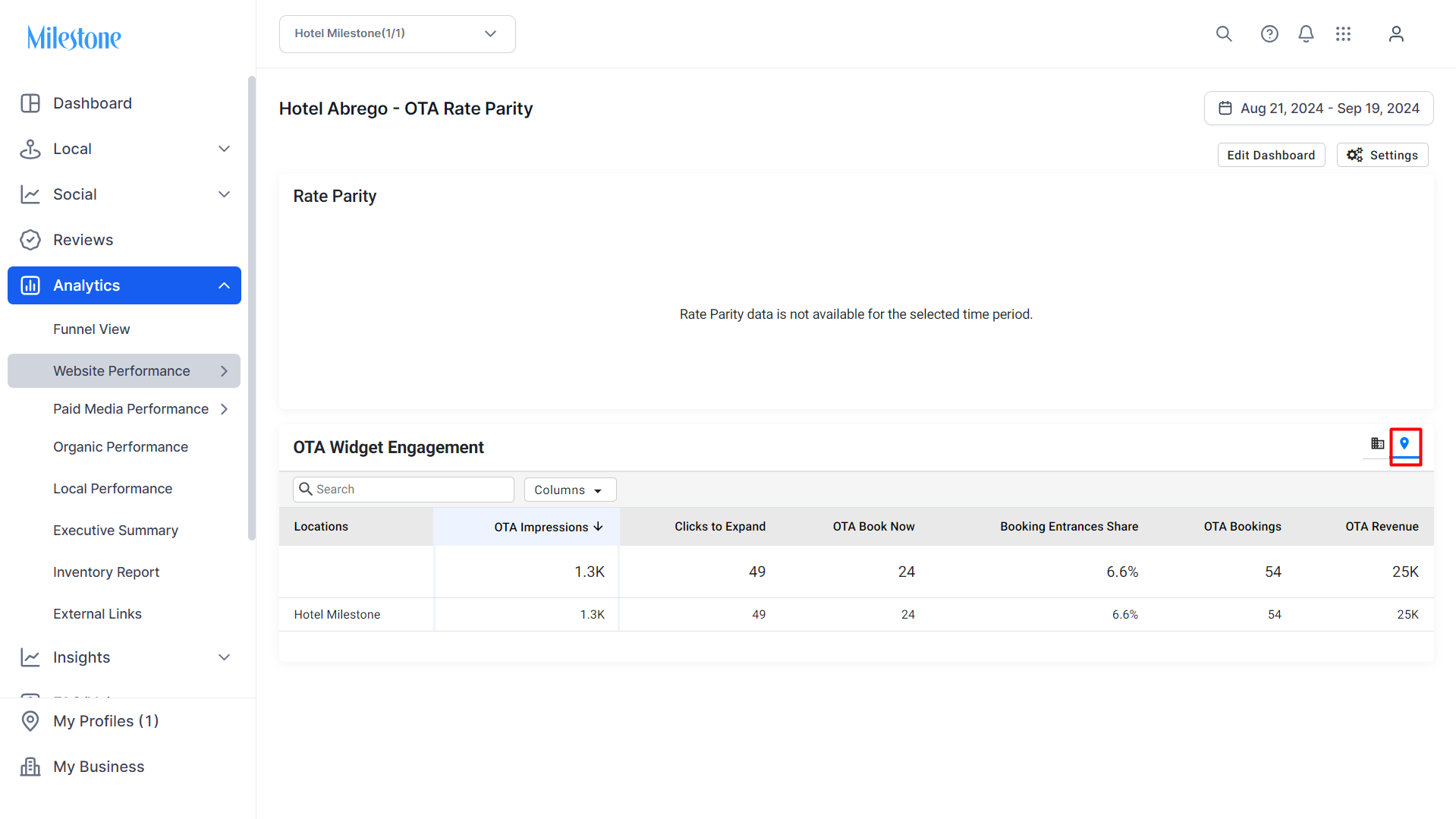
To view location data for OTA Booking and OTA Revenue click on the locations icon to the top right of this widget.
Was this article helpful?
That’s Great!
Thank you for your feedback
Sorry! We couldn't be helpful
Thank you for your feedback
Feedback sent
We appreciate your effort and will try to fix the article