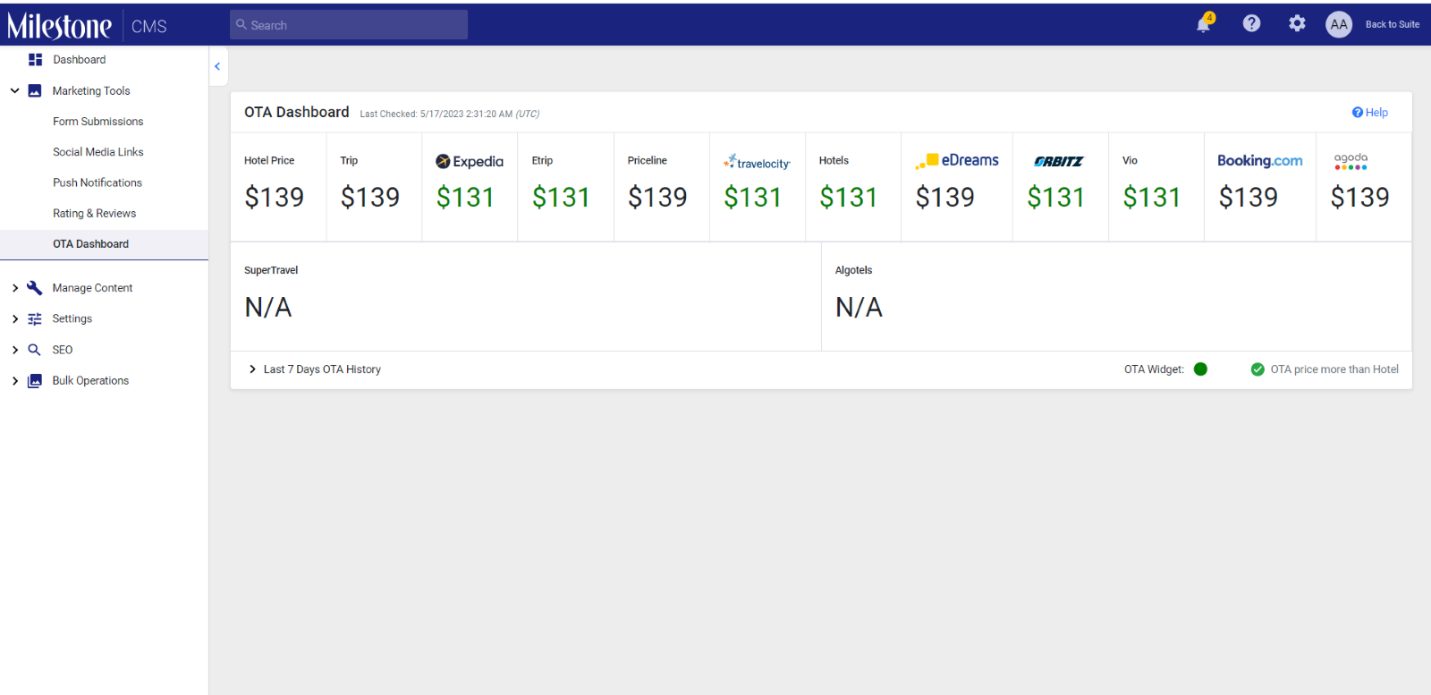
Step 1: Check on CMS what rates are being fetched for the current date.
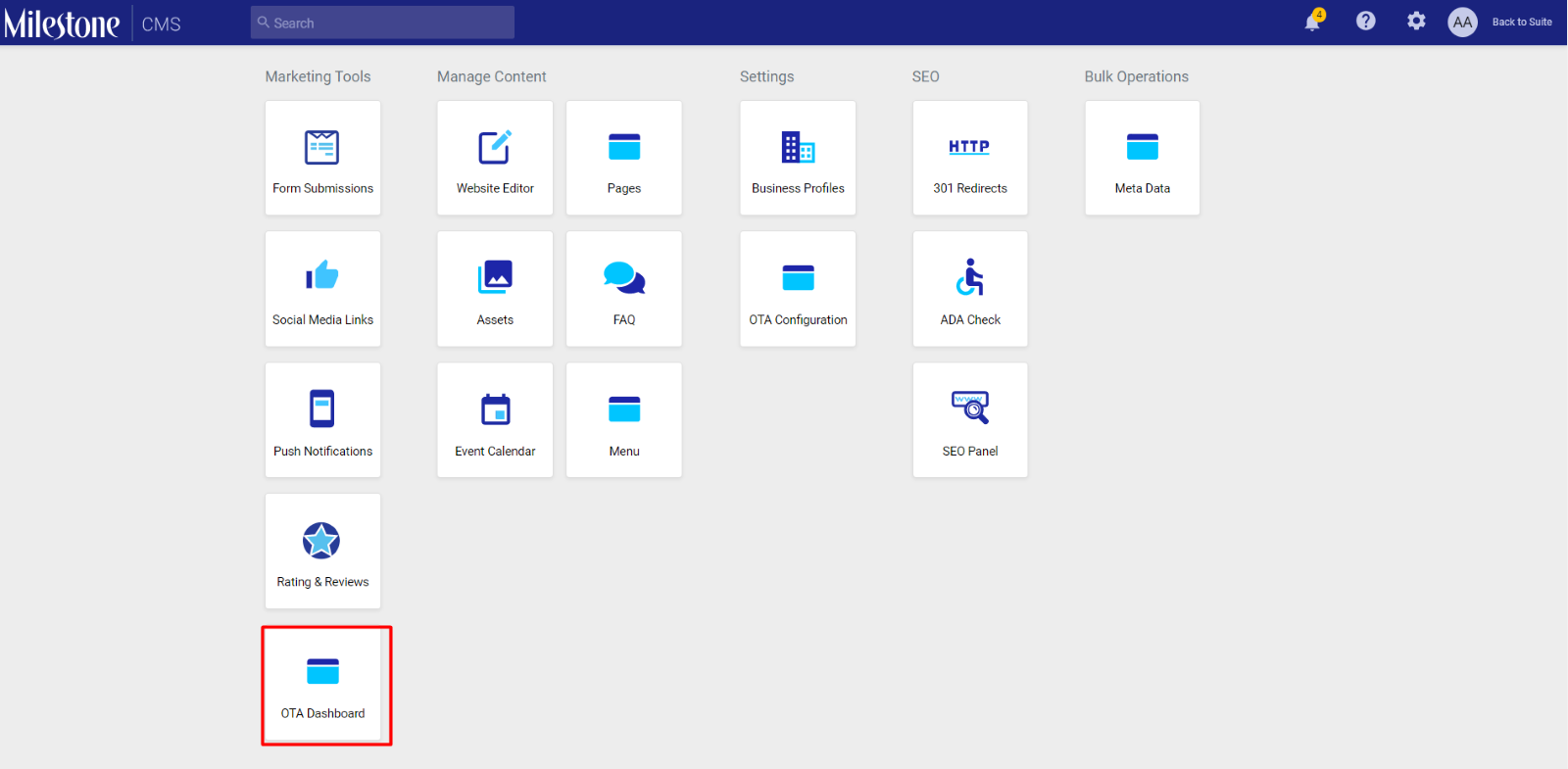
OTA Dashboard in Milestone CMS.
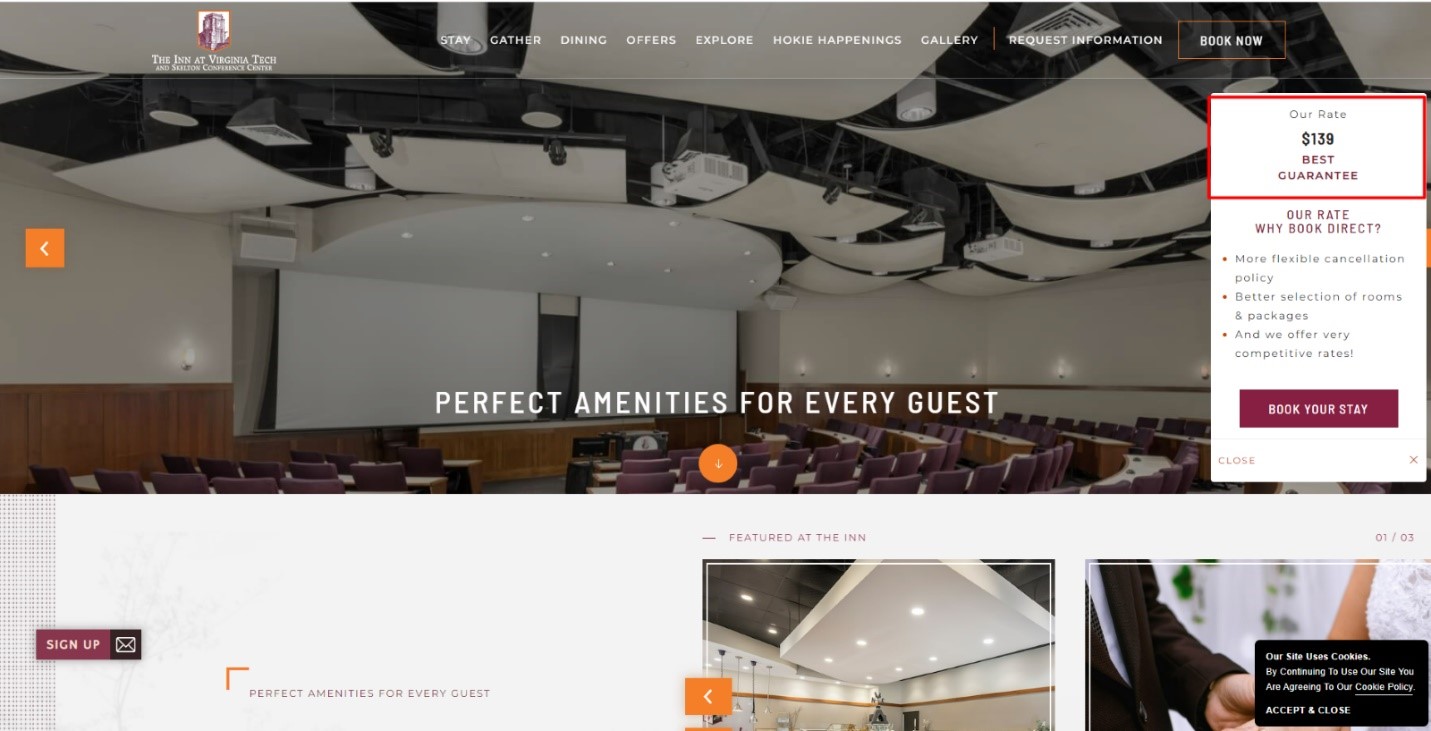
Step 2: Go to the website URL. Check the rate displayed on the OTA widget.
This rate should match the rate mentioned on the OTA Dashboard in Milestone CMS.
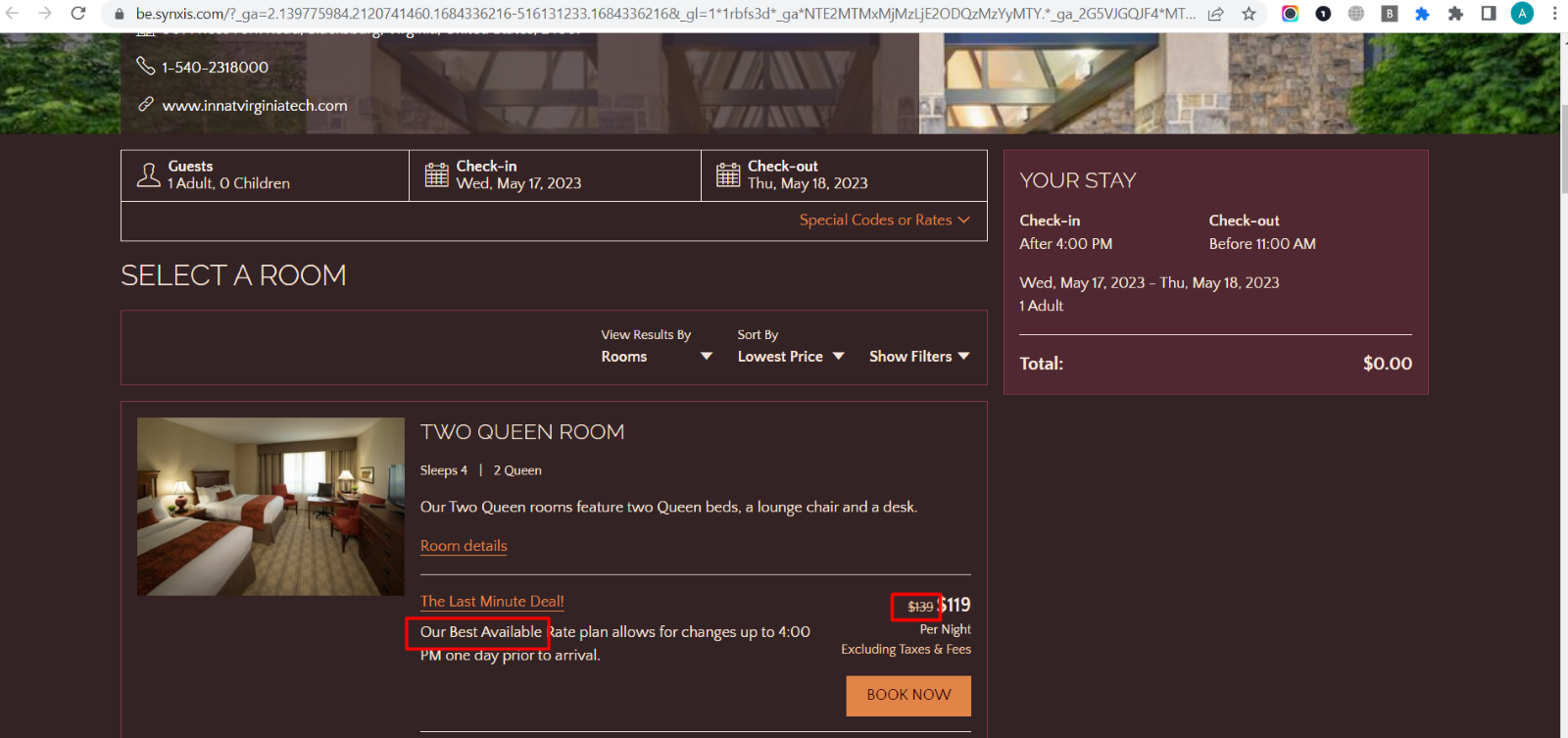
Step 3: If the rates are not matching or not coming on OTA widget:
- Check the rates by booking for the current date or 5 days ahead date depending upon whether the requirement was to showcase the current date or 5 days ahead rate.
- If the Rates are not available on the website or no rooms are available, then the OTA would not display any Rates.
- Check for a minimum of two days in case one day does not return any value.
Was this article helpful?
That’s Great!
Thank you for your feedback
Sorry! We couldn't be helpful
Thank you for your feedback
Feedback sent
We appreciate your effort and will try to fix the article