The OTA Rate Parity widget displays the rate trends offered by you and OTAs against the date selected as well as the actions and bookings carried out on the OTA Module on your website.
Rate Parity Widget
For the date range selected, you can check the rate trends between your booking rate and what's offered by OTAs.
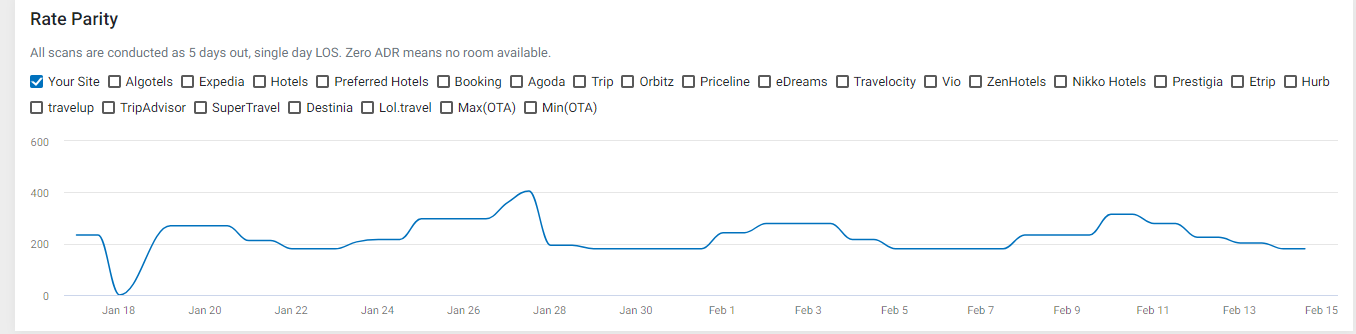
OTA Rate Widget
Using this widget, you can track customer interactions with the widget, bookings, revenue, and booking share. To view the KPIs for the selected period, click on the scrorecard tile. To choose other KPIs, click on the drop-down and select the KPI.
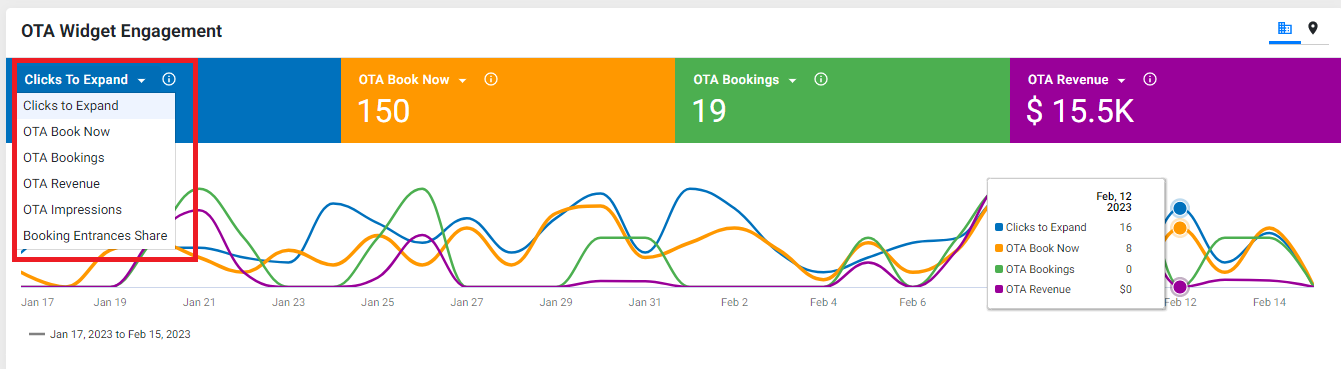
To view data by location or profile, click on the location button. Use the 'columns' drop-down to choose the KPIs you wish to see.

Was this article helpful?
That’s Great!
Thank you for your feedback
Sorry! We couldn't be helpful
Thank you for your feedback
Feedback sent
We appreciate your effort and will try to fix the article