Milestone’s FAQ Generator allows you to report FAQs that are irrelevant to your business using the ‘Report this FAQ’ button. This helps us improve the FAQ content being generated for your business using AI.
Please note: If you are interested in using Milestone FAQ Generator get in touch with your Customer Success Manager today!
Path: Milestone FAQ Manager > FAQ Generator > Browse FAQs
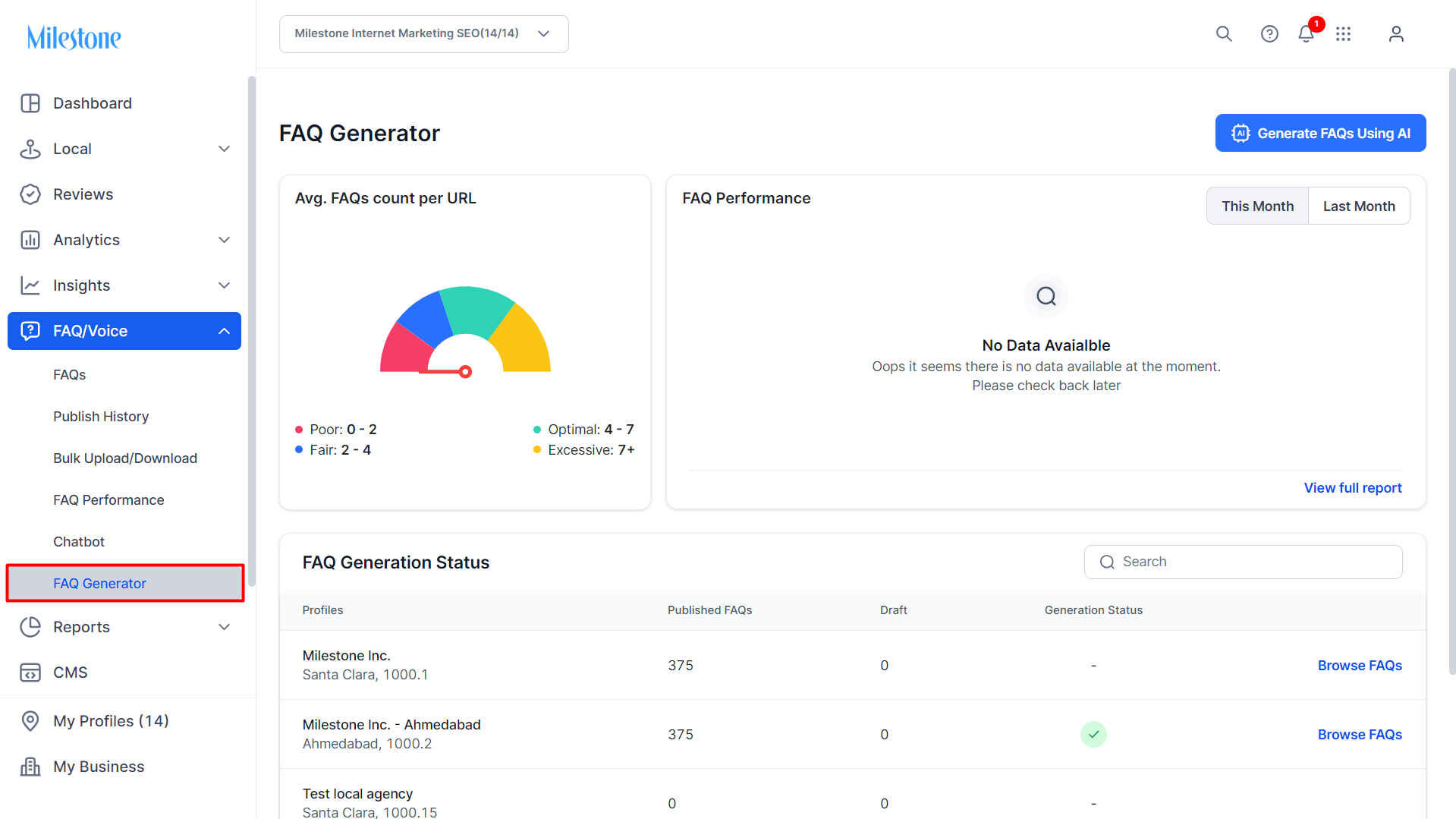
Step 1: Click on ‘FAQ Generator’ in the left navigation panel of Milestone FAQ Manager.
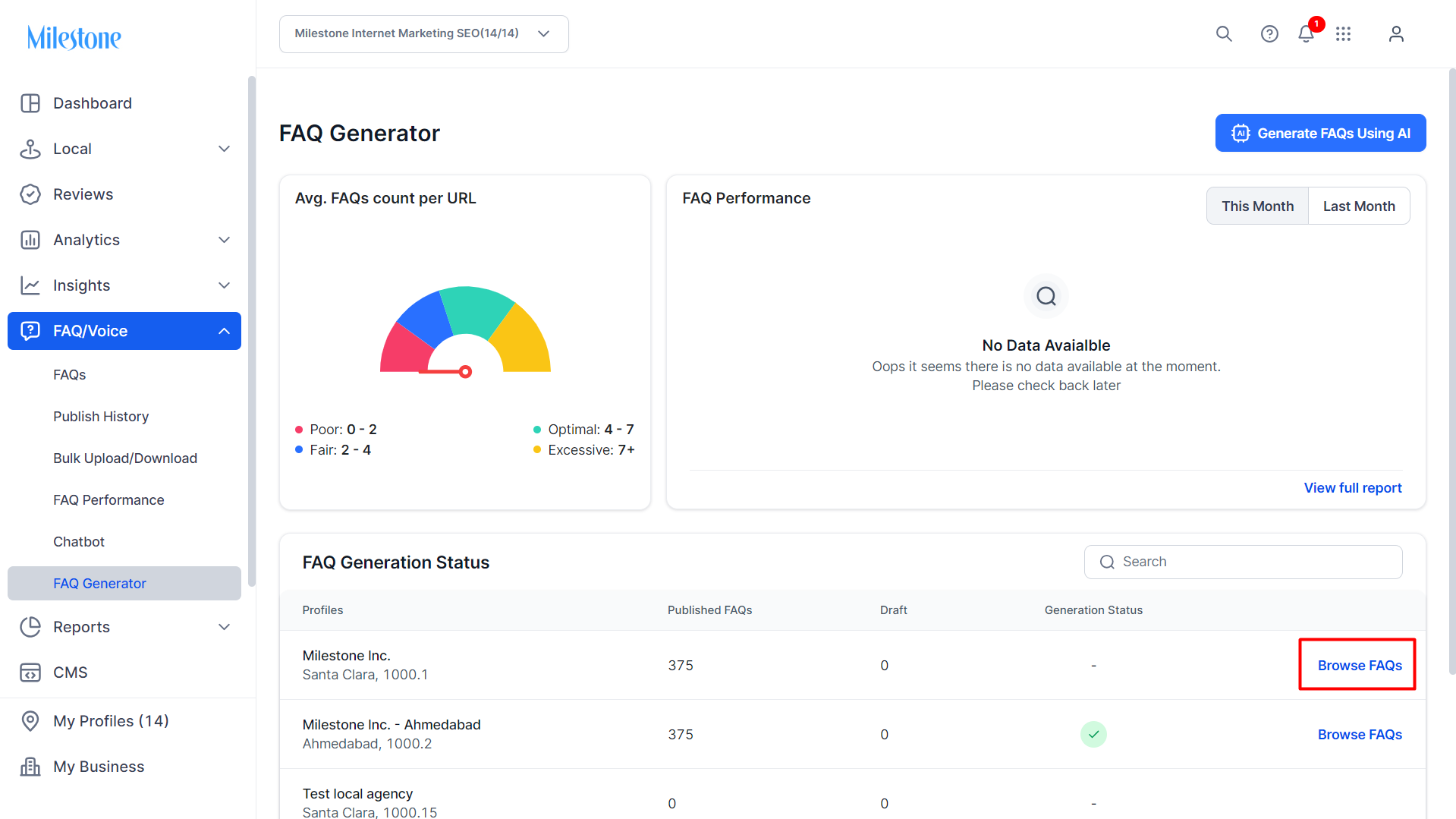
Step 2: Click on ‘Browse FAQs’ in the FAQ Generation Status section.
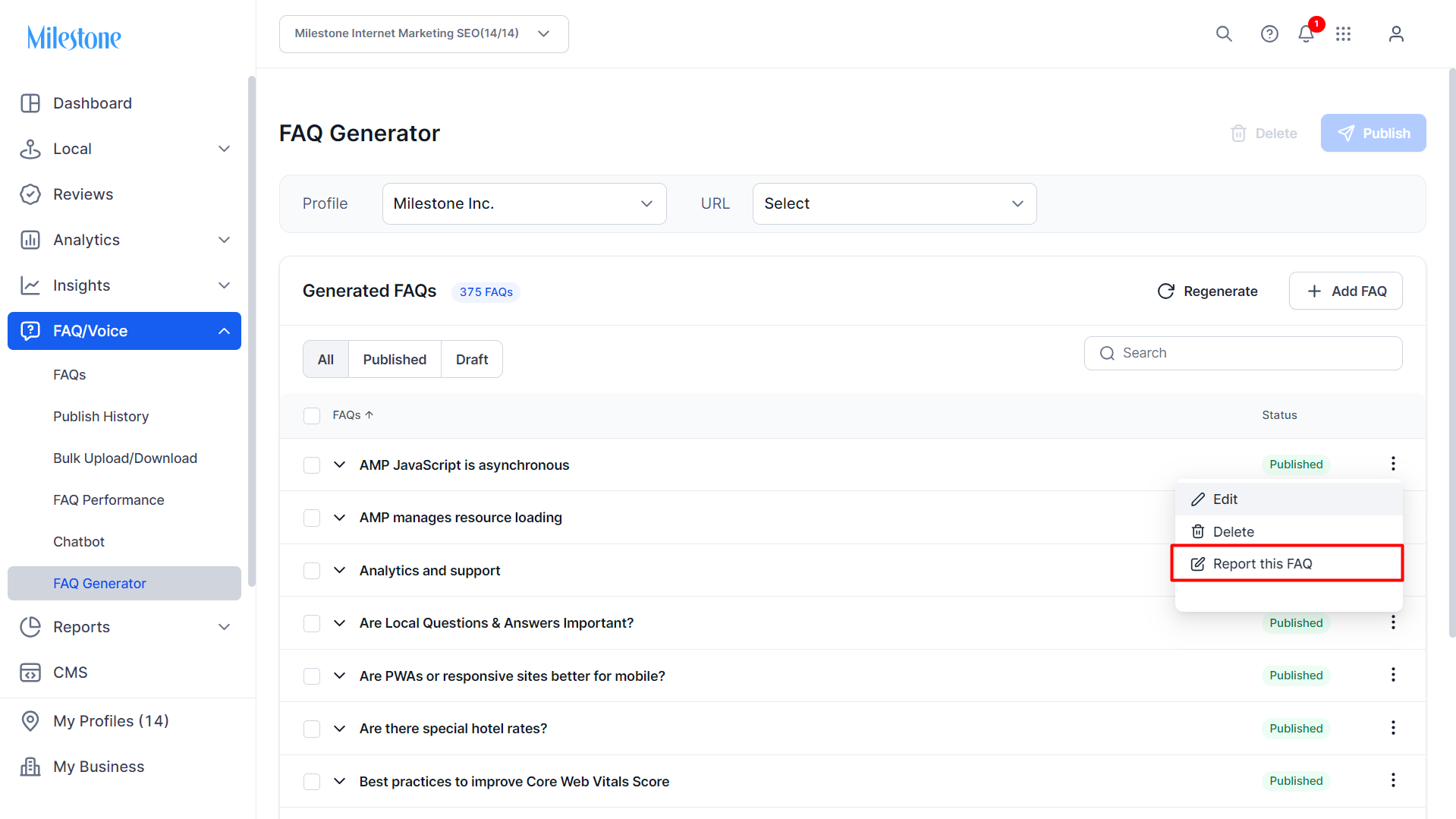
Step 3: Click on the three-dot menu corresponding to the question you want to report and click on ‘Report this FAQ’.
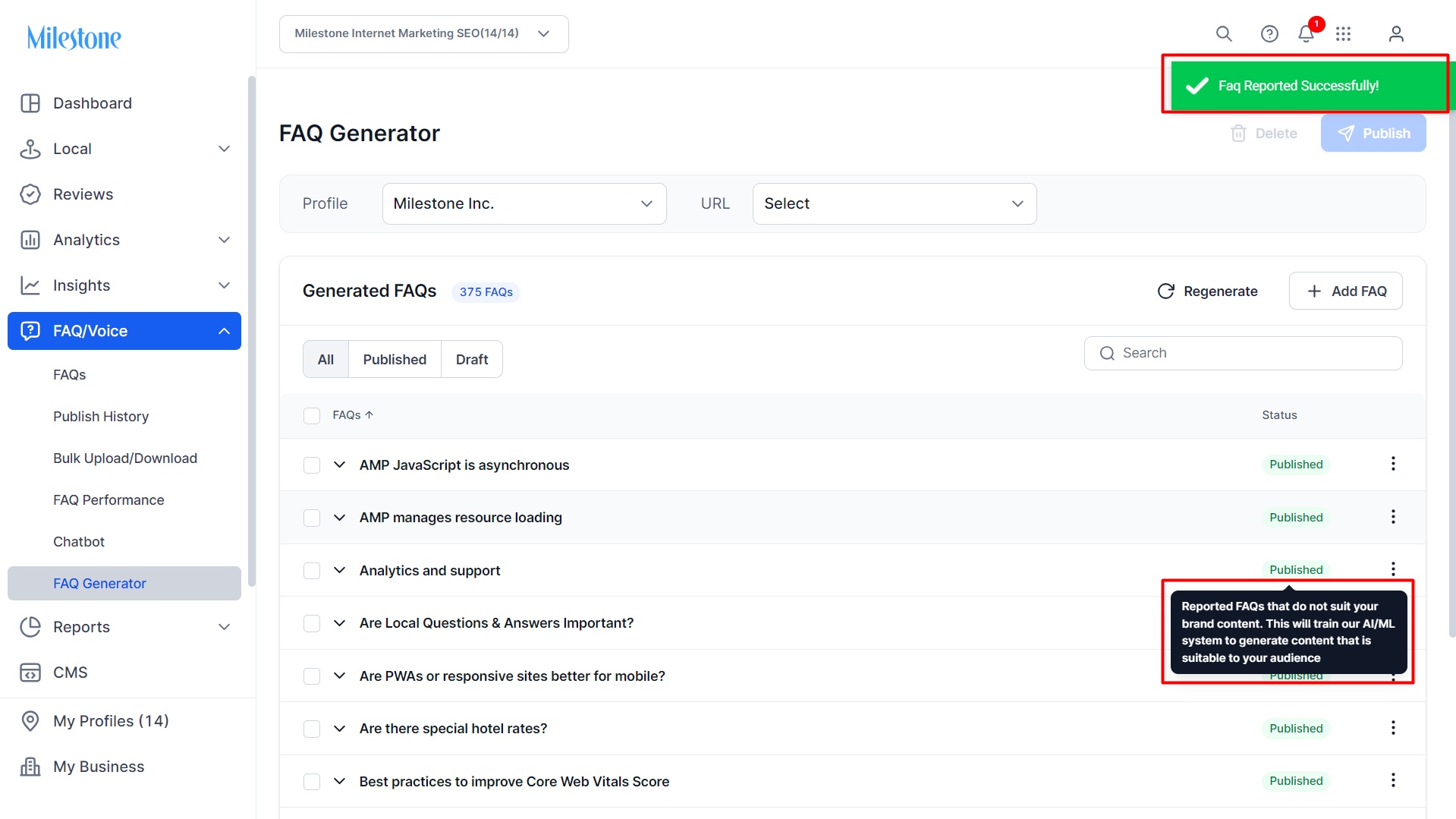
Once the FAQ is report you will be notified.
Was this article helpful?
That’s Great!
Thank you for your feedback
Sorry! We couldn't be helpful
Thank you for your feedback
Feedback sent
We appreciate your effort and will try to fix the article