A ‘Token Expiry’ error occurs when a source connection has expired. Reconnect the source to resolve this. Follow these steps:
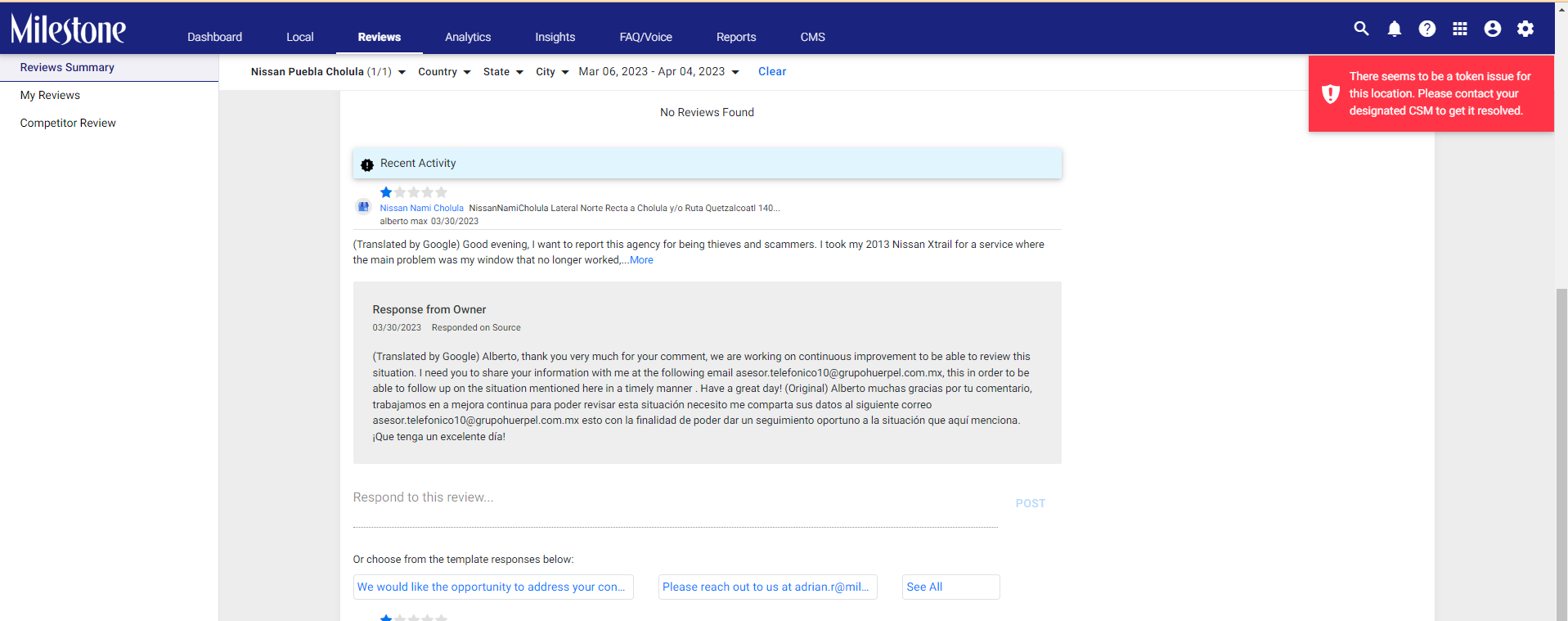
Please note: Only users with Agency level access can make these changes.
To learn how to configure a new data source click here.
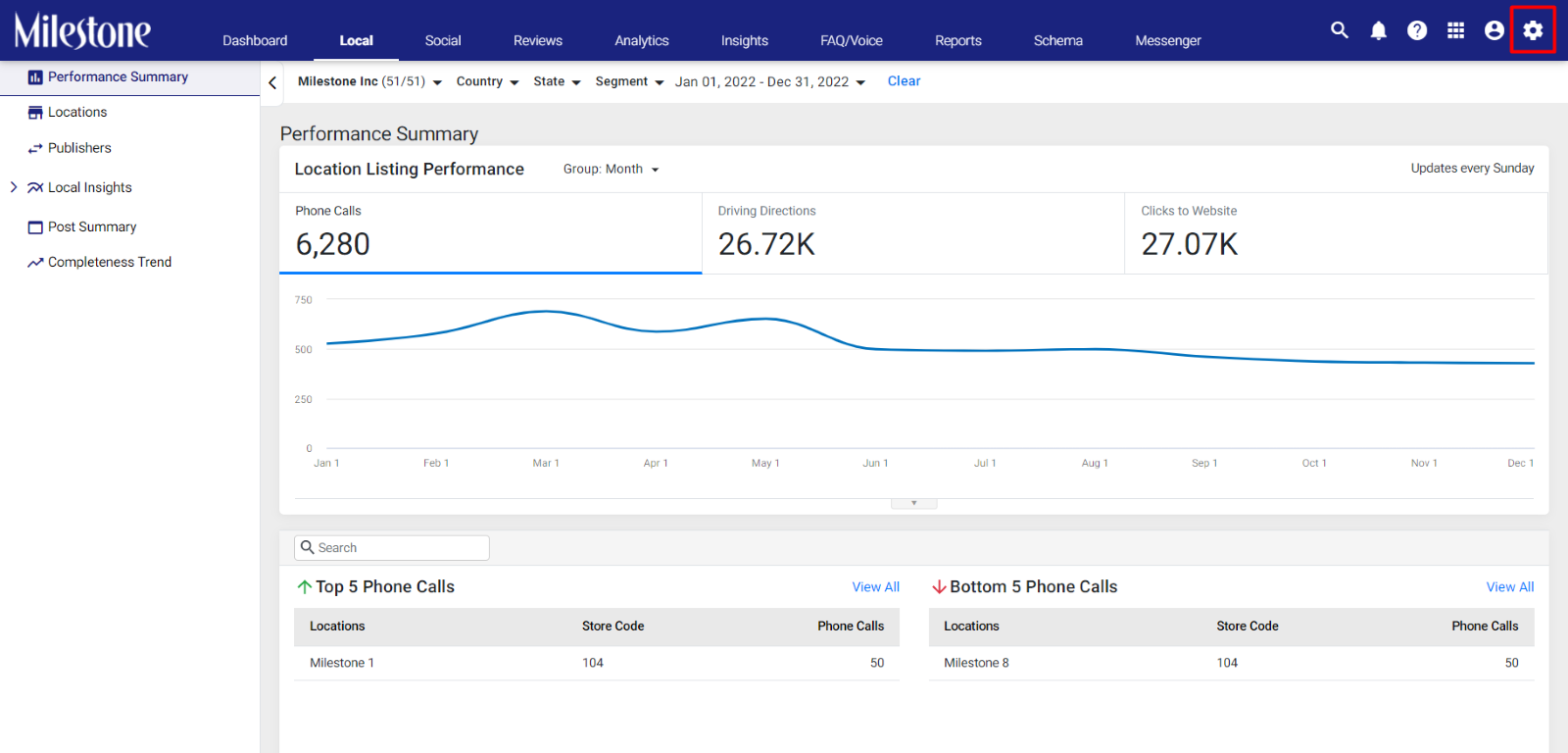
Step 1: Click on Settings at the top right of the screen.
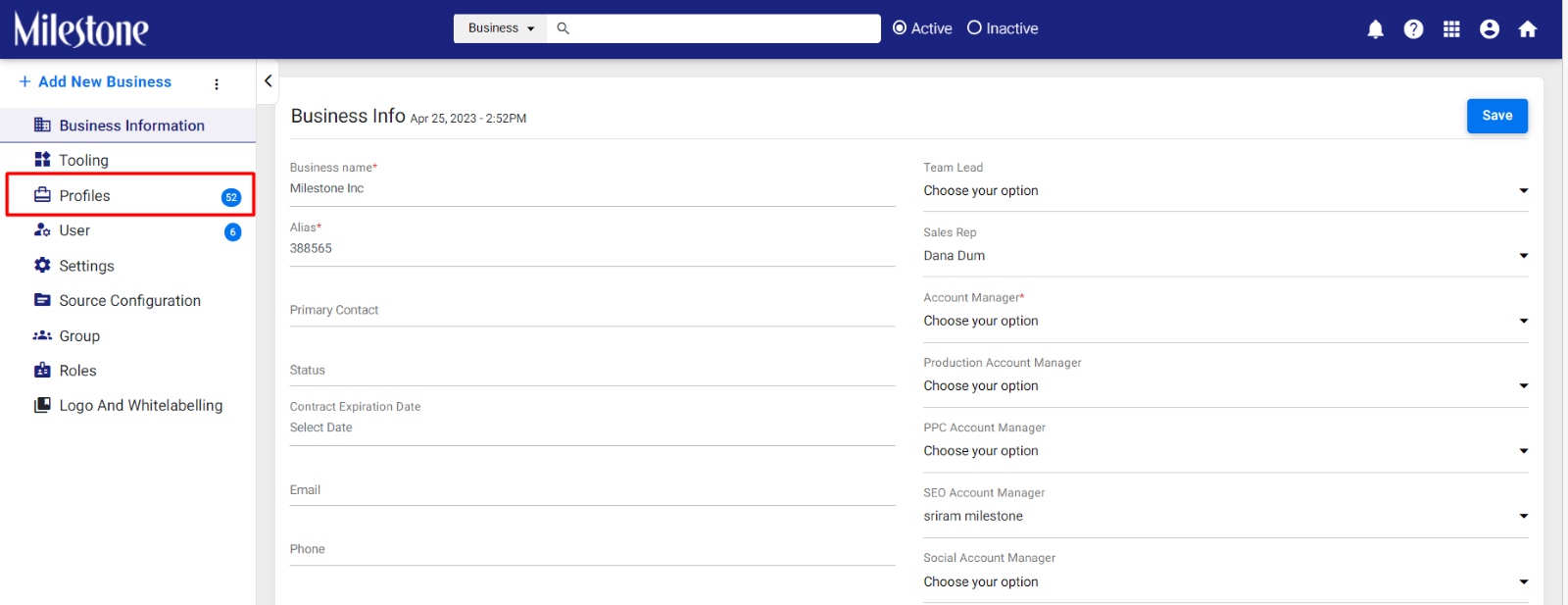
Step 2: Click on ‘Profiles’ in the left navigation panel to see all business profiles.
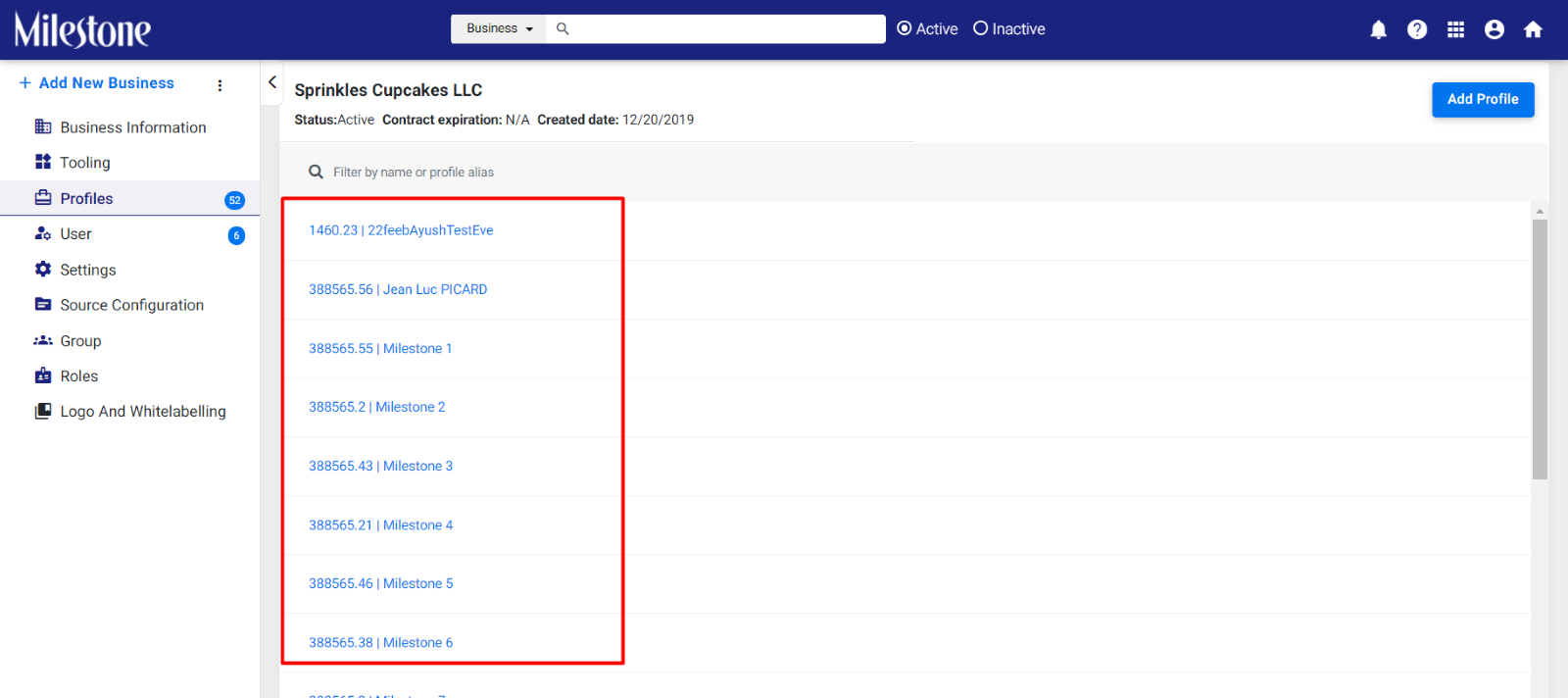
Step 3: Select the relevant business profile.
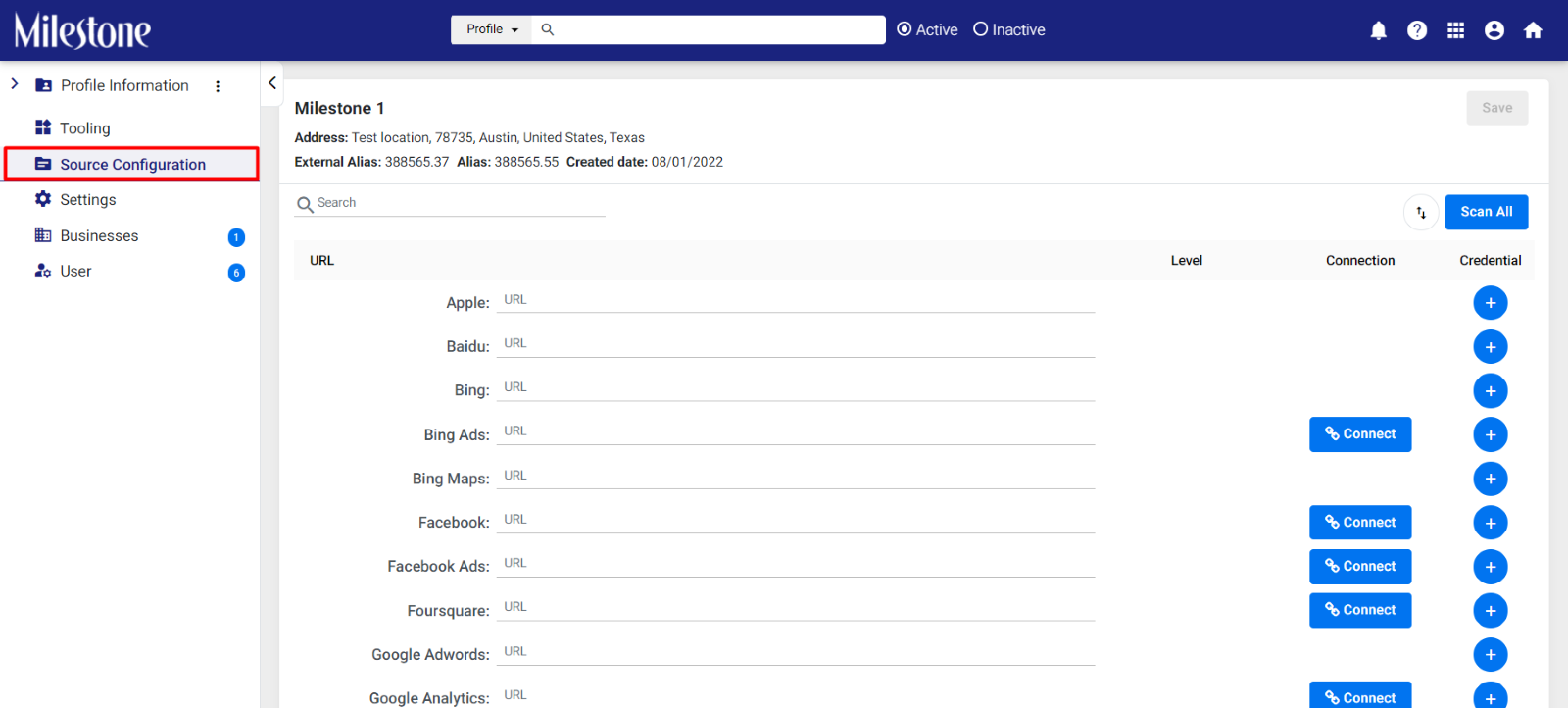
Step 4: Click on ‘Source Configuration’ in the left navigation panel.
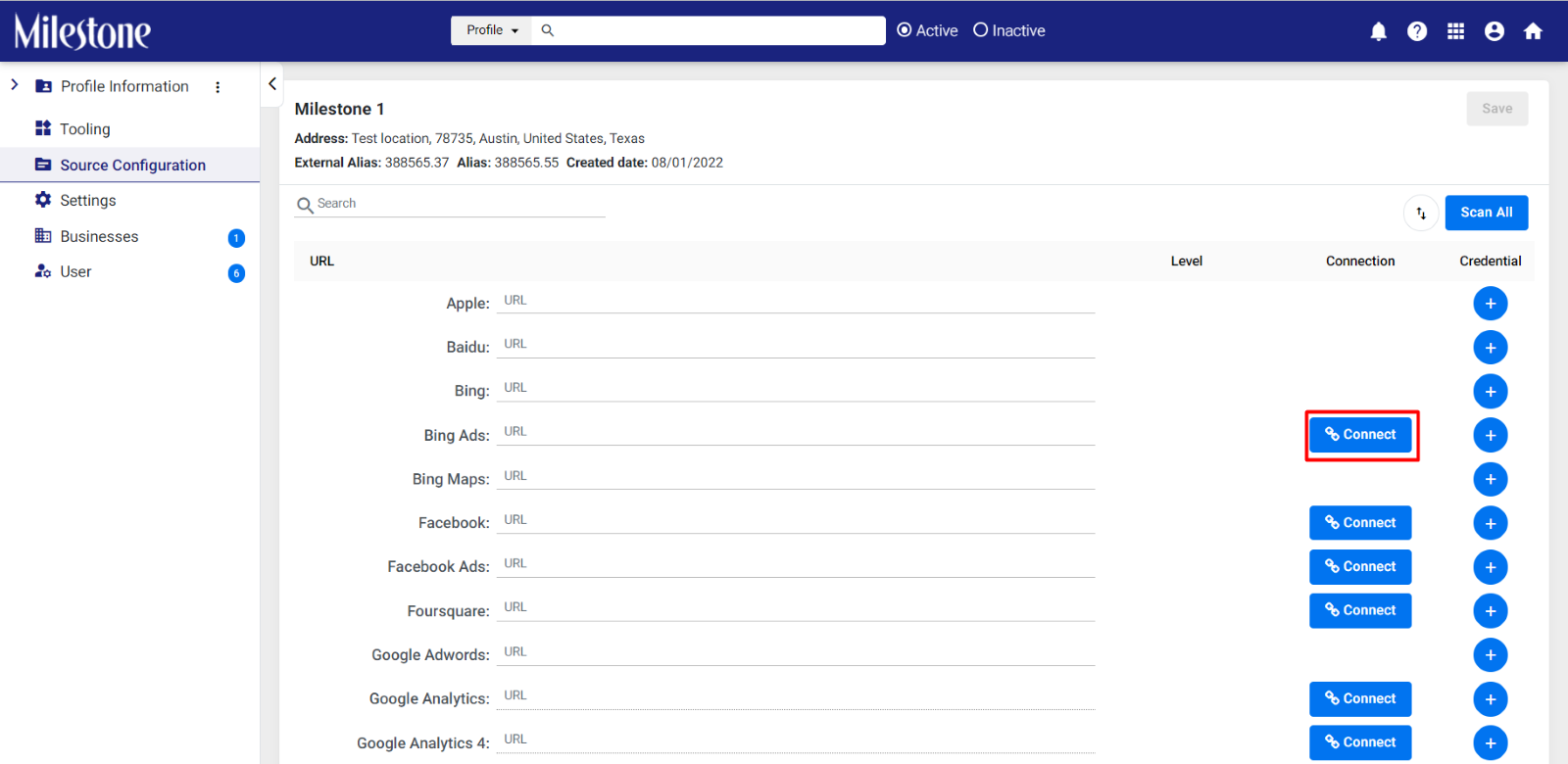
Step 5: If you have the URL, you can add it here and click on ‘Connect’.
Was this article helpful?
That’s Great!
Thank you for your feedback
Sorry! We couldn't be helpful
Thank you for your feedback
Feedback sent
We appreciate your effort and will try to fix the article