You will need to get in touch with your CSM to configure this. The CSM will perform the following tasks.
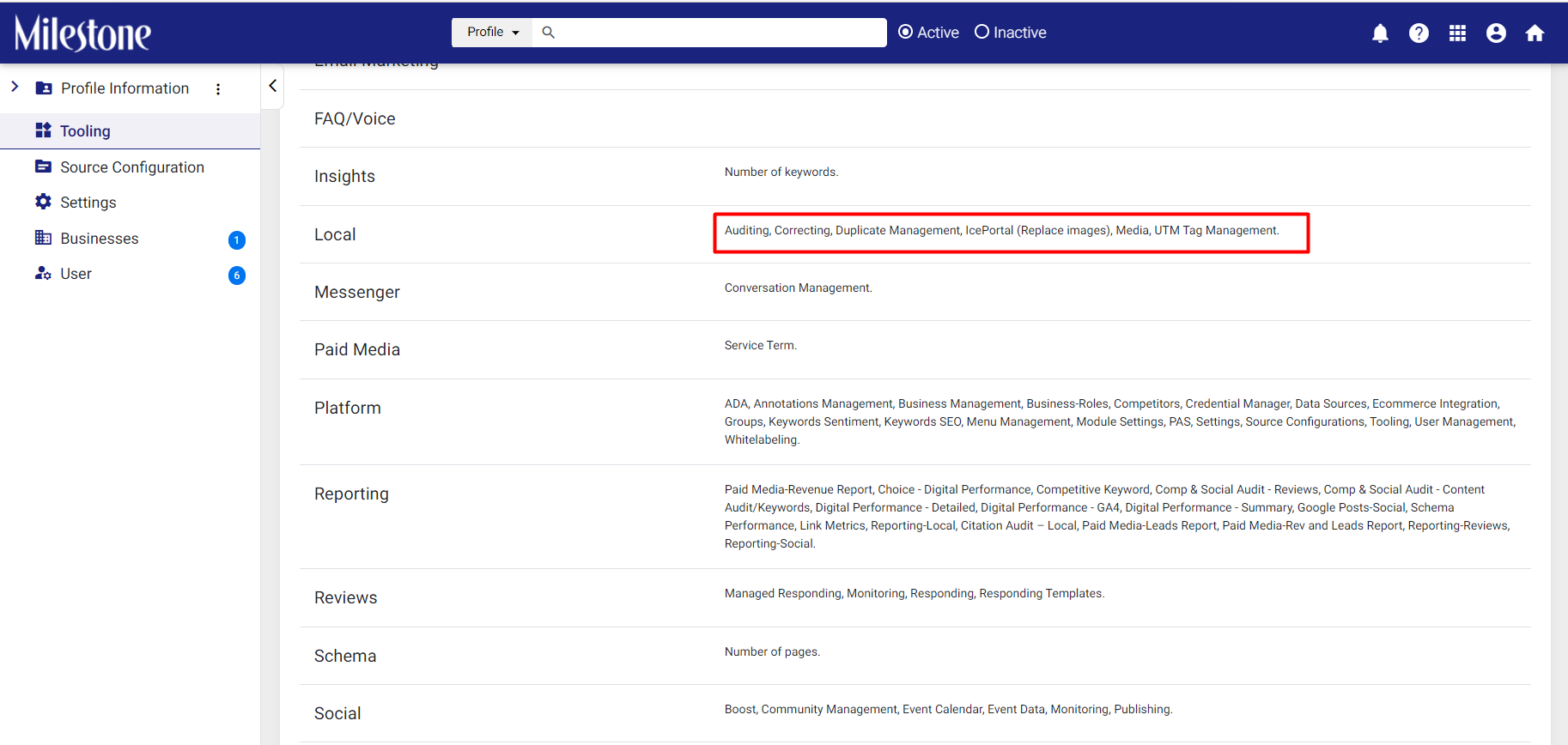
Step 1: Check if Local tooling is enabled for Auditing, Correcting, Duplication Management, and Media.
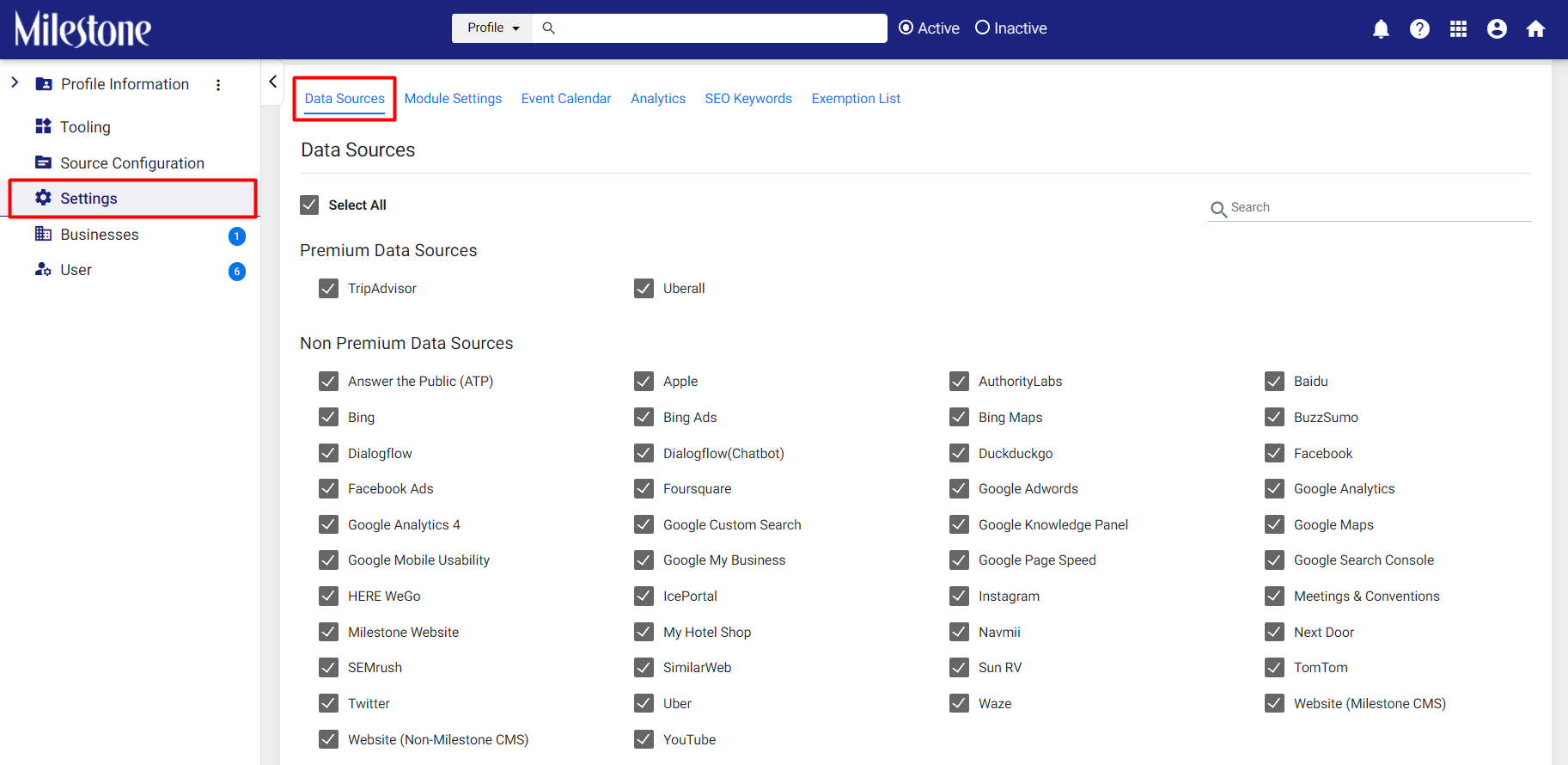
Step 2: Under ‘Settings’ the Data Sources need to be enabled.
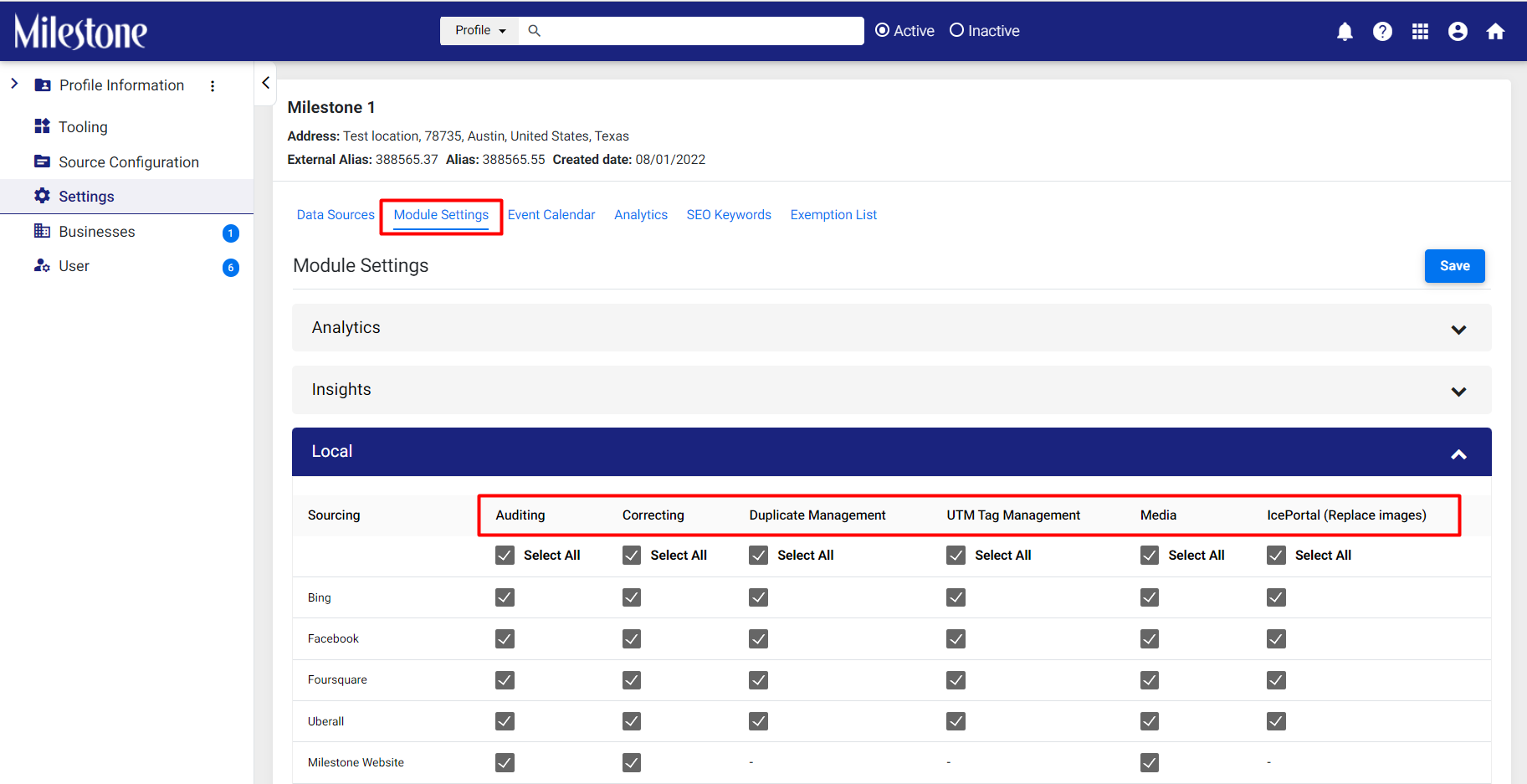
Step 3: Under ‘Module Settings’ the data sources should be enabled for Auditing, Correcting, Duplication Management, and Media.
Was this article helpful?
That’s Great!
Thank you for your feedback
Sorry! We couldn't be helpful
Thank you for your feedback
Feedback sent
We appreciate your effort and will try to fix the article