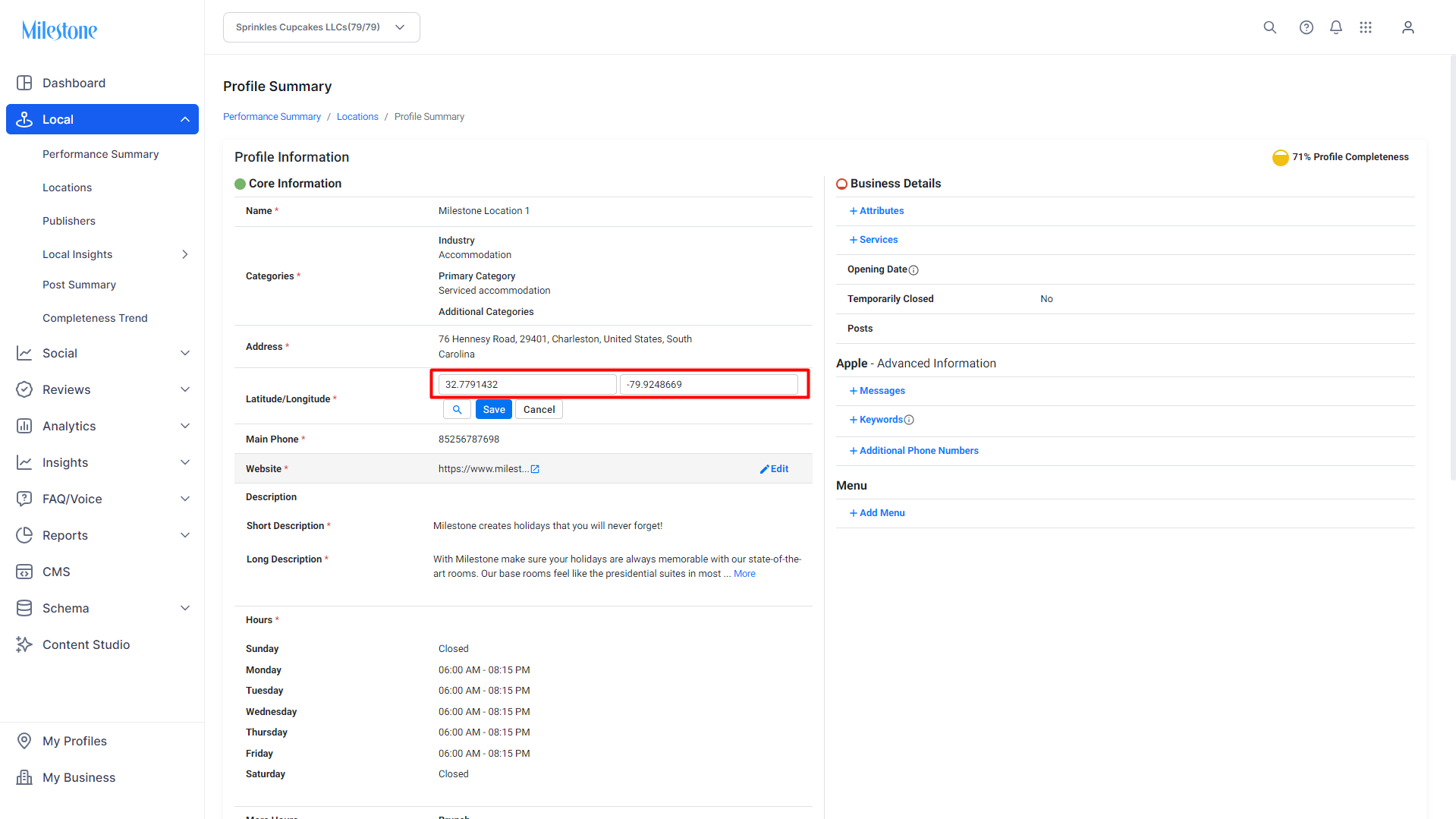
In some cases the coordinates of a business location do not update when you hit the search option in the ‘Latitude/Longitude’ section of the Profile Summary. In such cases, you should first ensure that the business address entered is accurate.
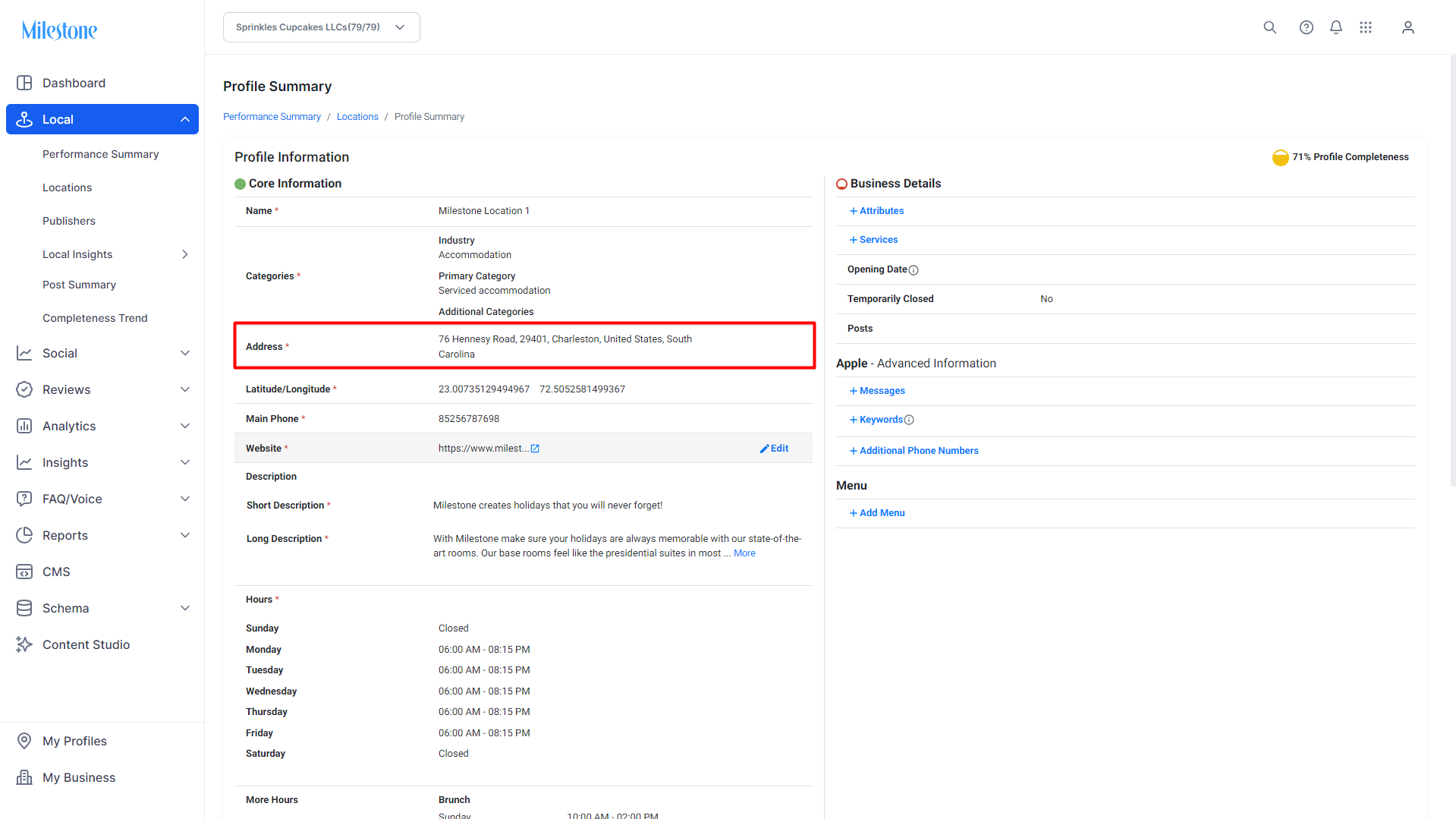
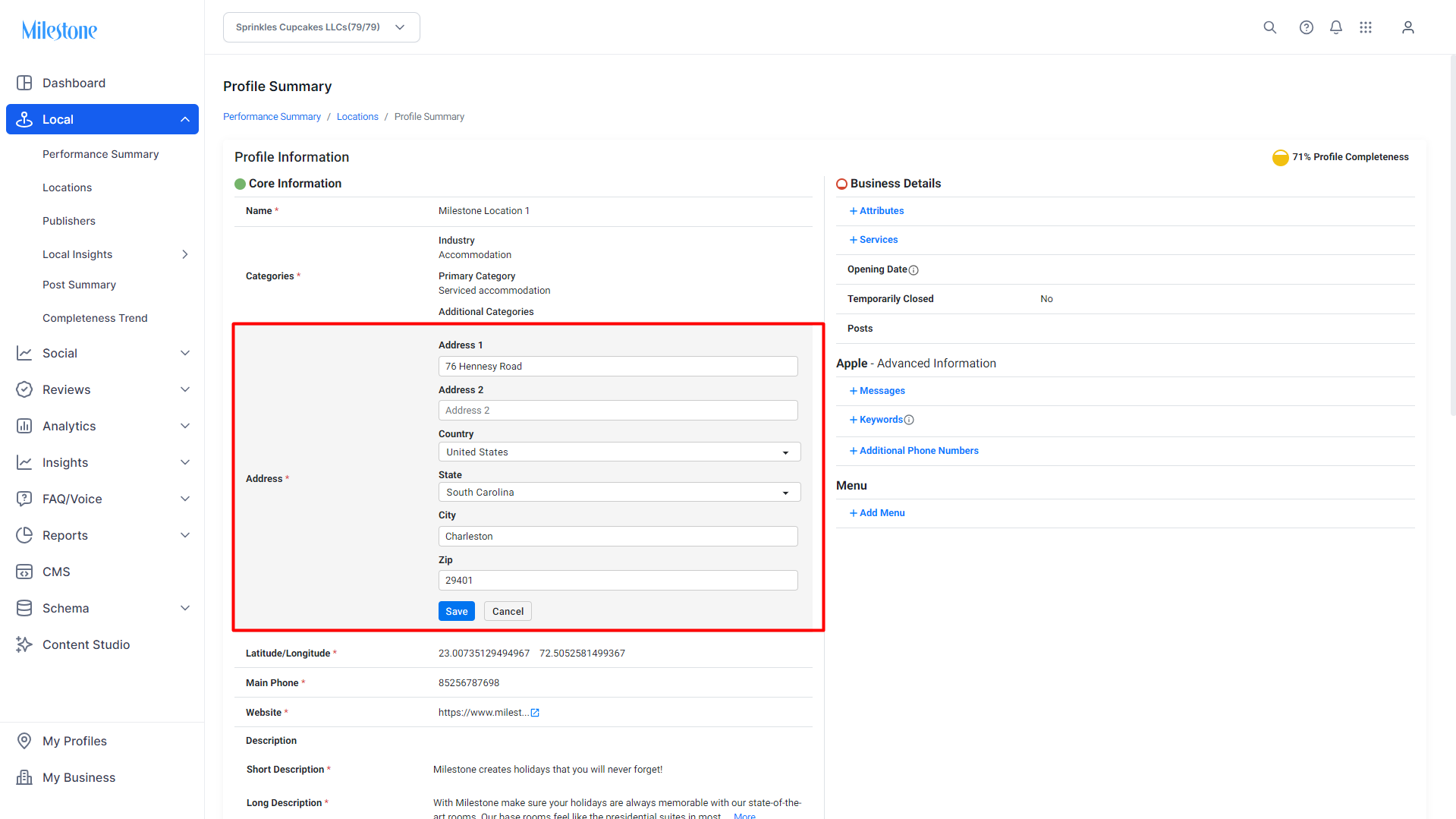
The Country, State, City and Zip Code information in this section is compulsory to update the coordinates.
If the address and these details provided are accurate clear the Latitude/Longitude section and click on the search icon to refresh the data.
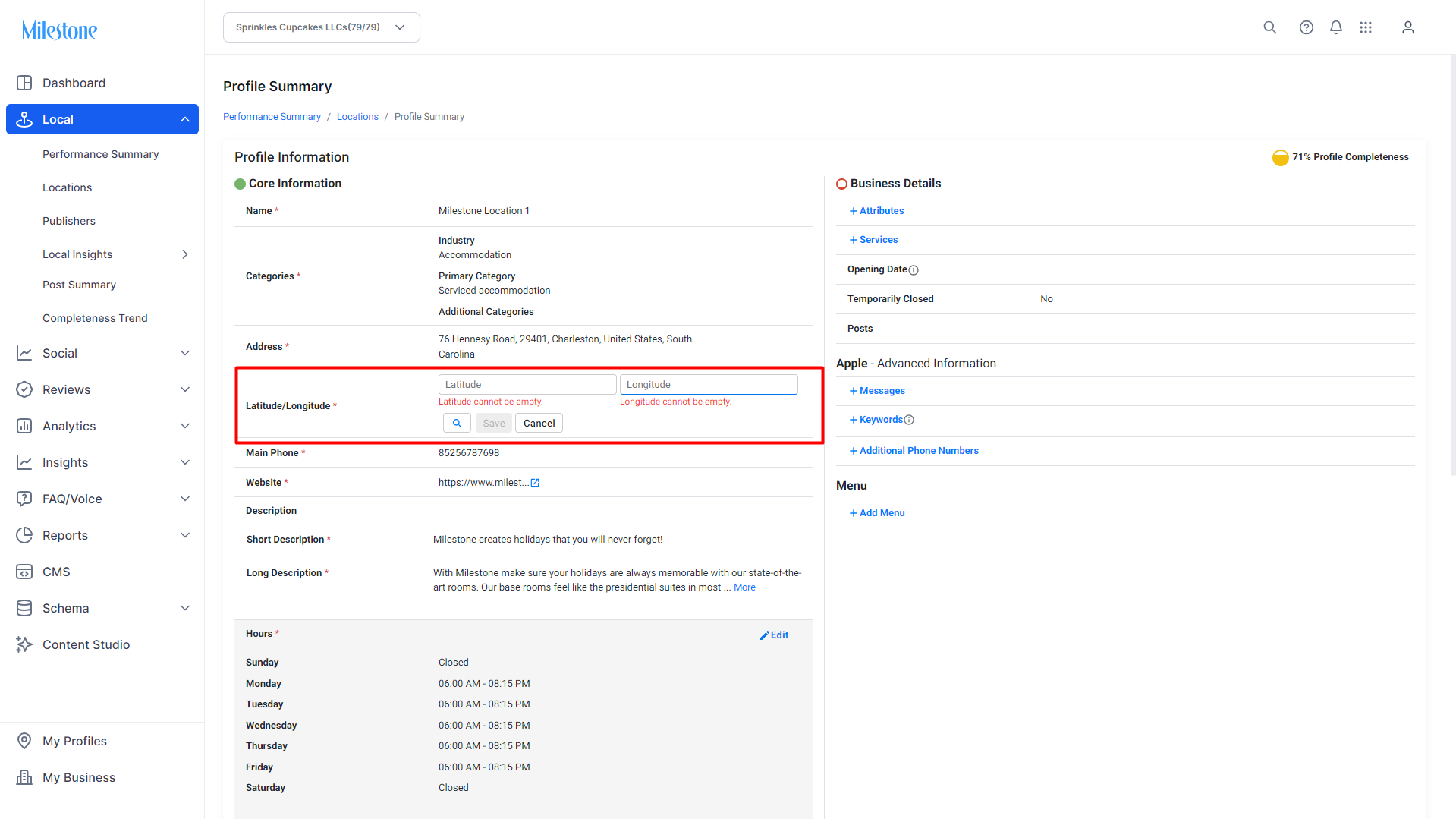
Click on search.
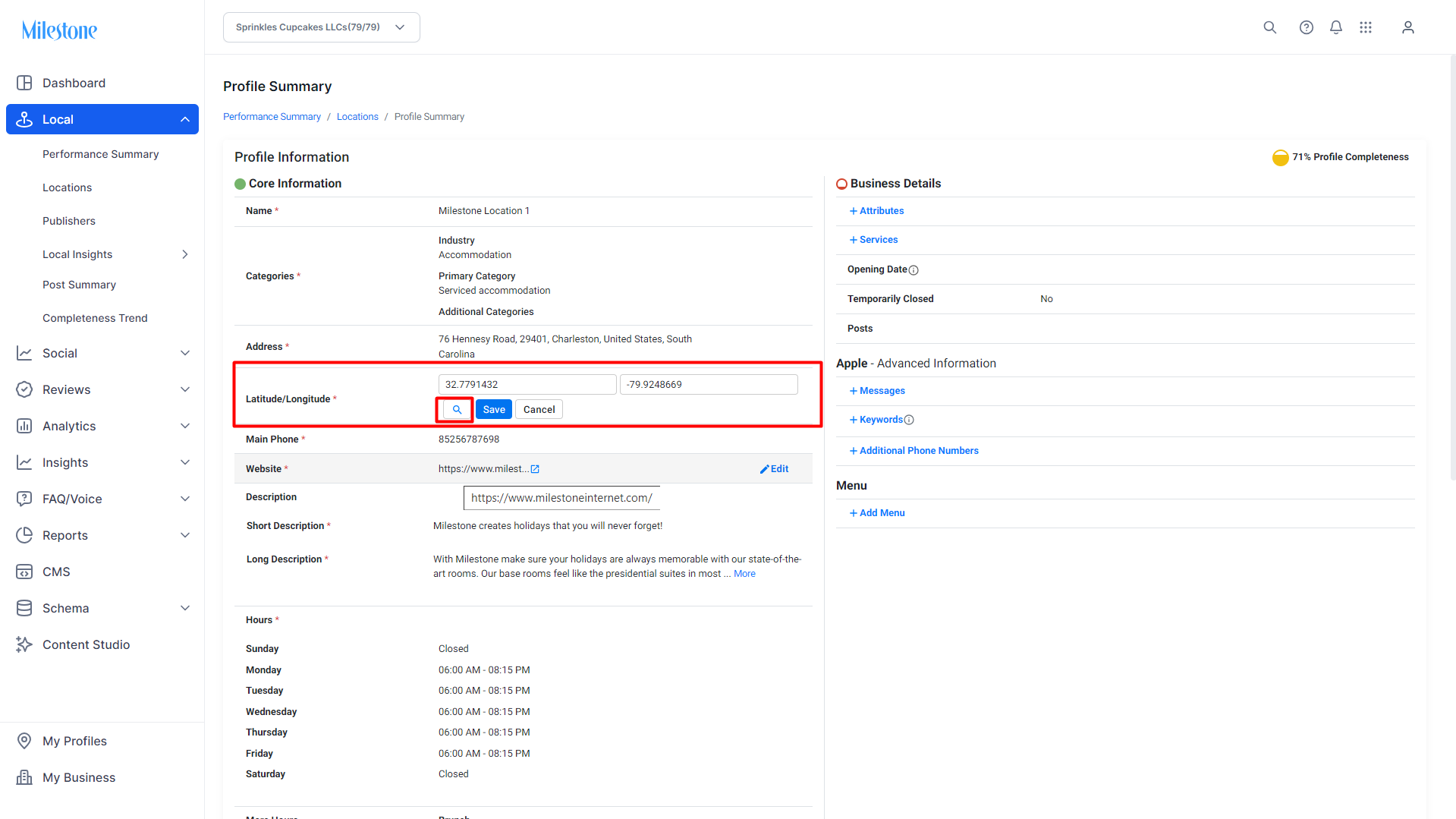
The updated Latitude/Longitude data should appear. Click on ‘Save’ to save the coordinates to your business profile.
Was this article helpful?
That’s Great!
Thank you for your feedback
Sorry! We couldn't be helpful
Thank you for your feedback
Feedback sent
We appreciate your effort and will try to fix the article