You can now update ‘Lodging Amenities’ on Milestone Local. By doing so, you are adding details about your hotel which will better the search engine’s understanding of what your hotel is offering customers and help it match relevant queries online. In addition, adding amenities enriches the customer experience and helps them decide to choose your hotel over another.
Please note: The ‘Lodging Amenities’ feature is only available for Hotel, Motel, and Resort business categories.
Local > Locations > Profile Summary
On the right side of the Profile Summary screen, you will find “Lodging Amenities”. You can click on the “Edit” button to add or remove amenities
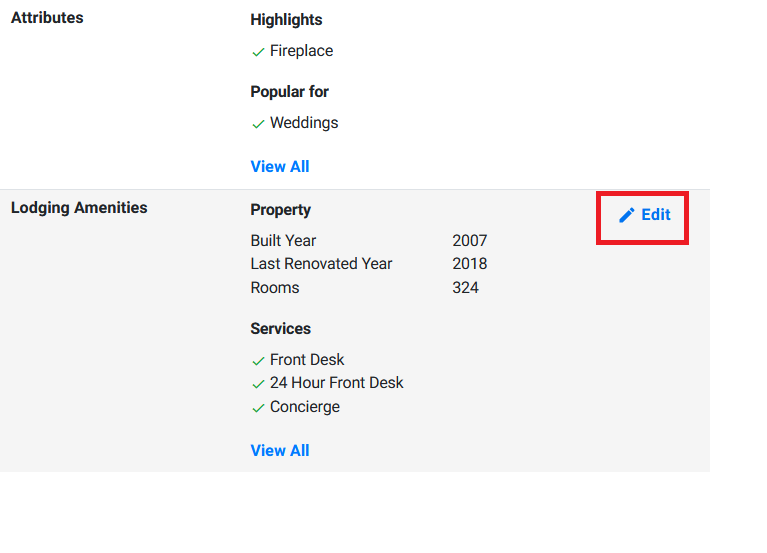
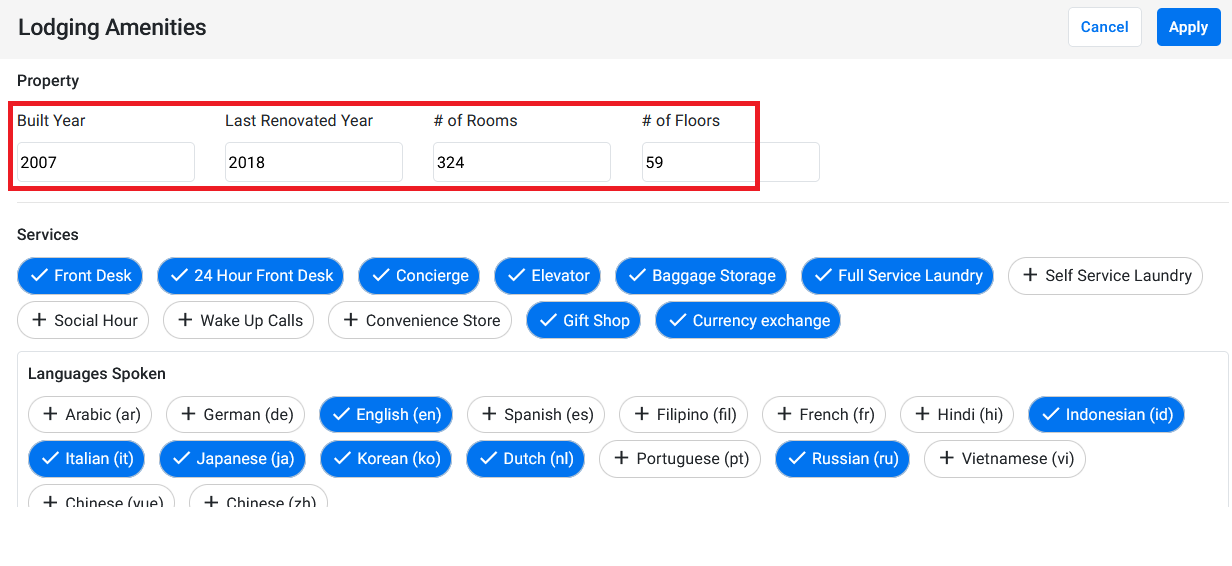
The “Lodging Amenities” section will require a few basic details like Build Year, Last Renovated Year, Number of Rooms, Number of Floors
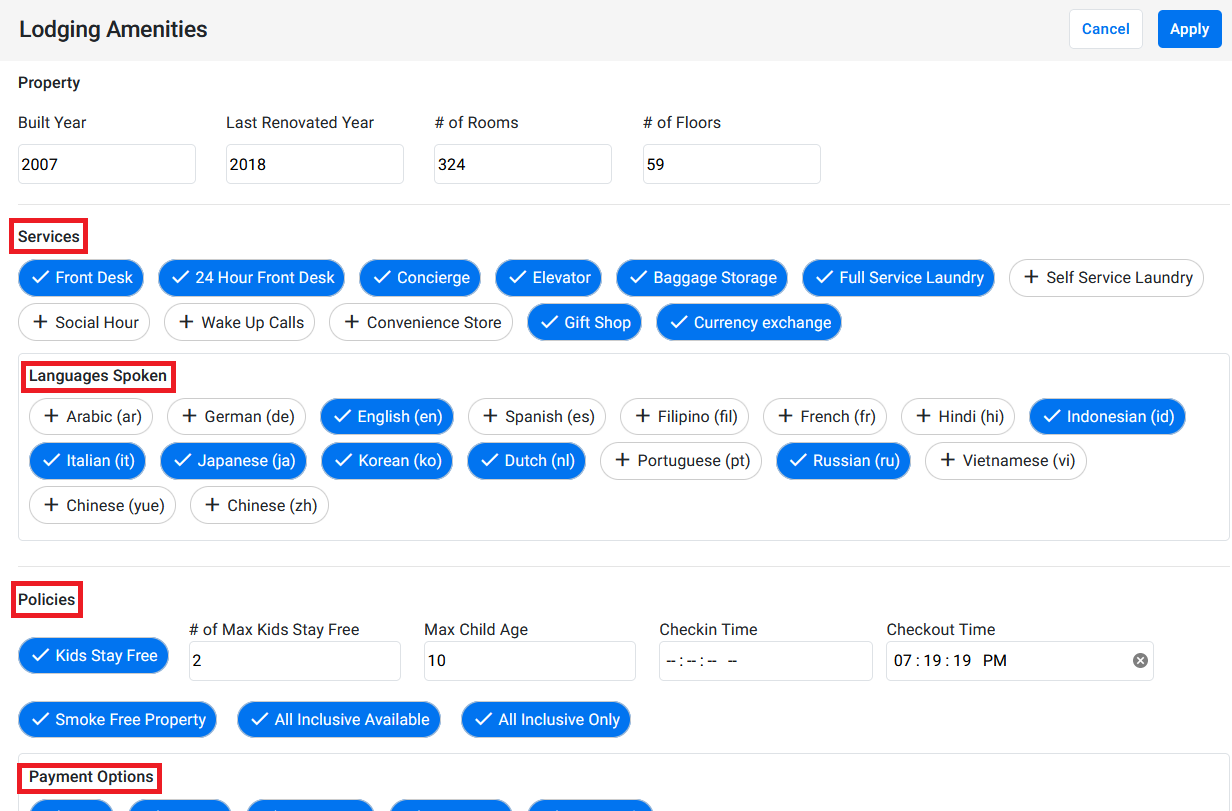
The amenities being offered can be selected below the property details under various sub-categories of amenities
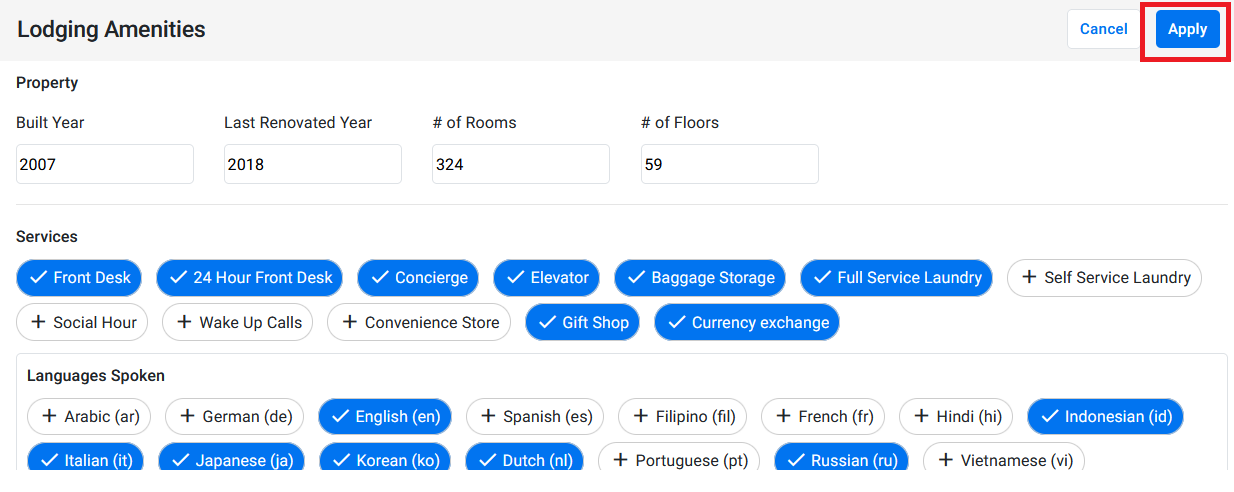
After selecting the amenities being offered, click on ‘Apply’ to update the information for that business profile.
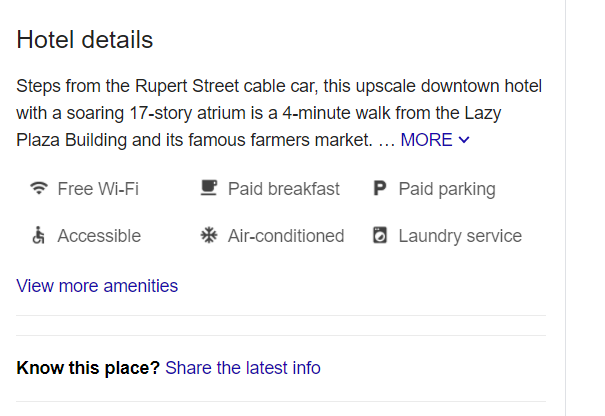
The amenities you add will be displayed under the ‘Hotel details’ tab on Google
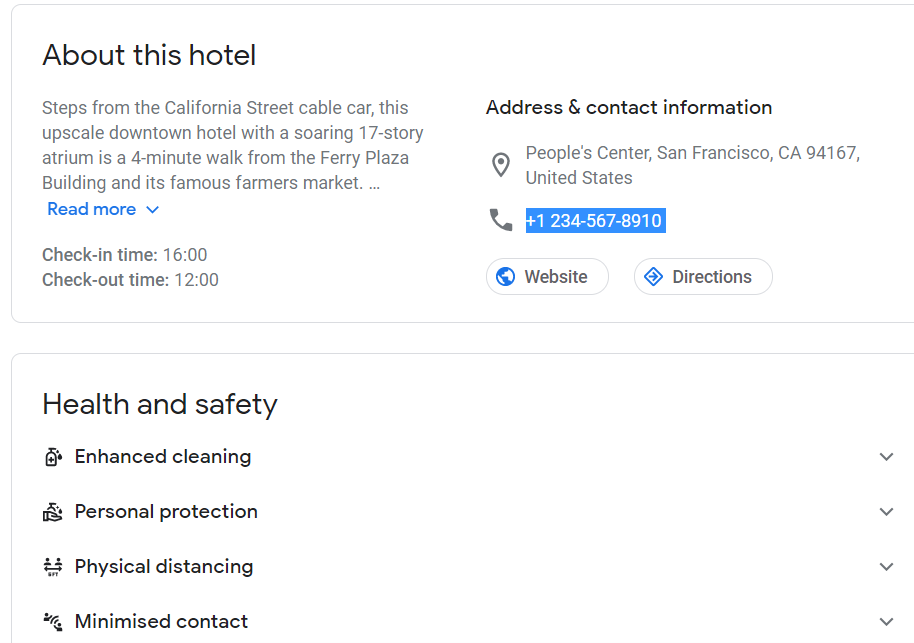
You can view all the amenities from the ‘About this hotel’ tab
Was this article helpful?
That’s Great!
Thank you for your feedback
Sorry! We couldn't be helpful
Thank you for your feedback
Feedback sent
We appreciate your effort and will try to fix the article