We have added UTM parameters to the CTA button of your choice to help you track the engagement of customers with the CTA buttons. You can also set up specific campaigns to track the engagement.
For the ‘What’s New’ or ‘Event’ type of Google Posts, you will see the UTM Parameters. Choose a CTA button from the drop-down and the UTM Parameters for ‘UTM Source’, ‘UTM Medium’, and ‘UTM Campaign’ will automatically be populated.
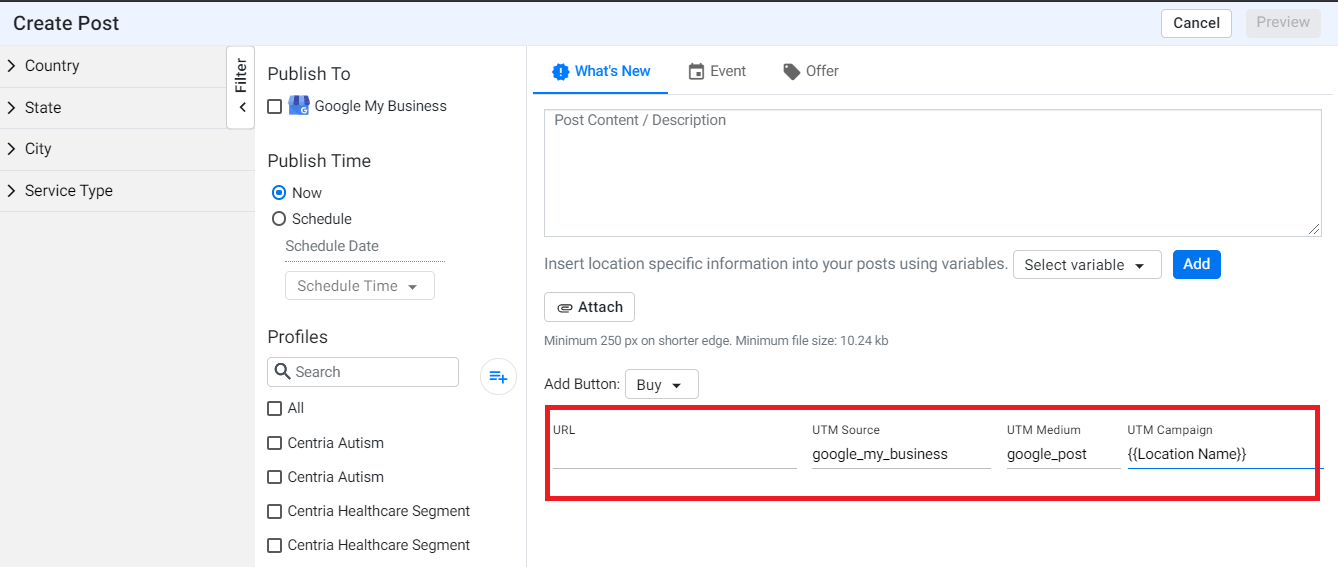
Note: You can choose to add a unique campaign name for offer or season sale posts.
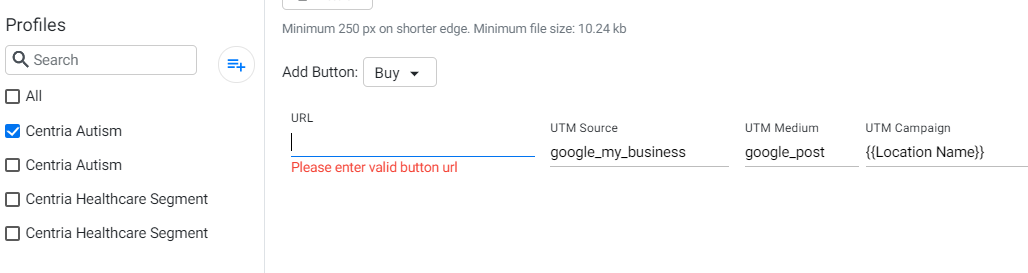
Choose a profile to make a Google Post to and enter the CTA URL button to track customer engagement.
Was this article helpful?
That’s Great!
Thank you for your feedback
Sorry! We couldn't be helpful
Thank you for your feedback
Feedback sent
We appreciate your effort and will try to fix the article