You don’t have to publish the same Q&A to all sources, you can actually customize each Q&A and publish it to each source. In fact, if you’re publishing to GMB Q&A it is recommended that the answer is short and crisp and meets the character limitations.
To customize each answer for specific sources, all you need to do is click on the source tab, click on edit on the FAQ, and edit it to suit each source.
Website:
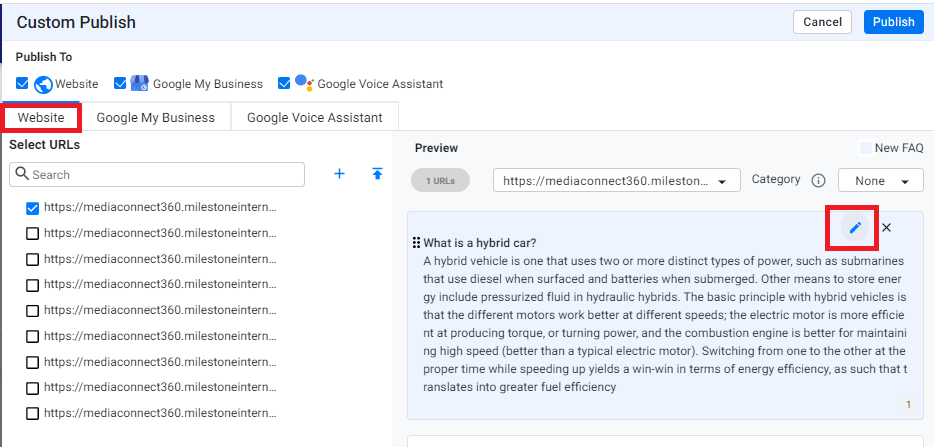
Click on ‘Save’ after making the changes.
Google My Business:
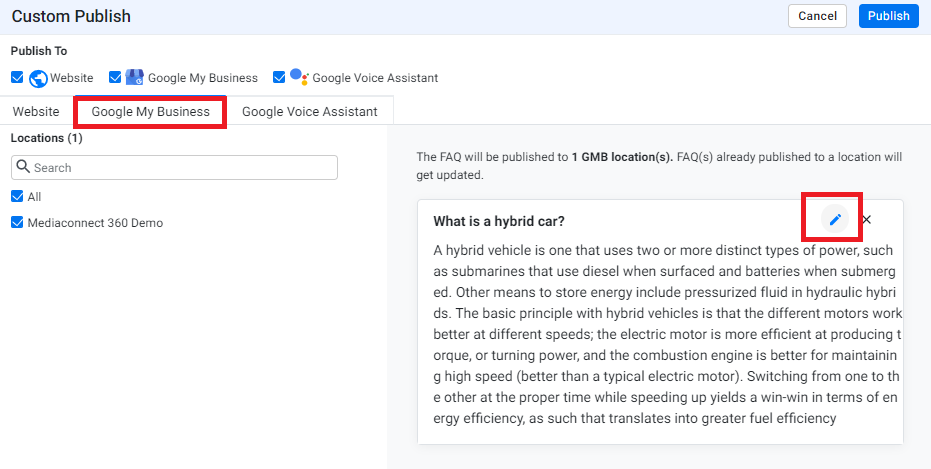
Click on ‘Save’ after making the changes.
Google Voice Assistant, Chatbot, and Alexa:
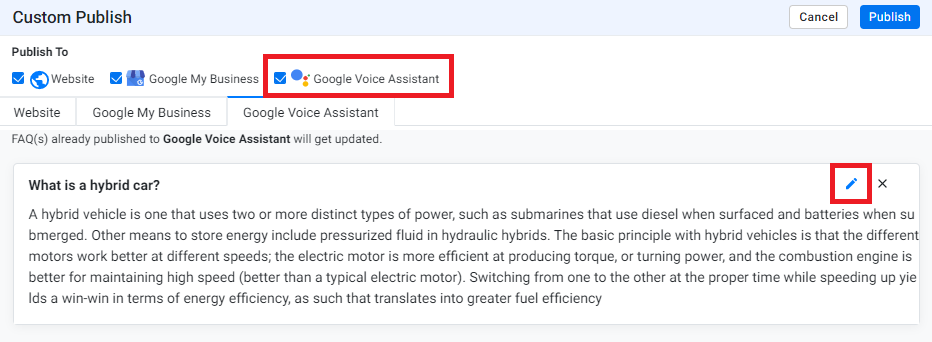
Click on ‘Save’ after making the changes and click on 'Publish'.
Was this article helpful?
That’s Great!
Thank you for your feedback
Sorry! We couldn't be helpful
Thank you for your feedback
Feedback sent
We appreciate your effort and will try to fix the article