If you haven’t been receiving the emails of your Analytics report, follow the steps mentioned below to access and download your report as an excel or PDF.
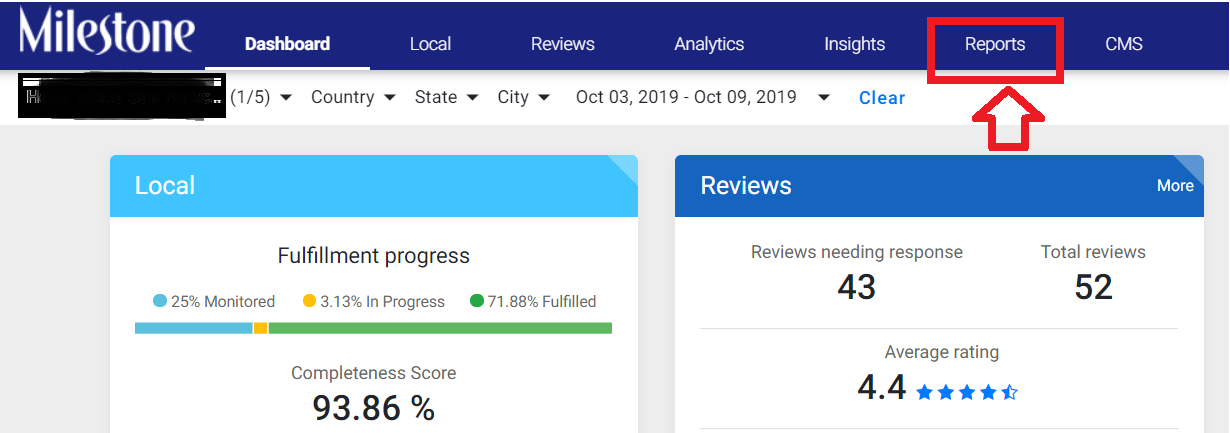
Step 1: Login into Milestone Presence Cloud, choose a particular profile and click on the ‘Reports’ tab.
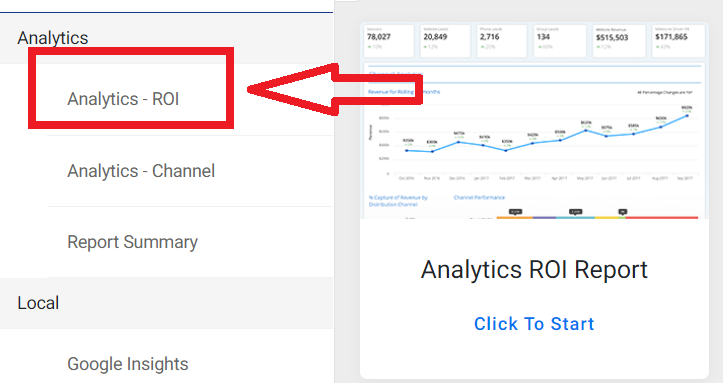
Step 2: Click on ‘Analytics – ROI’ tab
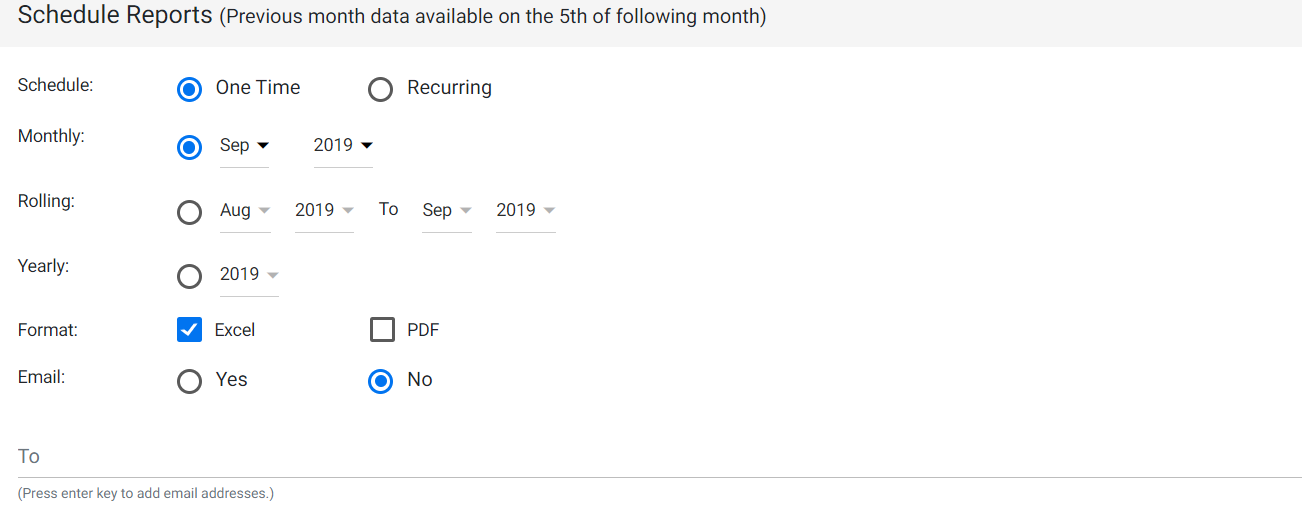
Step 3: To download the report, click on ‘one time’, choose the date of the report (either for the month or one month rolling onto the next or yearly report), and choose the format you wish to download the report, either as an excel or PDF.
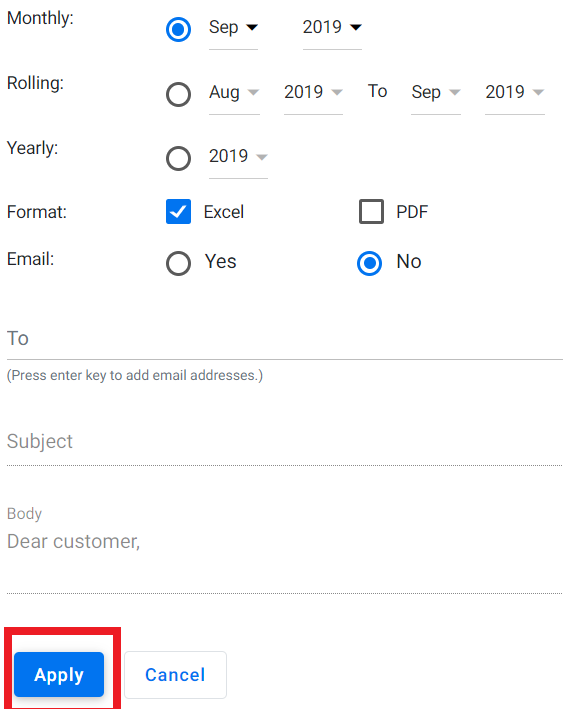
Step 4: If you choose the email option, enter your email ID and click on ‘Apply’ to download the report.
Was this article helpful?
That’s Great!
Thank you for your feedback
Sorry! We couldn't be helpful
Thank you for your feedback
Feedback sent
We appreciate your effort and will try to fix the article