

Knowledge base
Adding Groups
To identify profiles or locations of a business better, as a user you can view and update the group name using which profiles of a business can be grouped. The default groups are region, country, state, city.
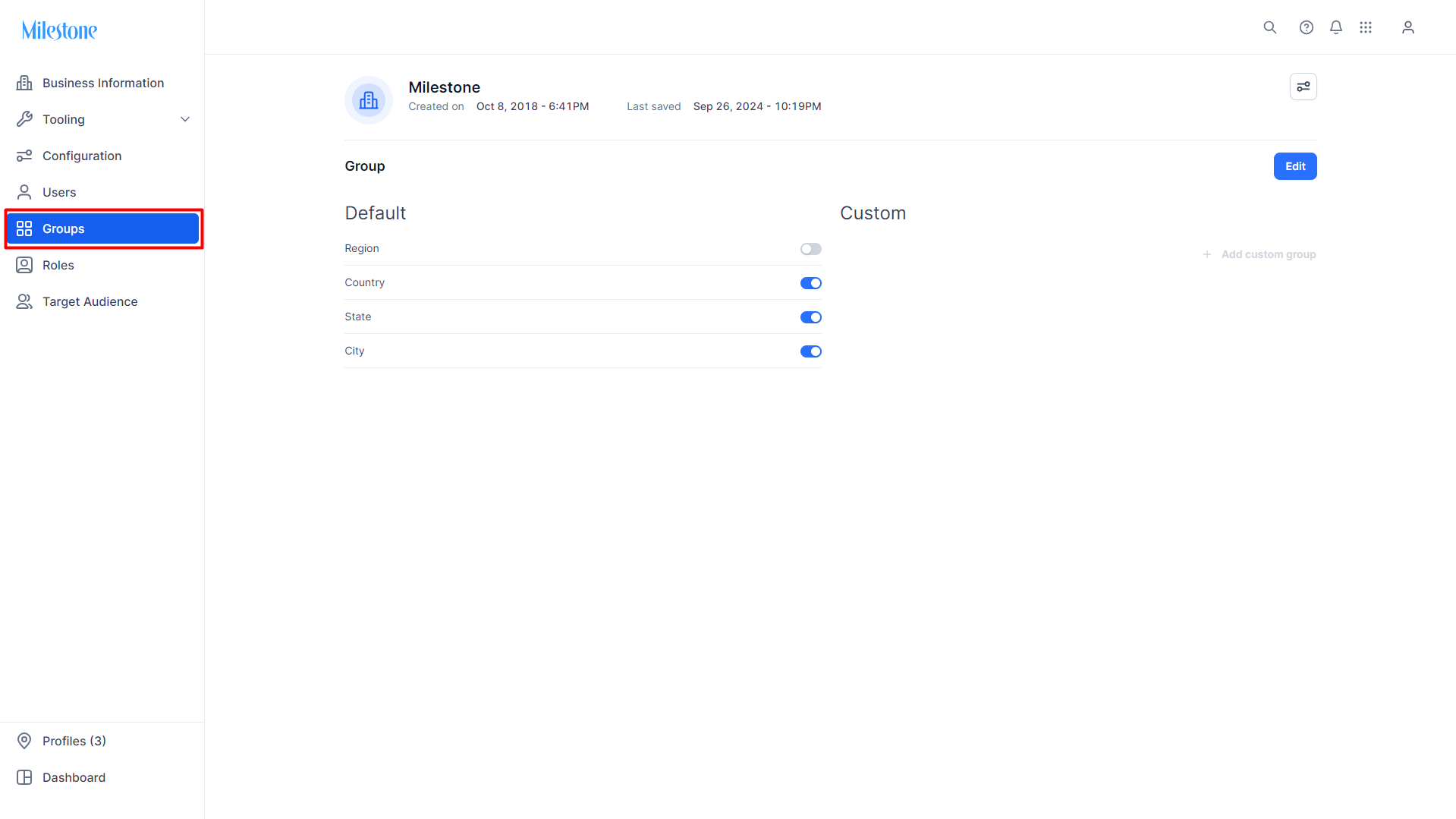
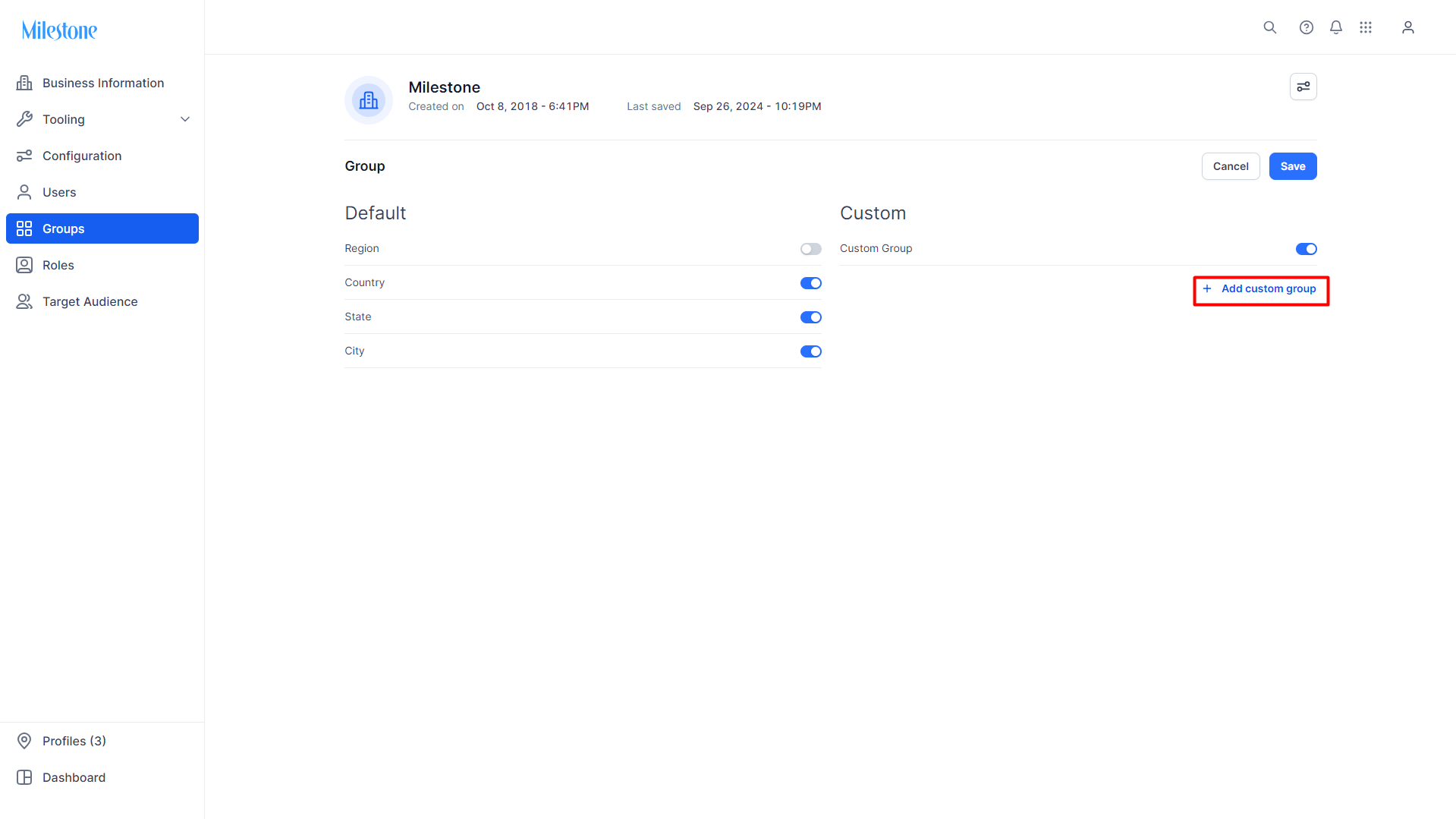
You can also create custom groups. These groups also appear on the angle filter of the dashboard for filtering profiles based on these groups. To add a Group, click on ‘Add custom group'.
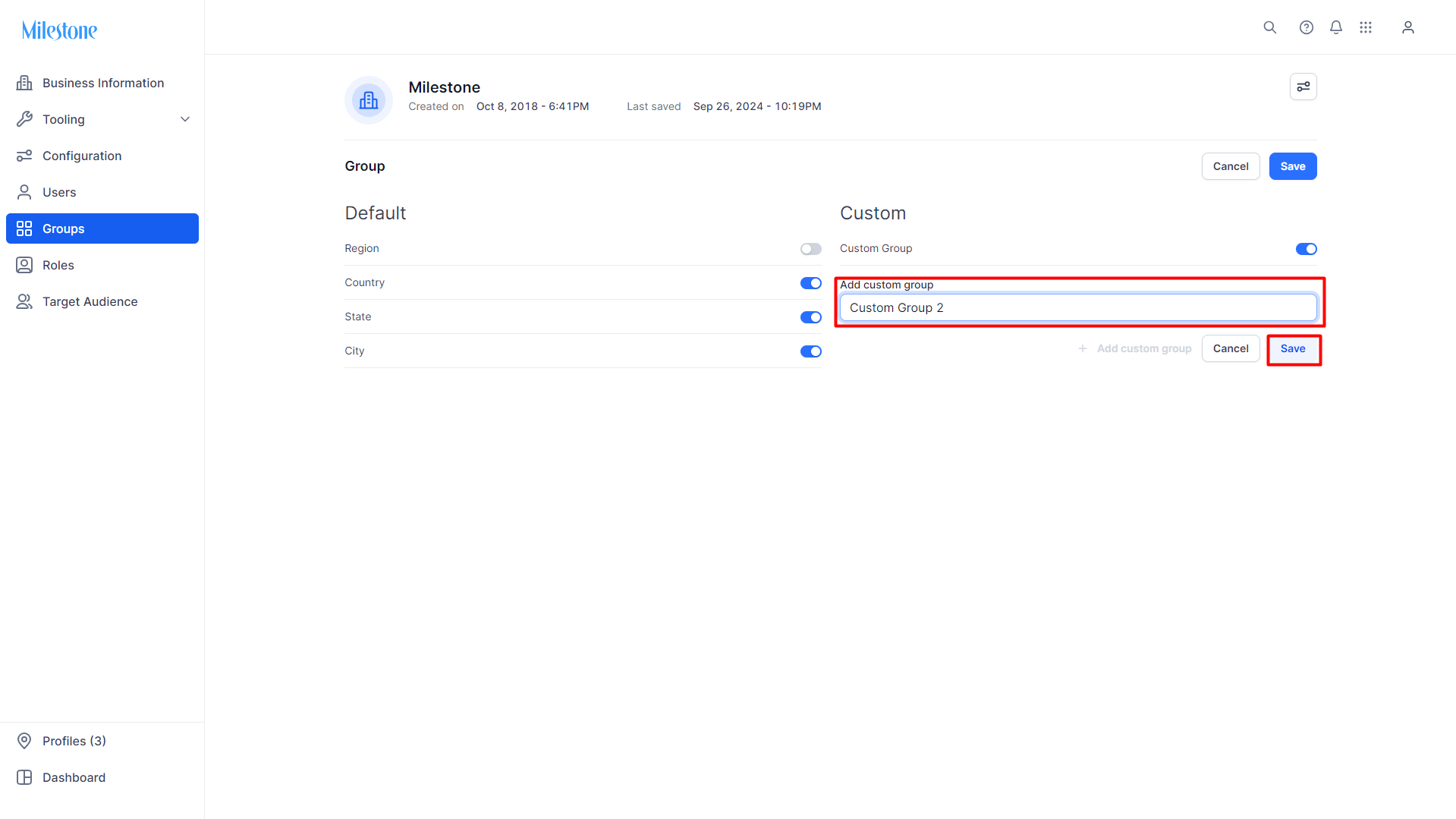
Add a name for the custom group and click on 'Save'.
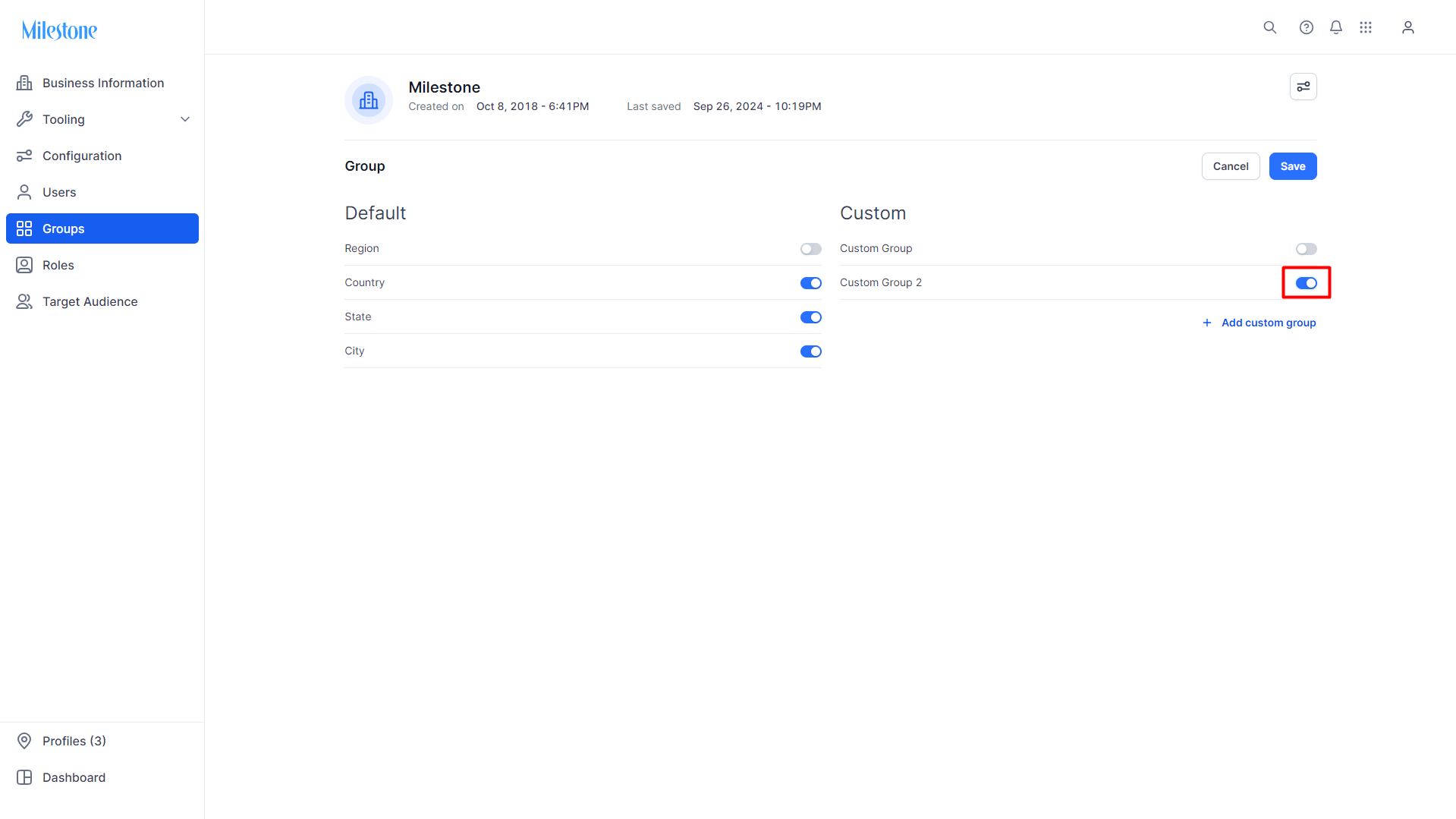
Enable the custom group using the toggle.
Was this article helpful?
That’s Great!
Thank you for your feedback
Sorry! We couldn't be helpful
Thank you for your feedback
Feedback sent
We appreciate your effort and will try to fix the article