Content Studio allows you to focus on content creation while automating the publishing process, ensuring your content goes live exactly when planned without manual intervention.
Step 1: Once you have created the content using Milestone Content Studio click on the calendar icon at the top right of the editor.
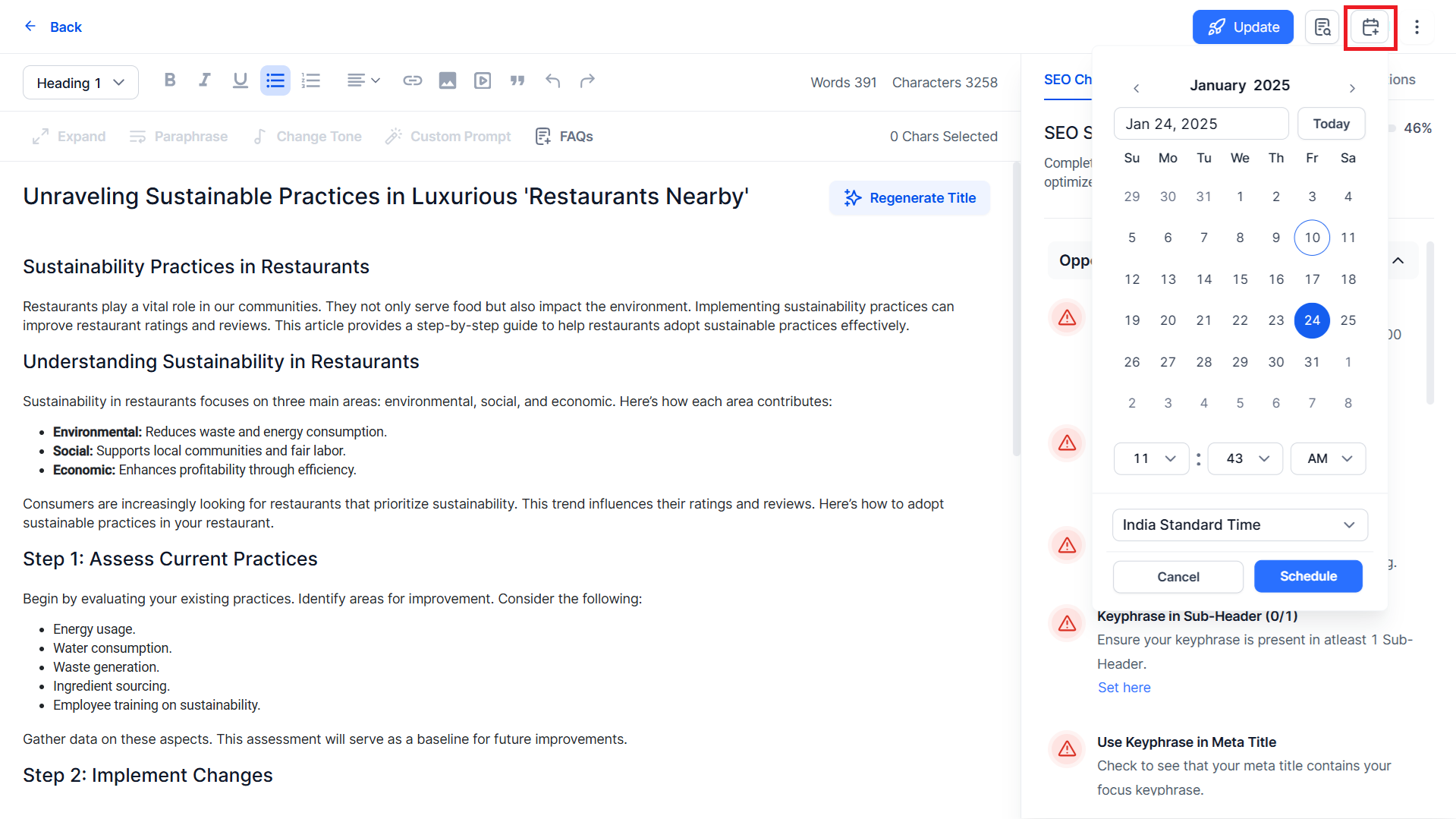
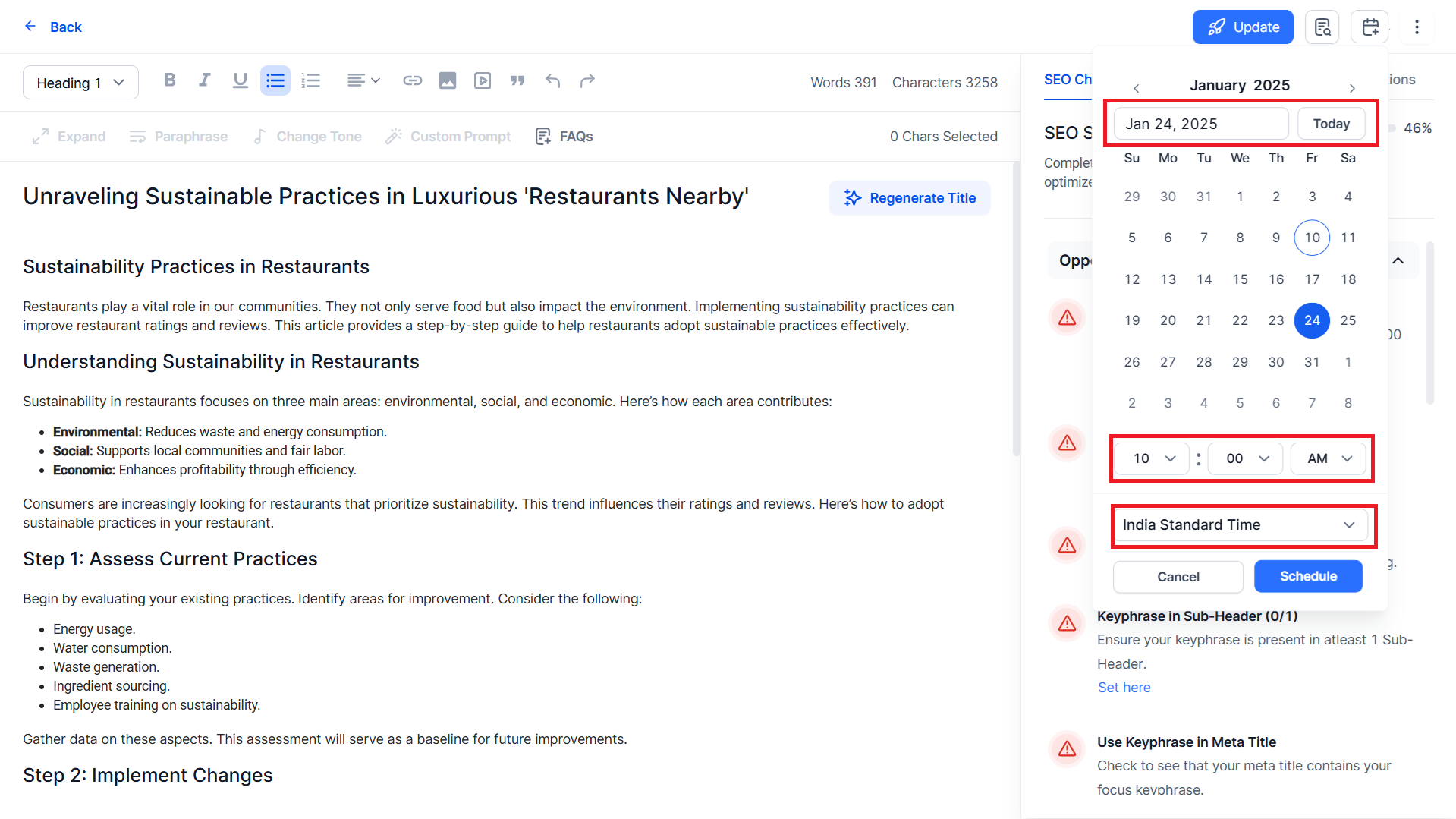
Step 2: Select the date, time, and timezone for publishing the content.
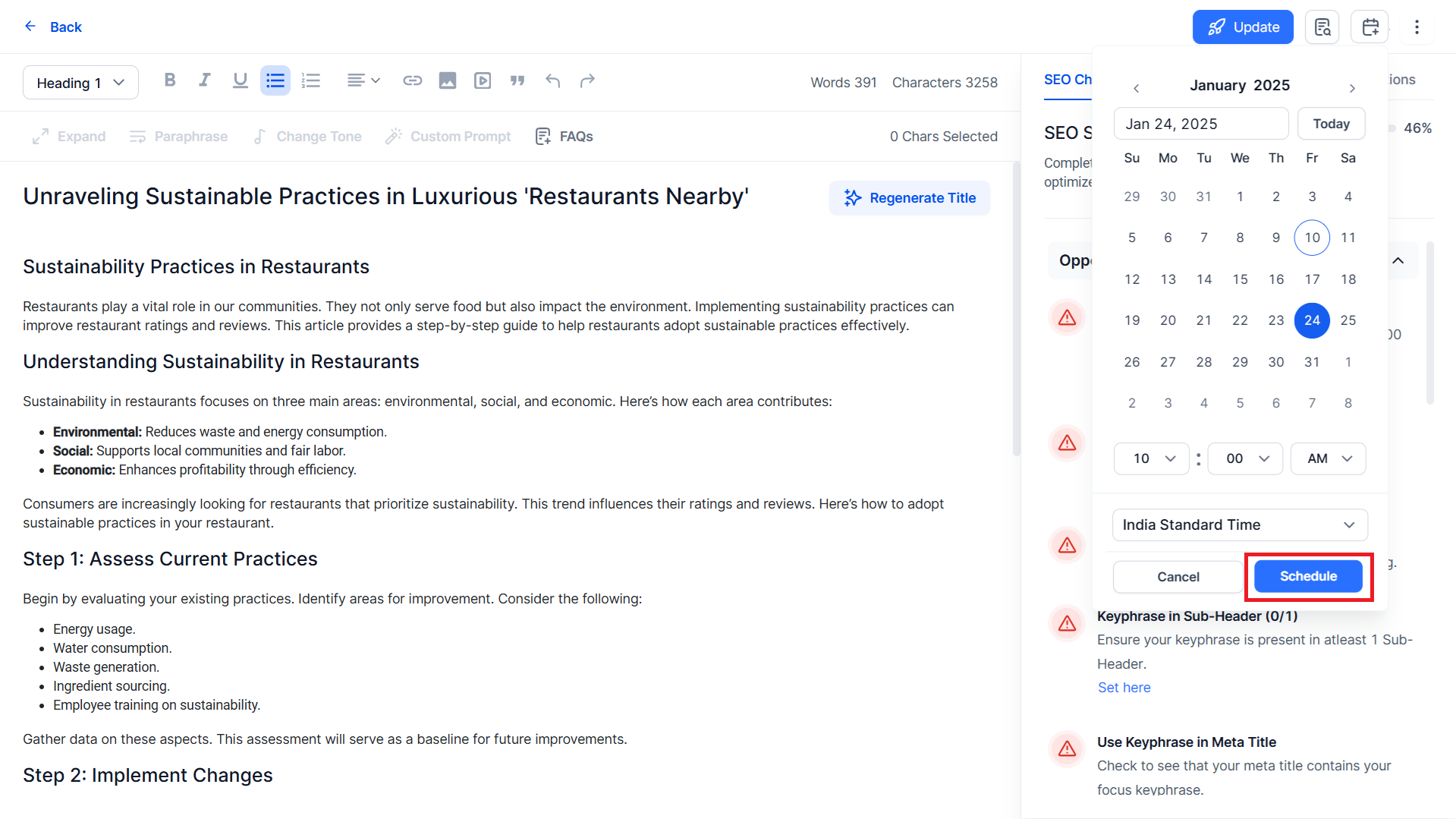
Step 3: Once you have made your selections click on ‘Schedule’ to finish.
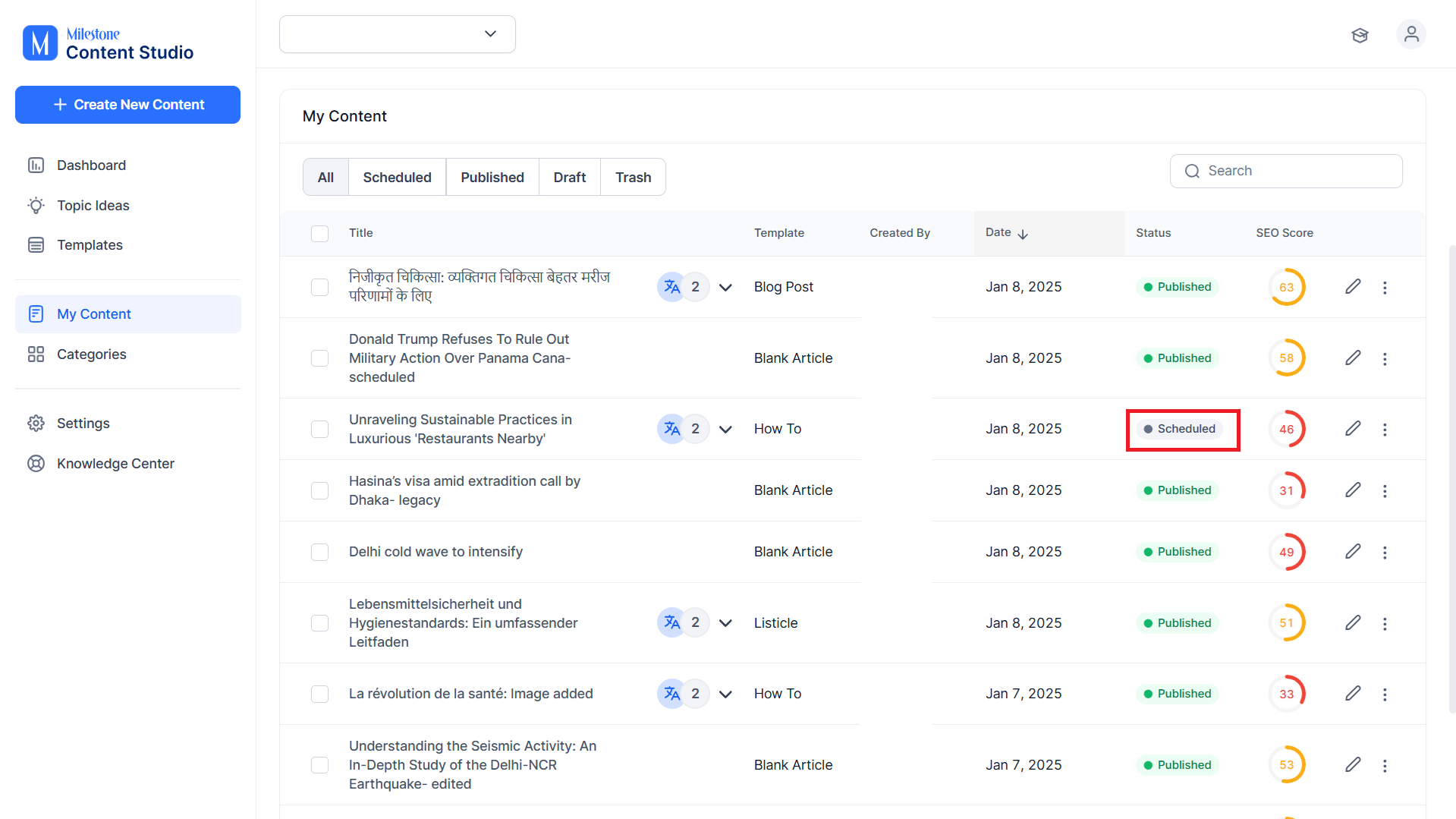
Content that is scheduled for future publishing will appear with a ‘Scheduled’ status in the ‘My Content’ section.
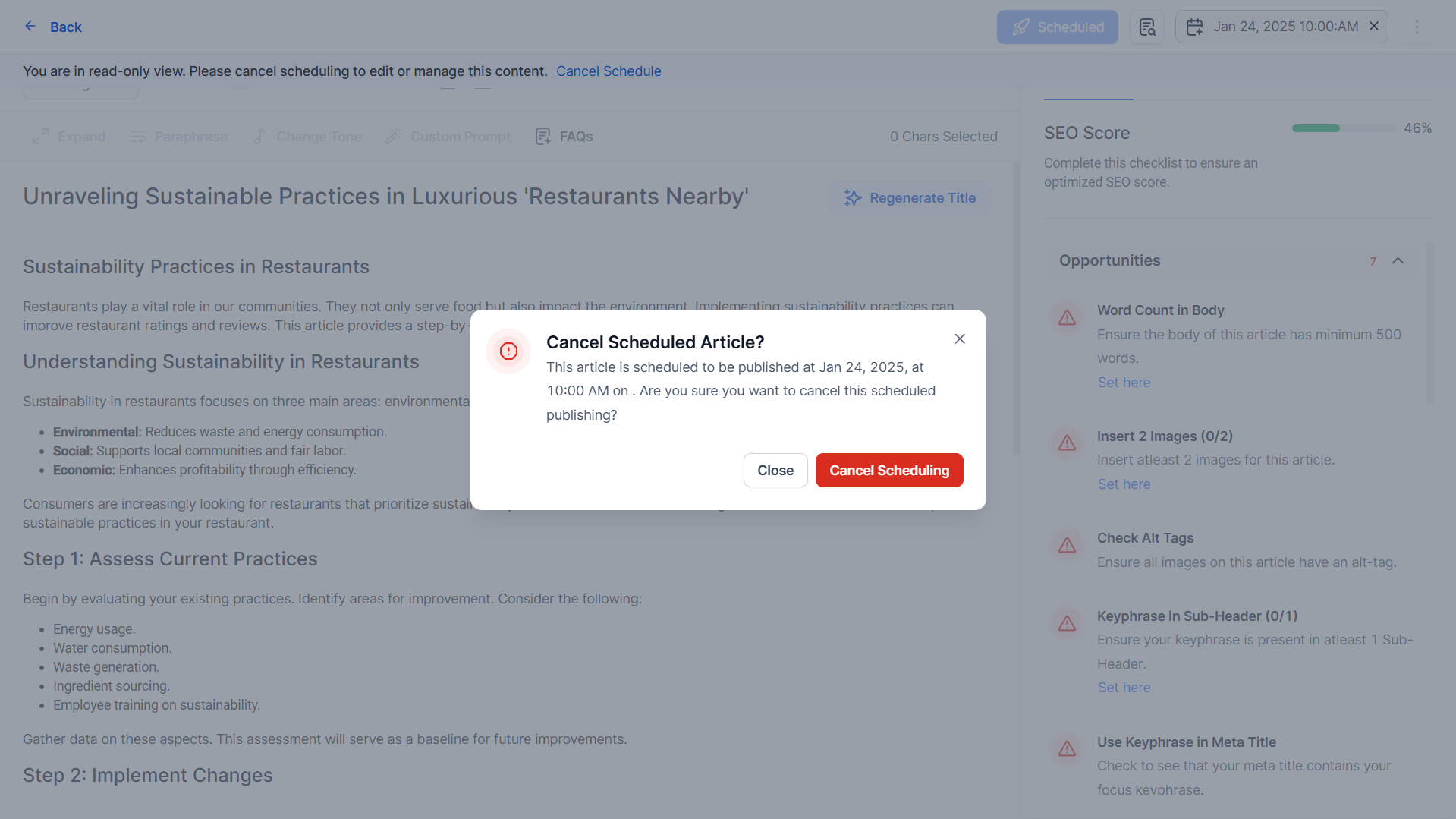
Content that is scheduled for future publishing is not editable. To edit this content you will need to remove the schedule by clicking on ‘X’ in the scheduled date and time.
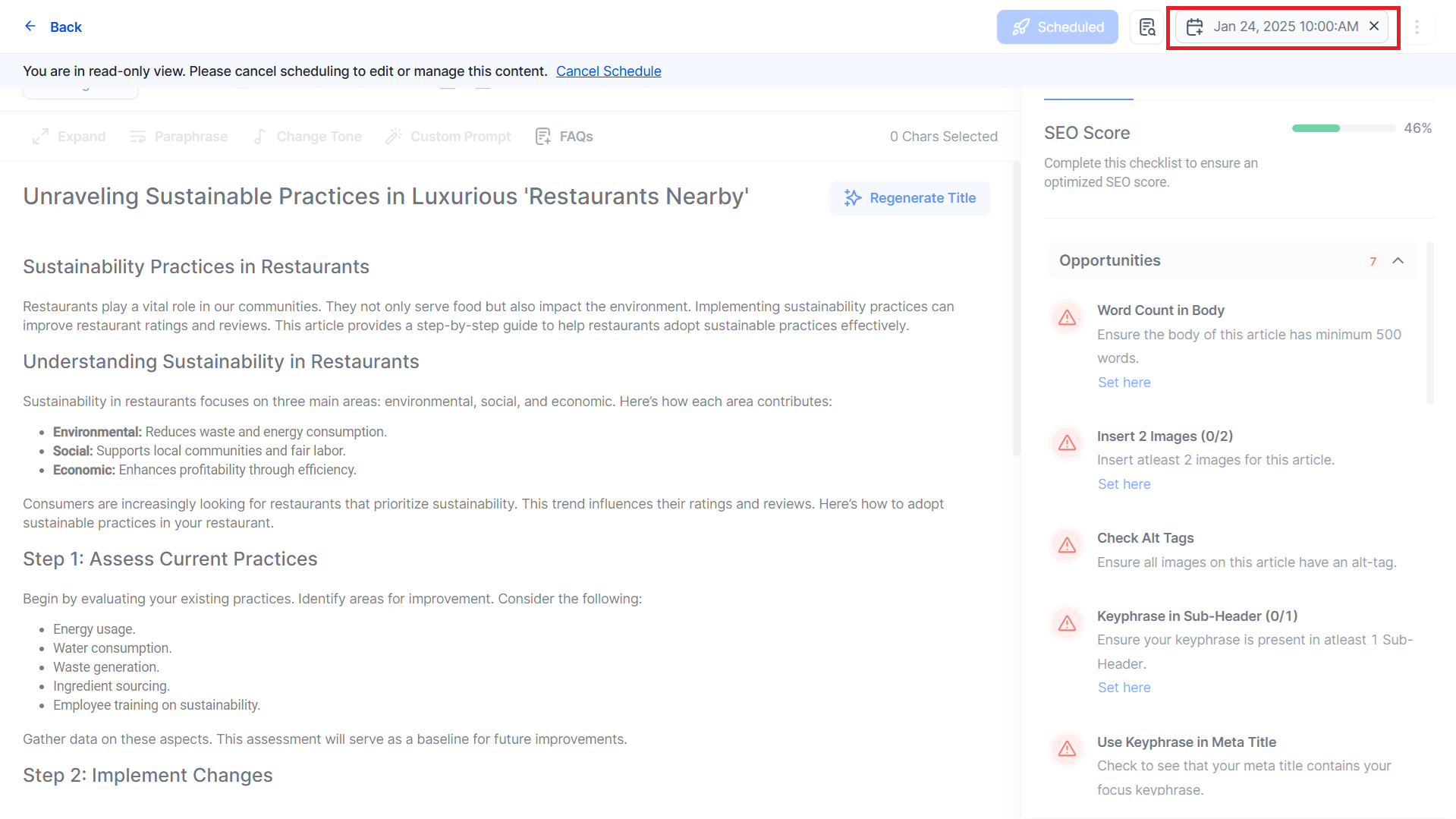
Cancel the schedule to edit the content.
Was this article helpful?
That’s Great!
Thank you for your feedback
Sorry! We couldn't be helpful
Thank you for your feedback
Feedback sent
We appreciate your effort and will try to fix the article