The locations tab gives businesses an overview of their profile completeness. Here, you can see all your business profiles and their individual profile completeness.
Accessing the Locations Tab
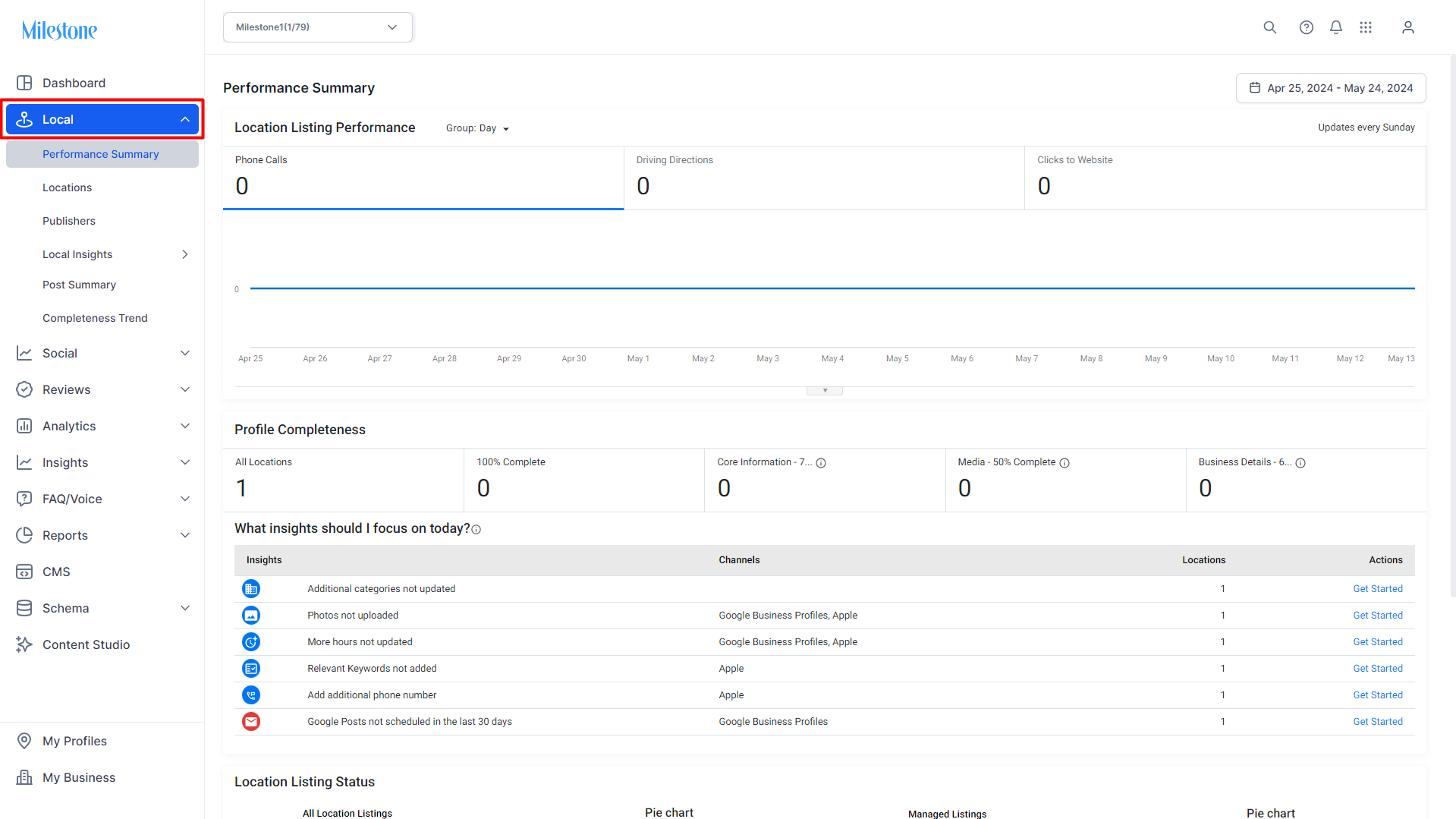
Once logged onto Milestone Presence Cloud, click on 'Local'.
Click on the 'Locations' tab.
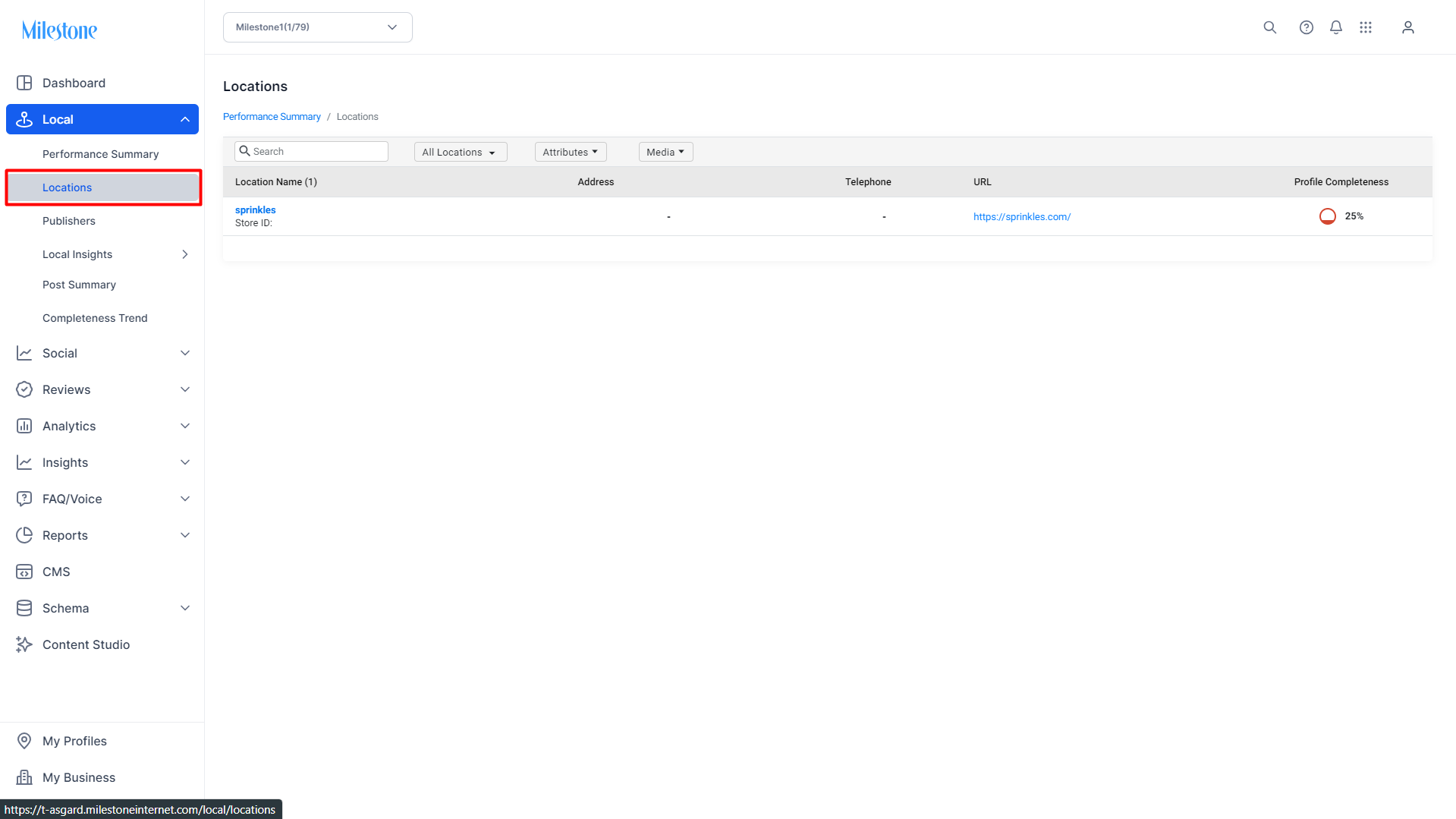
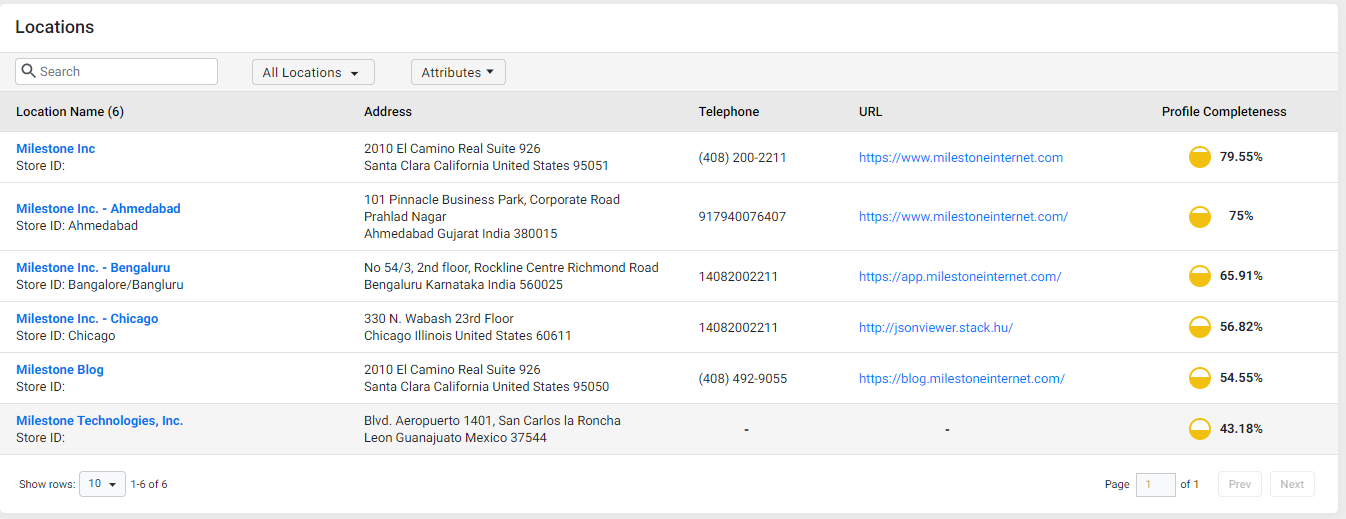
On the 'Locations' tab you will see the name, address, telephone, URL and the profile completeness of each business location.
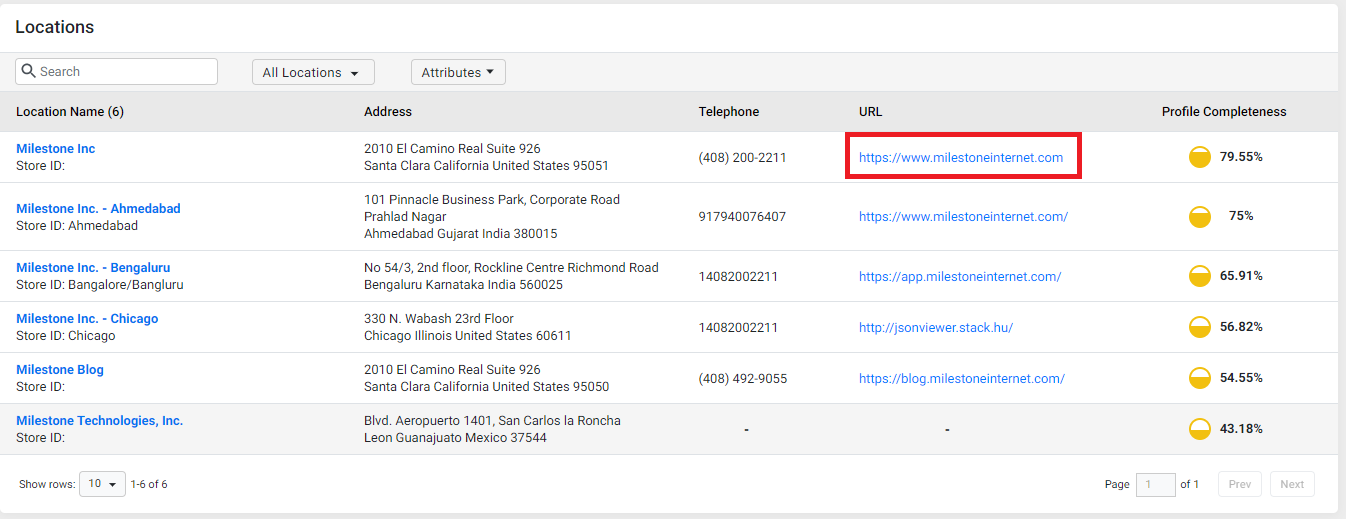
Navigating to the URL
To navigate to the URL of the location, click on the URL against the location.
Using Filters
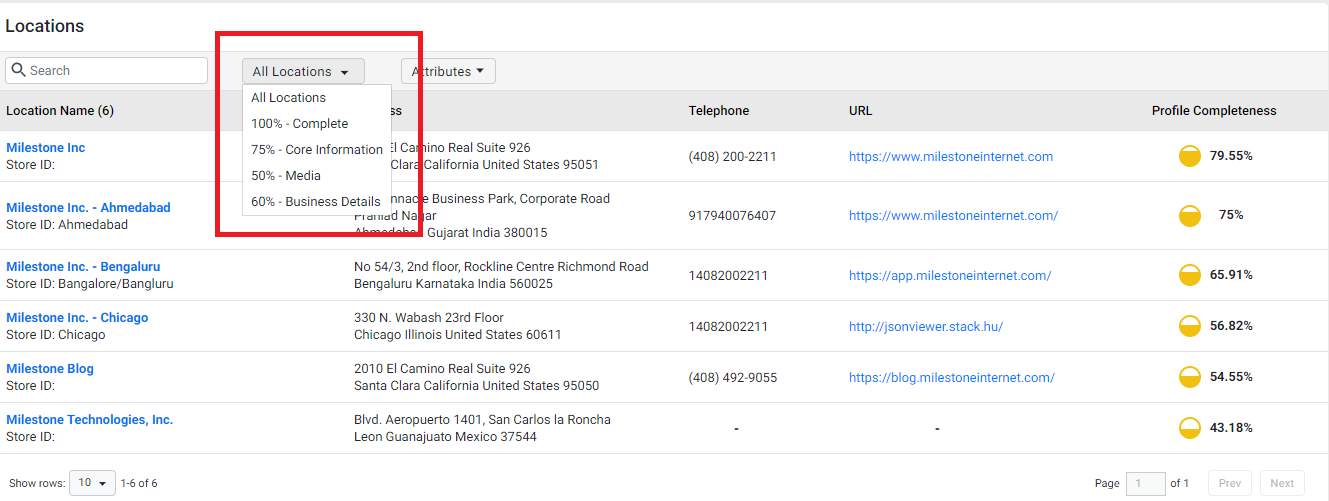
Using the drop-down filter, businesses can view their locations that have 100% profile completeness, completeness of their Core Information (UNAP, Description, Special hours, etc.,) more than 75%, media completeness of more than 50%, and so on.
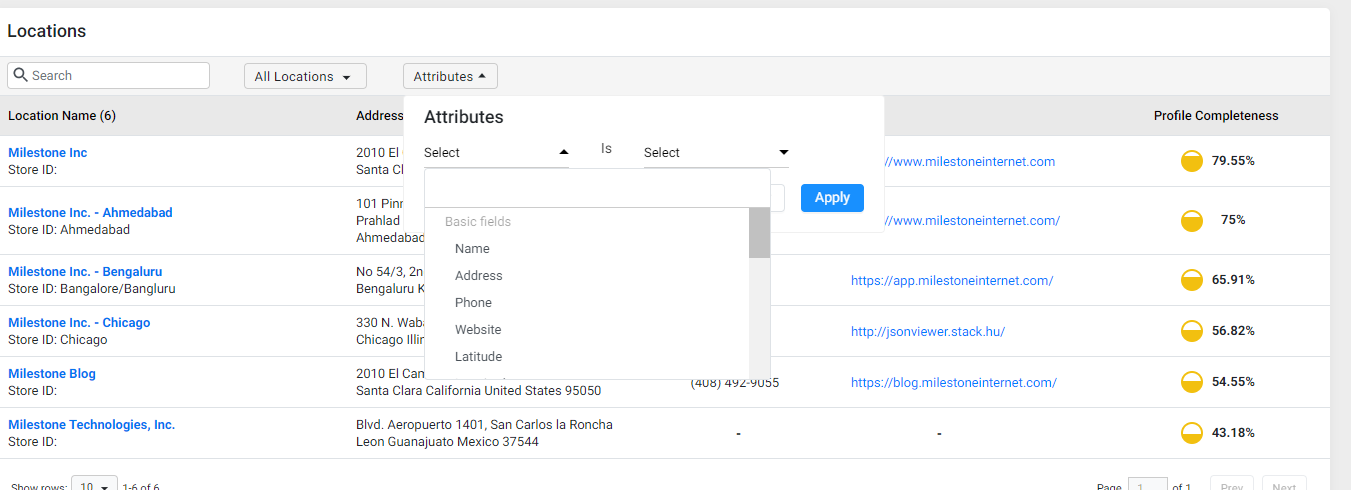
You can also filter locations by their attributes. Choose an attribute and select whether it is present or not present.
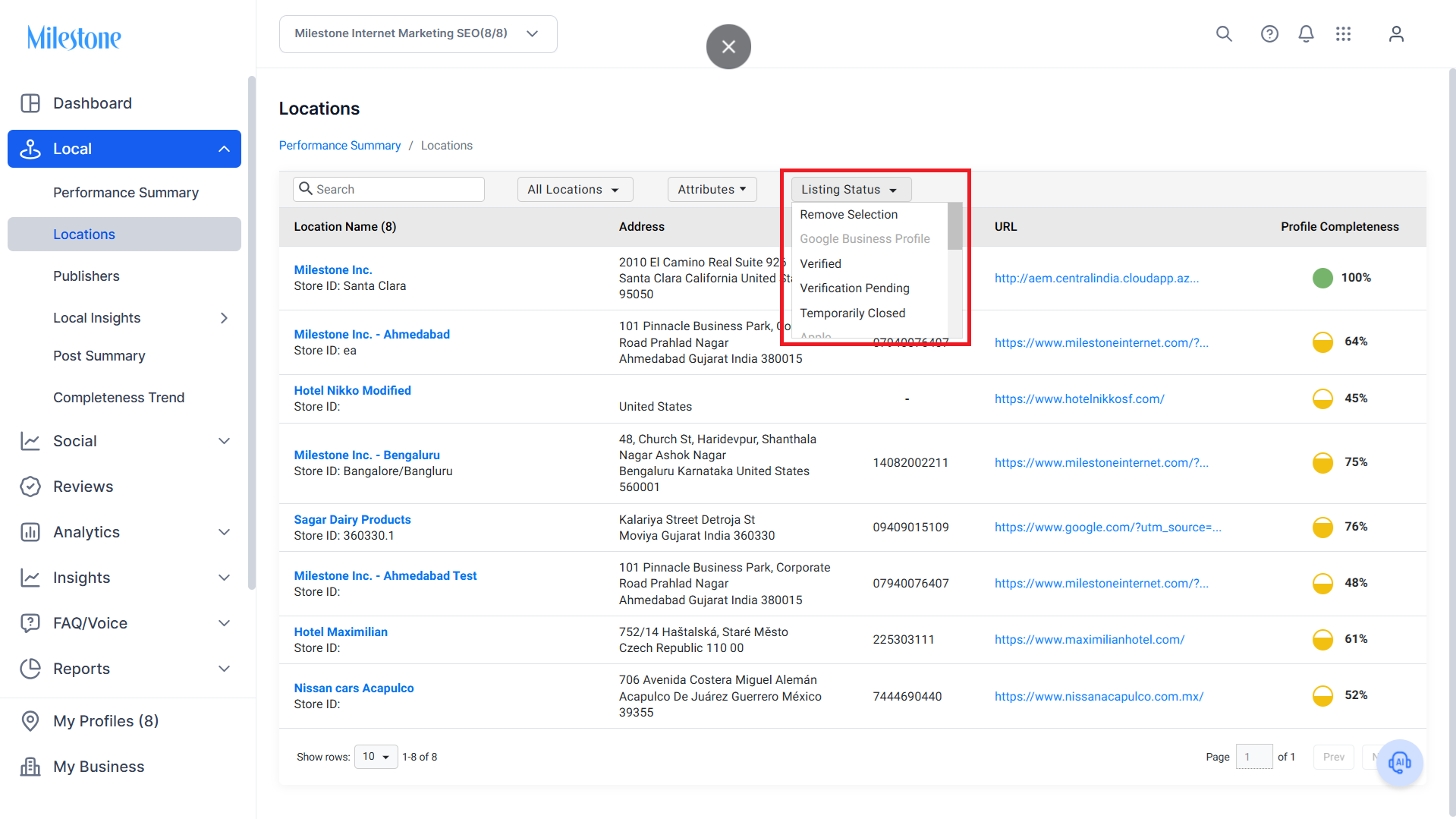
The Listing Status filter lets you filter locations by the listing status.
Accessing Profile Summary
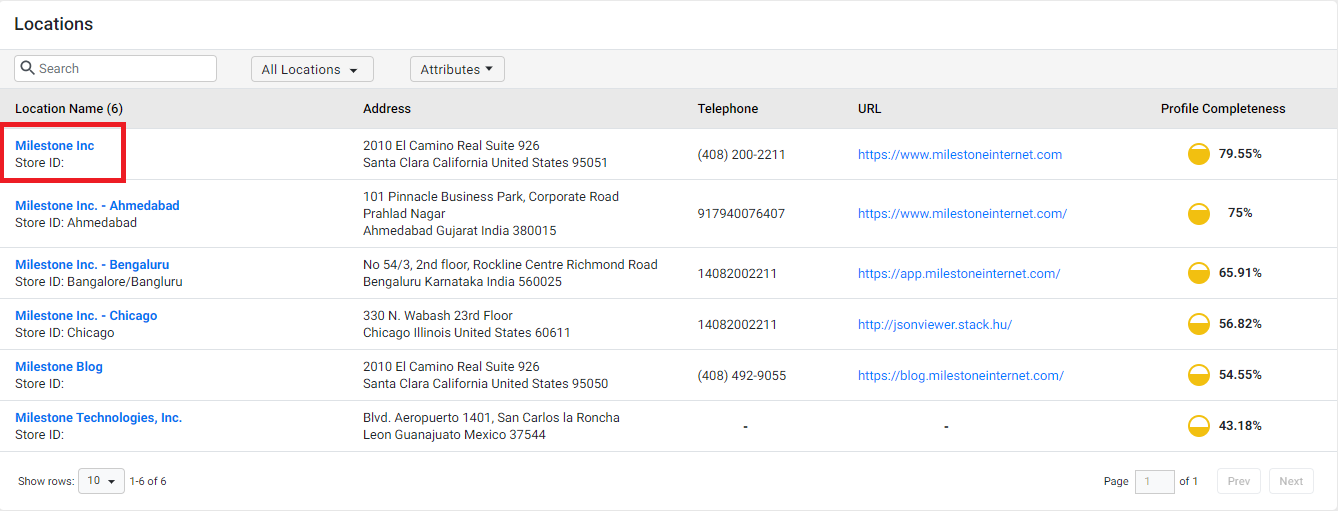
To access the profile summary and make edits to the details of each business location, click on the profile.
Was this article helpful?
That’s Great!
Thank you for your feedback
Sorry! We couldn't be helpful
Thank you for your feedback
Feedback sent
We appreciate your effort and will try to fix the article