Use Milestone Local’s insights to connect multiple sources and start receiving omnichannel traffic data.
Path: Milestone Local > Performance Summary > What Insights should I focus on today?
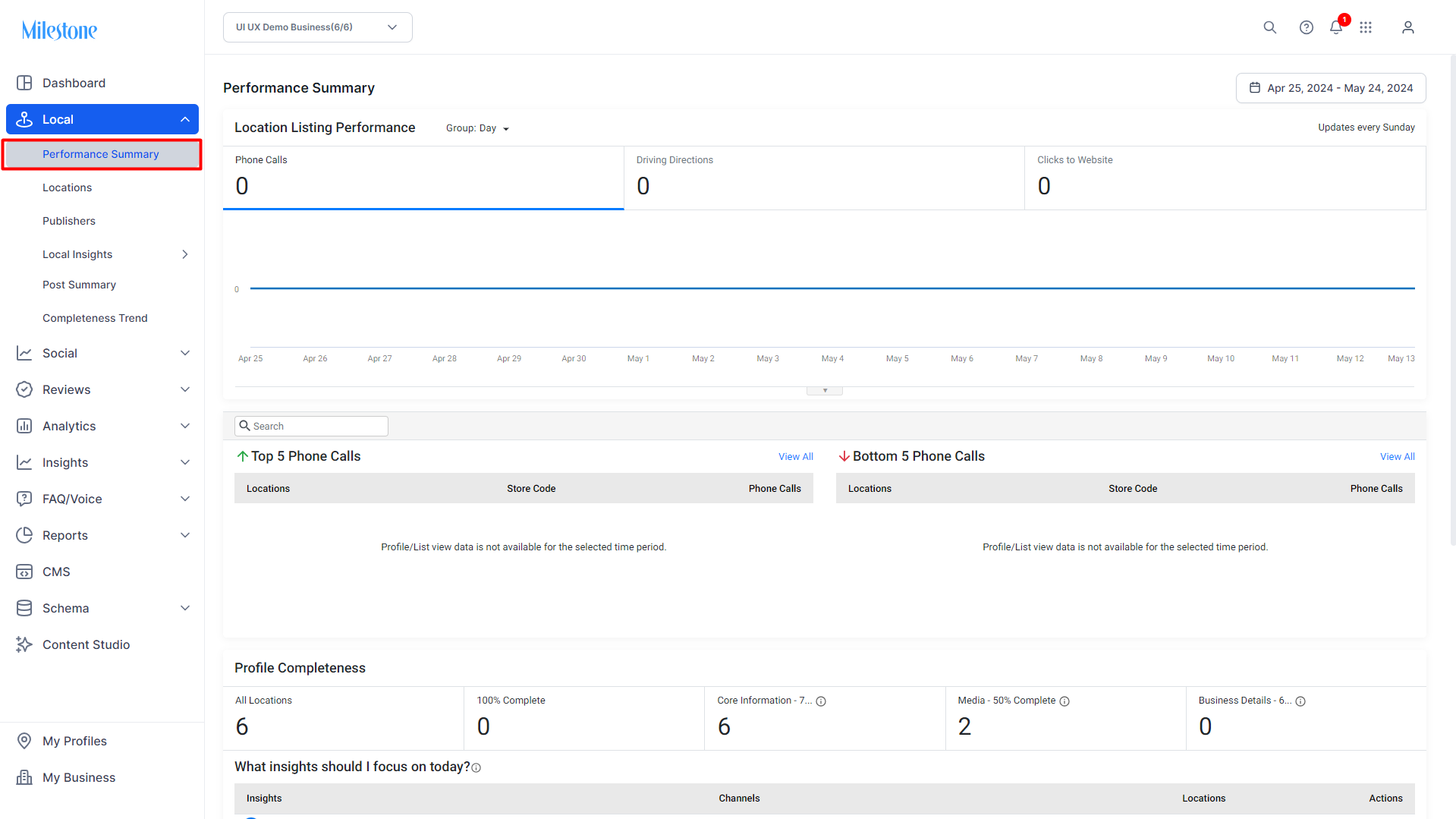
Step 1: Click on ‘Performance Summary' in the left navigation panel of the ‘Performance Summary’ section
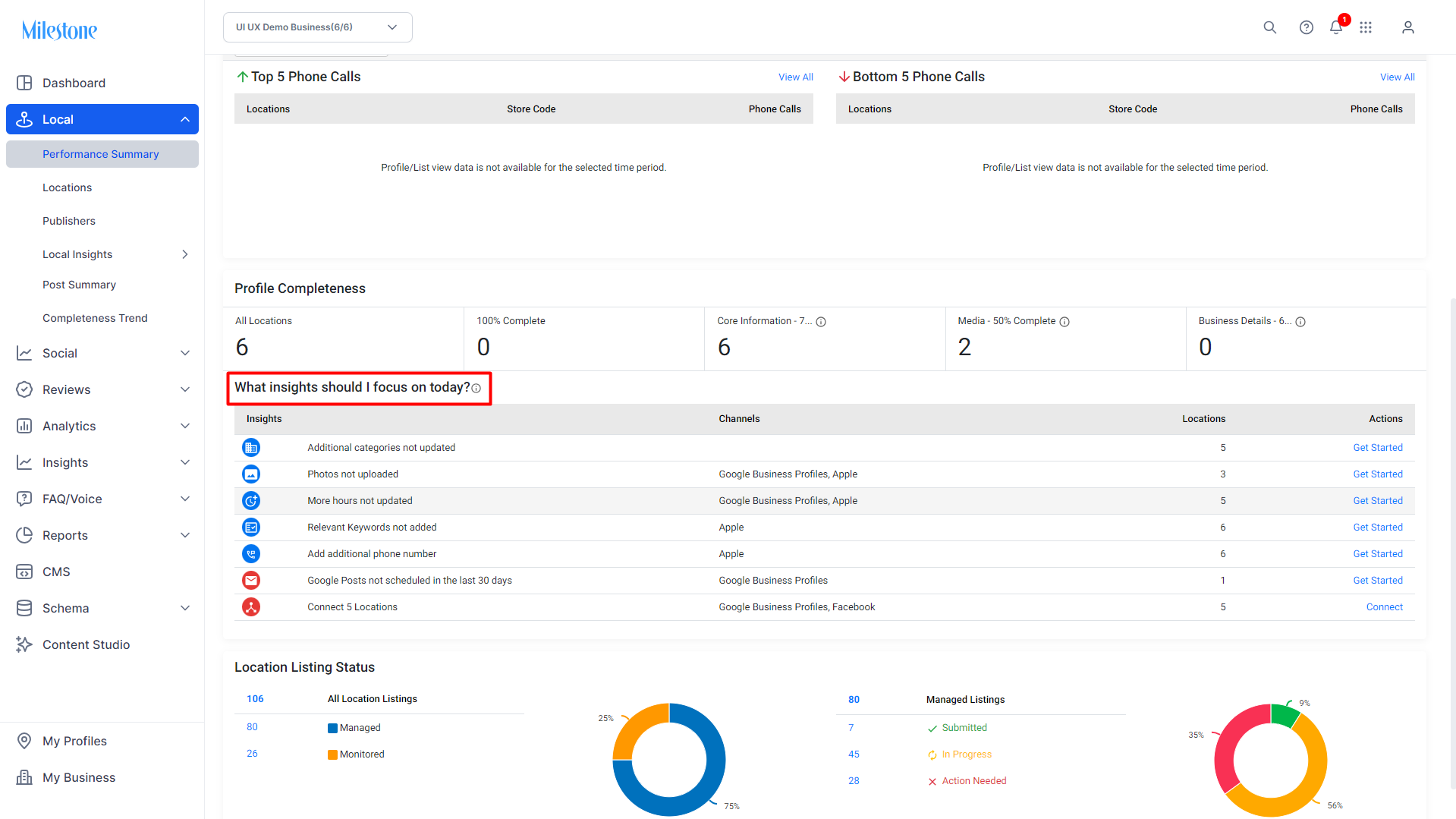
Step 2: Scroll down to the ‘What insights should I focus on today?’ widget
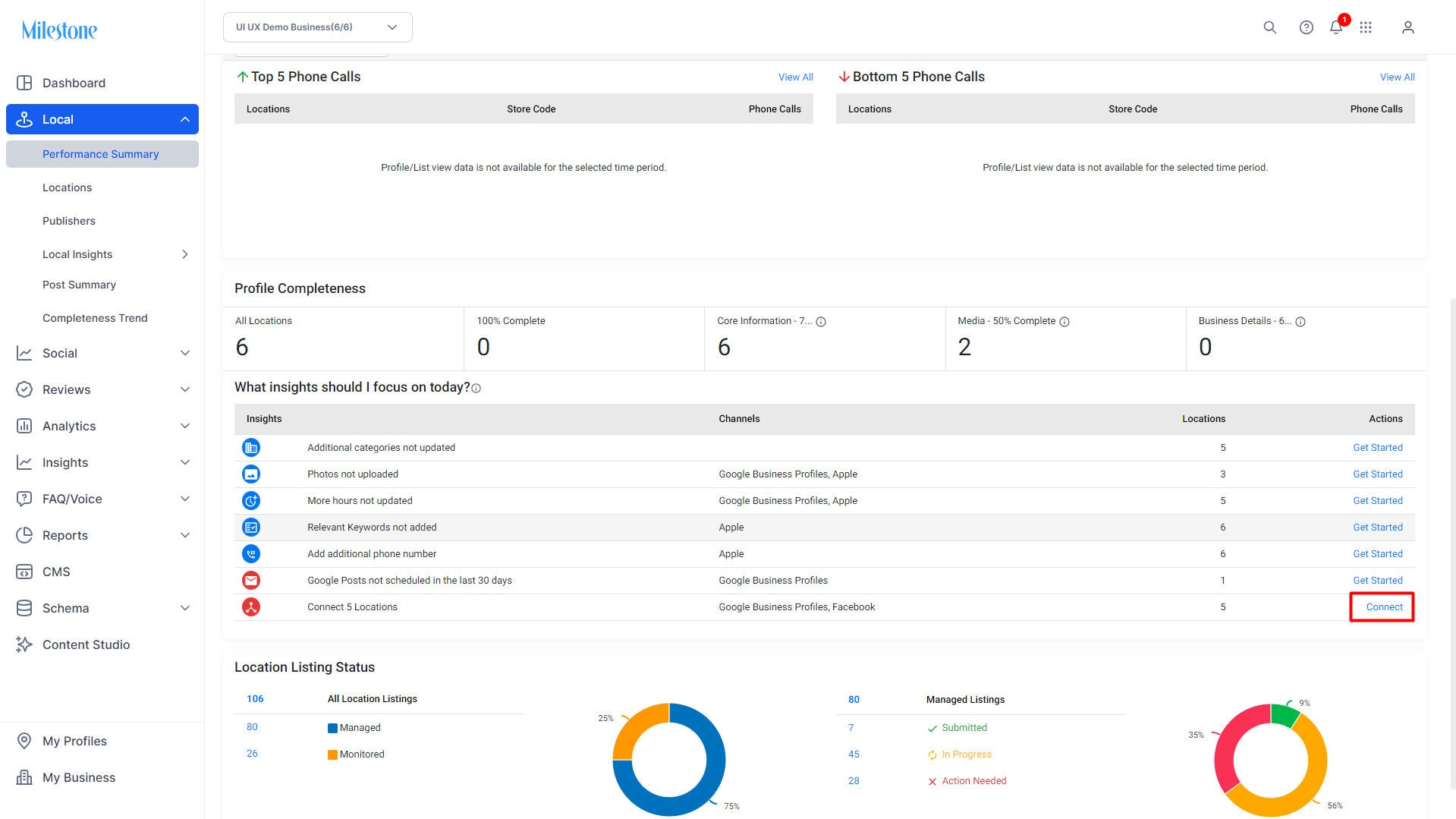
Step 3: Click on ‘Connect’ in the Actions column for connecting locations to sources
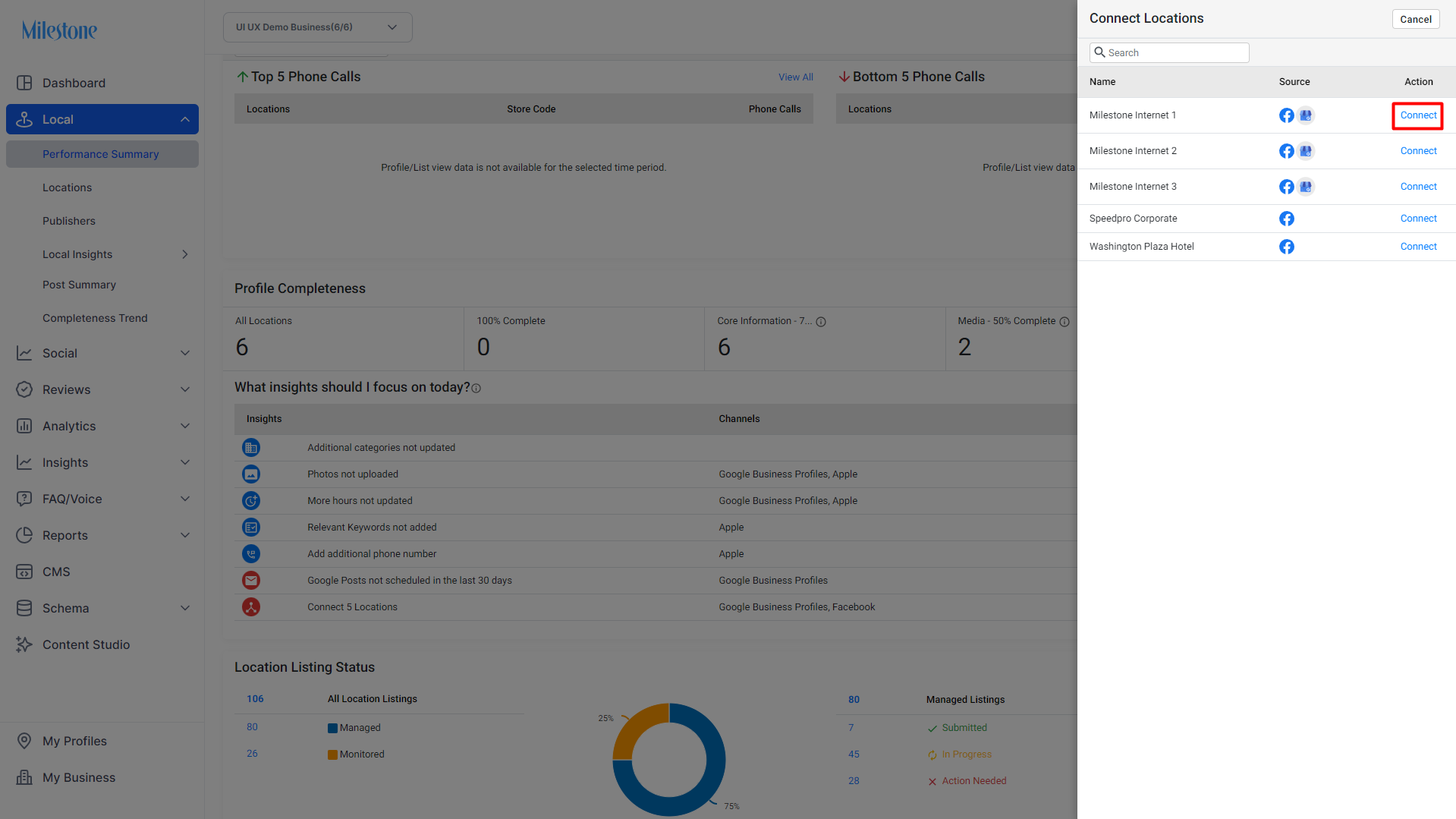
Step 4: The ‘Connect Locations’ tab displays the name of the location and the source to be connected. Click on ‘Connect’ in the Action column to connect a location to a source
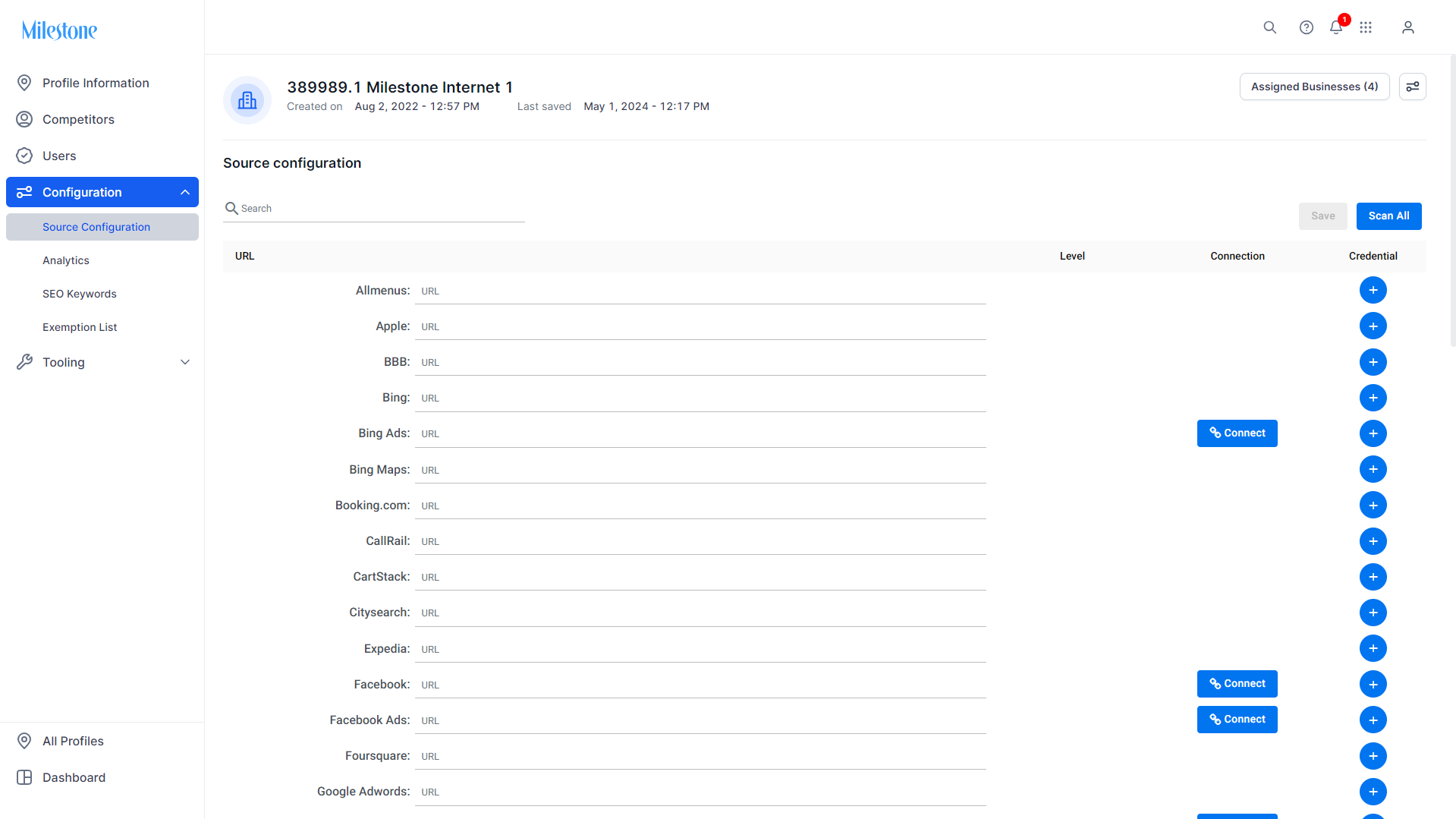
Step 5: You will be redirected to the source configuration settings screen of the profile where you can sync or enter the credentials.
Was this article helpful?
That’s Great!
Thank you for your feedback
Sorry! We couldn't be helpful
Thank you for your feedback
Feedback sent
We appreciate your effort and will try to fix the article