Overview
Cloning schema types is a process that allows you to duplicate existing structured data templates, facilitating consistency and efficiency across your website. By replicating schema types, you can maintain uniformity in data representation, reduce manual effort, and ensure that similar content types adhere to the same structured data standards.
If you need to add the same schema type multiple times, you wouldn’t need to add each instance of the schema using the ‘Schema Type’ drop-down.
Step-by-Step Process
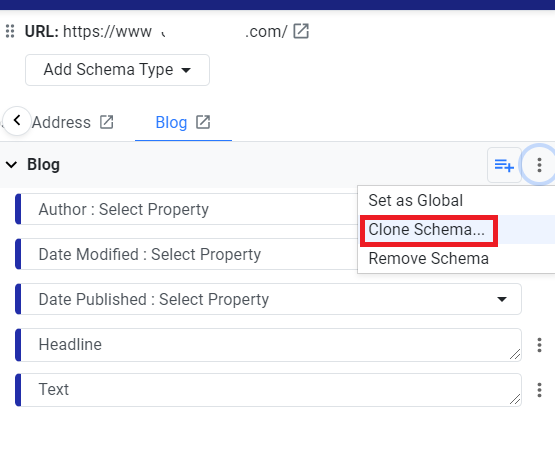
For example, you want to add the blog schema type to tag all the blogs on a single page. Choose the blog schema type, click on the 3 dots, and click on ‘Clone Schema’.
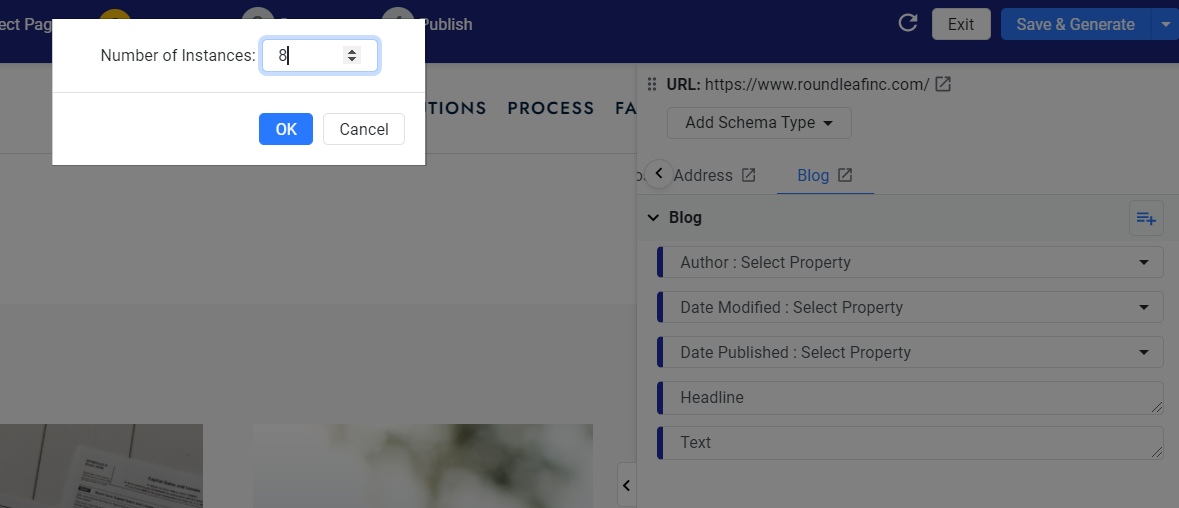
Enter the number of times you wish to clone the schema type and click on ‘Ok’.
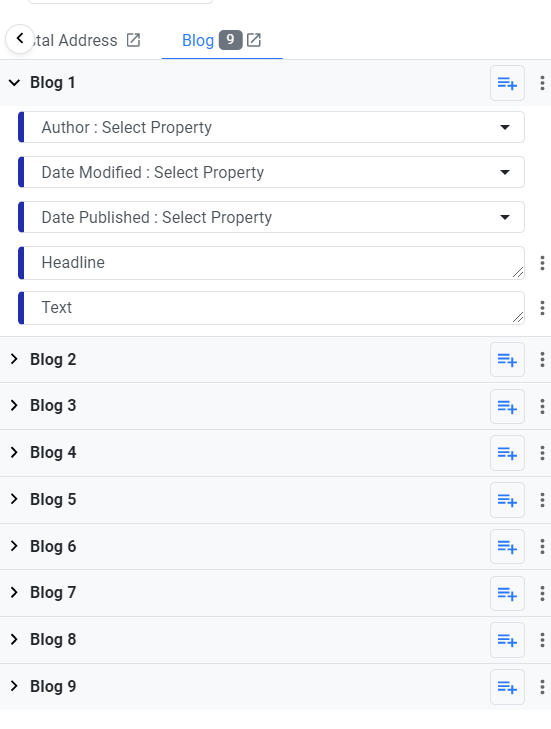
The schema type will be cloned to tag each blog on your page.
Glossary of Terms
Structured Data (Schema Markup): A standardized format for providing information about a page and classifying the page content.
Schema Type: A specific category within structured data that defines a set of properties relevant to a particular content type (e.g., Article, Product, Event).
Cloning: The process of creating an exact copy of an existing schema type, which can then be modified as needed.
Validation: The process of checking structured data for errors and ensuring it adheres to the required standards.
Was this article helpful?
That’s Great!
Thank you for your feedback
Sorry! We couldn't be helpful
Thank you for your feedback
Feedback sent
We appreciate your effort and will try to fix the article