

Knowledge base
Release Oct 8, 2025
CMS: Page Studio
Page Layers
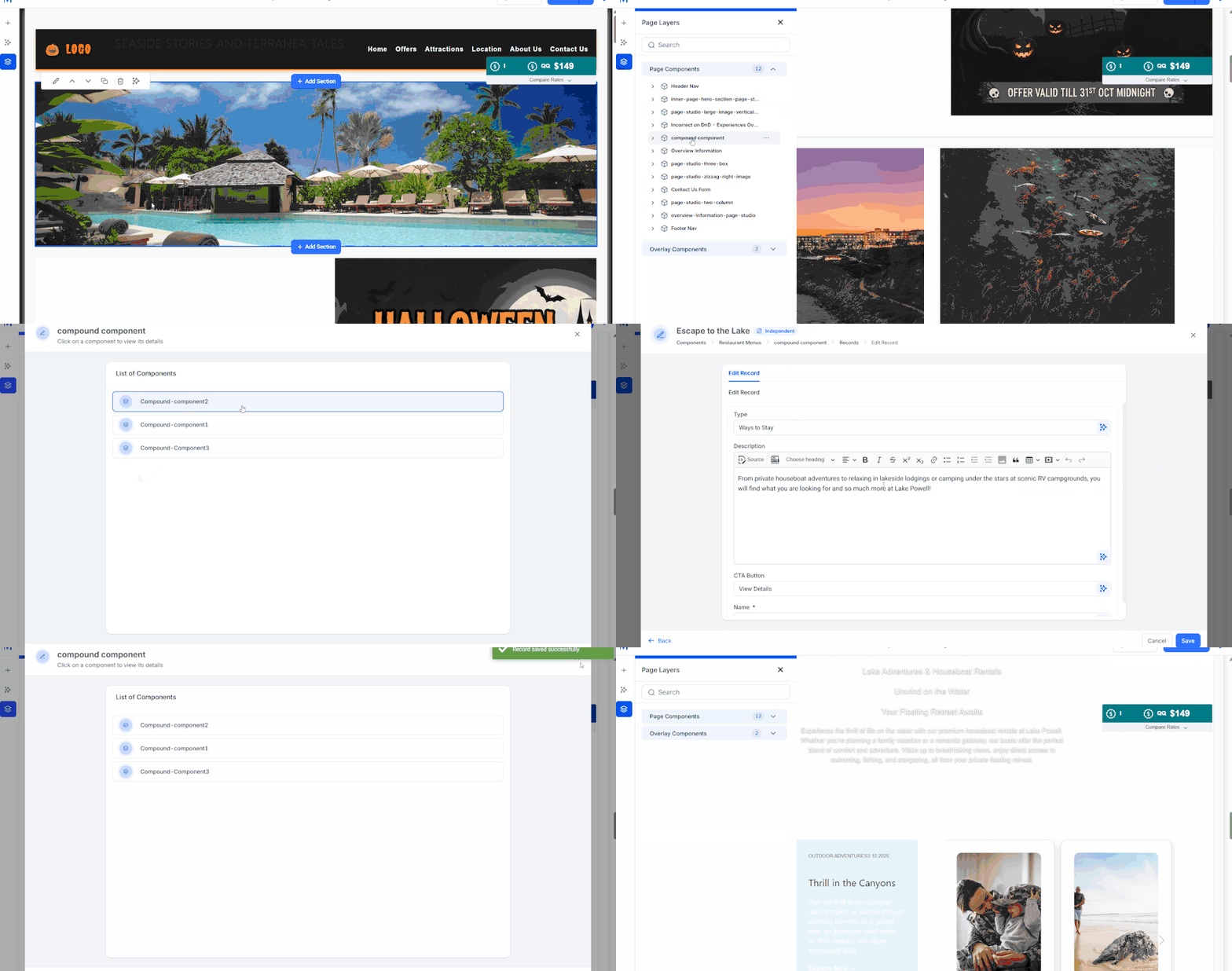
You are managing a page with multiple components and records. To review or edit content, you currently need to scroll through the entire page, open each component, and manually check records, a slow and cumbersome process. With Page Layers, you can:
- Instantly see all components on a page in a structured view.
- Jump directly to any component with one click.
- Expand components to view record hierarchies and mappings.
- Edit records inline from the Page Layer panel.
- Manage floating or overlay components (popups, modals) by toggling visibility.
Impact:
- Saves time by eliminating endless scrolling.
- Makes editing simpler and more efficient for content teams.
- Improves adoption by bringing Page Studio to parity with competitor platforms.
- Reduces customer friction and increases satisfaction.
Who is this for
- CMS Page Studio customers, especially Marketing Managers and Content Managers.
Analytics
Update: Consistent Visualization Across Widgets
To ensure a more consistent and intuitive experience across all analytics widgets, the default visualization for the “By-Device” and “By-Channel” views in the Website Performance section has been updated to use a Stacked Bar Chart.
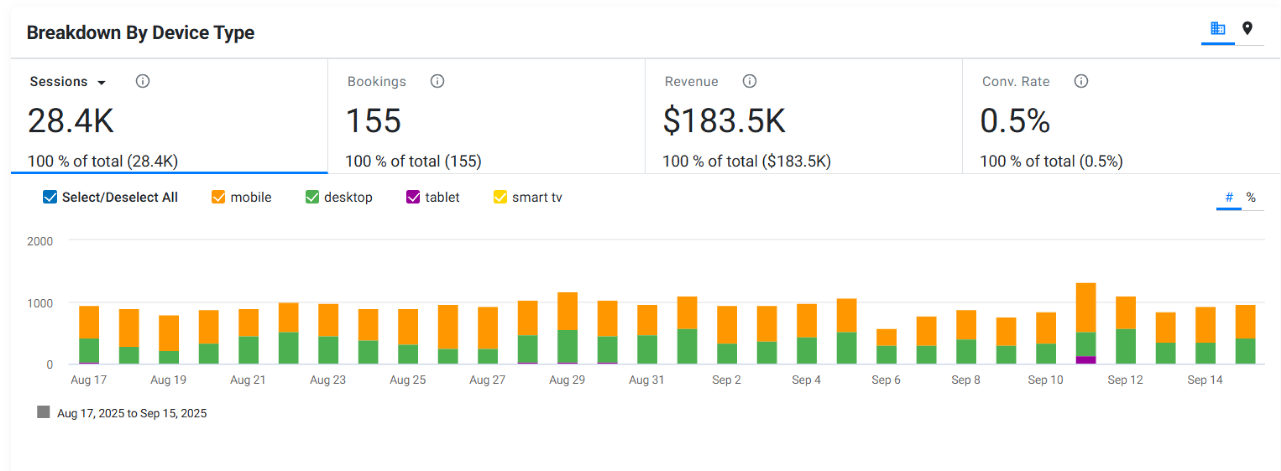
This change aligns the visual style with other widgets in the platform, making it easier to compare and interpret data at a glance. No action is required from users; existing data will automatically display in the new format.
Benefit
Improved visual consistency and easier data comparison across different reports.
Was this article helpful?
That’s Great!
Thank you for your feedback
Sorry! We couldn't be helpful
Thank you for your feedback
Feedback sent
We appreciate your effort and will try to fix the article