

Knowledge base
Este artículo no está disponible en Spanish. Consúltalo en English.
Release July 2, 2025
CMS
Digital Asset Manager V 2.0
Problem: Users found it difficult to keep assets organized, often wasting time searching for files or managing clutter. They also couldn’t move assets between folders, limiting flexibility and efficiency.
Solution: We’ve redesigned the Digital Asset Manager (DAM) to make organizing, finding, and managing your digital assets faster and easier than ever.
What's New
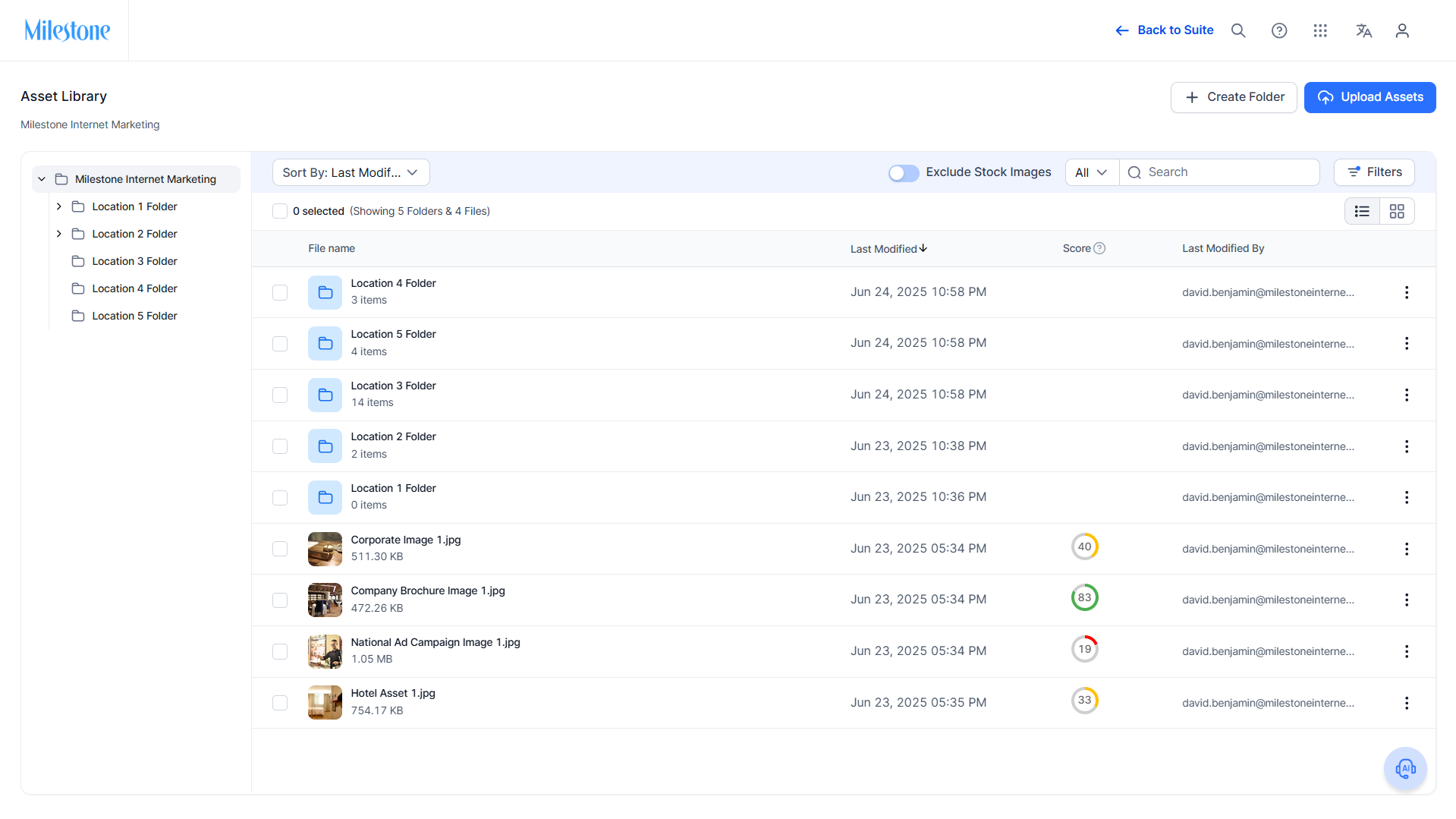
Folder Structure:
- Introduced a hierarchical folder system within each profile.
- View and navigate folders easily in the left panel.
- Create nested folders for better asset organization and control.
Move Functionality:
- Move assets between folders using the new Move action or simply drag and drop in the folder tree.
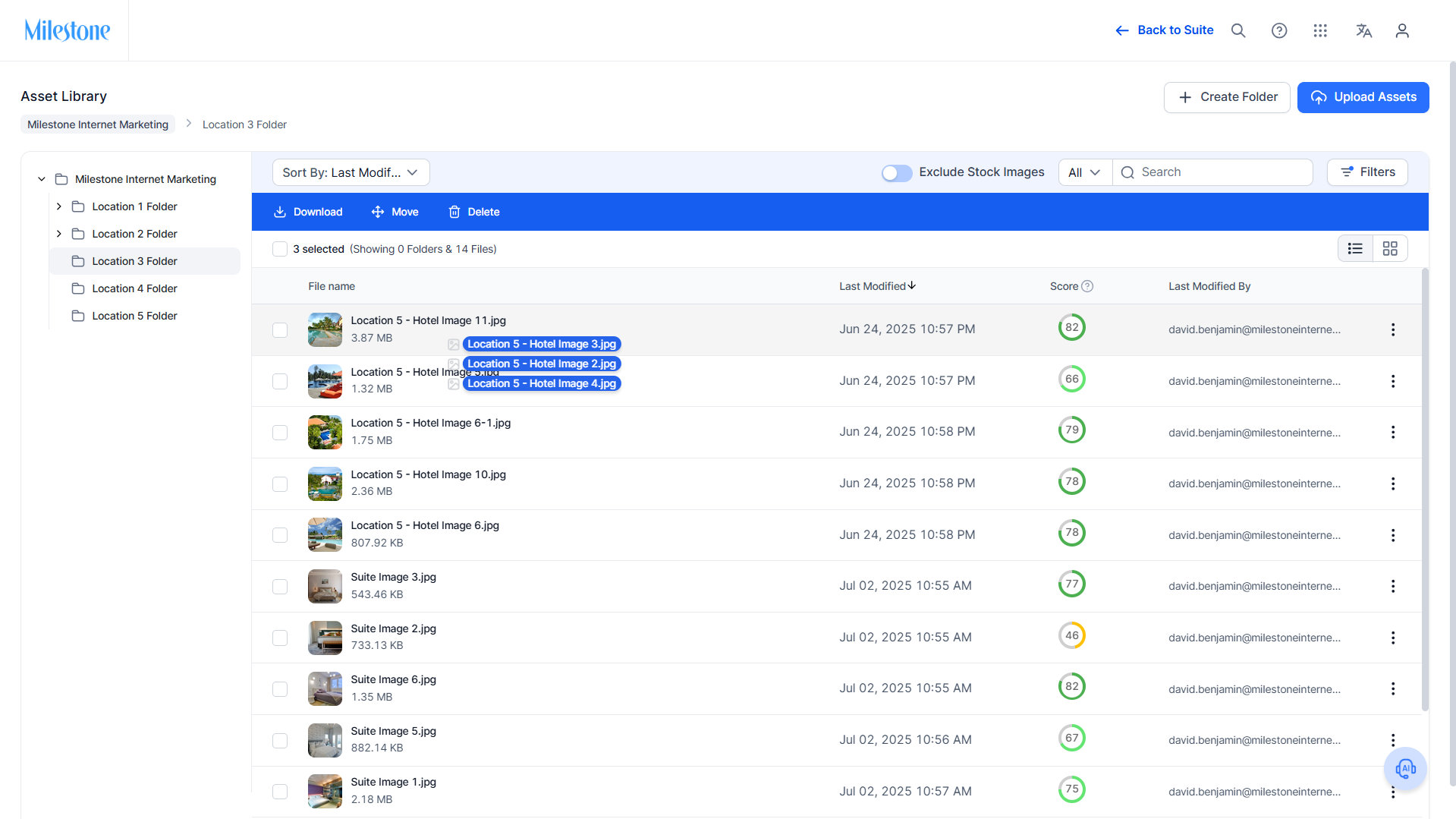
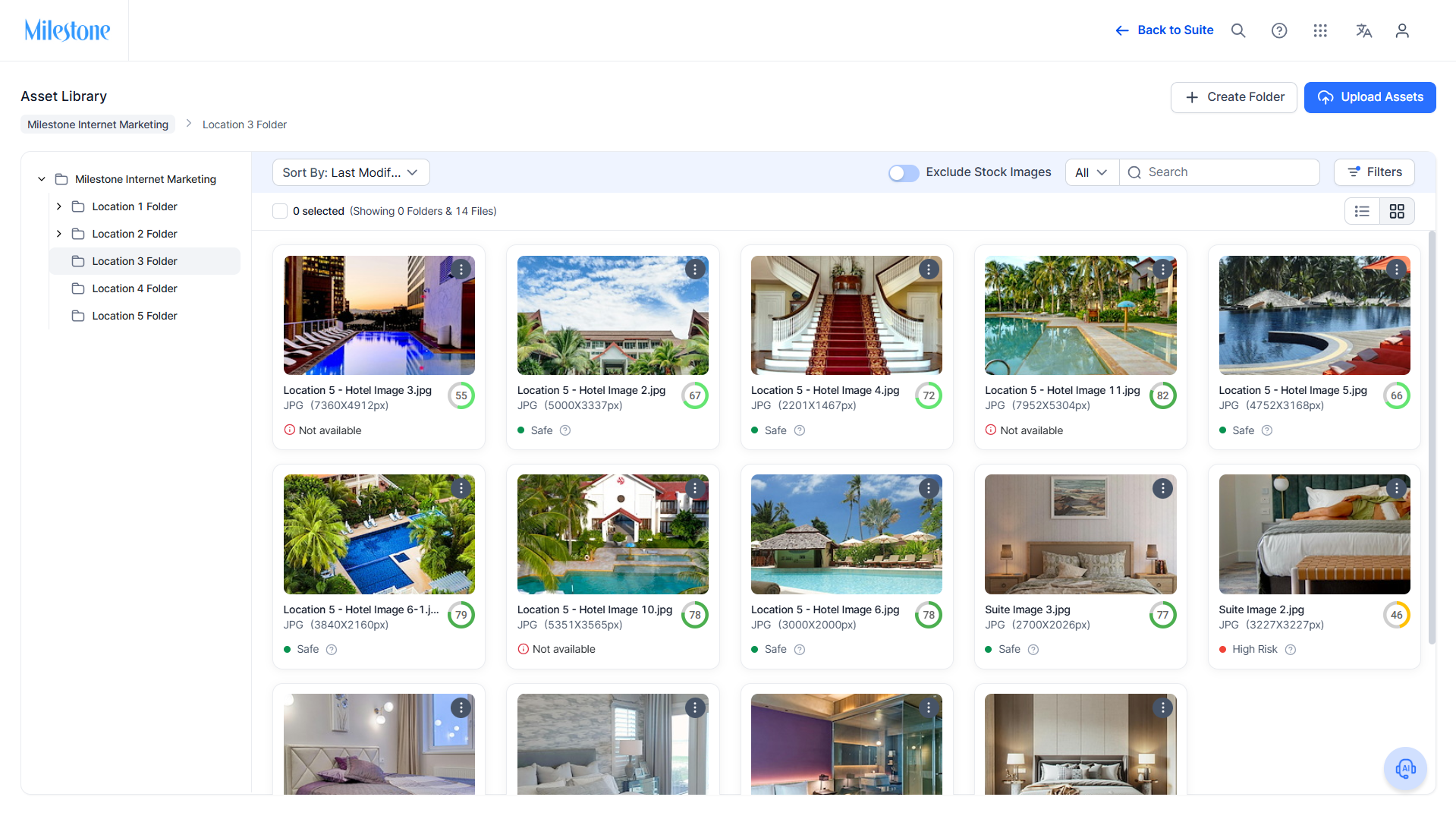
Image Cards in Grid View:
- Assets now display as image cards showing previews and key properties at a glance.
- Quickly perform actions like move, rename, or delete directly from the grid.
Seamless UI:
- Enjoy a cleaner, more intuitive interface in the Asset Library.
- Single-click to open assets in full view.
- Double-click to open folders and see their contents instantly.
Impact:
The new DAM V2.0 helps users save time, keep assets organized, and improve productivity with an intuitive, powerful tool for digital asset management.
Was this article helpful?
That’s Great!
Thank you for your feedback
Sorry! We couldn't be helpful
Thank you for your feedback
Feedback sent
We appreciate your effort and will try to fix the article