

Knowledge base
Release Nov 7, 2024
Milestone CMS
Portfolio Screen Changes
Problem Statement:
Navigating the CMS Portfolio Screen was not intuitive, leading to unnecessary clicks and confusion for users. Profile name hover effects lacked clear indications, and client users had to go through multiple steps to manage websites, even for sites that had already been created.
Solution:
The latest Portfolio Screen Changes improve usability by:
- Hovering over the profile name now clearly denotes that the user will be redirected to the profile information screen.
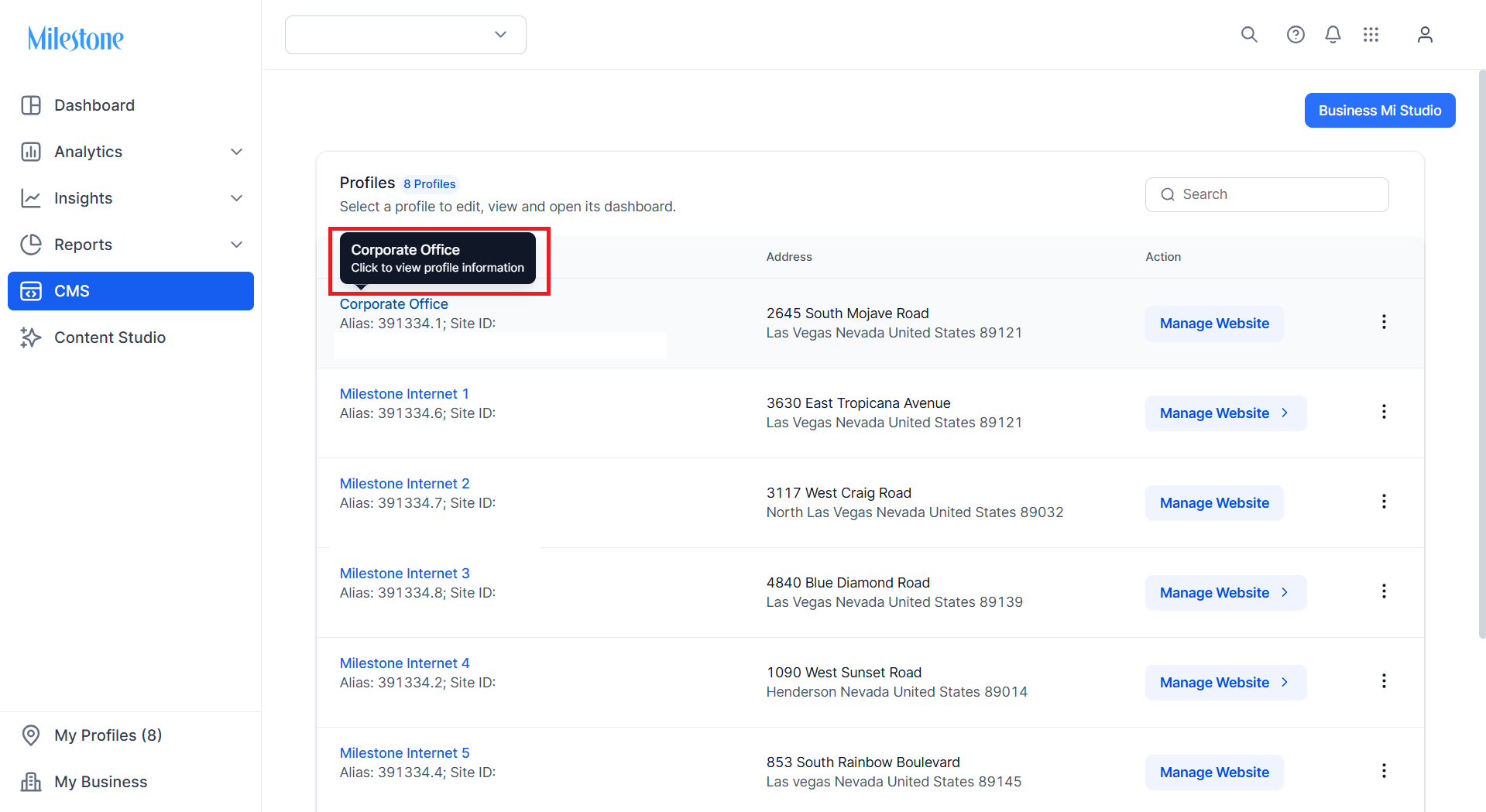
2. Users will now only see the ‘Manage Website’ icon for websites that have been created. There will no longer be a dropdown with multiple options. This reduces the clicks required to enter CMS.
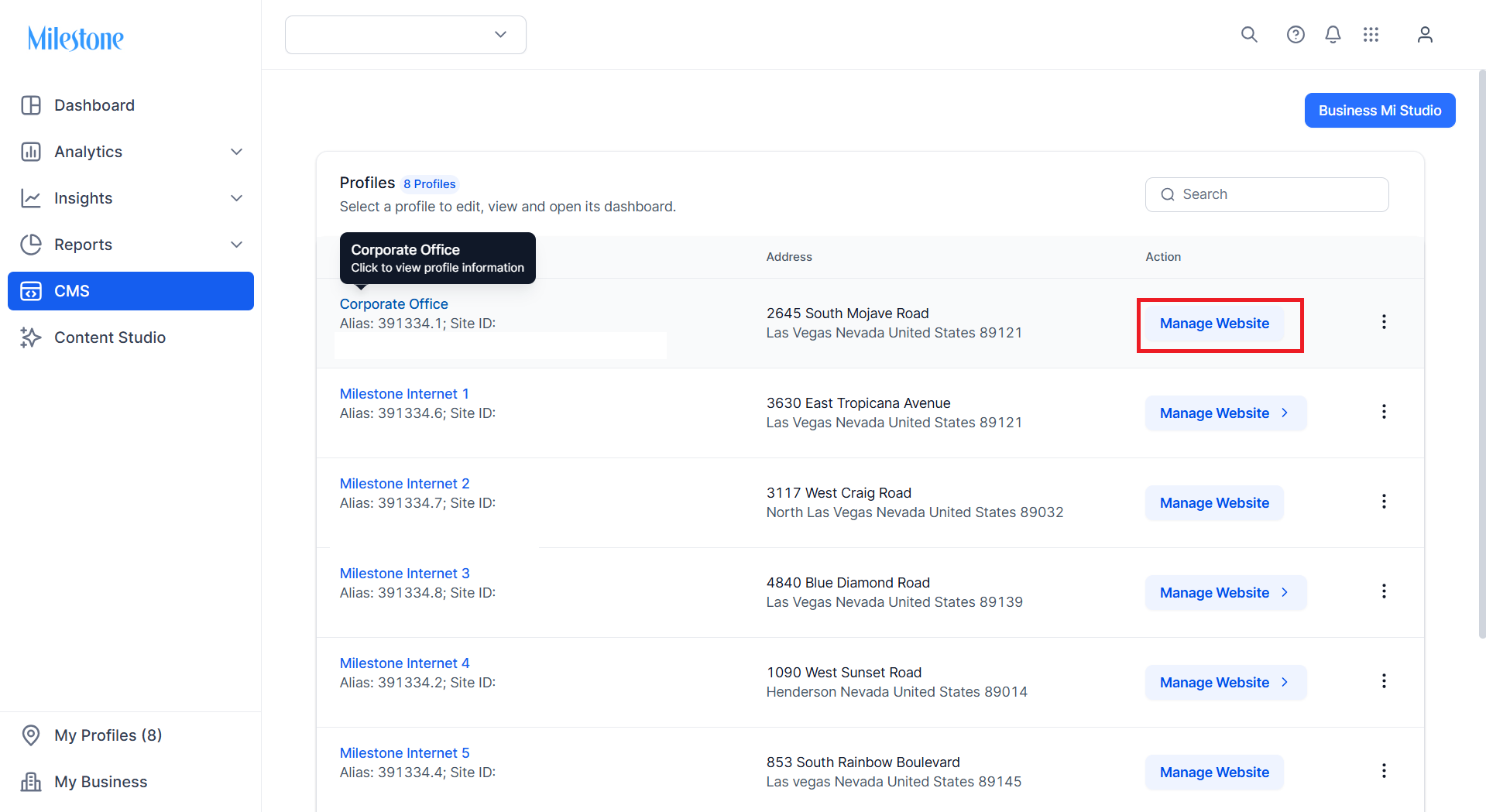
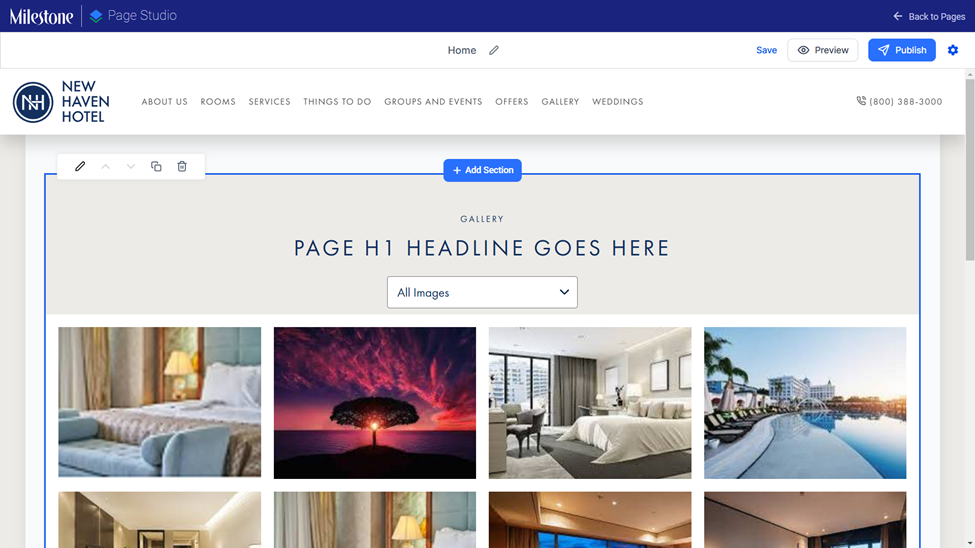
- Clicking on ‘Manage Website’ takes them to the Page Studio/Website editor directly, allowing them to start making changes straight away.
Was this article helpful?
That’s Great!
Thank you for your feedback
Sorry! We couldn't be helpful
Thank you for your feedback
Feedback sent
We appreciate your effort and will try to fix the article